Google Ads Conversion Tracking Without the Google Tag
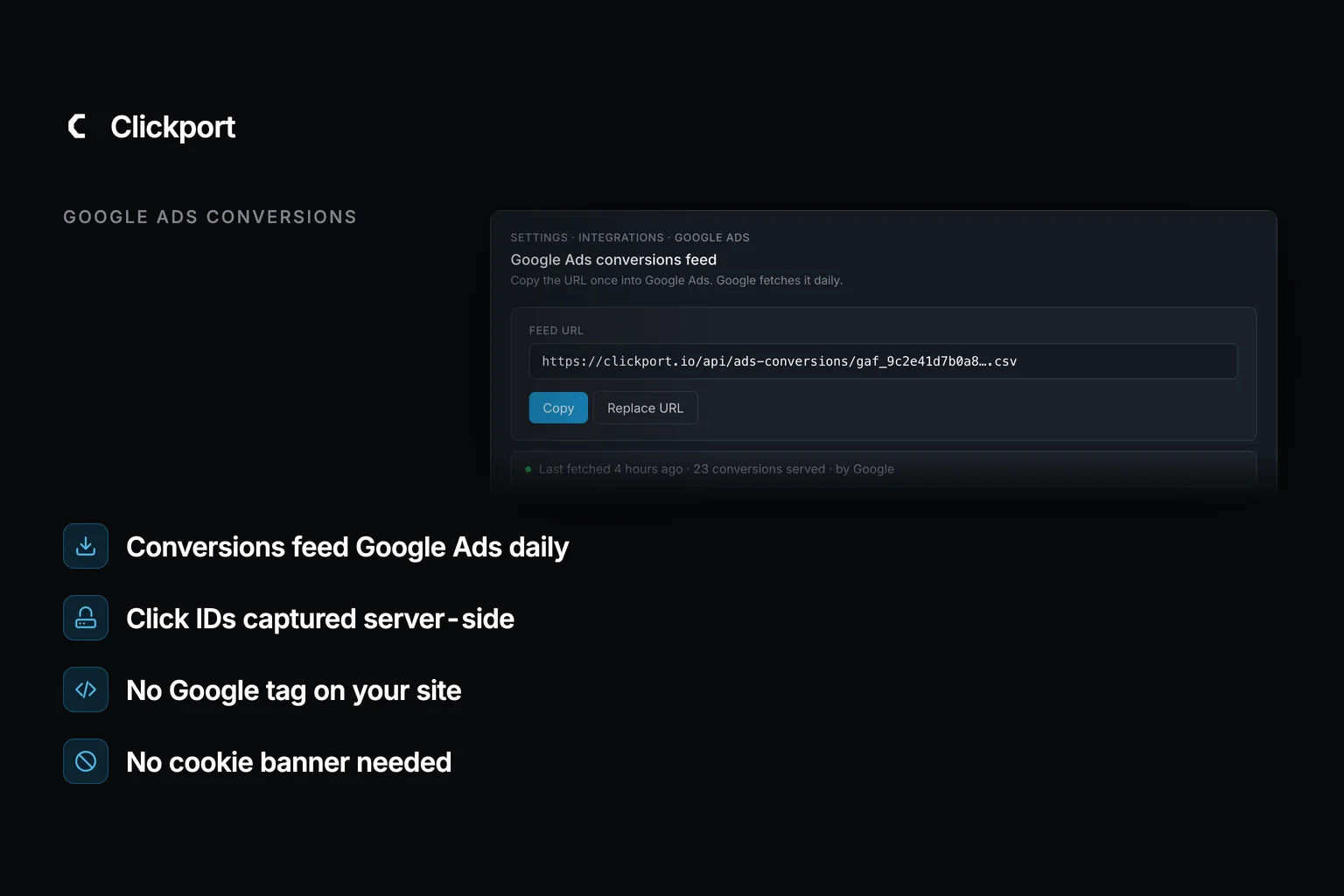
Can you track Google Ads conversions without the Google tag? Yes. Google Ads accepts conversions from a file it fetches on a schedule, and it's supported this for years. Most advertisers don't use it, because they don't know it's there. I'll show you how it works, how you can set it up by hand, and what honestly breaks when the tag goes.
Quick disclosure: I run Clickport, a cookieless analytics tool that automates exactly this. But you don't need any product of mine for the manual path below, and it's free.
- Google Ads accepts conversions from a scheduled CSV fetched from an HTTPS URL, Google Sheets, or SFTP. No gtag, no Tag Manager, no Google code on your site.
- Google silently removes duplicate rows using click ID + conversion name + time, so overlapping uploads are safe by design.
- Since March 2024, every upload needs two consent columns: Ad User Data and Ad Personalization. Files without them can import as 0 conversions.
- A click needs about 6 hours of Google-side processing before its conversion is accepted, and click IDs expire after 90 days.
- The file import takes gclid only. iOS clicks tagged wbraid or gbraid can't be uploaded this way, and remarketing lists still need a tag.
Why Google Ads normally needs a tag
When someone clicks your ad, Google appends a click ID called a gclid to your landing page URL. The Google tag stores that ID in a first-party cookie, waits for a conversion, then reports the pair back to Google. That report is what Smart Bidding learns from. No conversions, no learning. In practice that means the bidding falls back to chasing cheap clicks, and cheap clicks are what bots and junk placements produce best. You pay for the wrong visitors, precisely and automatically.
The tag carries a price, though. In the EU and UK it won't fire without consent, so every visitor who ignores or rejects your cookie banner vanishes from your measurement. And the wiring fails quietly. ppc.land documented an advertiser whose conversions dropped 90% overnight because a working banner never passed its consent signals to Google's tag. Put another way: the tag you keep for measurement became the thing breaking measurement. Nobody noticed for two days.
The scheduled import Google barely advertises
Buried in Google's help pages sits a feature called importing conversions from ad clicks using files. You host a CSV of converted clicks at a private HTTPS URL, a Google Sheet, or an SFTP server. Google Ads fetches it daily or weekly. Each row pairs a click ID with a conversion name, a time, and an optional value and currency.
That's the whole mechanism. Your server tells Google what converted. You don't run a script in the browser, you don't set a cookie, and there's nothing for a banner to gate. You don't ask Google for permission either: no developer token, no OAuth review, no approval queue.
Four rules surprise people every time, and they're all documented in Google's own help pages:
The dedup rule matters most. The common fear with scheduled uploads is double counting, and it doesn't happen. Google keeps the first instance of each click ID + name + time combination and ignores the rest, so you don't need to engineer around overlap. An overlapping window is the correct design.
The consent columns are the other trap. They've been required on every upload since March 6, 2024. In plain English: a file without them can upload cleanly and still import as zero conversions, with no error anywhere.
How to set it up by hand
The manual version takes four steps, and you don't write code beyond capturing one URL parameter.
- Store the gclid. When a visitor lands with
?gclid=...in the URL, save it: a hidden form field, a column next to the signup, wherever you keep your conversion data. - In Google Ads, create a conversion action of type Import for each conversion you'll report. The name has to match your file exactly, or the rows won't land.
- Build the CSV: a
Parameters:TimeZone=header line, then one row per conversion with Google Click ID, Conversion Name, Conversion Time, value, currency, and the two consent columns. - Go to Goals, then Conversions, then Uploads, and either upload the file once or add a schedule pointing at an HTTPS URL you host. Daily is the cadence Google recommends for Smart Bidding.
Google Click ID,Conversion Name,Conversion Time,Conversion Value,Conversion Currency,Ad User Data,Ad Personalization
EAIaIQobChMI8xK…,Signup,2026-08-06 14:32:11,80,EUR,Granted,Granted
EAIaIQobChMI2vD…,Purchase,2026-08-06 18:05:47,149.50,EUR,Granted,Granted
EAIaIQobChMI7pQ…,Purchase,2026-08-07 09:12:03,64,EUR,Granted,Granted
That's a working Google Ads measurement setup with no Google code on your site. One timing rule to respect: Google needs about 6 hours to process a click before it accepts the conversion, and click IDs expire after 90 days. In practice that means you hold back today's clicks and your CRM gets a three-month window.
The catch is that step 3 never ends. The file doesn't generate itself: someone has to build it, on schedule, with the consent columns right and the too-recent clicks held back. It's a cron job with opinions, and you're its maintainer.
Automating it with cookieless analytics
This is where I pitch my own tool, so judge accordingly. Clickport does the whole loop with one 2 KB script. In plain English: the script you already run for analytics doubles as the conversion pipe. You switch "Report to Google Ads" on for a goal, and a private feed URL serves Google the converted clicks daily. With Stripe or Paddle connected, the value in each row is the amount that reached your payment provider, not what a blockable browser event claimed. The dashboard shows every fetch Google makes, so you aren't left hoping. Setup is five minutes of pasting one URL.
I think this fits sites that want the banner gone without giving up their campaigns. If you're running heavy remarketing, it won't be enough, and I'd rather tell you that here than in a refund email.
The same goal does one more job. If you A/B test the landing page without cookies, each variant's leads are measured on that goal too, so the headline that wins the test is the one feeding the import.
What breaks without the Google tag
Three things, and anyone who says otherwise is selling too hard.
Remarketing lists die. Audience lists need visitor identity across sessions, and cookieless tools can't honestly hold it. The replacement is Customer Match, built from your own customer emails, plus conversion signals steering Performance Max.
Part of iOS goes dark. On iOS, Google often issues wbraid or gbraid instead of gclid, and the file import accepts gclid only. That means those conversions exist in your analytics but can't ride the file back to Google.
Modeled conversions disappear. Google's tag estimates the conversions it couldn't observe and adds them to your reports. A file feeds only observed conversions: fewer, and true. Your numbers will read lower than a modeled setup, and they'll be closer to reality.
Where this is heading
Google has spent two years narrowing third-party conversion paths. In August 2025 the conversion-import source list went GA4-only, cutting third-party analytics tools from the native dropdown. On June 15, 2026 the Ads API stopped accepting new adopters of click-conversion uploads, pushing everyone toward its new Data Manager. Translation: Google is closing the side doors. Through all of it, the scheduled file import hasn't moved. It's the one door Google keeps unlocked, because Google's own bidding gets hungrier every year, and files are how the biggest advertisers feed it.
The tag was never the point. The conversions were. Feed them another way and the banner, the consent wiring, and the 90%-overnight failure modes go with it. If the rest of your analytics should follow, switching from Google Analytics is the same kind of move: smaller than it looks.
FAQ
Can I track Google Ads conversions without cookies?
Yes. Capture the gclid from the landing URL server-side, store it with the conversion, and upload the pair through Google's file import. No cookie is involved at any step, so you don't have a consent banner gating your measurement.
Does Google Ads accept conversions without gtag or Tag Manager?
Yes, through three routes: file imports fetched on a schedule (CSV over HTTPS, Google Sheets, or SFTP), the Google Ads API, and the newer Data Manager. The file route is the only one that doesn't need a developer token or an OAuth approval.
How do I upload offline conversions to Google Ads?
Create an Import-type conversion action, then upload rows of click ID, conversion name, and time under Goals, Conversions, Uploads. For recurring uploads, add a schedule pointing at a file URL. Conversions appear in reporting a few hours after processing.
Will my conversion numbers match what the Google tag showed?
No, expect lower numbers. The tag adds modeled conversions for users it couldn't observe; a file reports only real, observed conversions. That means the gap is the modeling, not lost data.
Do imported conversions work with Smart Bidding?
Yes. Imported conversions feed Target CPA, Maximize Conversions, and value-based strategies like Target ROAS exactly like tag-reported ones. Google recommends you upload at least daily so the bidding learns on fresh signals.

Comments
Loading comments...
Leave a comment