Clickport Blog

Thoughts on web analytics, privacy, and building a Google Analytics alternative. From the founder of Clickport.


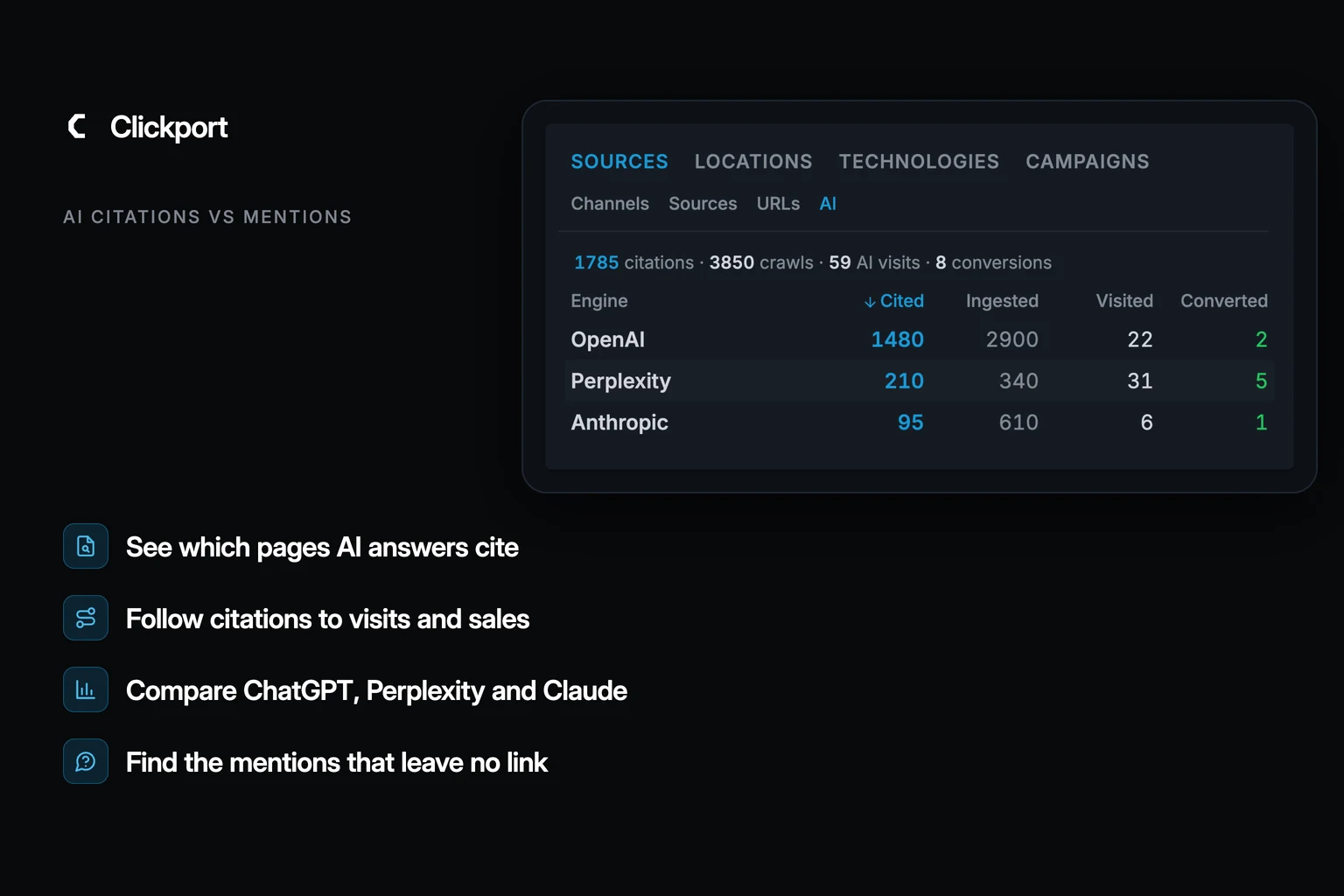
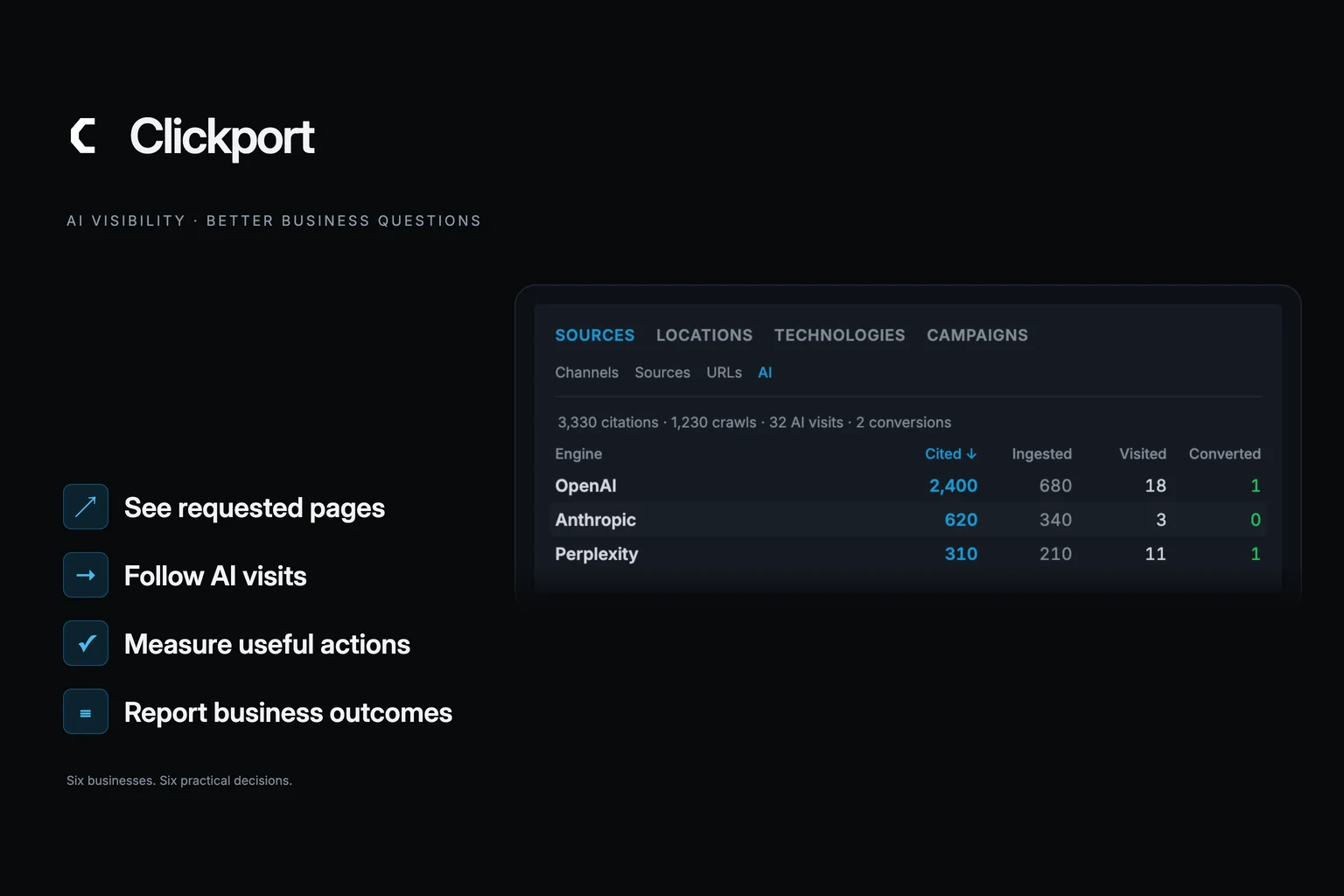
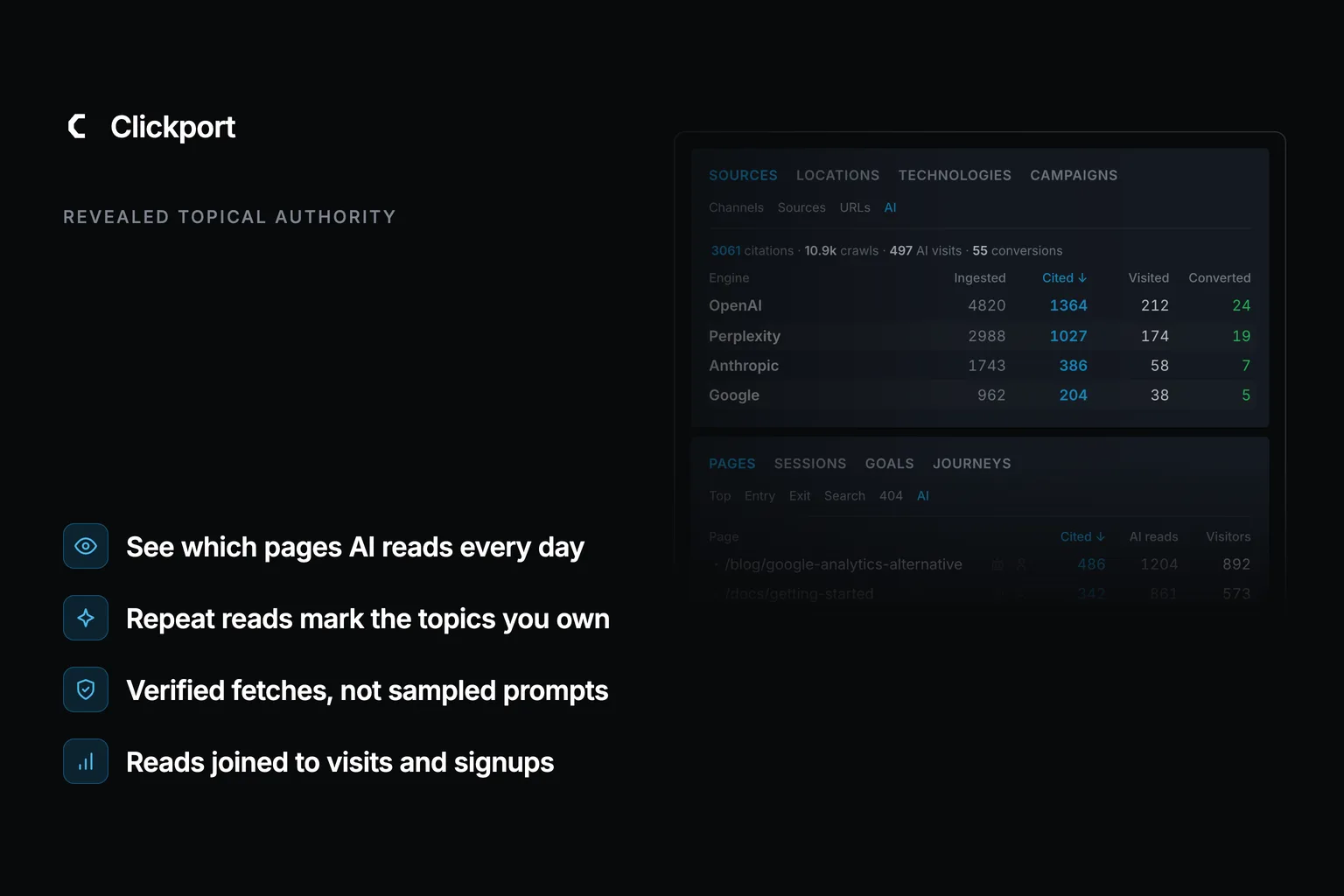
A dark hero graphic. Top left: the Clickport logo with the kicker AI Agent Analytics. Right: the dimmed Clickport AI panel showing an engine table (OpenAI, Perplexity, Anthropic, Google) with Ingested, Cited, Visited, and Converted columns, above a cited-pages list fading out. Bottom left, four labels with blue icons: ChatGPT at 10.8x Googlebot's reads, Three bot roles per company, Verified against published IP ranges, One command to see it yourself.
AI Traffic Last updated: 17 Jul 2026

Which AI Bots Are Reading Your Website? Now You Can Watch Them Work

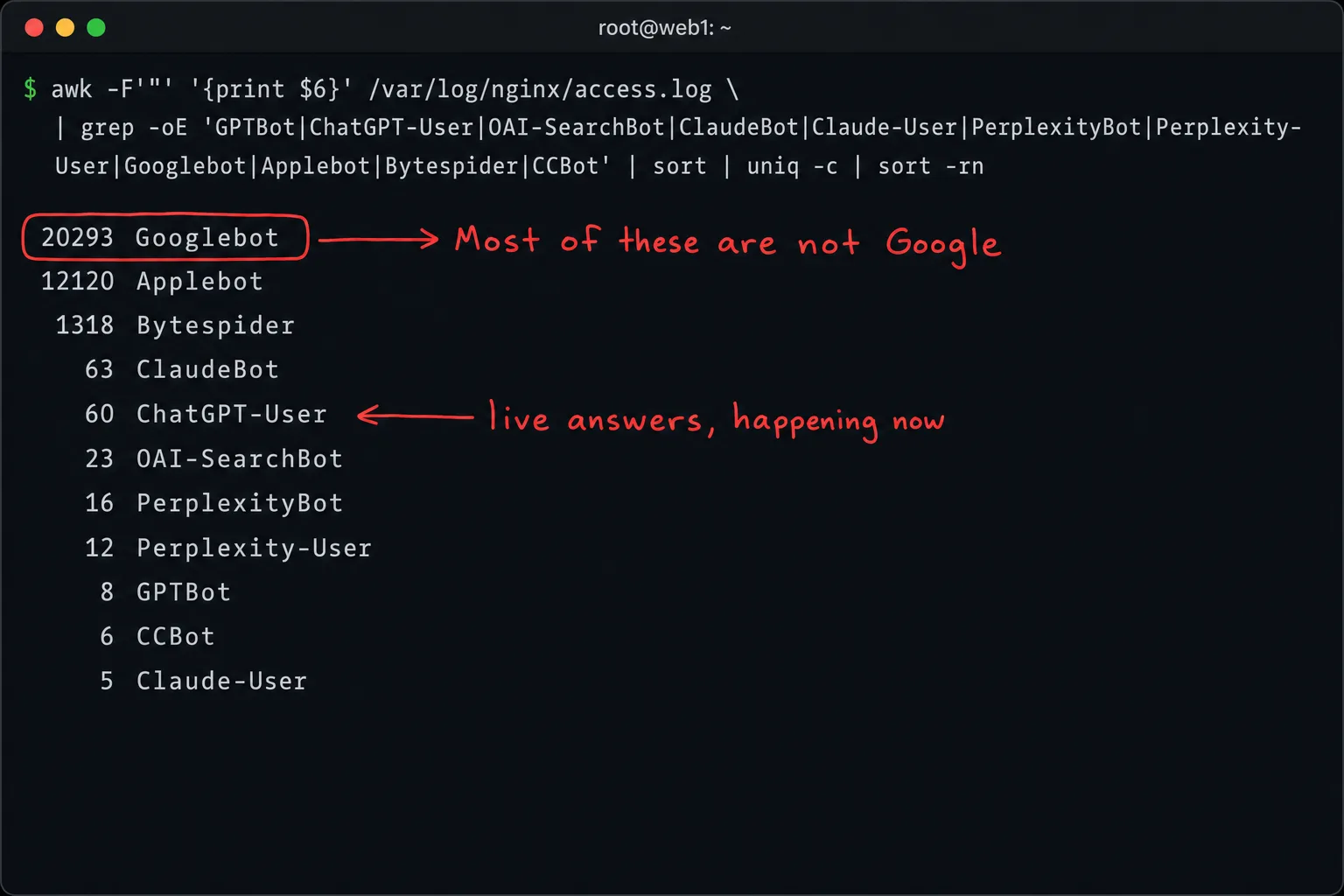
Across a subset of the sites we measure, bots wearing AI and crawler names hit more than 20,000 times in 15 days. The biggest verified reader wasn't Googlebot. It was ChatGPT, answering live questions, at 10.8x Googlebot's reads. Here's the full taxonomy, the grep commands to see it on your own server, and what the reads are good for.

Clickport's AI Agent Verification panel, dimmed on a dark canvas: GPTBot, ChatGPT-User, ClaudeBot, PerplexityBot, Claude-User and CCBot rows with verified counts in green and spoofed counts in amber. Kicker: The AI citation gap. Four labels: AI read our pages 8,280 times in 14 days. It sent back 83 visits: a 100:1 gap. ChatGPT: 340 reads for one visit. The visitors who land convert at 3.4x.
AI Traffic Last updated: 17 Jul 2026

ChatGPT Read Our Pages 7,825 Times. It Sent 23 Visitors.

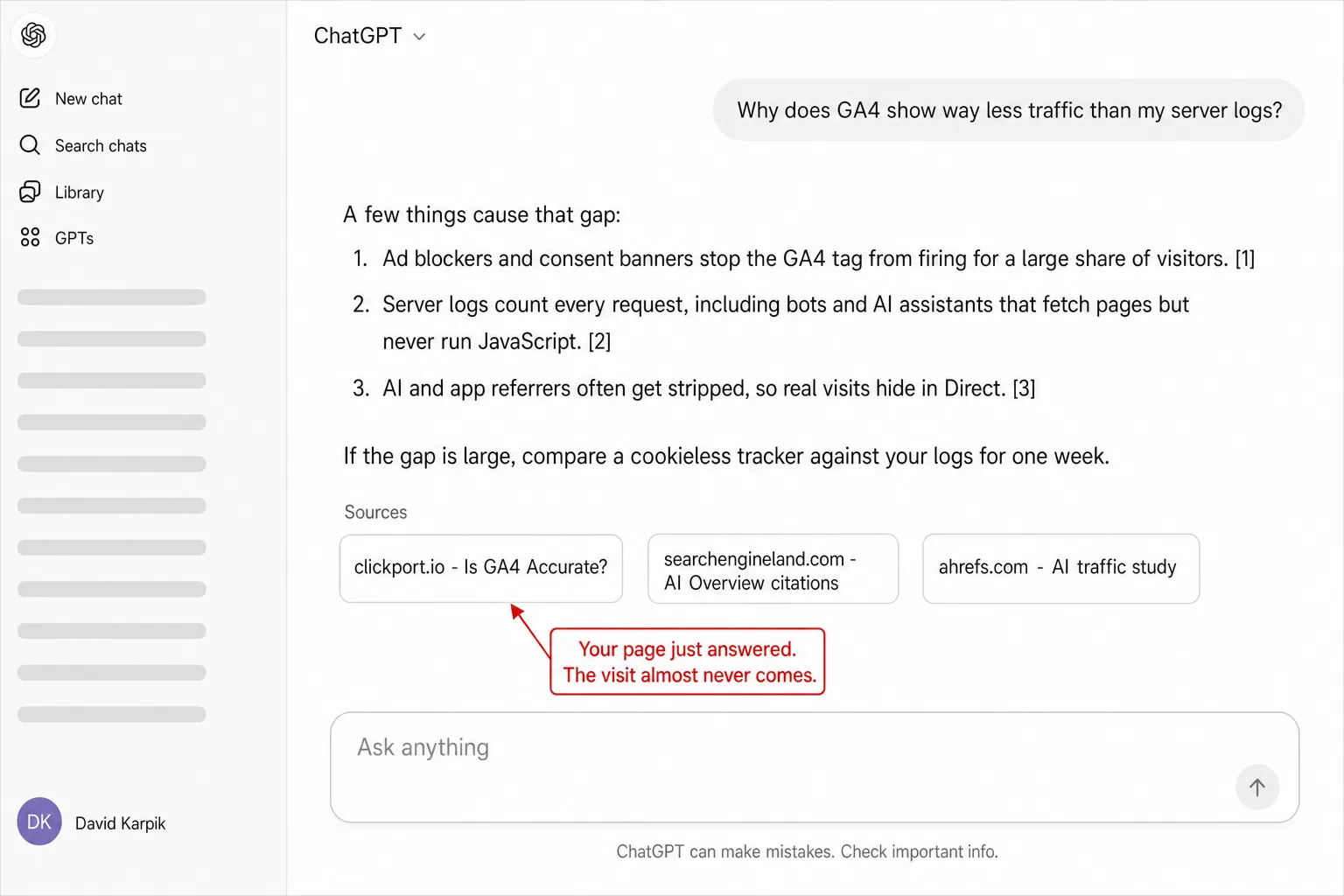
We counted every verifiable AI citation across two sites for 14 days: 8,280 fetches by ChatGPT, Claude, and Perplexity answering live user questions. Then we counted the AI search visits in the same window: 83. That's the AI citation gap, and no visibility score will show it to you.

Dark hero with the Clickport brand mark and the kicker THE EUROPEAN STACK. A ghosted diagram shows two columns: a dashed US STACK column with AWS, Google Workspace, Slack, Salesforce, and Google Analytics struck through and a red note that the US CLOUD Act applies to every box, an arrow pointing to a solid EUROPEAN STACK column with Hetzner, Proton, Element, Odoo, and Clickport. Four labels: A European tool for every category, Your data stays under European law, Often cheaper than the US incumbent, Switch one category at a time.
GA Legal Status Last updated: 17 Jul 2026

50+ European Alternatives to US Tech: The Privacy-First Business Stack

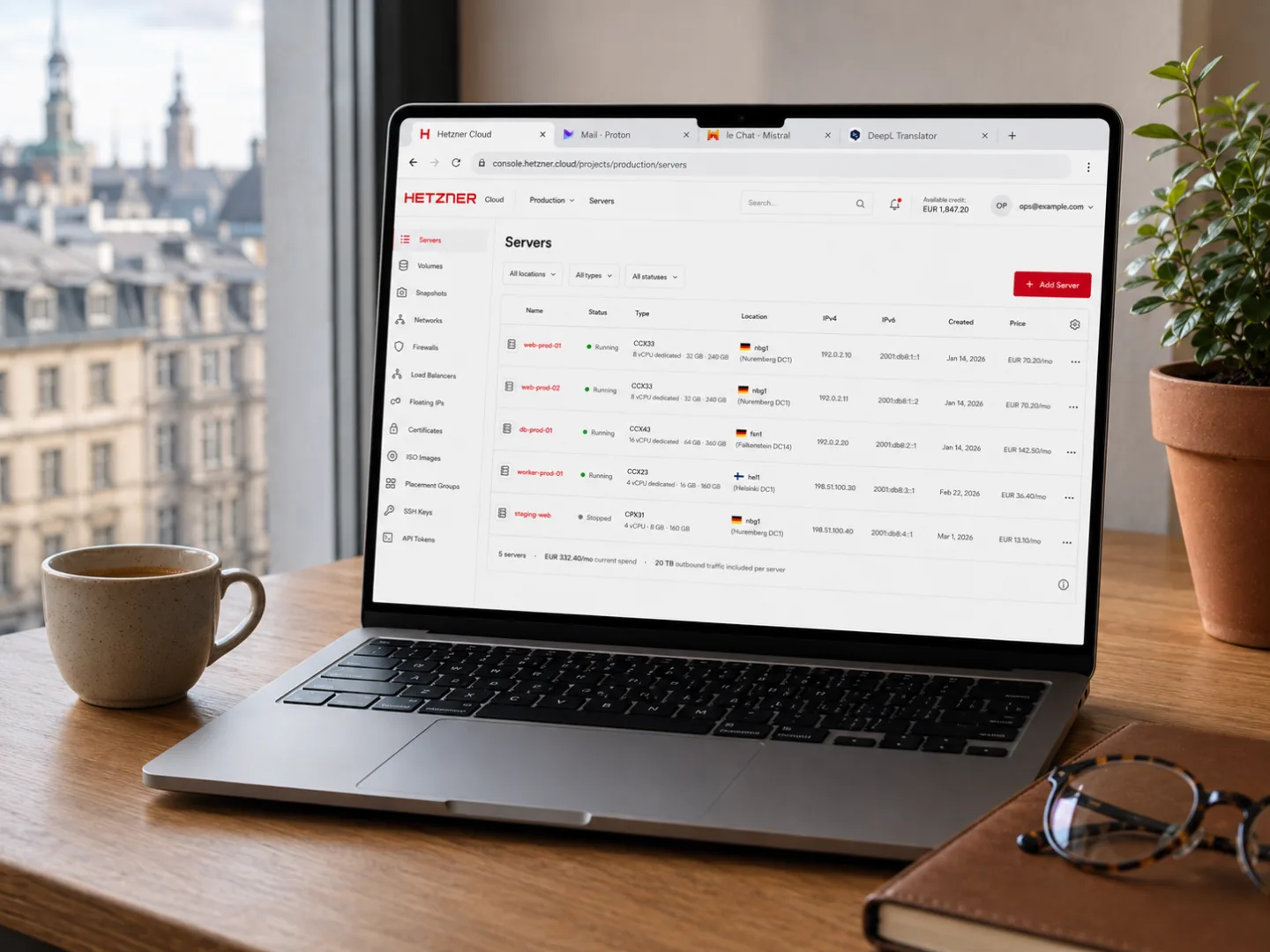
The only guide that covers 50+ European tools across 10 categories with real pricing, clear trade-offs, and migration difficulty ratings. Built from firsthand experience running a business on a fully European stack.

Dark hero with the Clickport brand mark and the kicker GA4 IN FRANCE. On the right, a ghosted recreation of a Google Analytics 4 report screen blended into a soft French tricolor, vertical blue, white and red bands, with a red line reading Feb 2022: CNIL orders sites to stop using Google Analytics and an amber line reading 23 tools are consent-exempt, GA4 is not one of them. Four labels: CNIL runs a consent-exempt list, GA4 doesn't qualify for the exemption, Cookie fines hit every company size, Cookieless analytics needs no banner.
GA Legal Status Last updated: 17 Jul 2026

Is Google Analytics Legal in France? Cookie Consent, the CNIL Exemption, and Who's Exempt

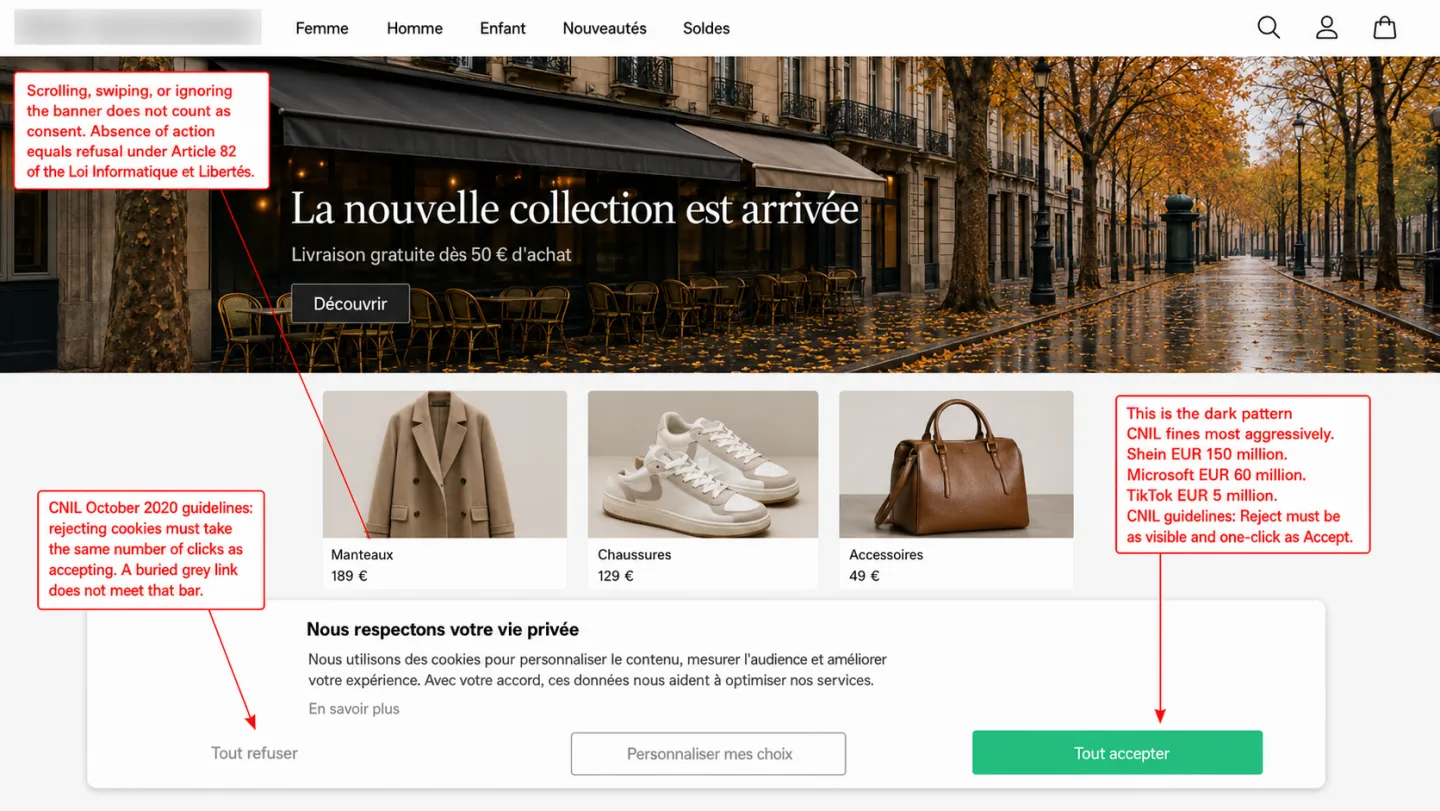
CNIL has issued nearly 900 million euros in cookie fines since 2020. Fewer than 25% of French visitors accept cookies. And there's a consent exemption most French websites don't know about.

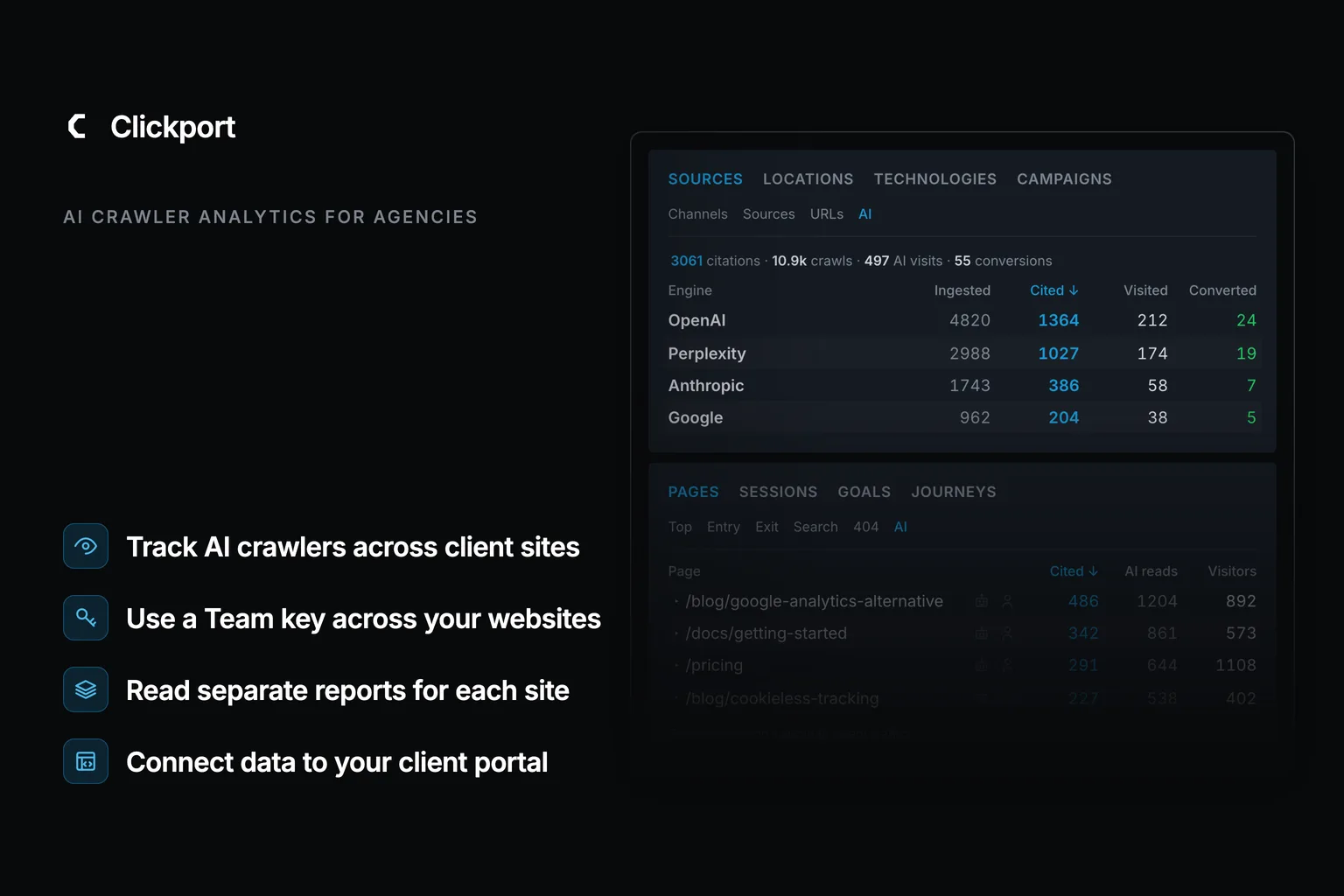
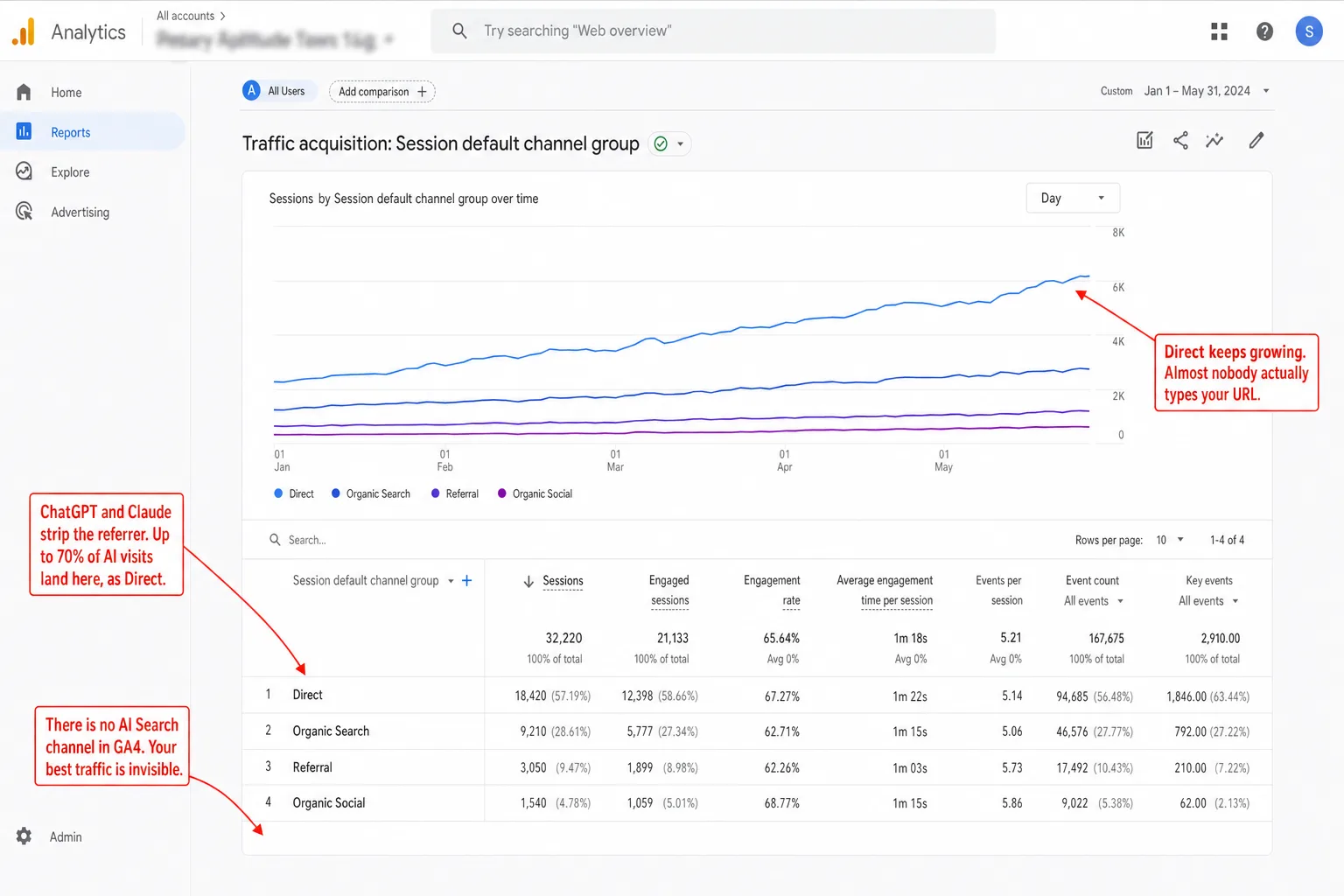
Blog hero with Clickport's Sources panel on the AI tab filling the right side: 3,061 citations, 10.9k crawls, 497 AI visits and 55 conversions in the header, then a per-engine table with OpenAI, Perplexity, Anthropic, Google, Microsoft, and Mistral rows showing ingested, cited, visited, and converted counts. Left side: Clickport wordmark, AI Search Traffic kicker, and four labels reading AI visitors convert at 3.4x; 70.6% arrive with no referrer; most dashboards file them under Direct; AI Search as its own channel, 16 platforms.
AI Traffic Last updated: 17 Jul 2026

How to Track AI Search Traffic (ChatGPT, Perplexity, Claude) in 2026

AI visitors are the best traffic I can measure: 3.4x conversion in our own study, up to 5x in third-party ones. But 70.6% of it lands as 'Direct' because AI apps strip the referrer. Here's how to see the channel your dashboard is hiding.

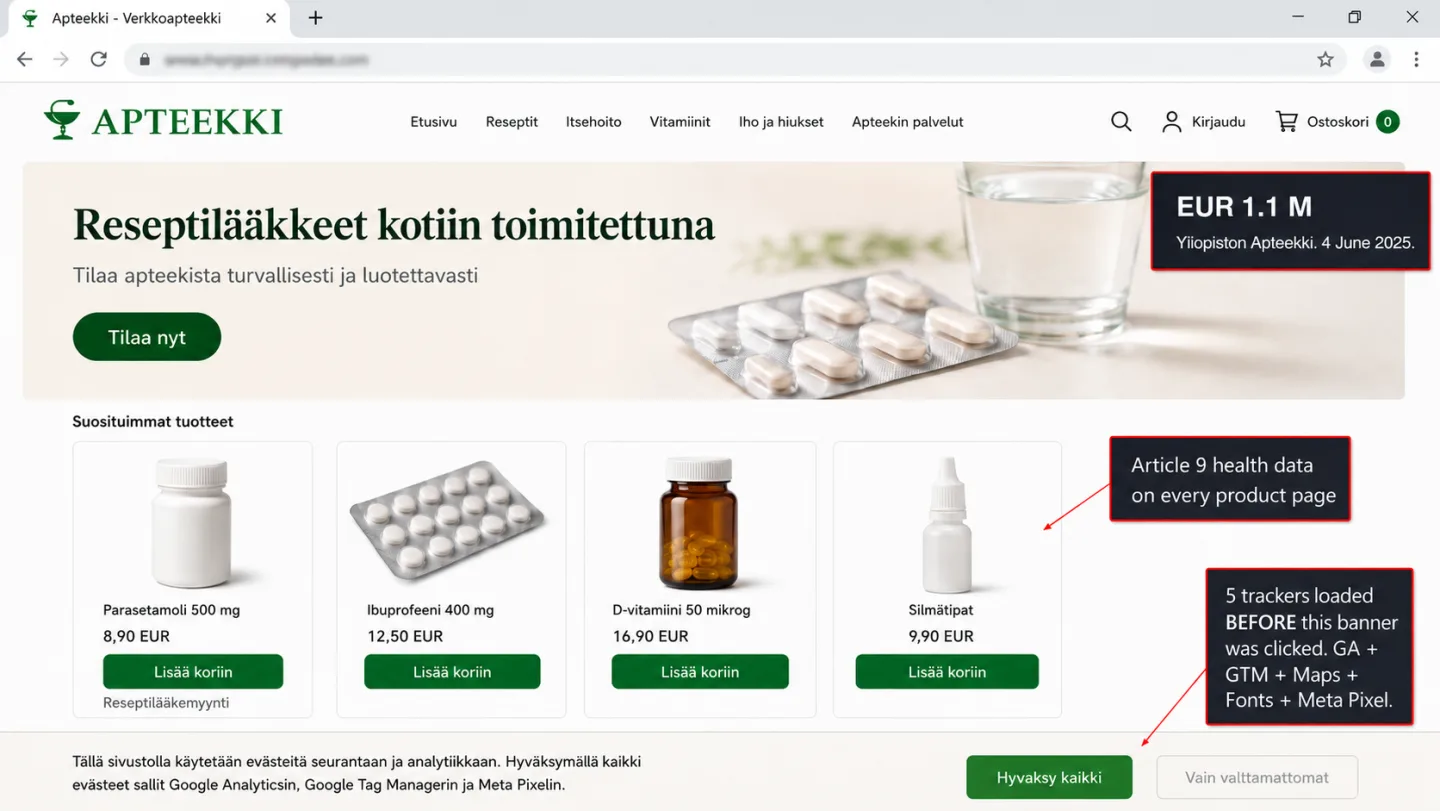
Dark hero with the Clickport brand mark and the kicker GA4 IN FINLAND. On the right, a ghosted recreation of a Google Analytics 4 report screen blended into a soft Finnish flag, a white field with a blue Nordic cross, with a red line reading Jun 2025: EUR 1.1M pharmacy fine over GA + Meta Pixel and an amber line reading Three rulings name Google Analytics by name. Four labels: The record fine here involved GA, Regulators self-host or run nothing, Public sector can't lean on the DPF, Cookieless analytics needs no banner.
GA Legal Status Last updated: 16 Jul 2026

Is Google Analytics Legal in Finland? The EUR 1.1M Pharmacy Fine and Three Rulings

Finland's largest GDPR fine is EUR 1.1 million. The pharmacy that paid it was running Google Analytics. Two earlier rulings already named GA. The country's privacy regulator runs no analytics. The cookie regulator runs Matomo. Here is what the rules actually say.

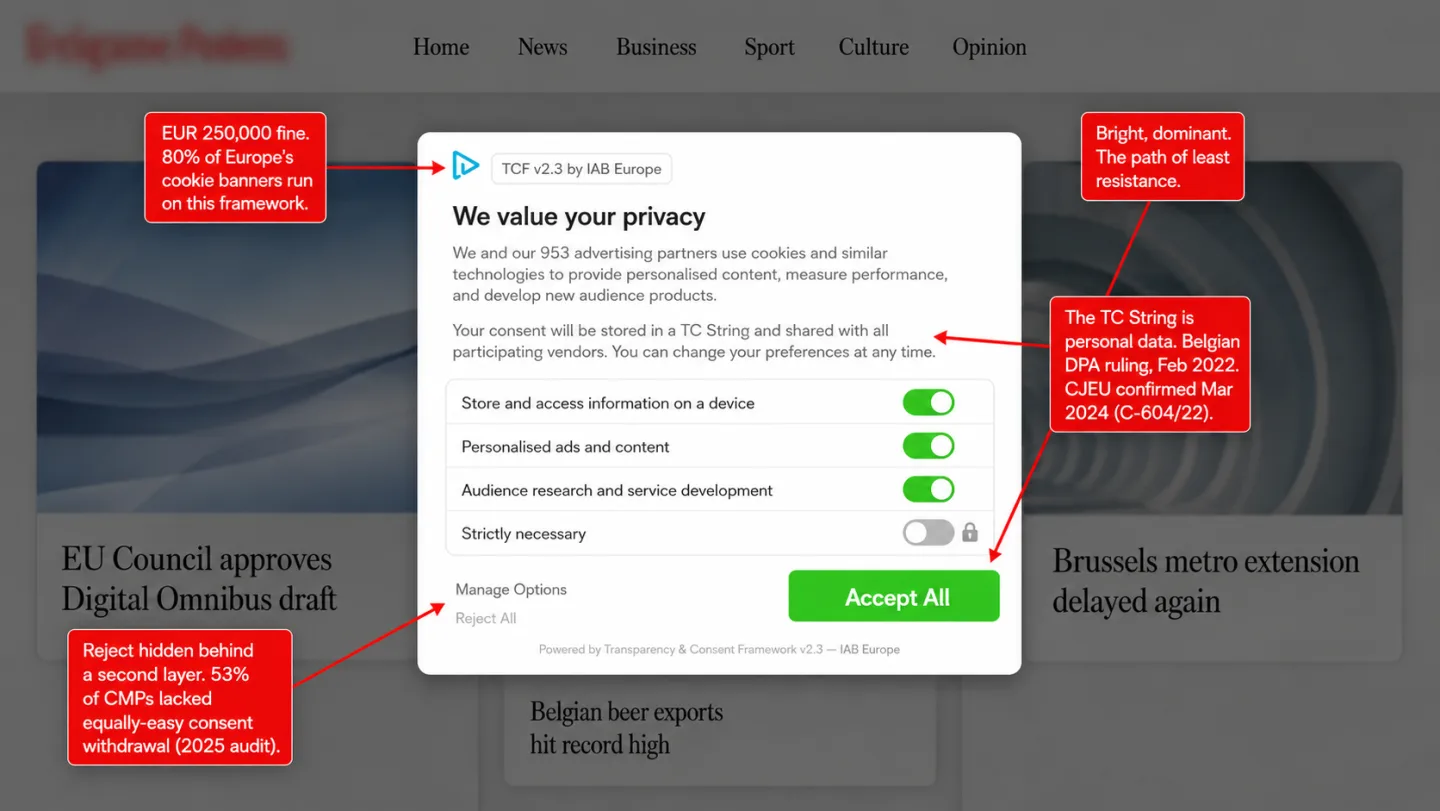
Dark hero with the Clickport brand mark and the kicker GA4 IN BELGIUM. On the right, a ghosted recreation of a Google Analytics 4 report screen blended into a soft Belgian flag, vertical black, yellow and red bands, with a red line reading Feb 2022: the IAB consent framework ruled non-compliant and an amber line reading No analytics exemption: every cookie needs consent. Four labels: The IAB consent ruling happened here, Every analytics cookie needs consent, Dark patterns draw daily penalty fines, Cookieless analytics needs no banner.
GA Legal Status Last updated: 15 Jul 2026

Is Google Analytics Legal in Belgium? Cookie Consent, the IAB Ruling, and What It Means

Belgium has the strictest analytics cookie rules in Europe. No exemption for first-party analytics, no exemption for audience measurement. Seven industry associations lobbied the DPA to change this. The DPA said no. Belgium also produced the most consequential cookie ruling in European history: declaring the IAB's consent framework non-compliant.

Blog hero with Clickport's cookie-free analytics panel dimmed on the right: 24,318 visitors counted this week, then a ledger reading cookies set 0, consent banners shown 0, visitors modeled or estimated 0, personal data stored none. Left side: Clickport wordmark, Privacy-Friendly Analytics kicker, and four labels reading no cookies, no banner, nothing to reject; a visitor ID that dies every 24 hours; 20-40% more traffic than GA4 showed; consent-exempt per CNIL and BfDI.
GA Legal Status Last updated: 15 Jul 2026

Privacy-Friendly Analytics: The Complete Guide for 2026

Only about 25% of European visitors accept all cookies. The UK's own privacy regulator lost 90.8% of its tracked traffic to its own banner. Here's how analytics works without cookies, what the law says, and how to switch.

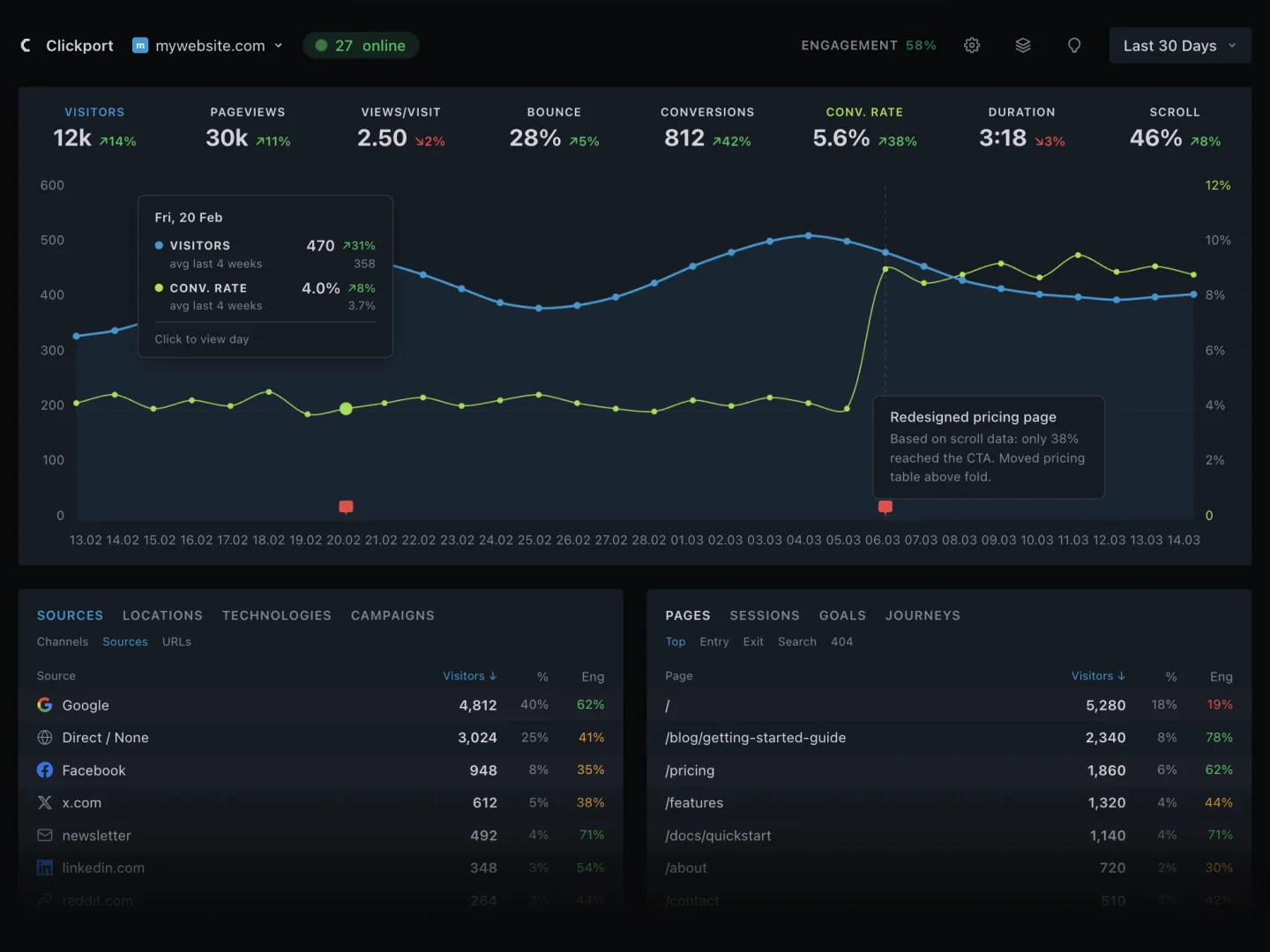
A split comparison on a near-black background. Left side: the Clickport logo above its real dashboard showing a KPI bar (12k visitors, 30k pageviews, conversions, conversion rate) and a live line chart, with four labels beneath: Lightweight script, One simple dashboard, No cookies no banner, Ready in minutes. Right side: a faded, ghosted analytics interface labelled matomo with a long sidebar menu (Dashboard, Visitors, Behaviour, Acquisition, Ecommerce, Goals, Funnels, Forms, Media) and four labels: Heavier script, 70+ separate reports, 12-step privacy setup, Cron jobs and maintenance.
Clickport Last updated: 14 Jul 2026

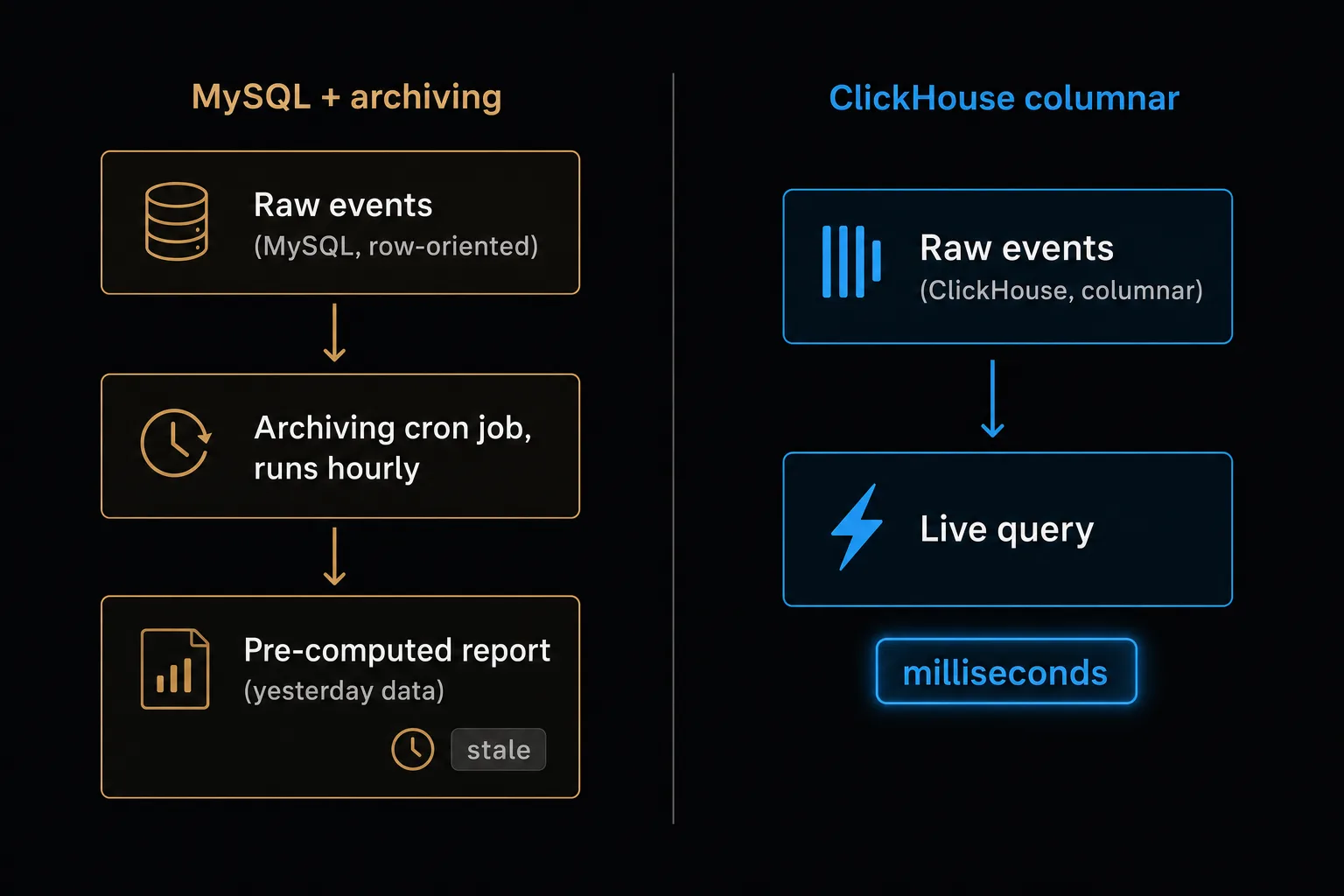
Why I Chose to Build Clickport Instead of Using Matomo

Matomo is the most respected open-source analytics project in the world. I considered using it. Then I looked at the MySQL archiving cron job, the 12-step GDPR configuration, and the 217 WordPress database tables. This is the story of what I found.

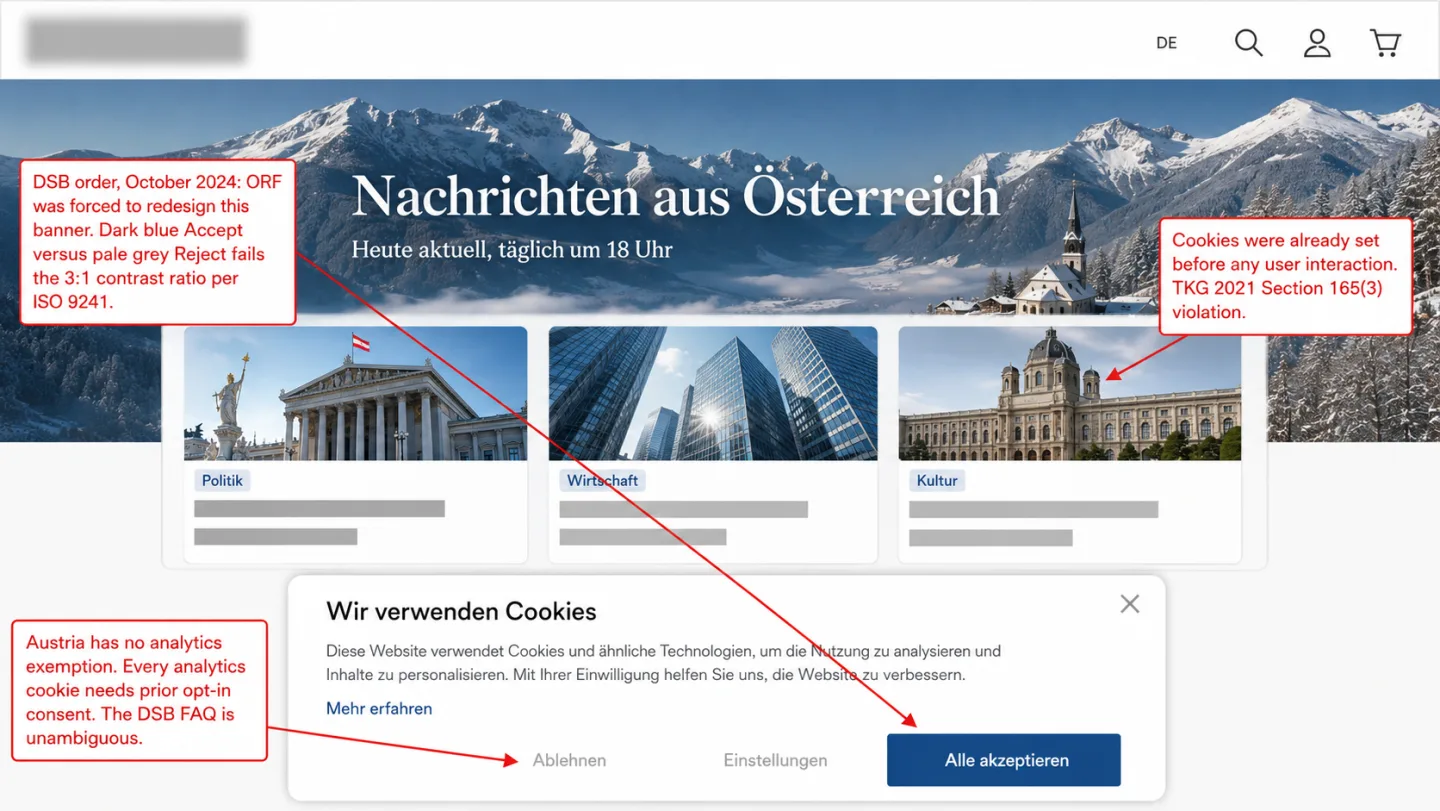
Dark hero with the Clickport brand mark and the kicker GA4 IN AUSTRIA. On the right, a ghosted recreation of a Google Analytics 4 report screen blended into a soft Austrian flag, red-white-red horizontal bands, with a red line reading Dec 2021: first EU ruling against Google Analytics and an amber line reading TKG 2021: every analytics cookie needs consent. Four labels: The first GA ruling happened here, Every analytics cookie needs consent, Courts keep voiding nudged consent, Cookieless analytics needs no banner.
GA Legal Status Last updated: 14 Jul 2026

Is Google Analytics Legal in Austria? Cookie Consent, the GA Ban, and Your Alternatives

Austria was the first EU country to rule Google Analytics illegal. Unlike France, there is no consent exemption for analytics cookies. 34% of Austrian websites dropped GA after the ruling. The remaining 66% need consent that most visitors reject.

A dark hero graphic. Top left: the Clickport logo with the kicker Shopify Revenue Tracking. Right: the dimmed Clickport Goals panel showing an ecommerce funnel (Viewed product, Added to cart, Started checkout, Completed purchase with EUR 48,920 revenue, Newsletter signup) with Visitors, Clicks, CR, Revenue, and Avg columns. Bottom left, four labels with blue icons: Checkout happens on Shopify's domain, Your GA4 tag can't run there, 1 in 5 orders never shows up, Count orders on the server instead.
Ecommerce Analytics Last updated: 14 Jul 2026

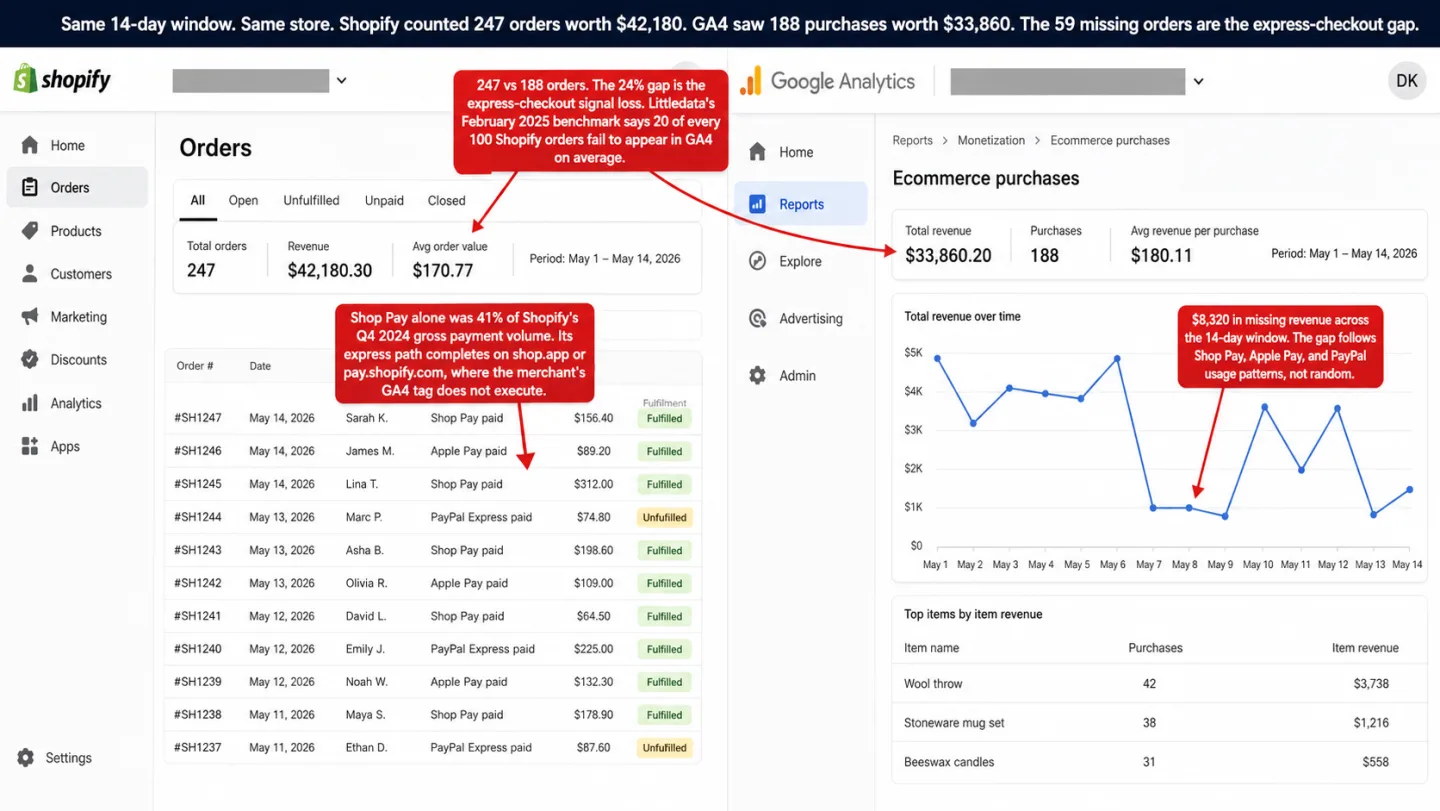
Shop Pay, Apple Pay, PayPal: Why GA4 Misses Revenue

Shop Pay drives 41% of Shopify's payment volume. In our April 2026 audit of 27 top DTC brands, 78% route checkout through domains where the merchant's analytics cannot execute. Here is why GA4 misses revenue, why the $450-a-month server-side pipe barely moves the numbers, and the architecture that actually closes the gap.

Dark hero with the Clickport brand mark and the kicker GA4 IN DENMARK. On the right, a ghosted recreation of a Google Analytics 4 report screen blended into a soft Danish flag, a red field with a white Nordic cross, with a red line reading Sep 2022: declared non-compliant by Datatilsynet and an amber line reading 2026: cookie consent tops the enforcement plan. Four labels: Datatilsynet won't call GA4 lawful, Every analytics cookie needs consent, Cookie enforcement tops the 2026 plan, Cookieless analytics needs no banner.
GA Legal Status Last updated: 13 Jul 2026

Is Google Analytics Legal in Denmark? Cookie Consent, 84% Non-Compliant, and What's Coming

84% of Danish websites violate cookie consent rules. 70% fire tracking cookies before asking permission. Datatilsynet just made cookie enforcement a 2026 priority.

A dark hero graphic. Top left: the Clickport logo with the kicker Stripe Revenue Attribution. Right: the dimmed Clickport Sources panel sorted by revenue, showing channels (Organic Search, Direct, AI Search, Email, Organic Social, Paid Search) with Visitors, Orders, CR, Revenue, and Avg columns. Bottom left, four labels with blue icons: Checkout runs where your tag doesn't, A 20-30% gap is the baseline, 11 of 12 tools track people. This doesn't, Revenue joined to the session that paid.
Ecommerce Analytics Last updated: 13 Jul 2026

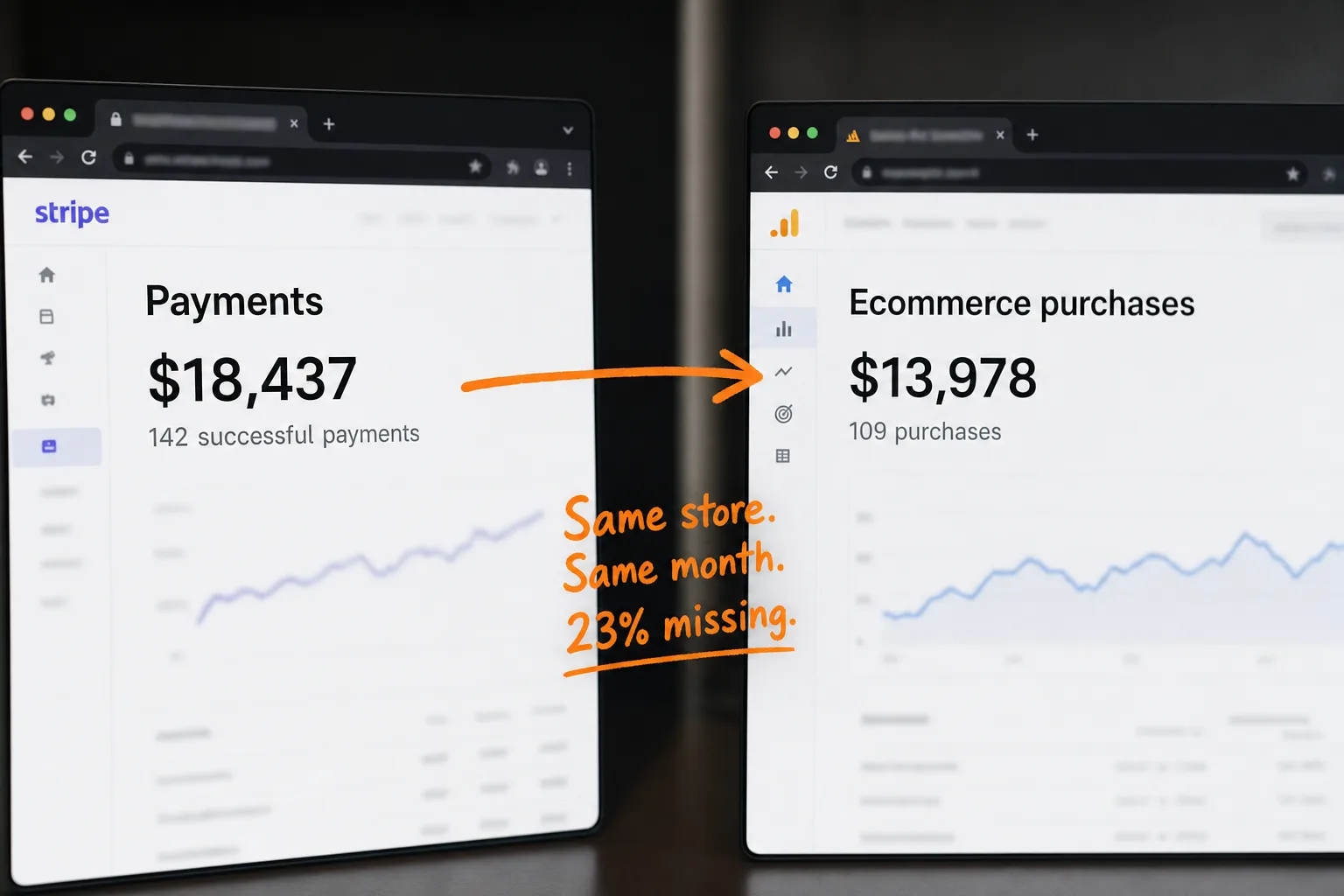
Why GA4 Revenue Never Matches Stripe

Stripe processes the payment on stripe.com, where your GA4 tag never runs. Add consent mode, ad blockers, and Safari's cookie caps, and a 20-30% revenue gap is the normal outcome. I read the public docs of 12 attribution tools that promise to fix this: 11 of them track people across sessions. Here is the mechanism behind the gap, and a way to attribute revenue that doesn't.

Dark hero with the Clickport brand mark and the kicker GA4 IN GERMANY. On the right, a ghosted recreation of a Google Analytics 4 report screen blended into a soft German flag, horizontal black, red and gold bands, with a red line reading 2025: courts rule even Google Tag Manager needs consent and an amber line reading TDDDG: the Bundestag rejected an analytics exemption. Four labels: Eighteen regulators share the beat, No analytics exemption by design, Competitors can bill you for violations, Cookieless analytics needs no banner.
GA Legal Status Last updated: 12 Jul 2026

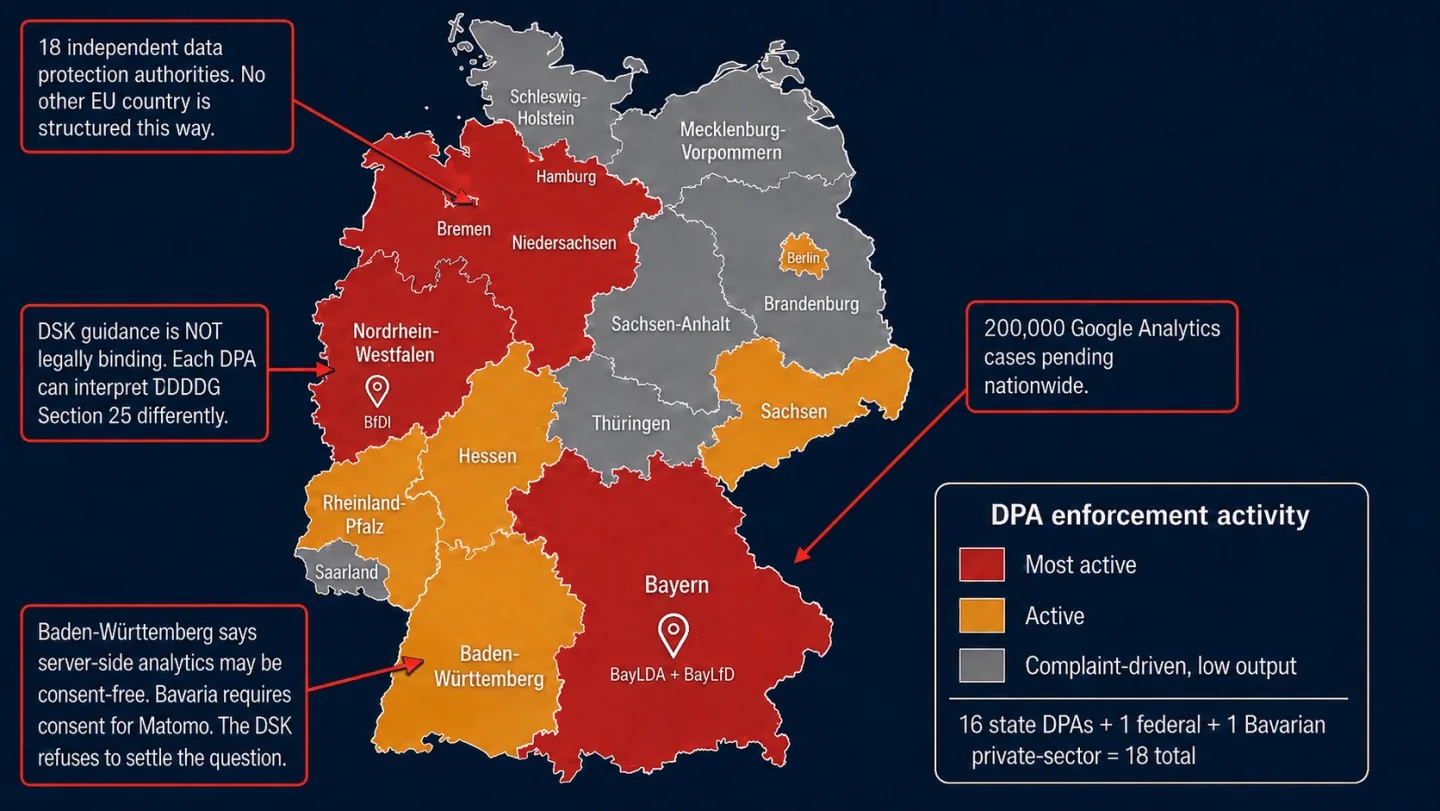
Is Google Analytics Legal in Germany? Cookie Consent, 18 DPAs, and Why It's Complicated

Germany has the strictest cookie consent rules in Europe and the most ways to get sued for violating them. 18 data protection authorities, four separate enforcement vectors, no analytics exemption, and a court system that just made your analytics provider personally liable. Cookie-based analytics see 10-20% of actual German traffic.

The Italian flag blended with a ghosted Google Analytics 4 interface, with the June 2022 Garante ruling and the four-condition analytics exemption highlighted, next to the Clickport logo.
GA Legal Status Last updated: 11 Jul 2026

Is Google Analytics Legal in Italy? Cookie Consent, the Garante's Exemption, and Who Qualifies

82% of Italian websites still ran Google Analytics after the Garante ruled it illegal. Italy also has a consent exemption for analytics that most website owners have never configured.

The Dutch flag blended with a ghosted Google Analytics 4 interface, with the AP's Takeaway.com reprimand and the analytics exemption highlighted, next to the Clickport logo.
GA Legal Status Last updated: 10 Jul 2026

Is Google Analytics Legal in the Netherlands? Cookie Consent, 10,000 Sites Scanned, and the Exemption

715,000 Dutch websites use Google Analytics. The AP monitors 10,000 a year for cookie compliance, and GA fails the Dutch analytics exemption. Yet the AP's only GA enforcement was a reprimand that was never made public. Here's what the rules actually say.

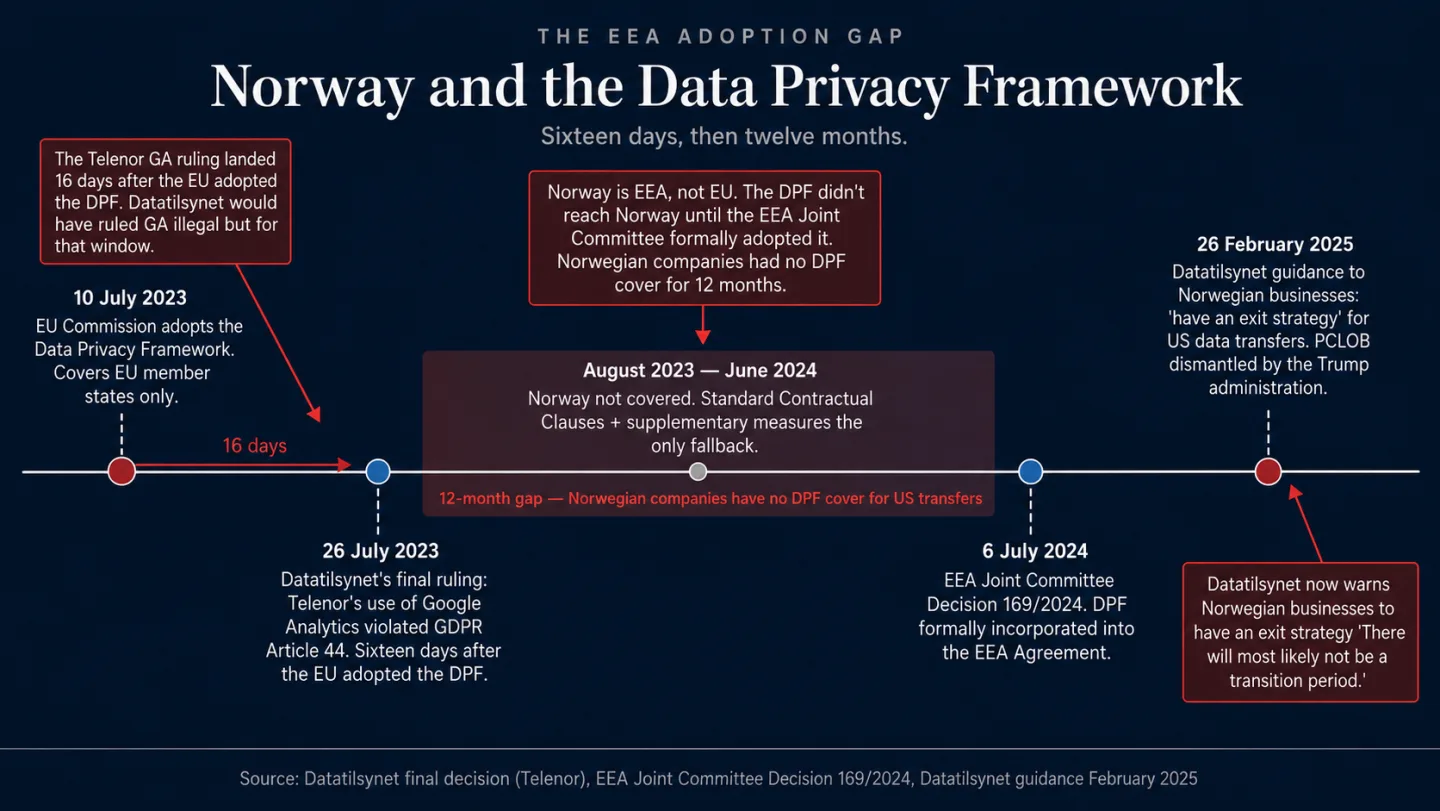
The Norwegian flag blended with a ghosted Google Analytics 4 interface, with the March 2023 Telenor finding and Datatilsynet's exit-strategy warning highlighted, next to the Clickport logo.
GA Legal Status Last updated: 9 Jul 2026

Is Google Analytics Legal in Norway? Cookie Consent, the New Law, and What Changed

Until January 2025, Norway had the weakest cookie consent standard in the entire EEA. Browser settings counted as valid consent. That loophole is closed, the new law is in force, and Datatilsynet is already sanctioning sites.

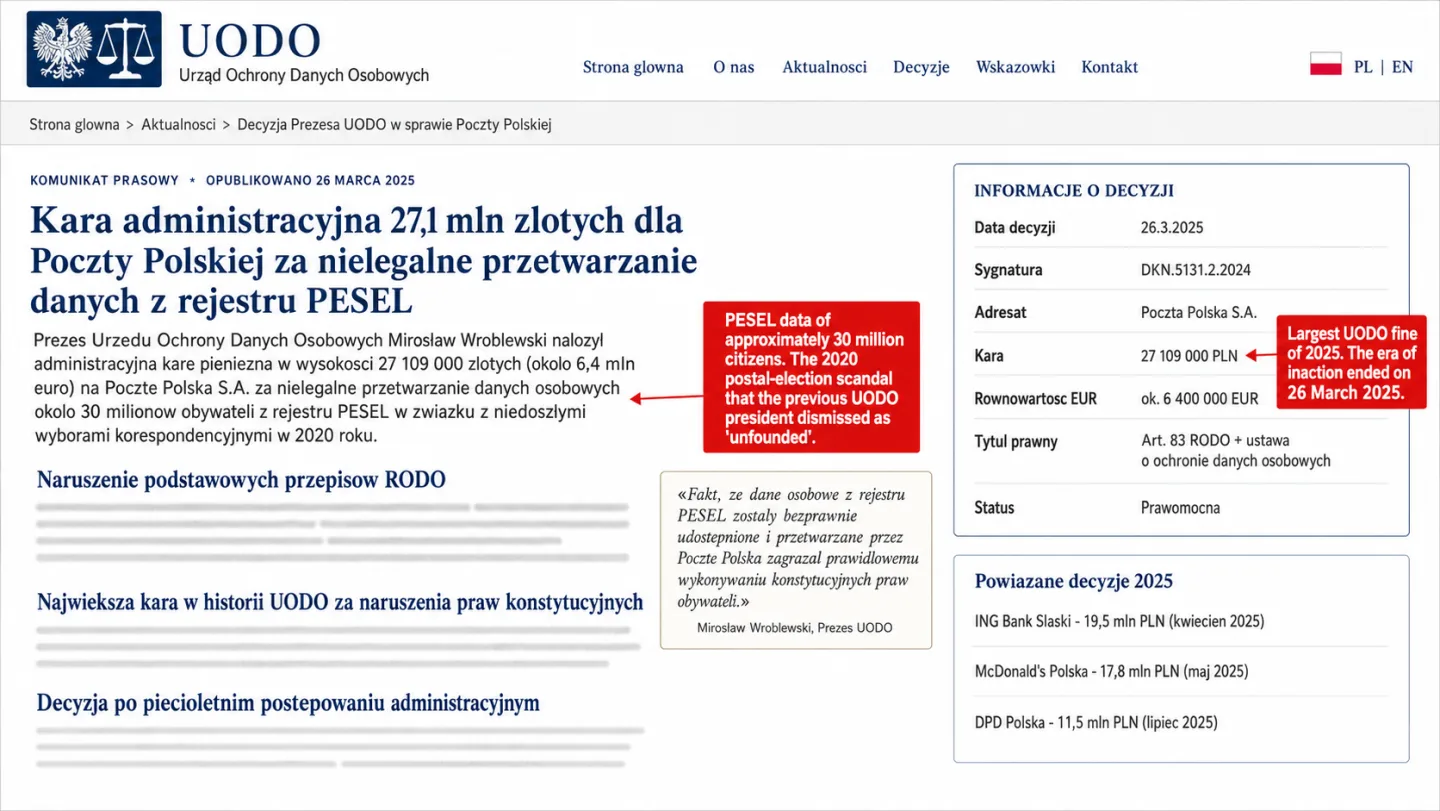
A dark editorial hero. On the right, a dimmed, skeletal recreation of the Google Analytics 4 interface (a 'Google Analytics 4' wordmark, a Home/Reports/Explore/Advertising/Admin menu, and a 'Reports snapshot' panel) sits behind a soft wash of the Polish flag: a light band above a red band. Two lines glow through the ghost panel: a red line reading 'Ad blockers and Opera erase much of the traffic' and an amber line reading 'No analytics exemption: every cookie needs consent.' On the left, the Clickport wordmark and the kicker 'GA4 in Poland' sit above four labelled rows: 'Every analytics cookie needs consent,' 'UODO's enforcement era has begun,' 'Ad blockers rule the Polish browser,' and 'Cookieless analytics needs no banner.'
GA Legal Status Last updated: 8 Jul 2026

Is Google Analytics Legal in Poland? Cookie Consent, Opera's Impact, and What's Missing

Poland was the world's #1 country for ad blocker usage. Opera, with its built-in tracker blocker, ran on more than one in five Polish desktops at its early-2026 peak. UODO has received 53 noyb complaints and issued zero decisions. And the Pegasus spyware scandal showed what happens when surveillance goes unchecked.

A split comparison on a near-black background. Left side: the Clickport logo above its real dashboard showing a KPI bar and a live two-line chart, with four labels beneath: Lightweight script, One simple dashboard, No cookies no banner, Real-time unsampled data. Right side: a faded, ghosted analytics interface labelled Google Analytics with the GA4 report menu (Reports snapshot, Realtime, Acquisition, Engagement, Monetization, Retention, Demographics, Tech, Explore, Advertising) and four labels: 134 KB script, Steep learning curve, Consent banner required, Sampled delayed reports.
Clickport Last updated: 7 Jul 2026

Clickport vs Google Analytics: Cookieless vs GA4

75% of SEOs are unhappy with GA4. But every comparison article tells you to switch without admitting what you lose. Here's the full version: where GA4 wins, where it fails, what it actually costs, and why I built an alternative.

A dark editorial hero. On the right, a dimmed, skeletal recreation of the Google Analytics 4 interface (a 'Google Analytics 4' wordmark, a Home/Reports/Explore/Advertising/Admin menu, and a 'Reports snapshot' panel) sits behind a soft wash of the Spanish flag: two horizontal red bands above and below a wider gold band. Two lines glow through the ghost panel: a red line reading 'GA4 does not qualify for the AEPD exemption' and an amber line reading 'Europe's busiest DPA: over 900 GDPR fines.' On the left, the Clickport wordmark and the kicker 'GA4 in Spain' sit above four labelled rows: 'Spain has a real analytics exemption,' 'GA4 does not qualify for it,' 'Non-exempt cookies still need consent,' and 'Cookieless analytics needs no banner.'
GA Legal Status Last updated: 7 Jul 2026

Is Google Analytics Legal in Spain? Cookie Consent, 900 Fines, and Two Opposite Rulings

Spain's data protection authority has issued more GDPR fines than every other EU country. More than 900 of them. And 72% landed on small businesses and freelancers. But Spain also offers something most EU countries don't: an analytics cookie exemption. If your tool qualifies, you don't need consent. If it doesn't, you need a very good cookie banner.

A dark editorial hero. On the right, a dimmed, skeletal recreation of the Google Analytics 4 interface (a 'Google Analytics 4' wordmark, a Home/Reports/Explore/Advertising/Admin menu, and a 'Reports snapshot' panel) sits behind a soft wash of the Swedish flag: a blue field crossed by a gold Nordic cross offset toward the hoist. Two lines glow through the ghost panel: a red line reading '2023: IMY fined a Google Analytics user, court upheld it' and an amber line reading 'No analytics exemption: every cookie needs consent.' On the left, the Clickport wordmark and the kicker 'GA4 in Sweden' sit above four labelled rows: 'Sweden put a price on Google Analytics,' 'A court of appeal upheld the fine,' 'Every analytics cookie needs consent,' and 'Cookieless analytics needs no banner.'
GA Legal Status Last updated: 6 Jul 2026

Is Google Analytics Legal in Sweden? Cookie Consent, the IMY Fine, and What the Court Said

Seven EU countries declared Google Analytics illegal. Only one put a price tag on it. Sweden fined Tele2 SEK 12 million, and the Administrative Court of Appeal in Stockholm upheld every krona.

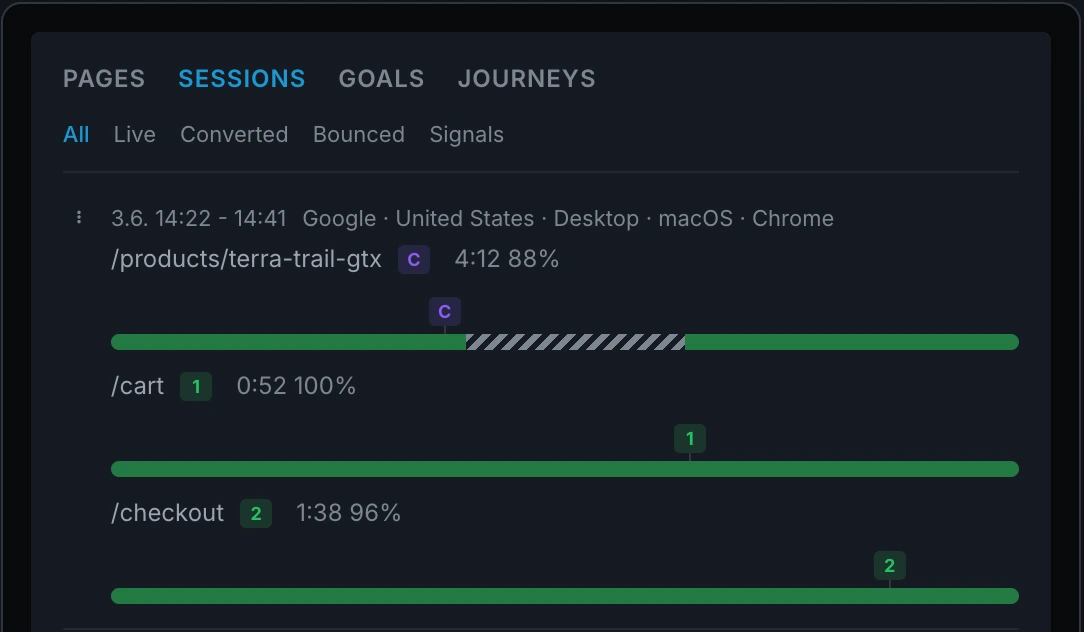
Clickport blog hero for session timelines. Right side: the Sessions panel dimmed into the background, one visit expanded into per-page timeline bars with green reading segments, a hatched away gap, and event badges pinned at the second they fired. Left side: Clickport wordmark, Session Timelines kicker, and four labels reading every visit second by second; reading bars, away gaps, pinned events; no recording, no replay, no cookies; nothing to install, works retroactively.
Clickport Last updated: 6 Jul 2026

Session Timelines: See What Every Visitor Did, Second by Second (Without Recording Them)

Expand any visit in Clickport and every page unfolds into reading stretches, away gaps, and events pinned to the second they happened. Here's what that looks like, why I built it, and what our data says about how much of 'time on page' is really a tab nobody is looking at.

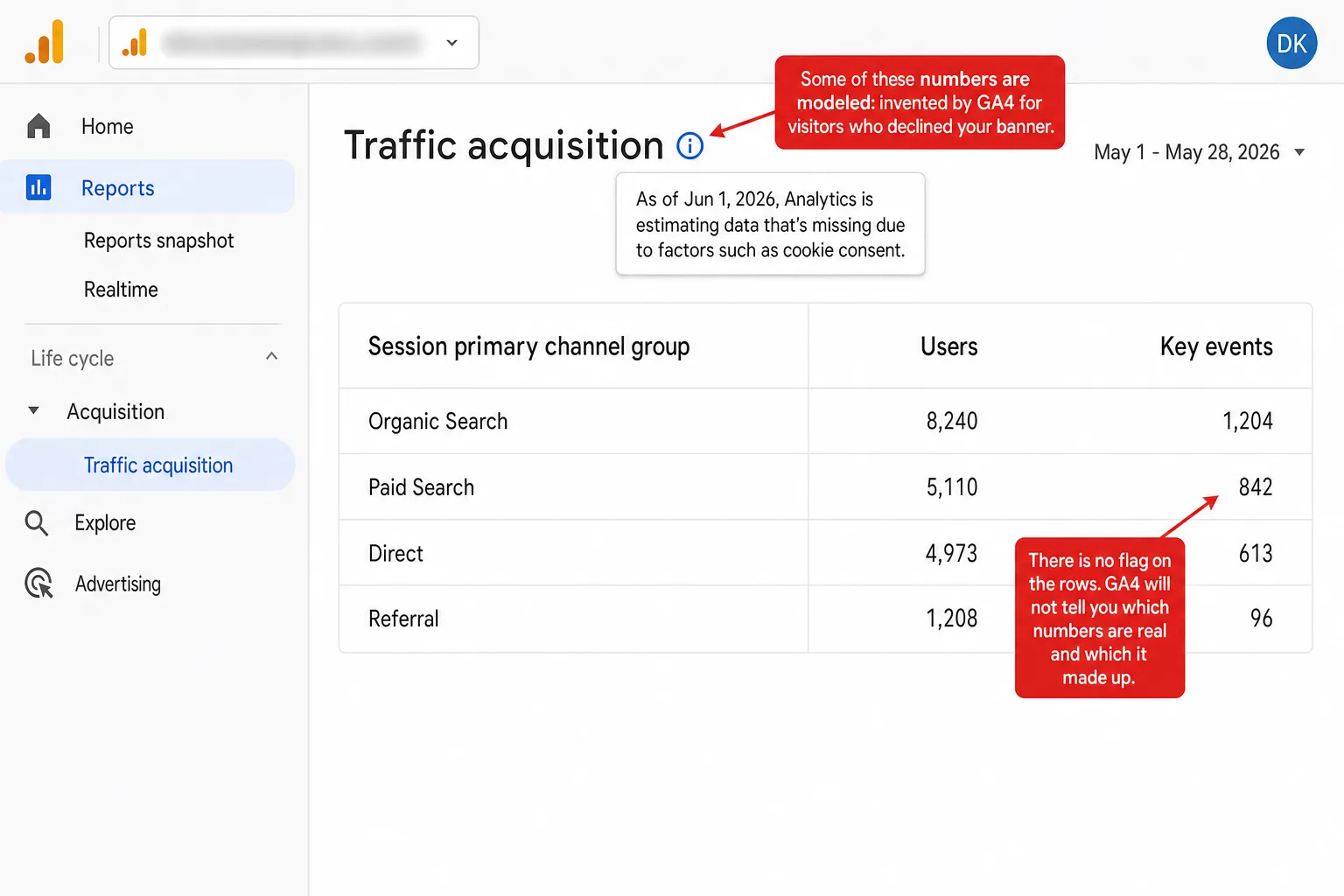
Split blog hero. Left: Clickport's Campaigns table dimmed in the background with real visitor, order, and revenue counts, and four labels reading no cookie banner so nobody declines; every number observed, none modeled; works the same at any traffic level; dashboard and raw data always agree. Right: a ghosted Google Analytics menu skeleton beside a Traffic acquisition placeholder, with four labels reading declined visitors get invented; no flag on which numbers are modeled; 70% accurate is from 2021, not GA4; small sites file declines as Direct.
GA Problems Last updated: 5 Jul 2026

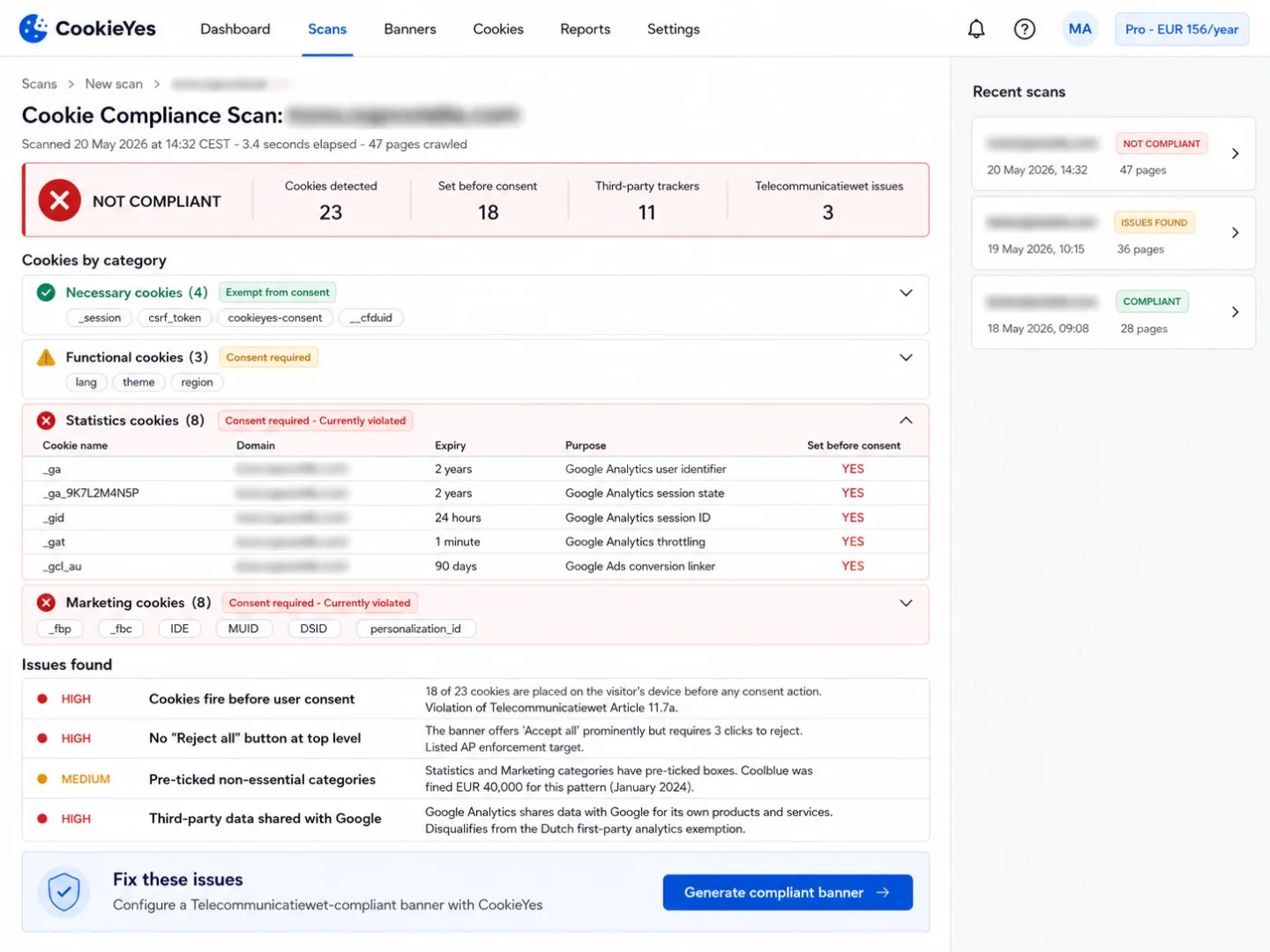
GA4 Consent Mode Modeling: The Numbers Google Invents

When a visitor declines your cookie banner, GA4 doesn't just lose them. If your site is big enough, it invents them: a model guesses what they'd have done and blends the guess into your reports. The one number that justifies it is from 2021 and isn't even about GA4.

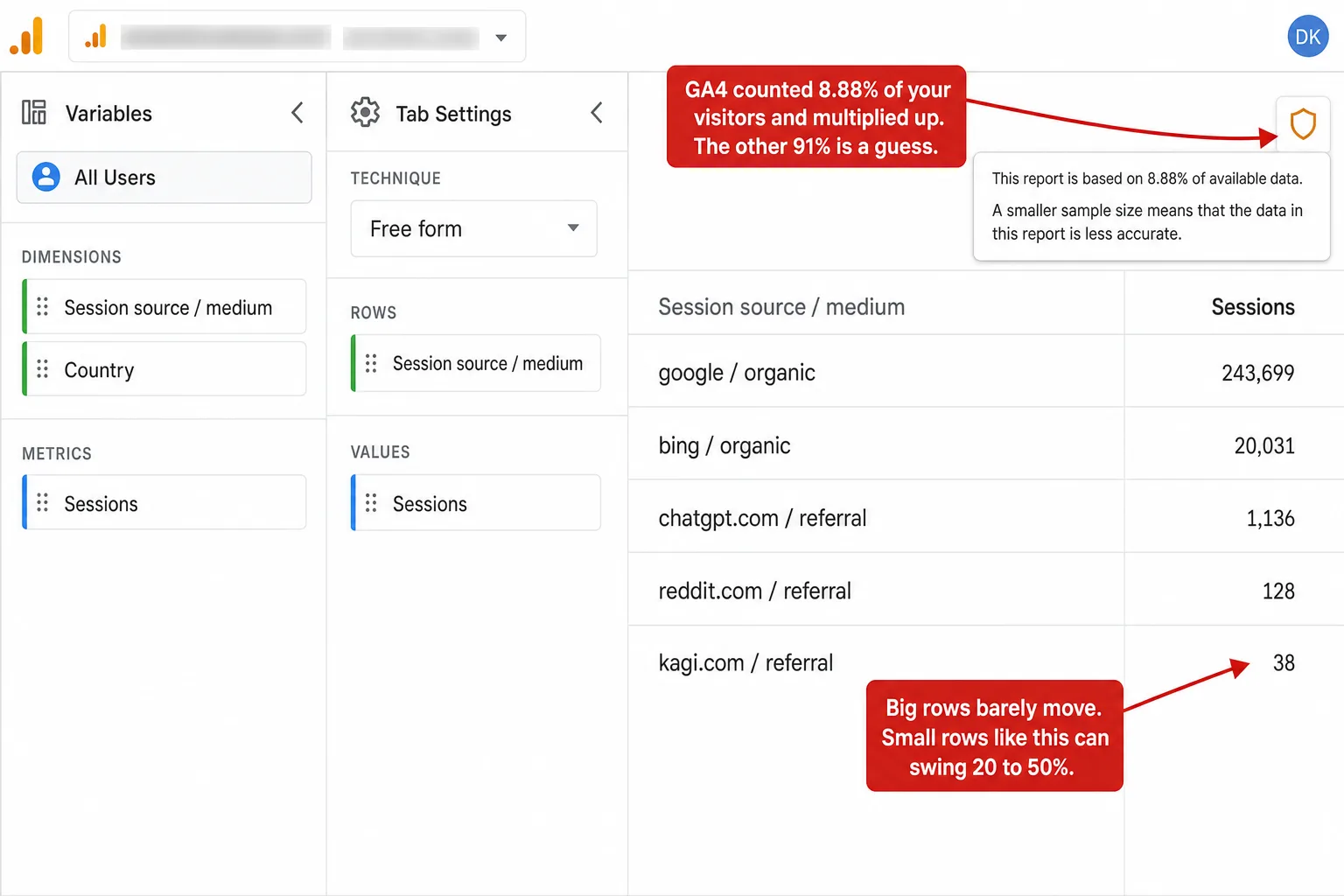
Split blog hero. Left: Clickport's Segments panel dimmed in the background, a long tail of segments (AI Search channel, pages, countries, sources, campaigns, devices) each with an exact visitor count, and four labels reading every report is a count, not an estimate; segment as deep as you want; the long tail stays exact; no 10 million event ceiling. Right: a ghosted Google Analytics menu skeleton beside an Explorations placeholder, with four labels reading past 10M events, it stops counting; based on 8.88% of available data; small rows can swing 20 to 50%; no off switch on the free tier.
GA Problems Last updated: 5 Jul 2026

GA4 Data Sampling: Your Reports Are Estimates, Not Counts

Once a GA4 Exploration passes 10 million events, GA4 stops counting your visitors and starts estimating them. I ran the sampling math over a real site's traffic. The big numbers held. The long tail, where you find what's working, swung 20 to 50%.

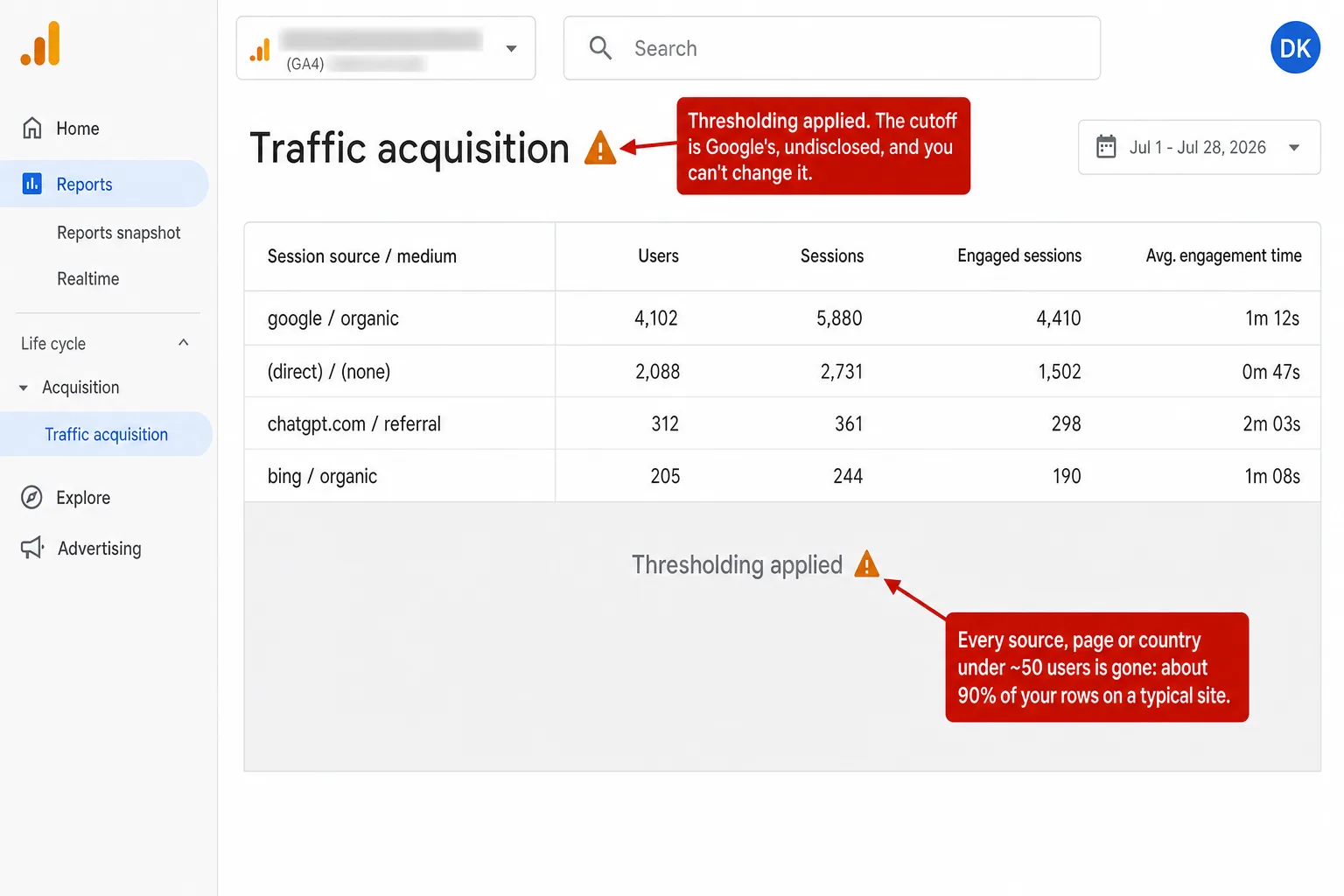
Split blog hero. Left: Clickport's Funnels panel dimmed in the background, four steps with exact visitor counts from 4,200 down to 487 plus top user paths, and four labels reading no row is ever hidden; exact counts down to a single visitor; no Google Signals, nothing to threshold; your discoveries stay visible. Right: a ghosted Google Analytics menu skeleton beside a Traffic acquisition placeholder marked Thresholding applied, with four labels reading rows under ~50 users disappear; the cutoff is undisclosed and unchangeable; one report went from 207 rows down to 4; ~90% of a median site's rows sit under the line.
GA Problems Last updated: 5 Jul 2026

GA4 Data Thresholding: The Rows Google Hides From You

GA4 quietly hides report rows with too few users. I counted how many of a real site's rows sit under that line. On the median site it's about nine in ten. Here is why it happens, what it hides, and how to get your data back.

A dark editorial hero. On the right, a dimmed, skeletal recreation of the Google Analytics 4 interface (a 'Google Analytics 4' wordmark, a Home/Reports/Explore/Advertising/Admin menu, and a 'Reports snapshot' panel) sits behind a soft wash of the Union Jack: the red and white crosses and diagonal saltires of the UK flag on a navy field. Two lines glow through the ghost panel: a red line reading 'GA4 does not qualify for the DUAA analytics exception' and an amber line reading 'Feb 2026: PECR fines rise to GBP 17.5 million.' On the left, the Clickport wordmark and the kicker 'GA4 in the UK' sit above four labelled rows: 'The DUAA opened an opt-out for analytics,' 'Google Analytics does not qualify,' 'The exception is data you can trust,' and 'Cookieless analytics needs no banner.'
GA Legal Status Last updated: 5 Jul 2026

Is Google Analytics Legal in the UK? Cookie Consent, the DUAA, and the New Opt-Out Rule

Everything UK website owners thought they knew about cookie consent changed on 5 February 2026. The Data Use and Access Act introduced an analytics exception that shifts from opt-in to opt-out. Google Analytics doesn't qualify. Here's what does.

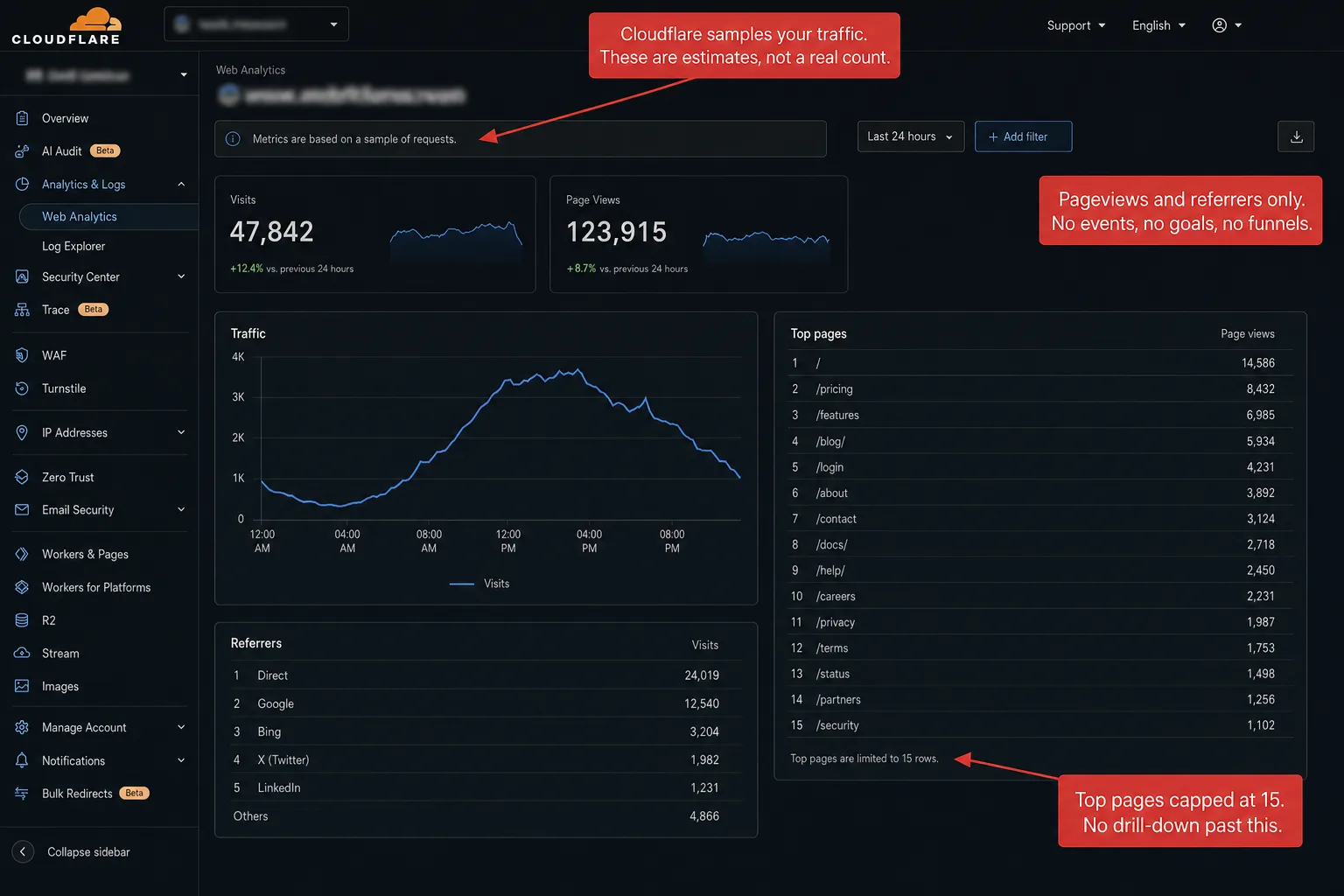
A split comparison on a near-black background. Left side: the Clickport logo above its real dashboard showing a KPI bar and a live two-line chart, with four labels beneath: True unique visitors, Real-time unsampled data, Goals funnels events, Every row drill-down. Right side: a faded, ghosted analytics interface labelled Cloudflare with the Web Analytics menu (Overview, Visits, Page views, Page load time, Top hosts, Top pages, Top referrers, Countries, Device types, Browsers) and four labels: No visitor identity, Sampled lagged charts, Pageview counter only, Top 15 rows only.
Clickport Last updated: 30 Jun 2026

Clickport vs Cloudflare Web Analytics in 2026

Cloudflare Web Analytics is free, cookieless, and one click away if you're already on Cloudflare. It also samples your data, shows the top 15 of everything and nothing else, and counts every entry to your site as a new visitor.

Blog hero with Clickport's Signals tab dimmed on the right: copied text, rage clicks, dead clicks, script errors, form abandons and prints with visitor and event counts, rage clicks expanded to show the exact elements like button.start-trial. Left side: Clickport wordmark, Frustration Signals kicker, and four labels reading rage and dead clicks, flagged by element; the exact page and element, not a video; nothing recorded, nobody watched; cookieless, no consent banner needed.
Clickport Last updated: 23 Jun 2026

Rage Clicks and Dead Clicks: How to Find Where Your Site Frustrates Visitors (Without Recording Them)

Some visitors don't bounce and don't convert. They get stuck. Rage clicks and dead clicks are how you catch those moments. Here's what they are, what causes them, and how to find them on your own site without recording a single person.

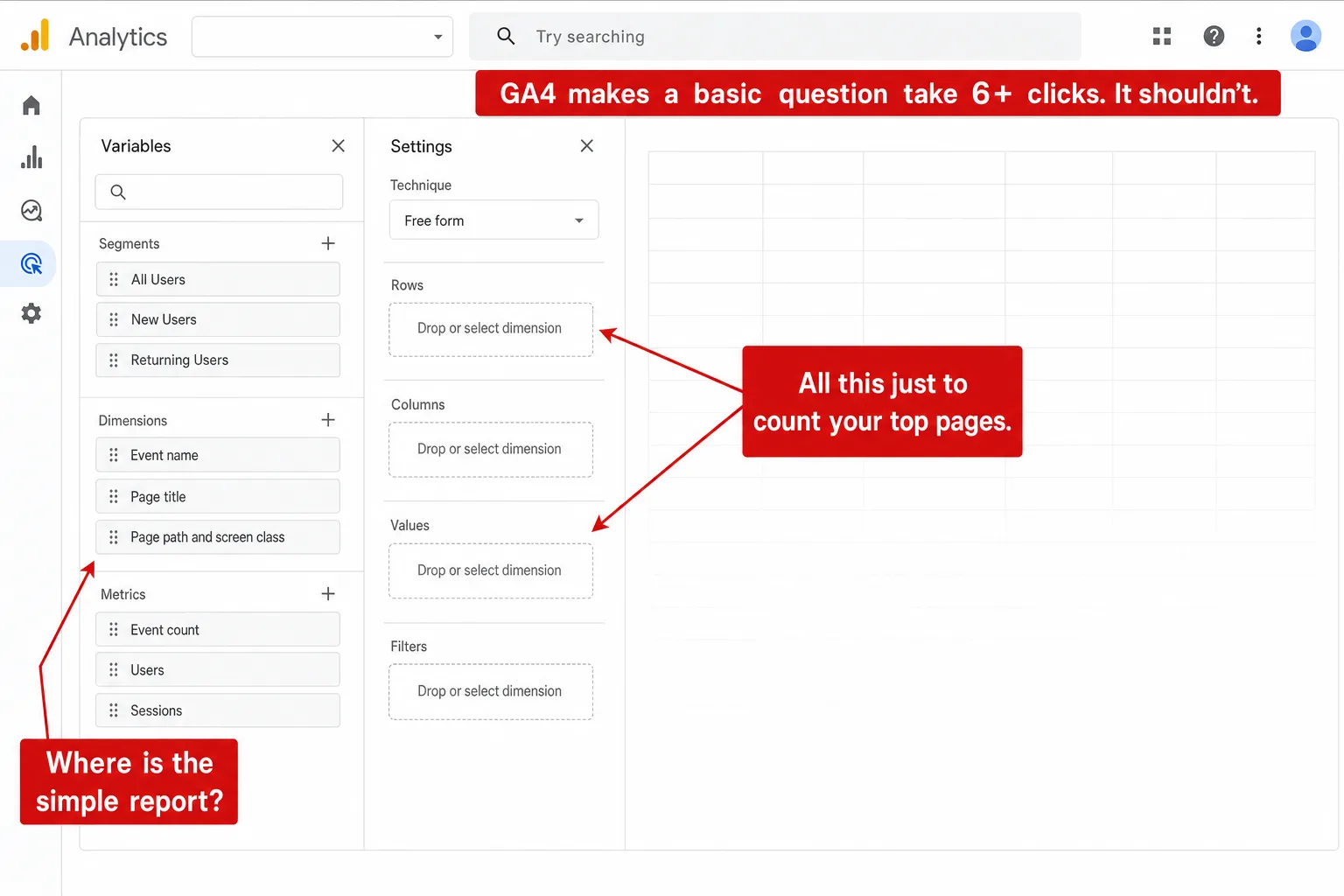
Split blog hero. Left: the Clickport dashboard dimmed in the background, KPI band with visitors, pageviews, bounce and conversions plus week-over-week deltas above the traffic chart, with four labels reading your top pages, on the landing screen; live visitors, zero clicks deep; week-over-week deltas by default; no certification exam required. Right: a ghosted Google Analytics menu skeleton beside a Reports snapshot placeholder, with four labels reading six clicks to count your top pages; conversions renamed to key events; bounce rate dropped, then redefined; a 75-minute exam to read your own site.
GA Problems Last updated: 14 Jun 2026

GA4 Is Too Complicated: Why You're Not the Problem

GA4 is too complicated, and it isn't your fault. The basics are buried several menus deep behind events, renamed metrics, and a report builder, and reading your own numbers even has its own certification exam. Here is the click-by-click proof, and what those answers look like on one screen instead.

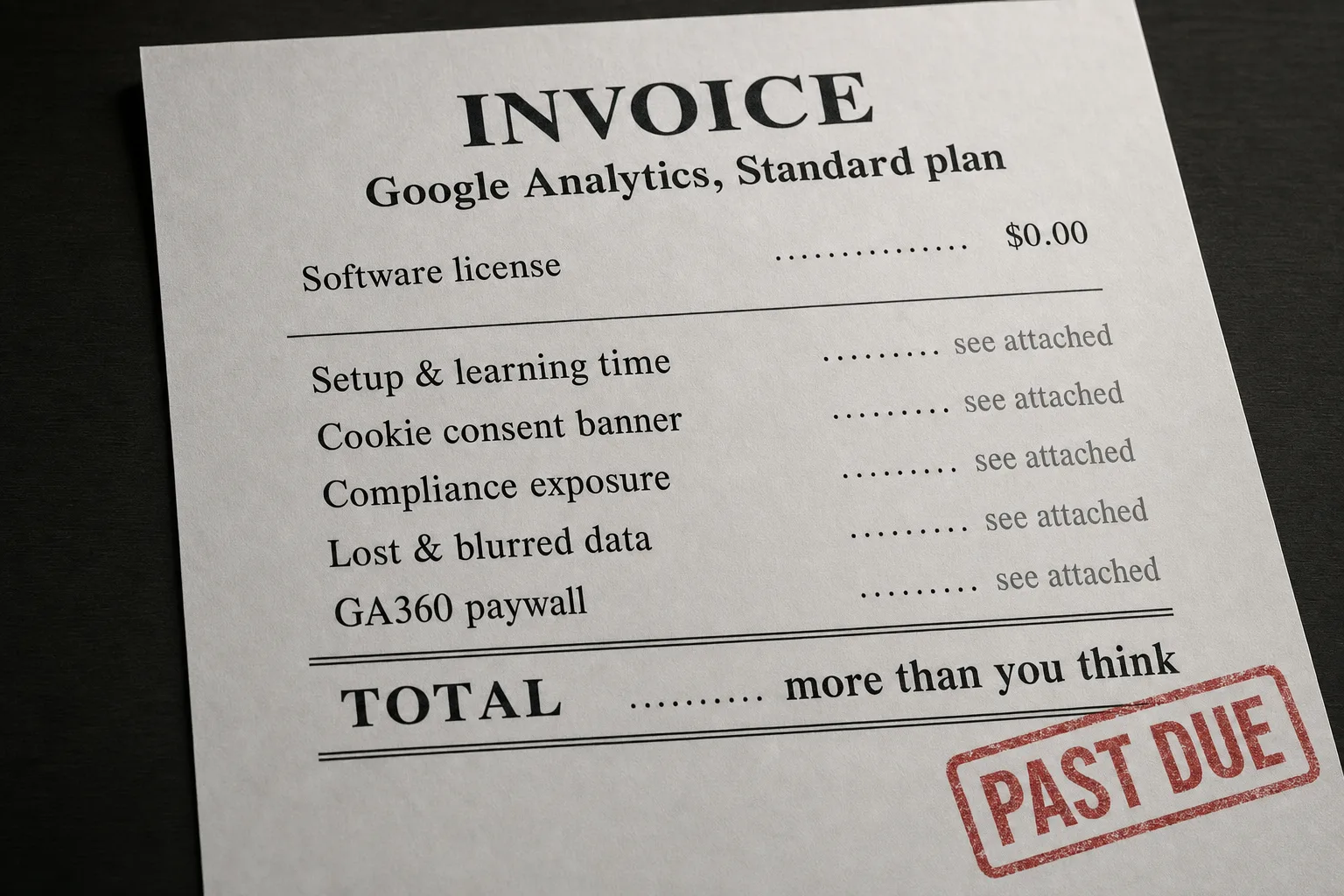
Dark branded illustration. On the right, a ghost invoice card headed 'INVOICE, Google Analytics, Standard plan': the software license line reads $0.00 in green, five line items (setup and learning time, cookie consent banner, compliance exposure, lost and blurred data, GA360 paywall) carry blank skeleton bars instead of amounts, a red PAST DUE stamp sits across the lower rows, and the TOTAL row reads 'more than you think'. On the left, the Clickport wordmark, the kicker 'The Real Bill', and four labels: Free is the price tag, not the bill. A consent platform: 7 to 90 euro a month. About 1 in 4 visitors accepts the banner. The only upgrade: ~$50,000 a year.
GA Problems Last updated: 13 Jun 2026

The Hidden Cost of Free Google Analytics

Google Analytics is free to install, not free to use. Here is the real invoice a normal website pays for free GA4: setup and learning hours, a cookie banner that deletes your own visitors, live compliance exposure, data that is blocked, sampled, hidden and expired on a timer, and a $50,000 ceiling the moment you need depth. Itemized, sourced, then zeroed.

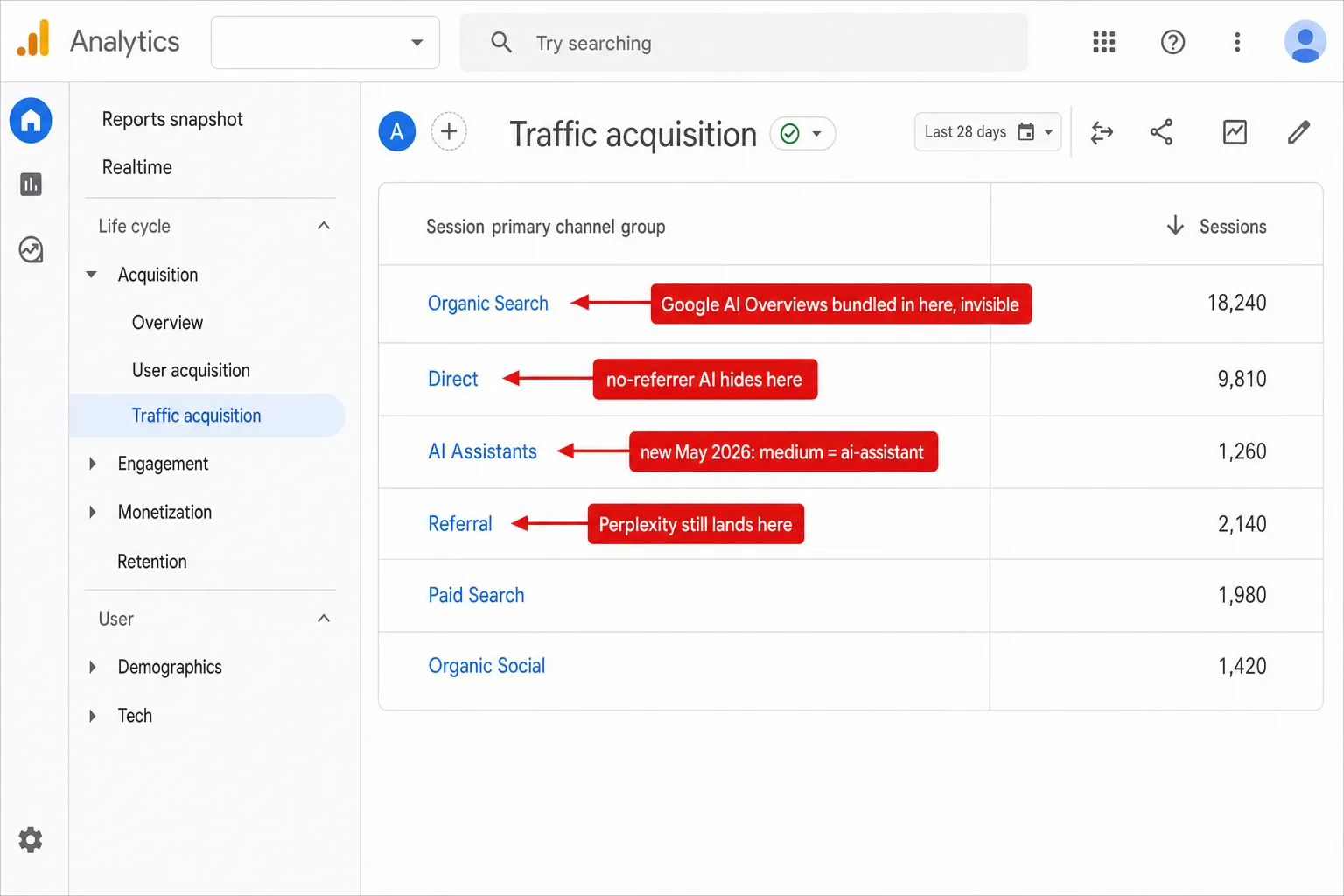
Dark branded illustration. On the right, a ghost recreation of a GA4 Traffic acquisition report (Session default channel group): the new AI Assistants row carries a NEW badge and the note 'recognized referrers only', while red markers flag three hiding places: 'AI Overviews blend in here' on Organic Search, 'no-referrer AI hides here' on Direct, and 'Perplexity lands here' on Referral. On the left, the Clickport wordmark, the kicker 'GA4's New AI Channel', and four labels: GA4 finally has an AI channel (May 2026). No referrer: the app tap stays in Direct. Perplexity still files under Referral. AI Overviews hide inside Organic Search.
AI Traffic Last updated: 12 Jun 2026

GA4 Finally Added an AI Traffic Channel. Here's What It Still Can't See.

GA4 just added a native AI Assistants channel that auto-tags ChatGPT and Gemini with no setup. It sounds like the AI attribution problem is solved. It is not. The channel only fires on a referrer it recognizes, so it still misses the no-referrer visit, Perplexity, and Google's own AI Overviews.

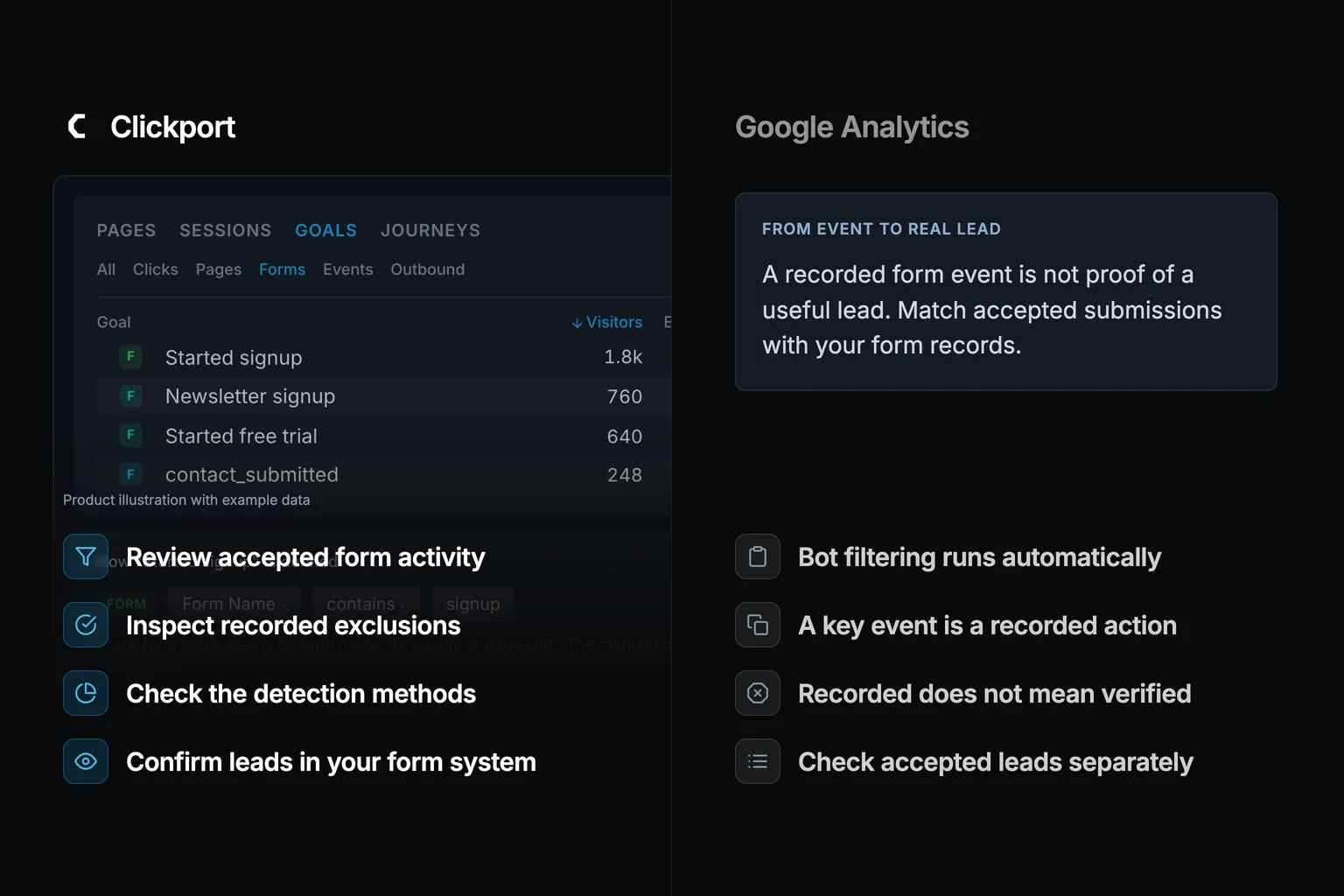
Split dark hero. Left, the vivid Clickport side: the real Goals panel on its Forms tab with four form goals (Started signup, Newsletter signup, Started free trial, contact_submitted) with visitor counts, the form-goal definition row fading behind, and four labels: The visitor is scored before it counts. Obvious form spam never converts. 4 in 5 blocked bots would count in GA4. See the real-vs-bot split on your forms. Right, a ghosted Google Analytics skeleton with the report menu and a Key events list whose first row reads form_submit, and four labels: form_submit counts, human or bot. Five submissions, five conversions. No setting un-counts them. Only defense: a user-agent list.
GA Problems Last updated: 11 Jun 2026

Bot Form Fills Are Counting as Conversions in GA4. Here's Why You Can't Filter Them Out.

A spam bot fills your contact form, fires form_submit, and because you marked form_submit as a Key Event, GA4 writes a permanent fake conversion into your count. Then that junk conversion trains Google Ads to chase more of the same. Here's why no GA4 setting un-counts it, and what scores the visitor before it can count.

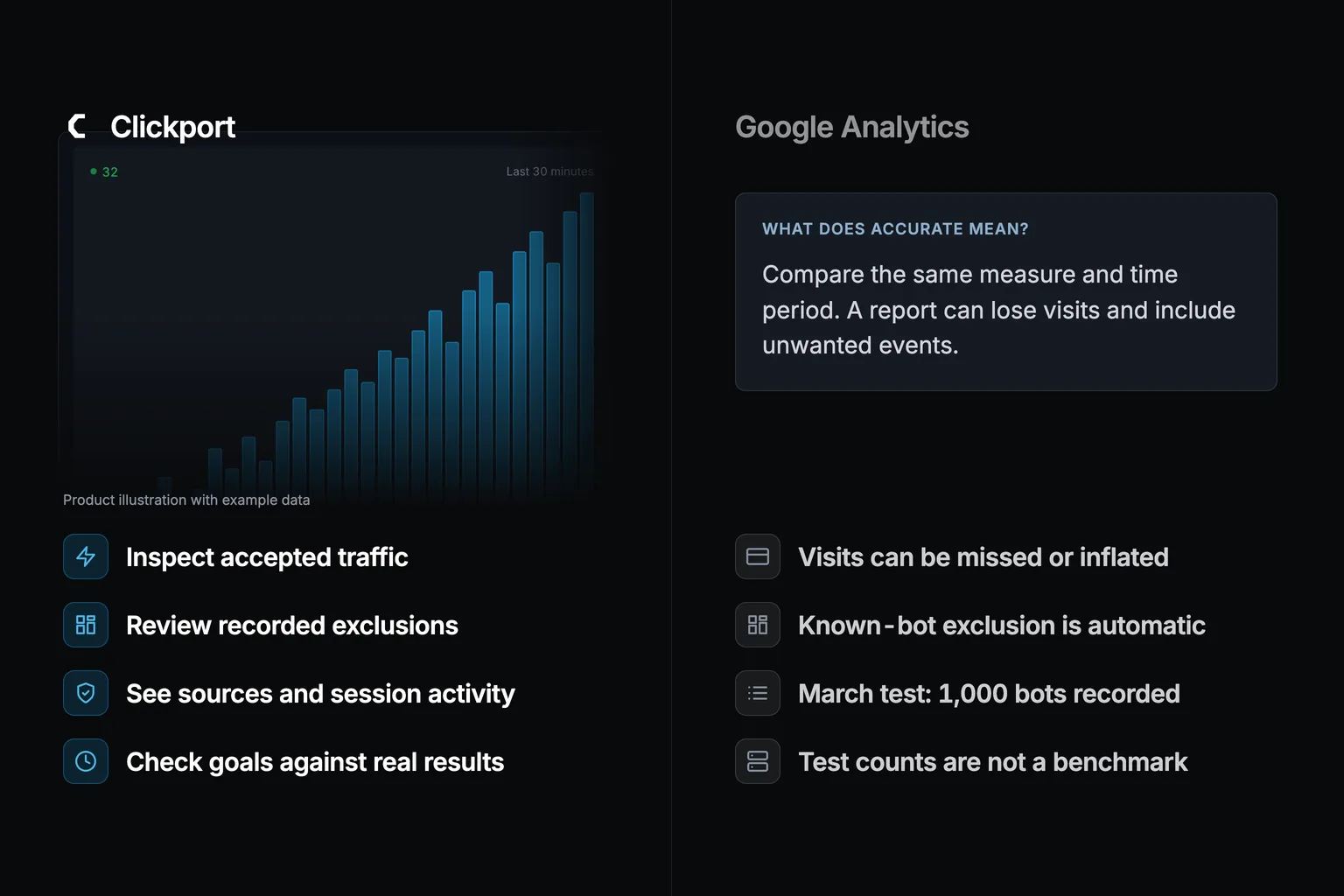
A split comparison on a near-black background. Left side: the Clickport logo above its dimmed realtime view, a rising bar chart of the last 30 minutes with a live counter of 32 visitors, and four labels: Real numbers not modeled, No banner no consent loss, Bots blocked not counted, Every row unsampled. Right side: a faded ghosted analytics interface labelled Google Analytics with the GA4 report menu (Reports snapshot, Realtime, Acquisition, Engagement, Monetization, Retention, Demographics, Tech, Explore) and four labels: Only ever undercounts, Up to 55.6% lost to the banner, 1,000 bots in 0 filtered, Sampled thresholded (other).
GA Problems Last updated: 8 Jun 2026

Is GA4 Accurate? What You Can Fix and What You Can't

Is GA4 accurate? No, and it only ever undercounts. I went through the data: GA4 typically misses 10 to 30 percent of your traffic, and up to 55 percent once a consent banner is on the page. Here is the split between the accuracy problems you can fix yourself and the ones baked so deep into GA4 that no setting will save you.

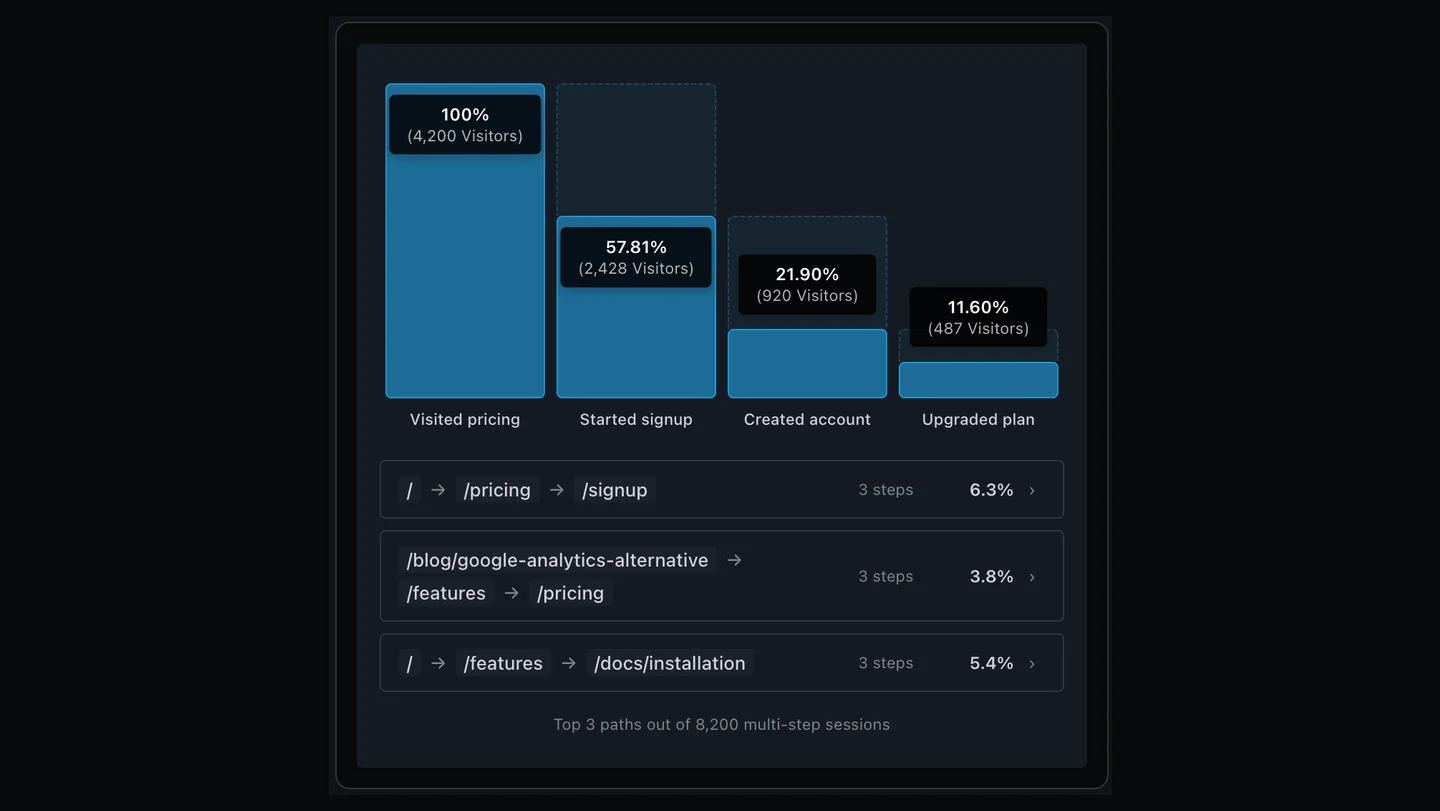
Dark branded hero. On the right, the dimmed real Journeys panel from Clickport: a four-step Trial signup flow funnel (Visited pricing 100 percent, 4,200 visitors, down to Upgraded plan 11.60 percent, 487 visitors) with dashed drop-off areas and per-step loss labels, and two more saved funnels (Blog to trial, Docs onboarding) fading below. On the left, the Clickport wordmark, the kicker 'User Journeys', and four labels: Flows finds your real paths, zero setup. Funnels shows where each step leaks. One click turns a path into a funnel. Cookie-free, consent-free, no sampling.
Clickport Last updated: 8 Jun 2026

How to Track User Journeys on Your Website (2026)

Your visitors don't move through your site in a straight line. Here's how to track real user journeys, find the paths that lead to signups, and measure them with flows and funnels, all without a cookie banner or GA4's Explore-section setup.

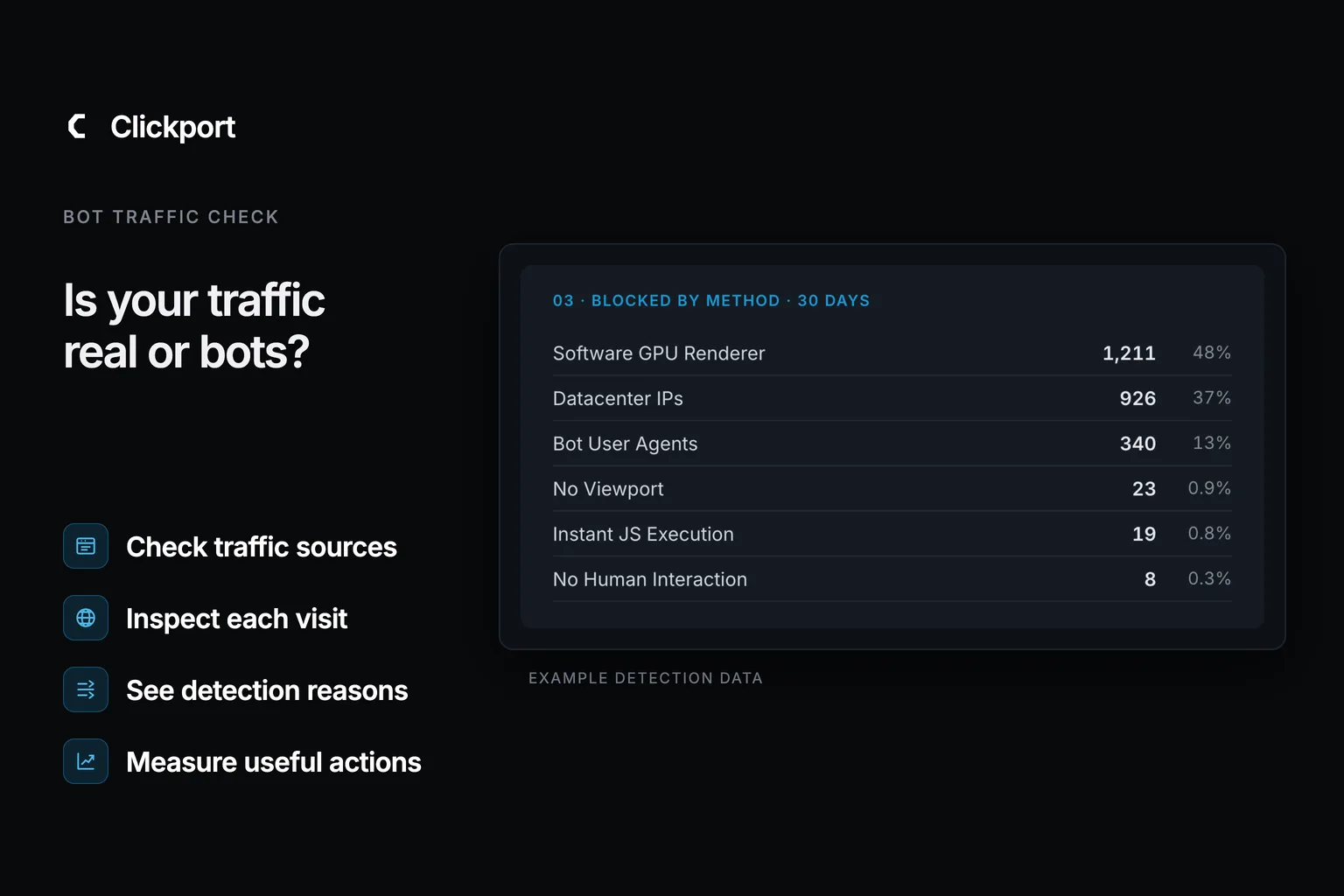
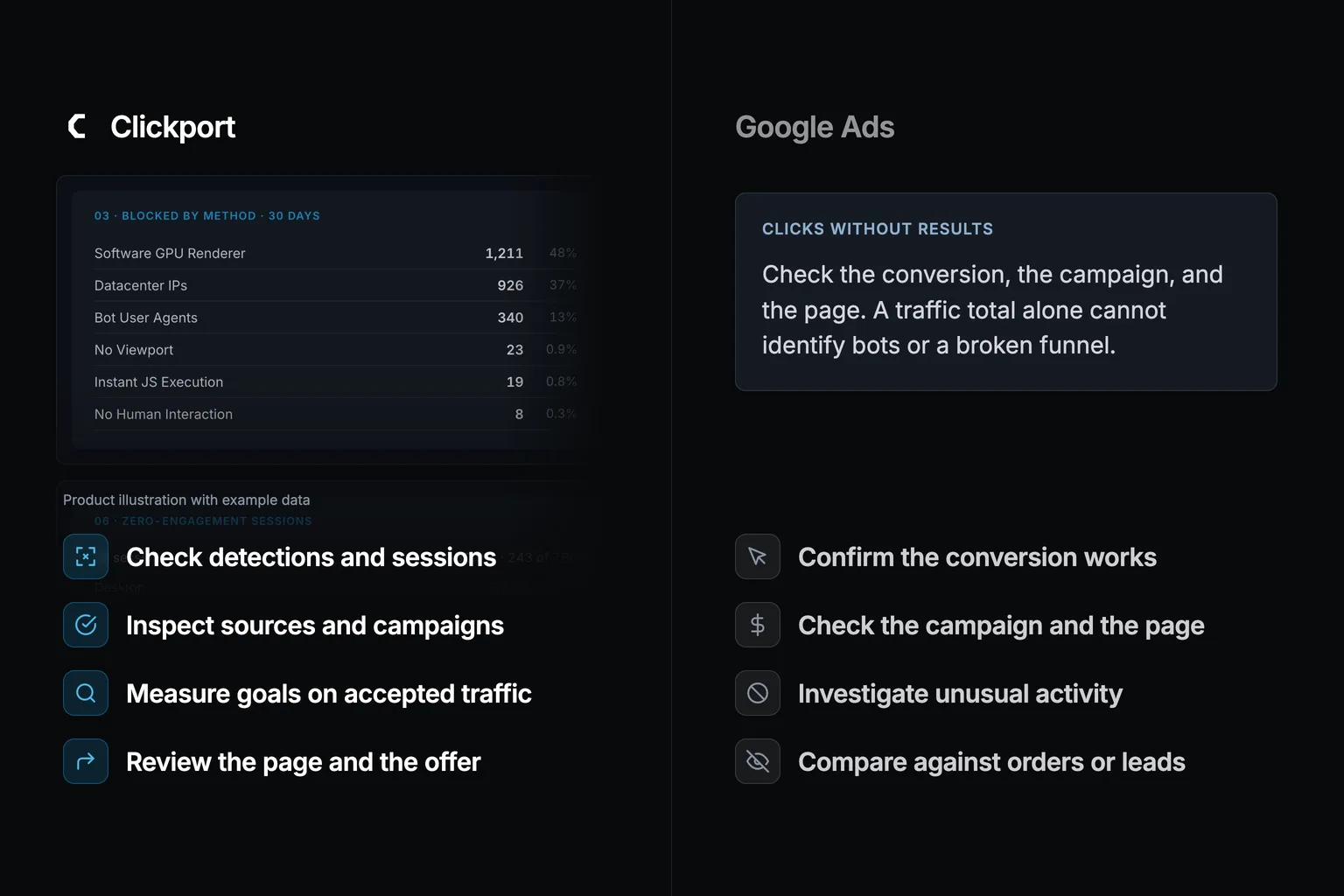
Split dark hero. Left, the vivid Clickport side: two real Bot Center panels, 'Blocked by method' (Software GPU Renderer 48%, Datacenter IPs 37%, Bot User Agents 13%, No Viewport, Instant JS Execution, No Human Interaction) with 'Zero-engagement sessions' fading below, and four labels: Your paid clicks, split bot vs human. Your true conversion rate, humans only. Caught by signals GA4 never checks. Mostly human? Then fix the funnel. Right, a ghosted Google Ads skeleton with the campaigns menu and a Campaigns table whose Conversions column is all zeros, and four labels: Hundreds of clicks, zero conversions. The invalid-click credit stays in Ads billing. GA4 counted 1,000 of 1,000 bots as real. You can't see which clicks were human.
GA Problems Last updated: 31 May 2026

Clicks But No Conversions: Is It Bots or Your Funnel?

Clicks but no conversions? Most of the time it really is your funnel, only about 8.5 percent of paid clicks are invalid, so roughly 11 in 12 are human. The problem is you can't prove that in GA4, because it won't show you how many of those clicks were people. Here's how to tell a broken funnel from a bot-diluted one, and the order to check things in.
A dark hero graphic. Top left: the Clickport logo with the kicker WooCommerce Order Tracking. Right: the dimmed Clickport Pages panel showing products (/products/merino-runner, /products/trail-jacket, /products/down-parka) with Visitors, Orders, CR, Revenue, and Avg columns sorted by revenue. Bottom left, four labels with blue icons: Purchase fires once in the browser, 75 stores audited all browser-only, One in five orders goes missing, Capture the order on the server.
Ecommerce Analytics Last updated: 31 May 2026

WooCommerce Sales Not Tracking in GA4? We Audited 75 Stores

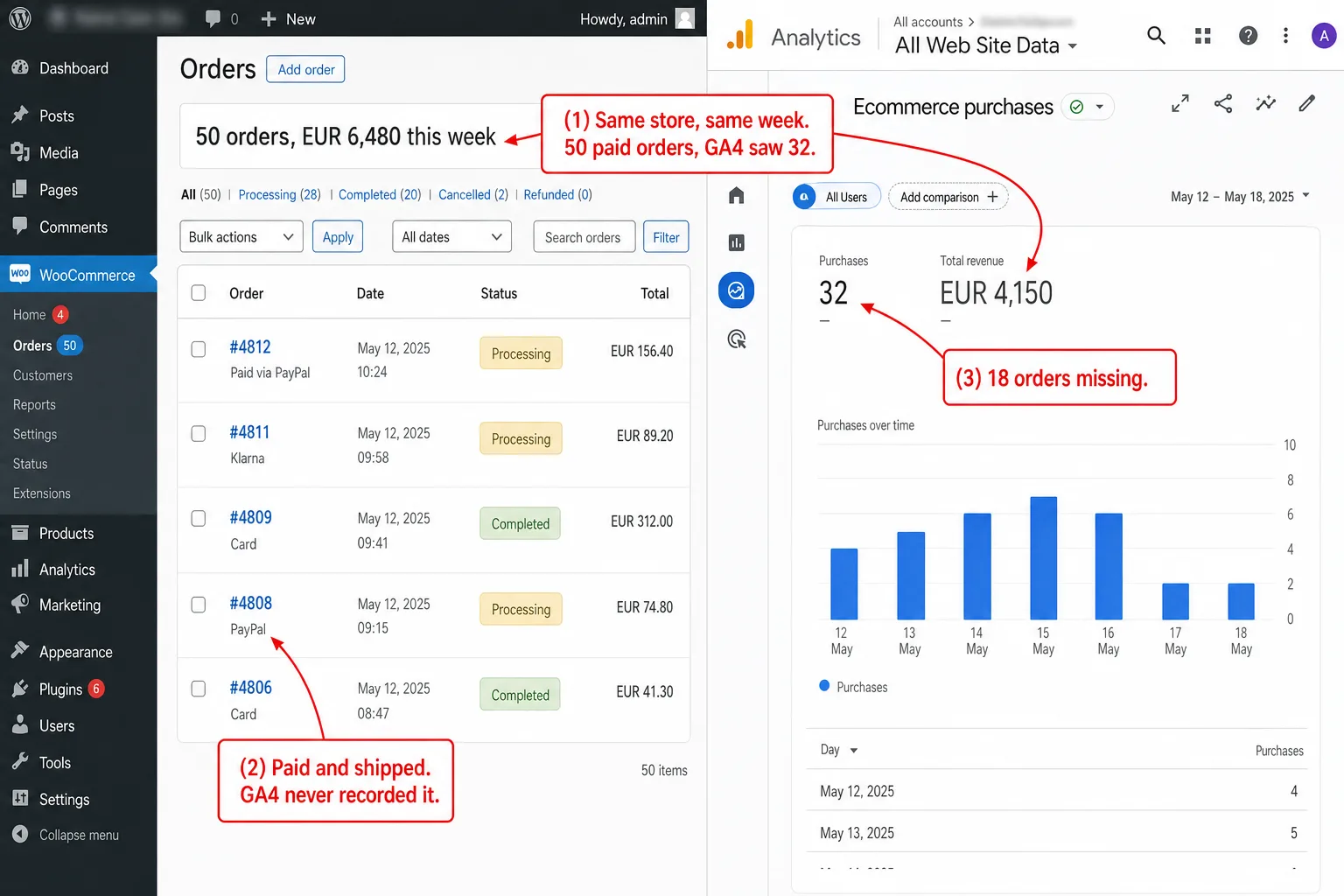
WooCommerce orders go missing in GA4 because the purchase event fires once, in the browser, on a page many buyers never see. I audited 75 live WooCommerce stores: every one running GA4 or Tag Manager tracked purchases client-side only, with no server-side fallback. Here is why orders vanish, why server-side GTM doesn't fix it, and the one hook that does.
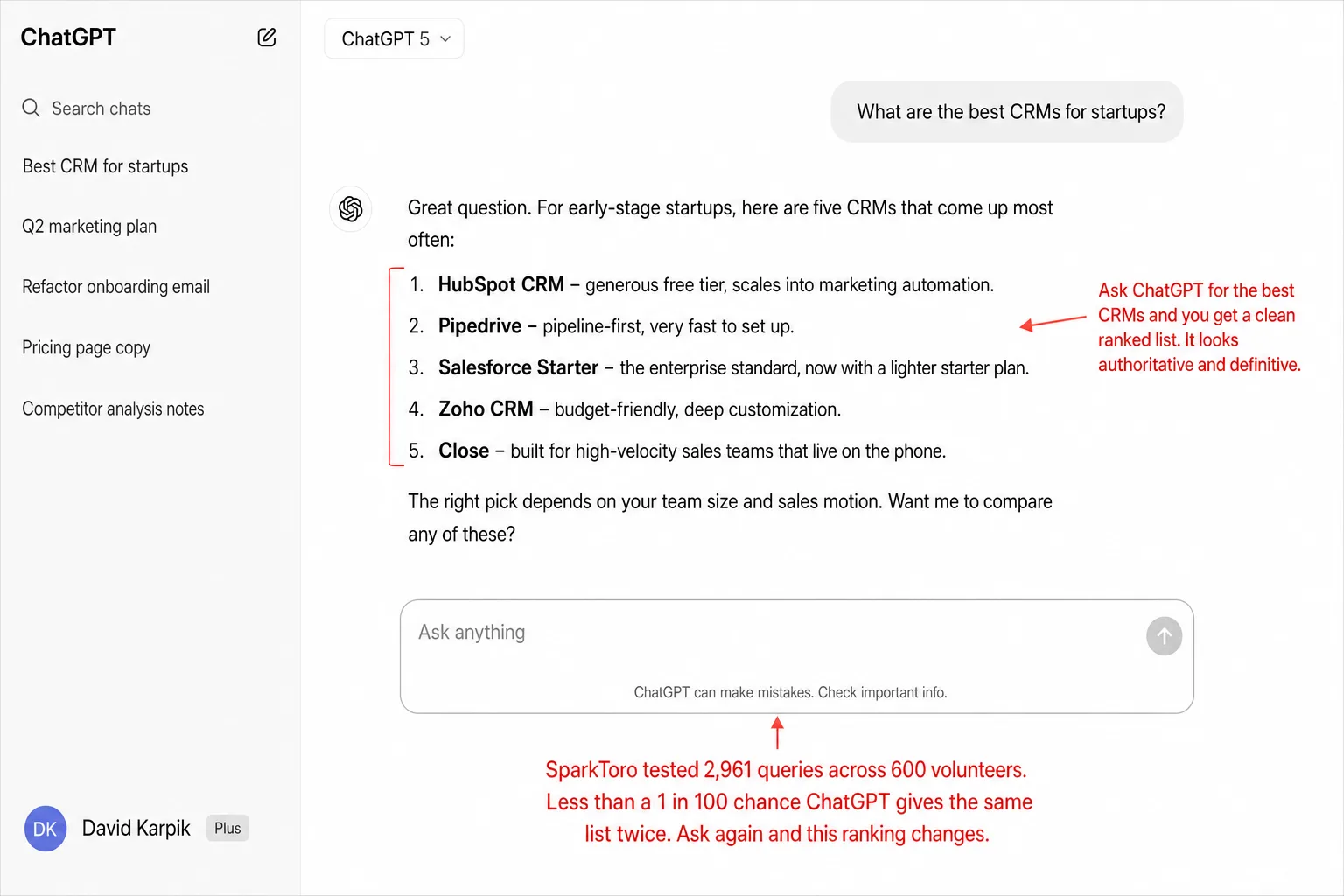
Dark branded illustration. Two ghost answer cards side by side: Run 1 lists five anonymized brands A to E as skeleton rows; Run 2, minutes later, same prompt, shows C up two places, A down one, two new amber entries F and G, B down three, and a red note that D and E are gone. A red swap badge between the cards reads same question, new ranking. On the left, the Clickport wordmark, the kicker AI Visibility Scores, and four labels: Less than 1 in 100 chance the list repeats. All AI platforms: 0.15% of web traffic. Only 1% click the links in AI answers. Your analytics already counts the real visitors.
AI Traffic Last updated: 28 May 2026

The New Vanity Metrics: Why AI Visibility Scores Are the Klout of 2026

A growing industry sells AI visibility scores built on synthetic prompts, panel estimates, and proprietary formulas. SparkToro found less than a 1% chance AI gives the same brand list twice. Here's why these scores buy you nothing, and what to measure instead.
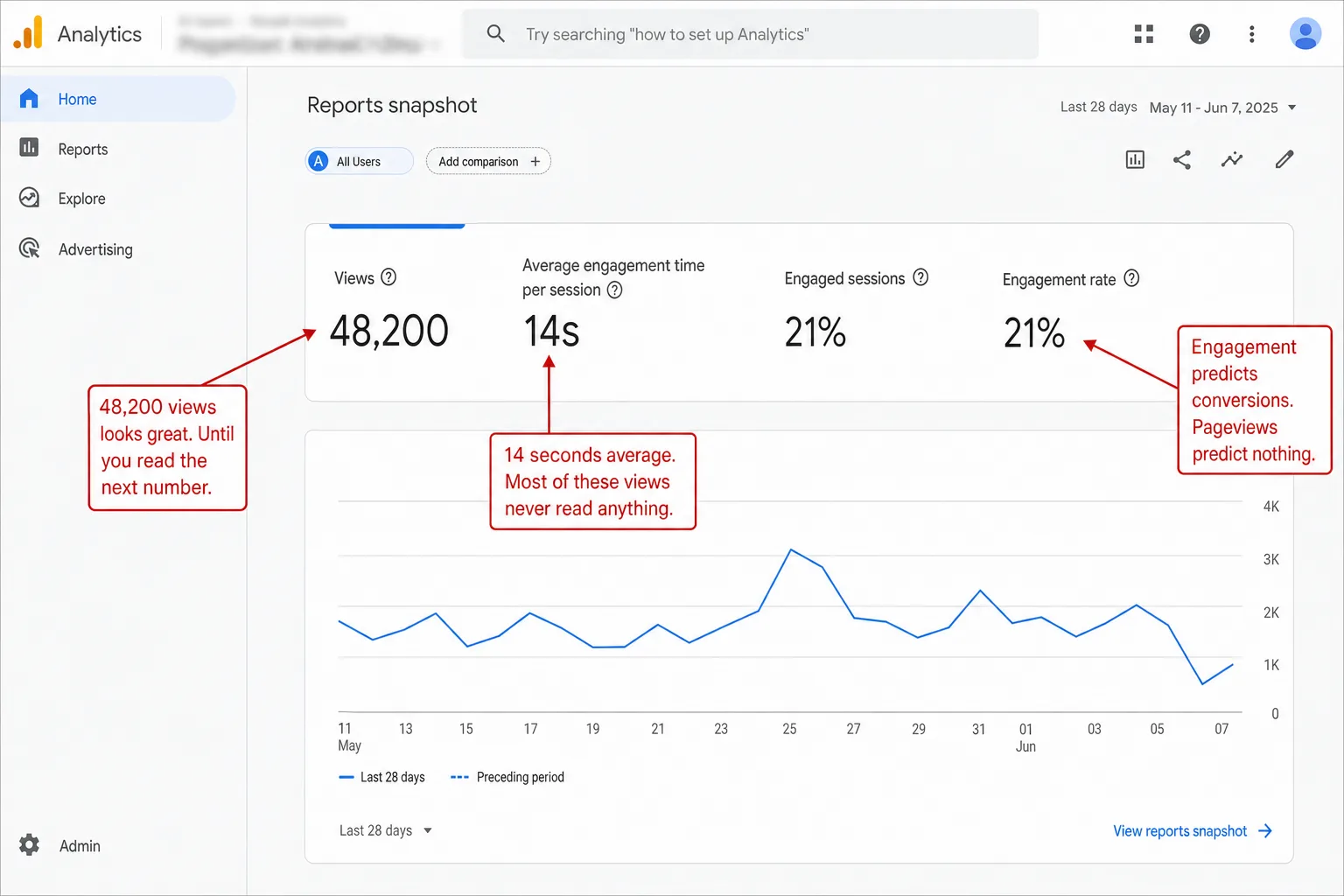
Dark branded hero. On the right, the real Clickport dashboard chrome: the Pages panel with tabs (Pages, Sessions, Goals, Journeys) listing pages with visitor counts and a color-graded engagement percentage per page, and below it, fading out, the anatomy of one visit with its scroll-depth bar. On the left, the Clickport wordmark, the kicker Engagement Metrics, and four labels: See how far every visitor really reads. Active reading time, not raw clock time. Every page gets an engagement score. Tracked automatically, from the first pageview.
GA Problems Last updated: 28 May 2026

Beyond Pageviews: The Engagement Metrics That Actually Matter

53% of visitors bounce after a single page. Average engaged time: 28 seconds. Pageviews tell you someone arrived. Engagement data tells you whether you answered their question. Here's how to measure what actually matters.
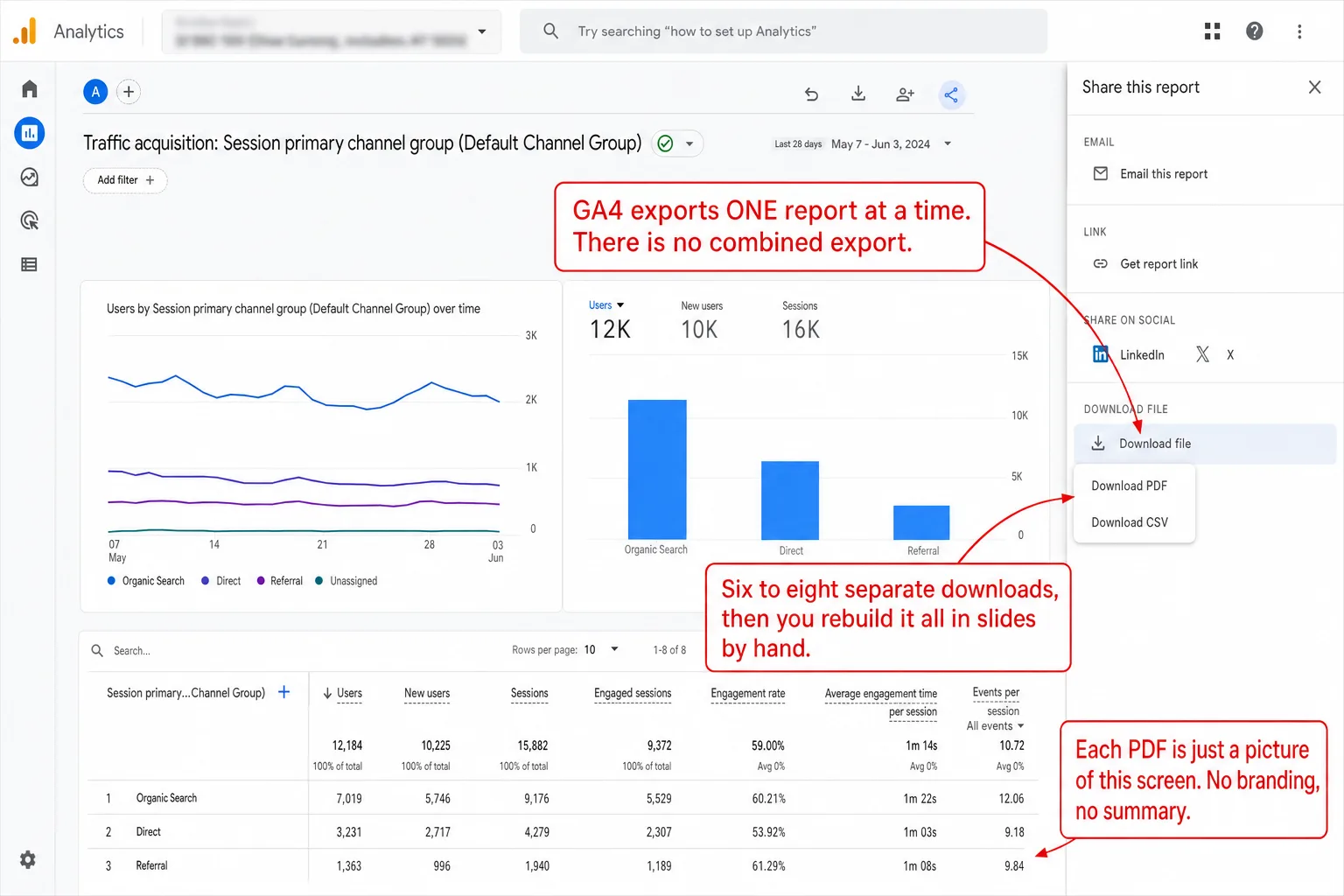
Dark branded hero. On the right, real Clickport chrome: the Export Options panel with a PDF Report card (3-page visual report with KPIs, charts, and source breakdown), a CSV Export card, and a PDF preview strip of pages one to three, and below it, fading out, the Share Links panel with a tokenized share URL, a Copy button, and a read-only client dashboard preview. On the left, the Clickport wordmark, the kicker Client Reporting, and four labels: One click turns the month into a PDF. Clients get a live view, no login. Raw CSVs for the spreadsheet crowd. Share links you can revoke any time.
Clickport Last updated: 28 May 2026

How to Send Your Client an Analytics Report in 60 Seconds

Manual client reports take 3-5 hours each in GA4. There's a faster way: one click, a 3-page PDF, and your client has everything they need.
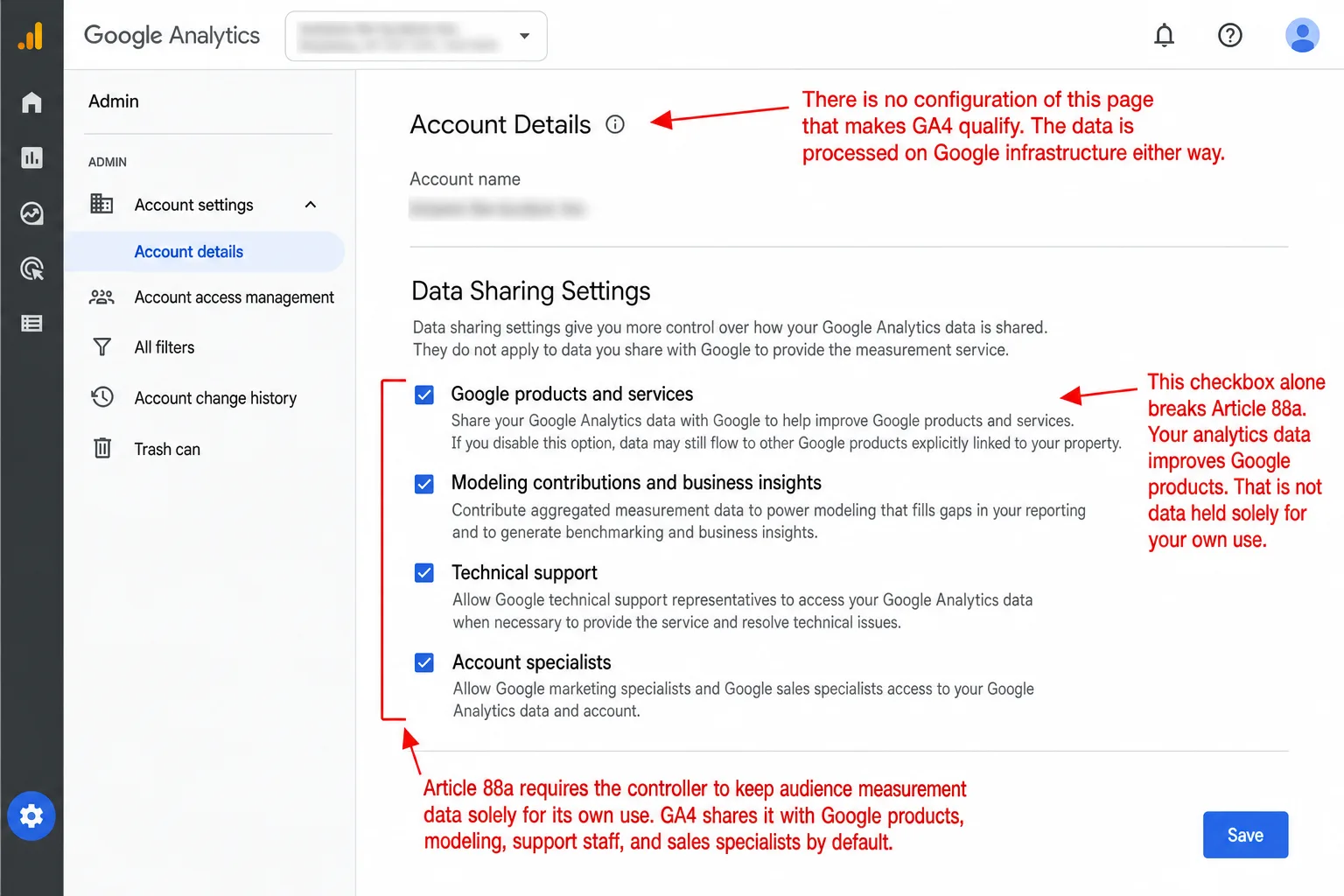
Split dark hero. Left, the vivid Clickport side: the real Data location and sub-processors panel (Hetzner, Germany, all visitor analytics data including backups in Falkenstein, never transferred outside the EU, then the named sub-processor list) and four labels: Your data stays yours, on EU servers. No cookies, so no banner, today. First-party by design. Ready for Article 88a before it exists. Right, a ghosted Google Analytics skeleton with the report menu and a Data sharing settings card showing four ticked checkboxes (Google products and services, Modeling contributions and business insights, Technical support, Account specialists), and four labels: Shared with Google products by default. Modeling and support staff opted in. Runs on Google servers either way. No setting makes it qualify.
GA Legal Status Last updated: 28 May 2026

The EU Digital Omnibus Act: What It Means for Your Analytics (and Whether GA4 Qualifies)

The EU is rewriting the cookie rules. A new consent exemption for analytics could eliminate cookie banners for qualifying tools. Google Analytics doesn't qualify. Here's everything you need to know about Article 88a and what it means for your website.
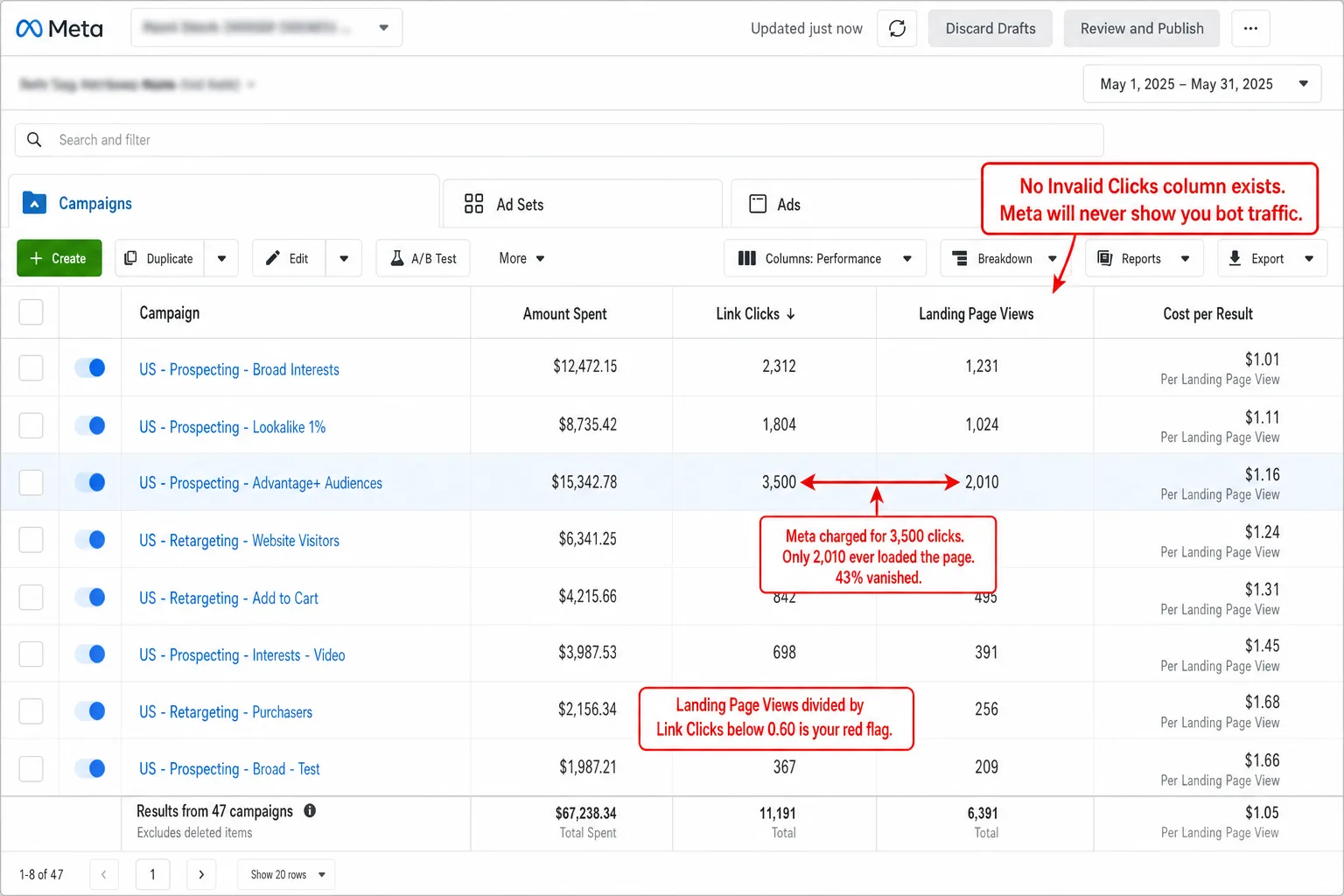
Split dark hero. Left, the vivid Clickport side: the real Sources panel on its Channels tab listing channels with visitor counts and a color-graded engagement percentage per channel, Paid Search and Paid Social included, with the Bot Center top-blocked list fading below, and four labels: See the sessions behind the clicks. Every paid visit gets an engagement read. Bots caught by behavior, not by a list. Your real conversion rate, not theirs. Right, a ghosted Meta Ads skeleton with the Ads Manager menu and a table of Link clicks and Landing page views bars where the link-click bars are visibly longer, ending in a red dashed row reading Invalid clicks, no such column, and four labels: The click is counted, the visitor is not. No invalid-clicks column anywhere. Not responsible for click fraud. The first fake click always costs you.
Bot Traffic Last updated: 28 May 2026

Facebook Ads Bot Traffic: Why Your Conversion Rate Is a Lie

652 link clicks. 47 real sessions. Zero sales. That Reddit post got 125+ upvotes because hundreds of advertisers recognized the pattern. Meta earned $16 billion from scam-adjacent ads in 2024. Their terms say they're 'not responsible for click fraud.' Your analytics is the only thing that can show you the truth.
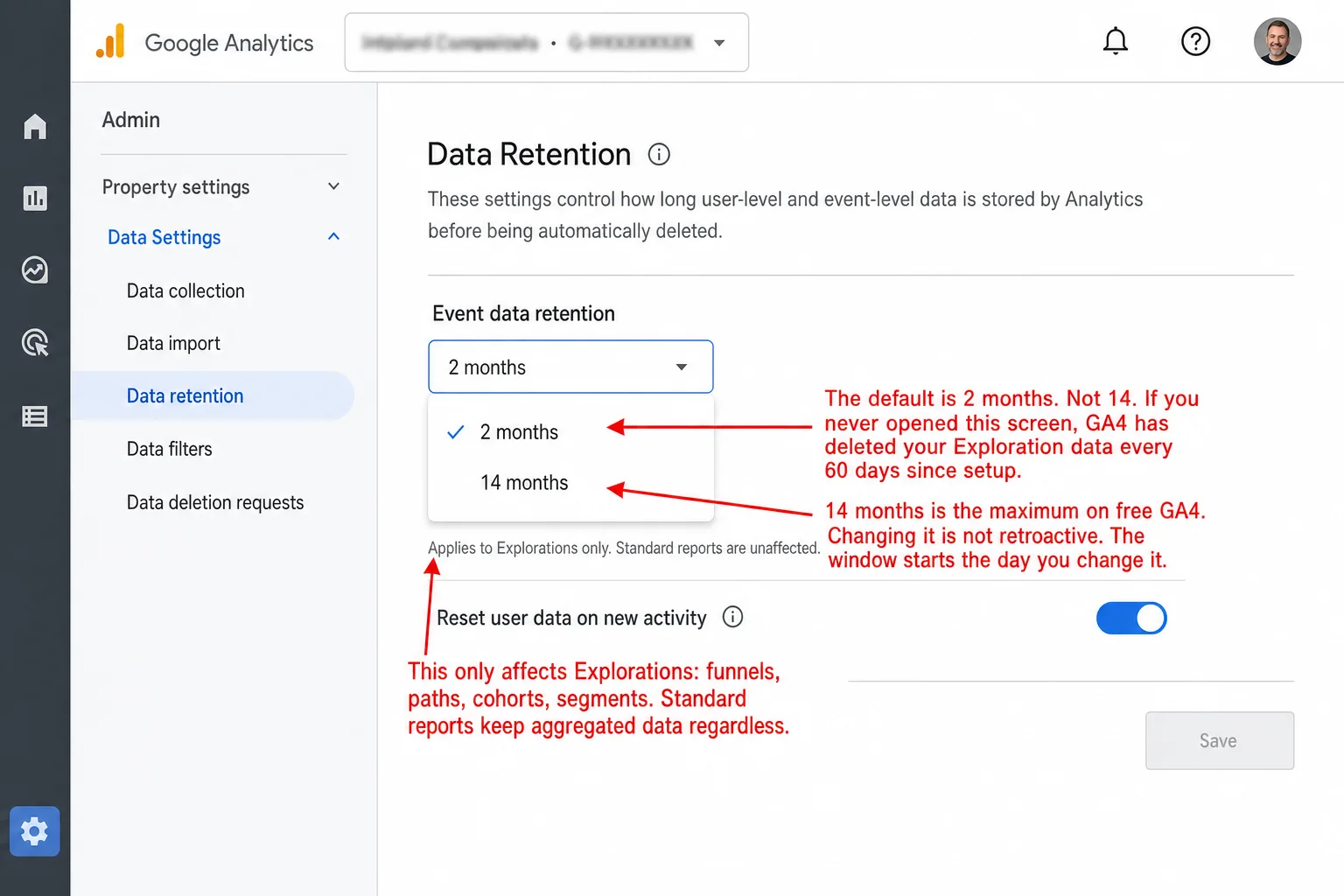
Split dark hero. Left, the vivid Clickport side: the real date-range picker open on its long-range section, listing Month to Date, Last Month, Year to Date, Last 12 Months, and All Time, with Customize fading below, and four labels: Your history stays. All of it. Year over year, whenever you ask. Nothing expires on a timer. No SQL needed to keep your own data. Right, a ghosted Google Analytics skeleton with the Admin menu and a Data retention card showing Event data retention with 2 months default ticked, 14 months the maximum grayed out, and a red note that changes are not retroactive, plus four labels: Two months is the default, not fourteen. Explorations quietly lose their history. Flipping the setting rescues nothing. Keeping more starts at $50,000 a year.
GA Problems Last updated: 28 May 2026

Your GA4 Data Disappears After 14 Months. Here's What Google Won't Tell You.

GA4 deletes your event-level data after 14 months. The default is 2 months. The official workaround requires SQL skills and a Google Cloud account. Every other analytics tool keeps your data forever.
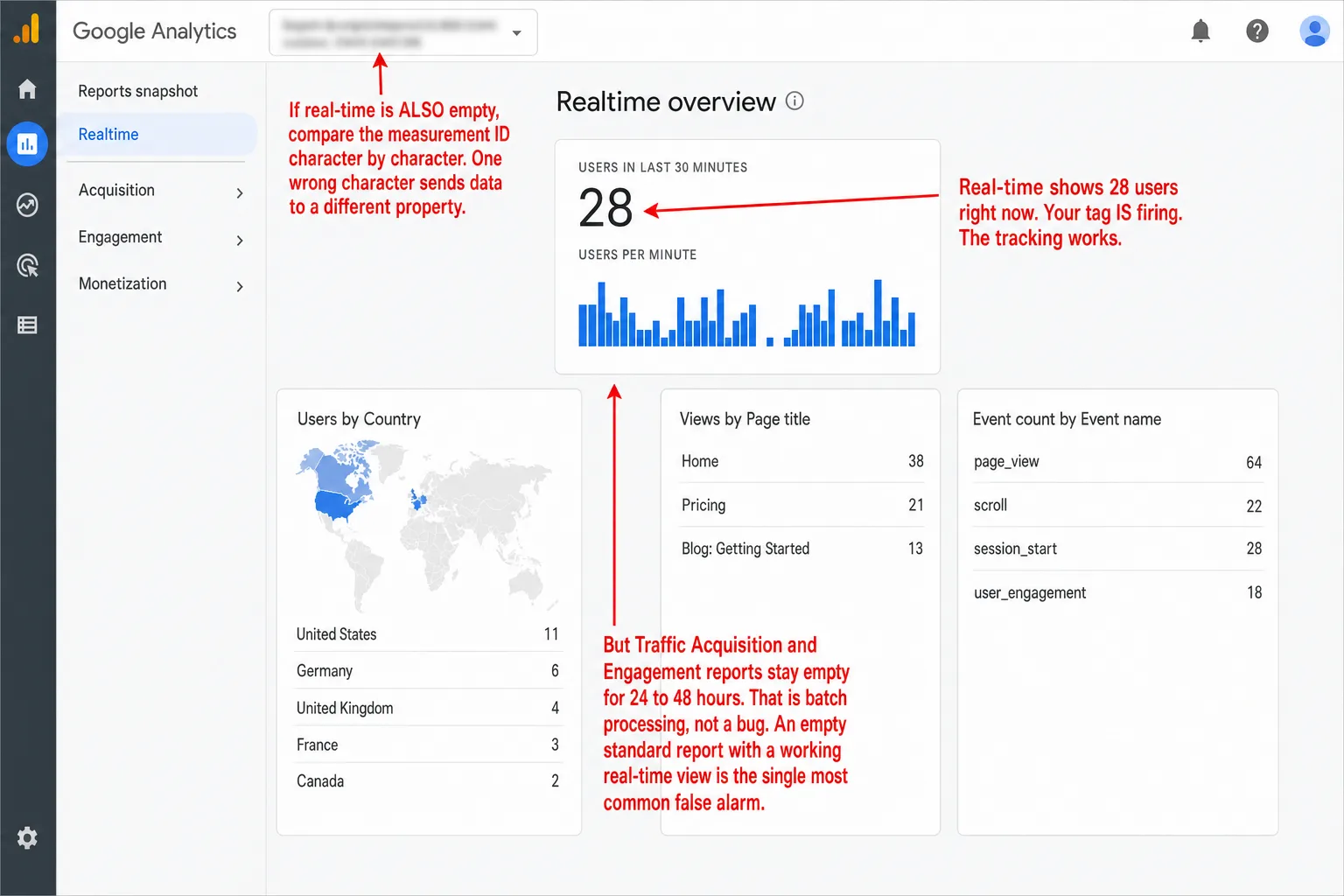
Split dark hero. Left, the vivid Clickport side: the real Site settings panel cropped to its tracking snippet, the script tag with data-domain, a blue Verify installation button, and a green confirmation reading Tracker is installed and sending data, with four labels: The install verifies itself on the spot. Data on your dashboard in about a minute. What happened is what you see. No thresholds, no sampling, no waiting. Right, a ghosted Google Analytics skeleton with the report menu and a Traffic acquisition card reading No data available for this date range with an amber note that processing can take 24-48 hours, and four labels: Reports run a day or two behind. Half of EU visitors never counted. Blocked visitors leave no trace at all. Rows vanish under the threshold.
GA Problems Last updated: 28 May 2026

GA4 Not Showing Data? Every Fix (and Why It Keeps Happening)

Your GA4 dashboard is empty. Here's how to fix it, why it happens, and why some of the data loss is permanent.
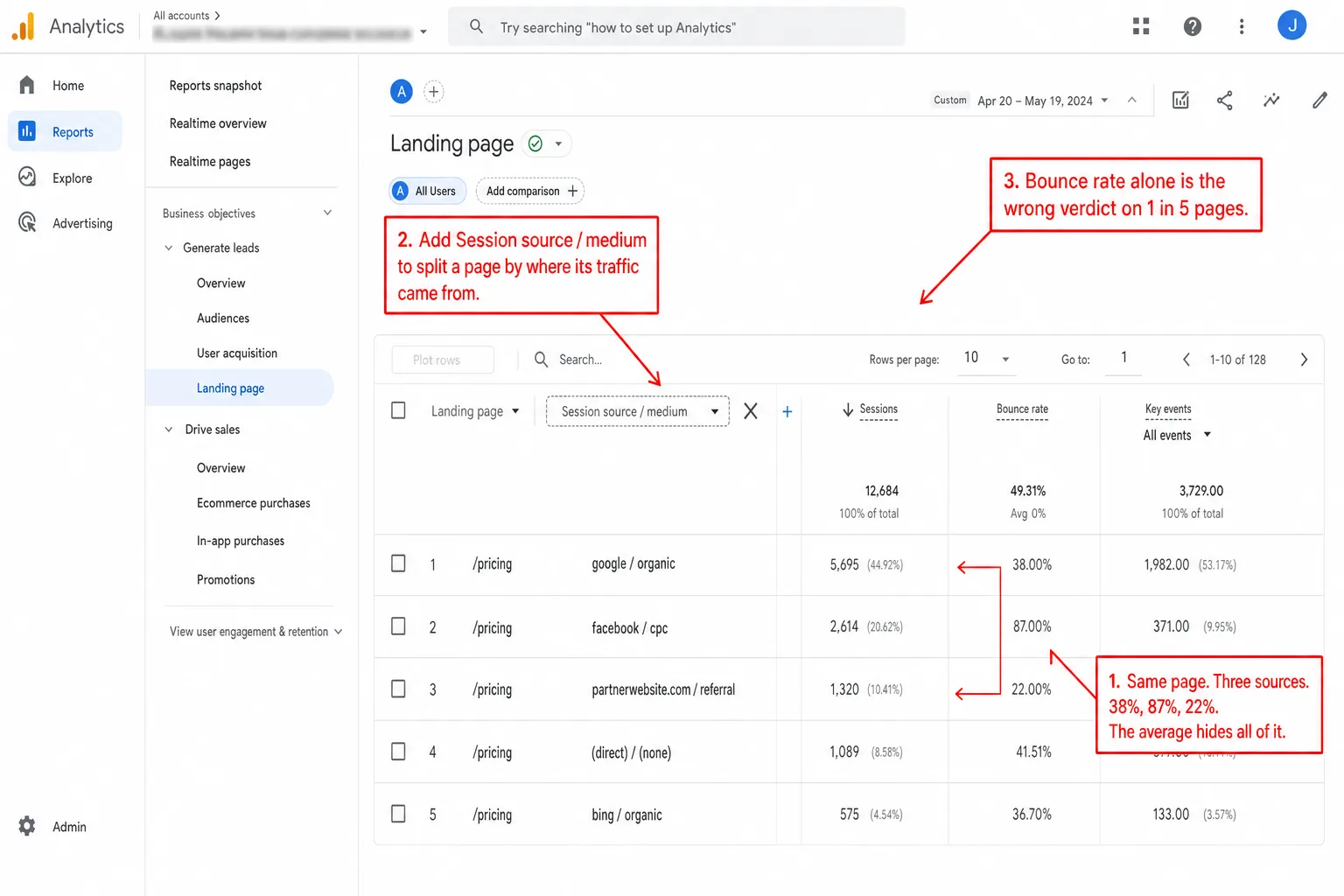
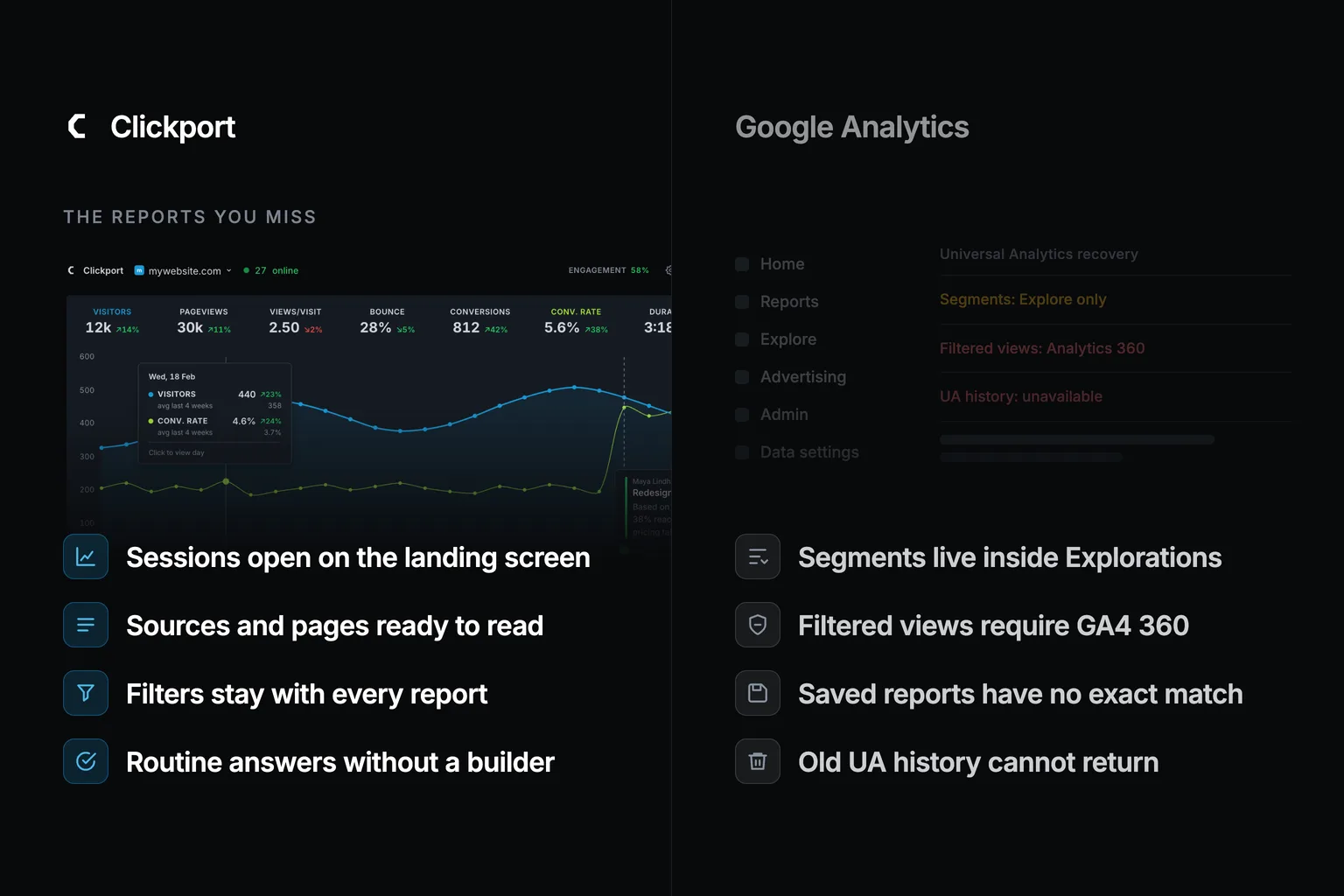
A dark hero graphic. Top left: the Clickport logo with the kicker Landing Page Analysis. Right: the dimmed Clickport Filter panel showing active filters (Page contains /blog, Source is google and bing, Country is Germany) with saved segments below. Bottom left, four labels with blue icons: Click a row, the whole dashboard follows; Engagement sits next to every page; See each page split by traffic source; Goals live on the same row.
GA Problems Last updated: 28 May 2026

How to analyze landing pages: the four signals beyond bounce rate

Most landing-page reports lead with bounce rate. I looked at 1,007 landing pages across the sites we measure: 1 in 5 high-bounce pages had visitors who actually scrolled and stayed. Here are the four signals to read first.
A split comparison on a near-black background. Left side: the Clickport logo above its real Site added onboarding card showing the one-line tracking snippet and a Continue to dashboard button, with four labels: One script tag, nothing else to load; Zero PHP on your server; No database writes, ever; Full engagement tracking included. Right side: a faded, ghosted wp-admin interface with the WordPress menu (Dashboard, Posts, Media, Pages, Plugins) and a Plugins list of heavyweight analytics plugins, with four labels: Megabytes of PHP on every request; A database write per pageview; Stats queries slow your wp-admin; The tracker was the light part.
WordPress Analytics Last updated: 28 May 2026

Lightweight WordPress Analytics: I Measured Them All

I downloaded eight WordPress analytics tools and weighed every byte. The smallest tracker belongs to Plausible. The heaviest plugin is 27.8 MB. Here's what 'lightweight' actually means once you measure all four dimensions.
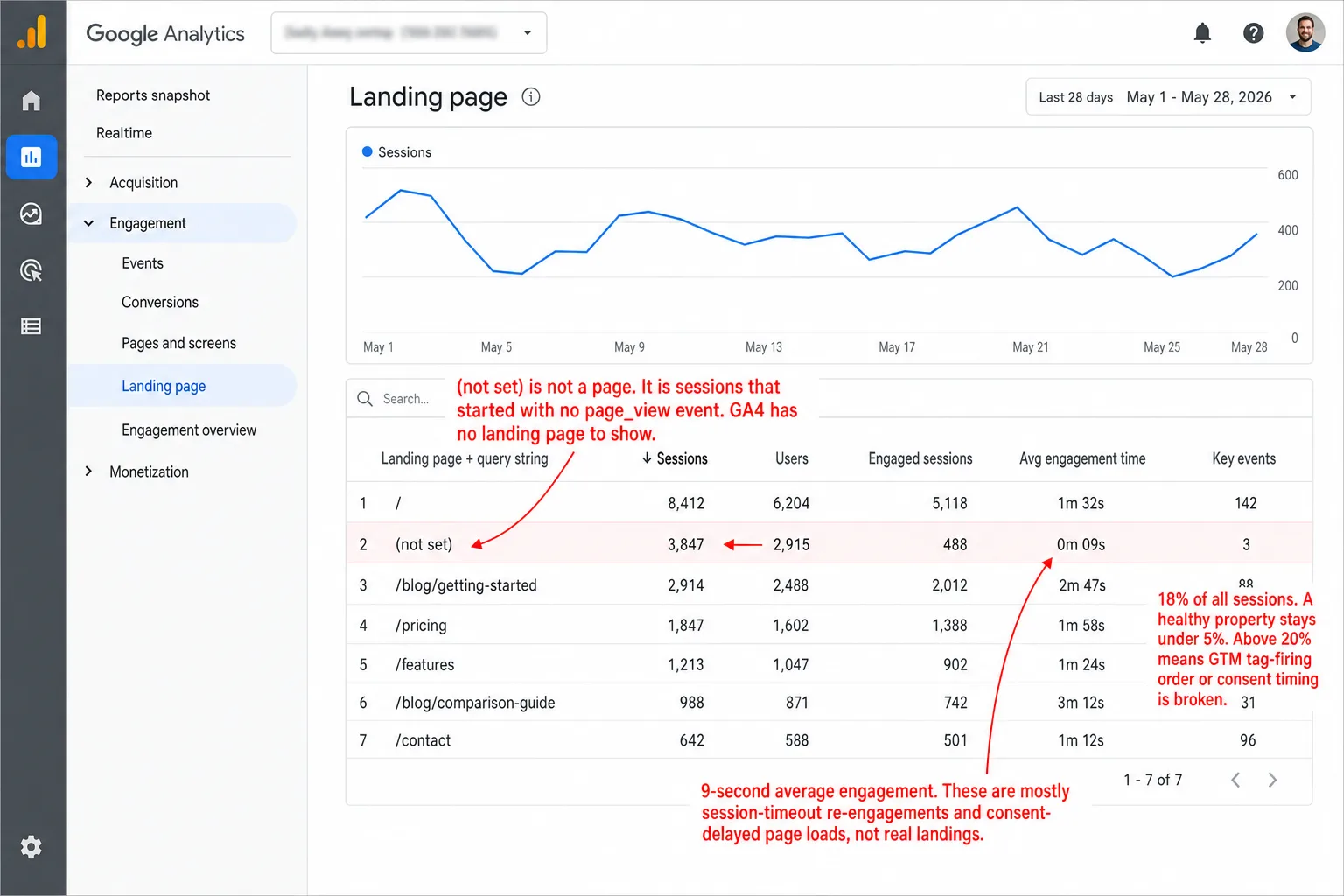
Split comparison. Left, Clickport: a dimmed Sources panel where every row is a named source (Google, Direct / None, ChatGPT, LinkedIn, Perplexity, Bing), with four labels: every source has a name, landing page captured on every visit, no consent gap to model around, no (not set) rows anywhere. Right, a ghosted Google Analytics skeleton: the Landing page report with a red (not set) row and an amber note that fixes apply going forward only, with four labels: sessions land with no source at all, consent denials wipe attribution, links shared in apps arrive blank, no fix repairs yesterday's data.
GA Problems Last updated: 28 May 2026

(Not Set) in GA4: What It Means and How to Fix It

Every GA4 property has (not set) in its reports. Some of it is fixable. Some of it is architectural. Here's how to tell which is which.
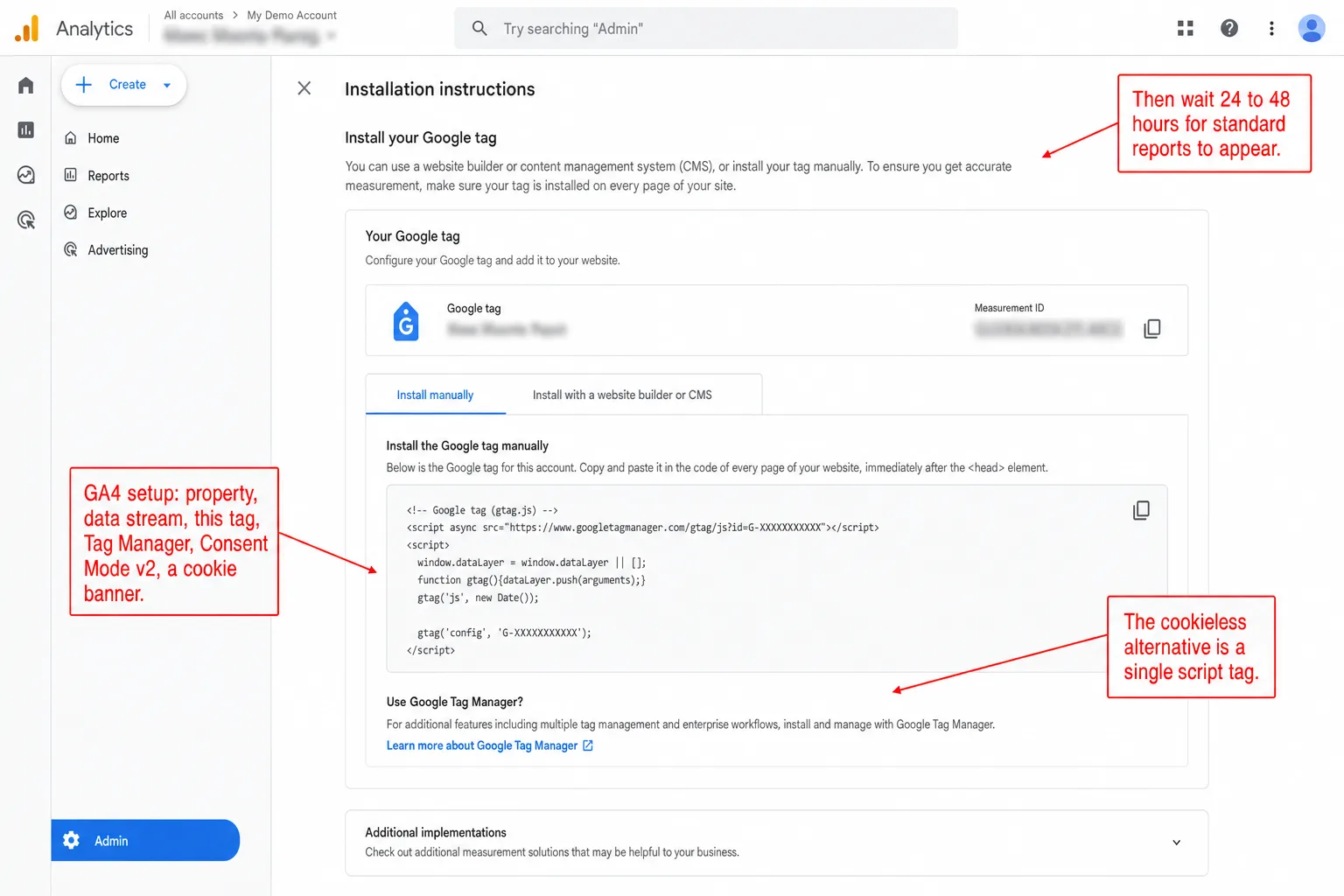
Split comparison. Left, Clickport: a dimmed Pages panel with Pages, Sessions, Goals, and Journeys tabs plus Top, Entry, Exit, Search, and 404 sub-tabs over a ranked page list, with four labels: one script tag and you're live, your UTM links work unchanged, goals set up in clicks not schemas, data lands in seconds not days. Right, a ghosted Google Analytics skeleton of the Installation instructions screen with an amber wait-24-48-hours note, with four labels: property, stream, tag, consent, banner; reports fill in one to two days later; a consent banner comes with the tag; leaving means exporting your history.
Clickport Last updated: 28 May 2026

How to Switch from GA4 to Clickport Analytics

A practical guide to switching from Google Analytics 4 to Clickport. No fluff, no stats dump. Just the step-by-step: how to set up, where to find your data, and how every GA4 feature maps to Clickport.

Dark hero with the kicker The Tollbooth Economy: a foggy row of tollbooth gates recedes down a wet road toward a glowing browser window at the far end, the illustration fading into black on the left and bottom. Four labels: most searches end without a click, every layer takes its cut, AI answers keep readers on the platform, the way out is owning the relationship.
GA Problems Last updated: 28 May 2026

The Internet's Broken Promise

The internet was supposed to eliminate the middleman. Instead, it created the most powerful middlemen in human history.
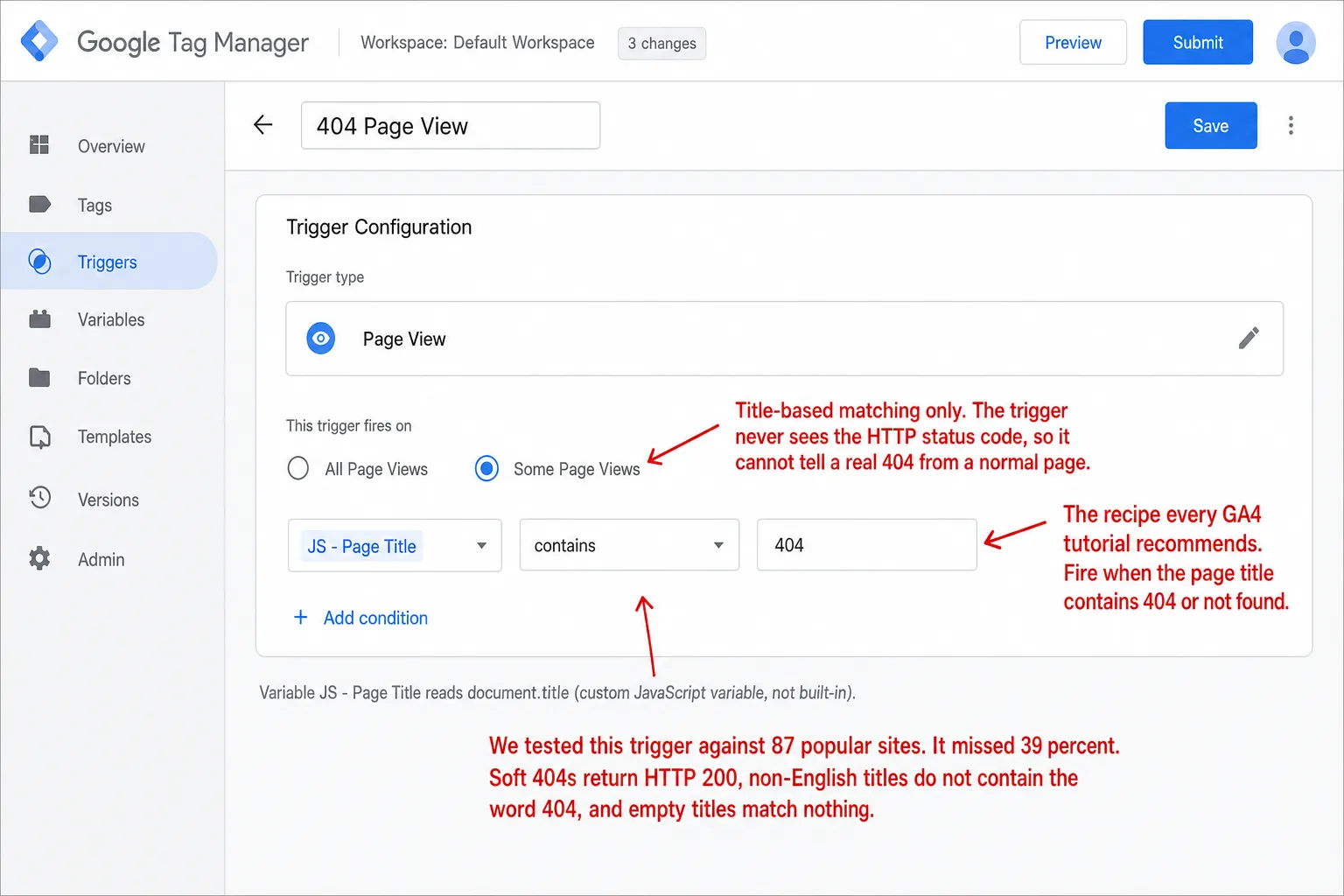
Split-panel hero. Left: Clickport's Pages panel on the 404 sub-tab, a ranked list of broken URLs with hit counts (/blog/old-post, /downloads/whitepaper.pdf, /wp-login.php), with the labels 404s flagged automatically, Every broken URL in one list, One line covers soft 404s and SPAs, and The session shows what linked there. Right: a ghosted recreation of Google Tag Manager's Trigger Configuration screen for a 404 Page View trigger with the condition JS - Page Title contains 404, a red note that the trigger never sees the HTTP status code, an amber note that a localized title like Seite nicht gefunden never fires, and the labels A variable, a trigger, a tag, a wait, Blind to the HTTP status code, Soft 404s pass as normal pageviews, and Localized titles never match.
GA Problems Last updated: 28 May 2026

Track 404 Pages in GA4: Why 39% Get Missed Silently

Every GA4 tutorial recommends the same Tag Manager trigger: fire when the page title contains '404' or 'not found.' We tested that recipe against 87 popular websites. It missed 39%. Here's what's broken, and what actually works.
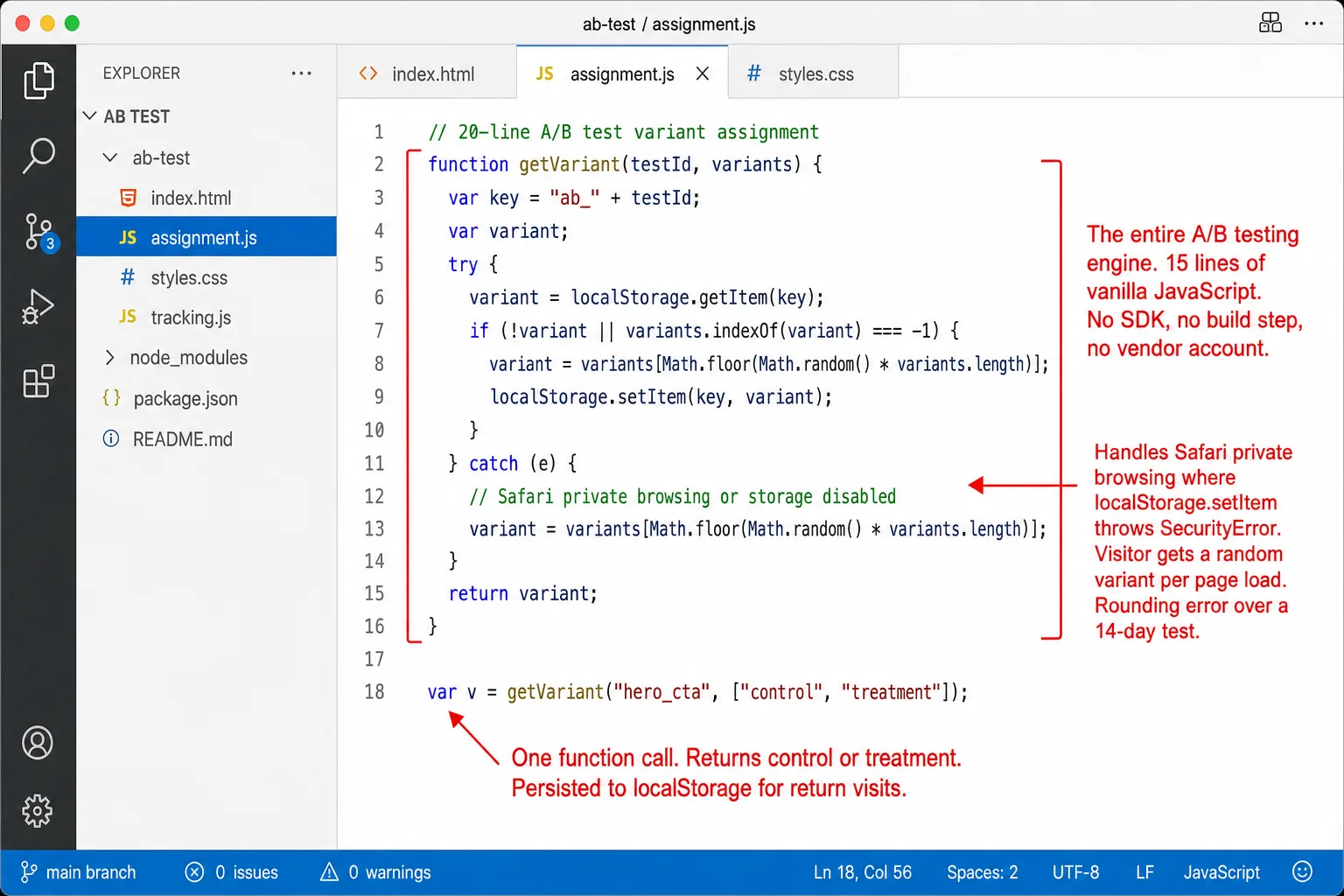
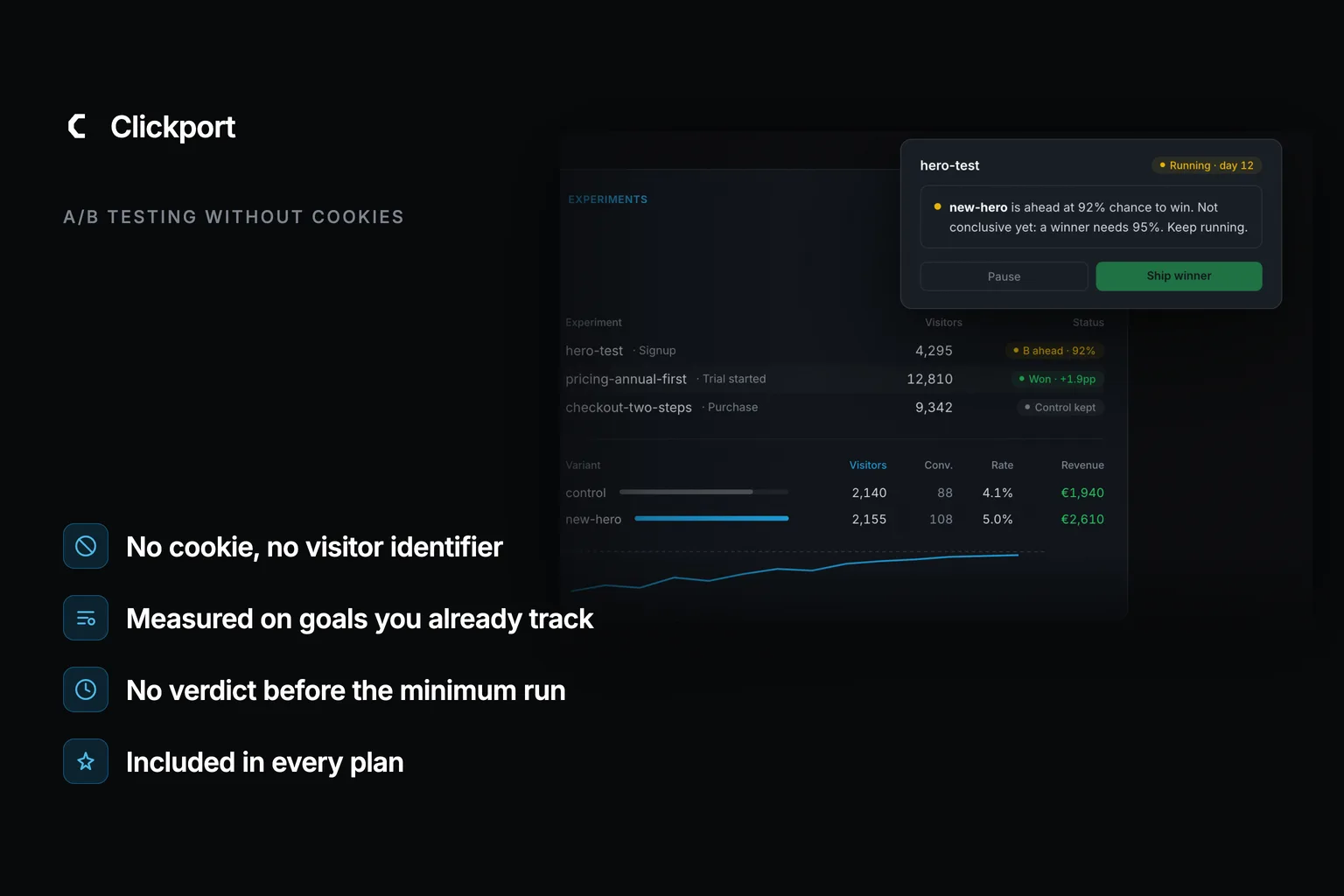
Product hero on a dark canvas. Clickport brand mark with the kicker DIY A/B TESTING, next to a dimmed Goals panel on the Events tab showing the custom event export_csv expanded into its property breakdown (plan: pro, starter, enterprise, free; source: dashboard, api, cli) with visitor counts, events and conversion rate columns. Four labels: Custom events with properties, Counts split by variant on their own, Goals turn events into conversion rates, No SDK no vendor no cookie banner.
GA Problems Last updated: 27 May 2026

How to A/B Test Your Website Without Paying for Tools

Google Optimize is dead. The replacements cost $299-$113,000/year. But a simple A/B test is just 20 lines of JavaScript and an analytics tool that tracks custom events. Here's the full implementation, the statistics you need, and how to read the results.
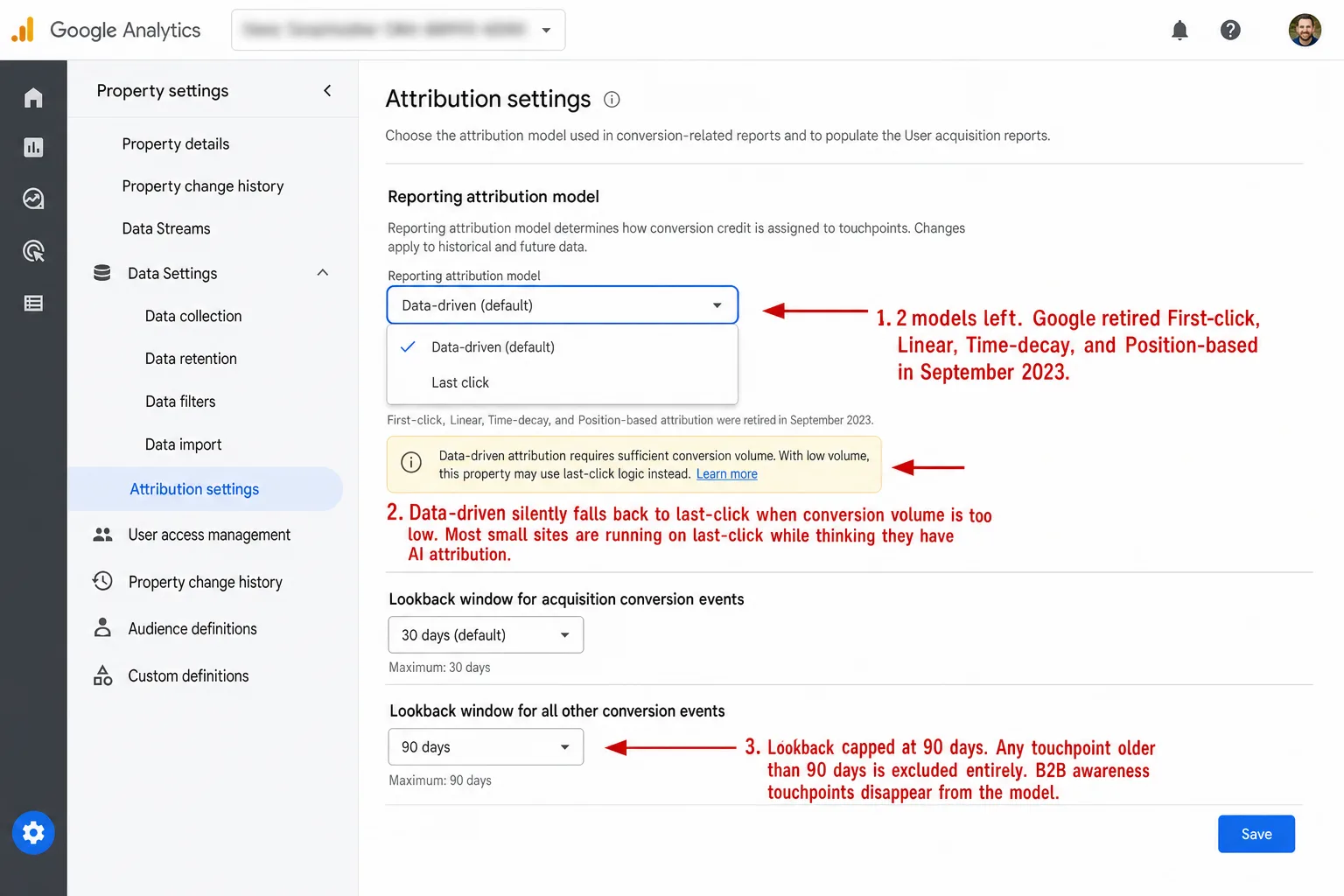
Split comparison. Left, Clickport: a dimmed Campaigns panel listing UTM campaigns by revenue (black_friday, spring_sale, summer_drop) with visitors, orders, and conversion rate, with four labels: every visit gets a real source, 16 channels AI Search included, UTMs read on every click, attribution across your full traffic. Right, a ghosted Google Analytics attribution settings card showing only Data-driven (default) and Last click, with First-click, Linear, Time-decay and Position-based struck through, and a red note that it falls back to last-click on low volume, with four labels: only two models left, data-driven is a black box, lookback caps at 90 days, 60 to 70% hidden by the banner.
GA Problems Last updated: 27 May 2026

Attribution Modeling Explained: Every Model, The Math, and What Actually Works in 2026

GA4 removed 4 of its 6 attribution models, and the remaining 'data-driven' model is a black box that silently falls back to last-click. Every model explained with actual math, plus what works in a privacy-first world.
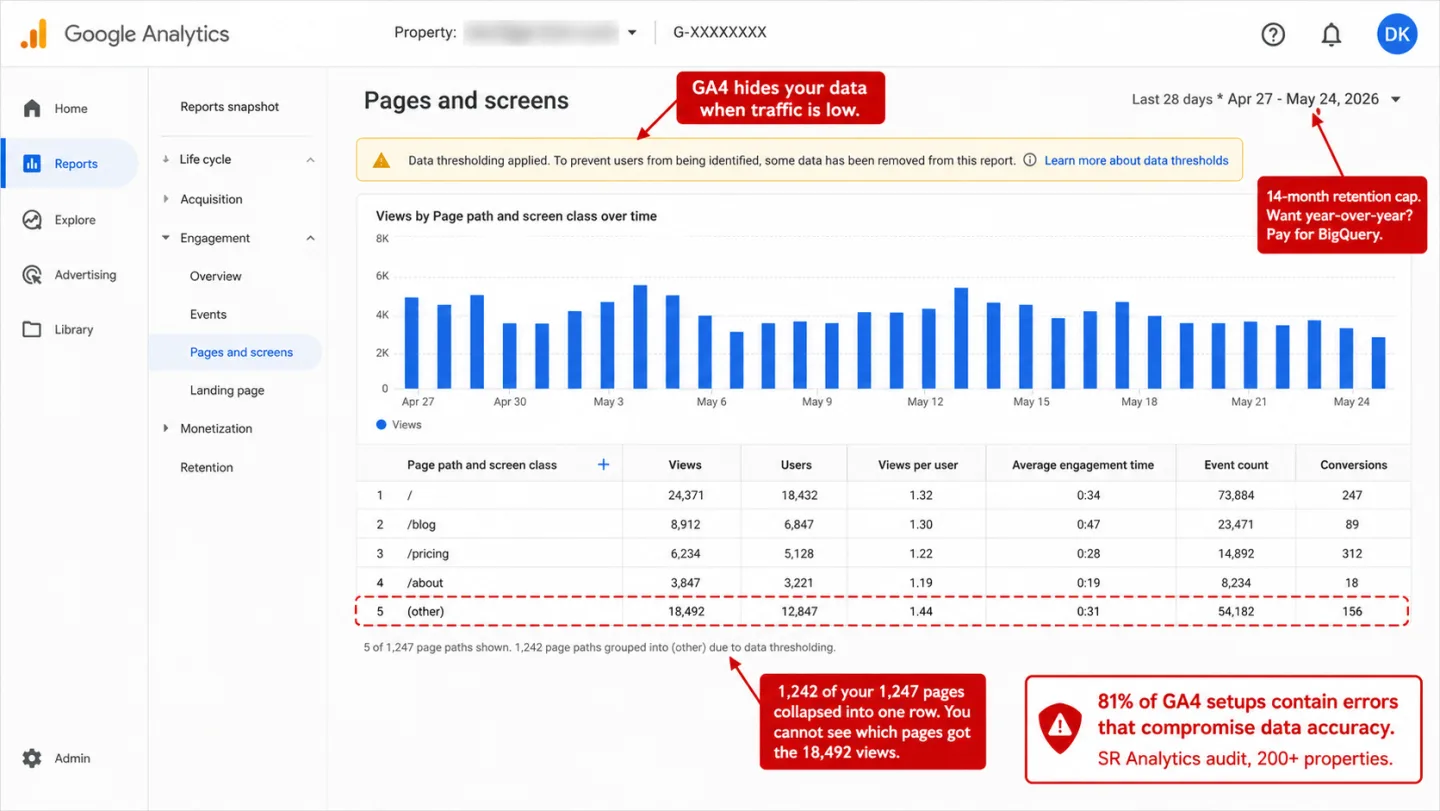
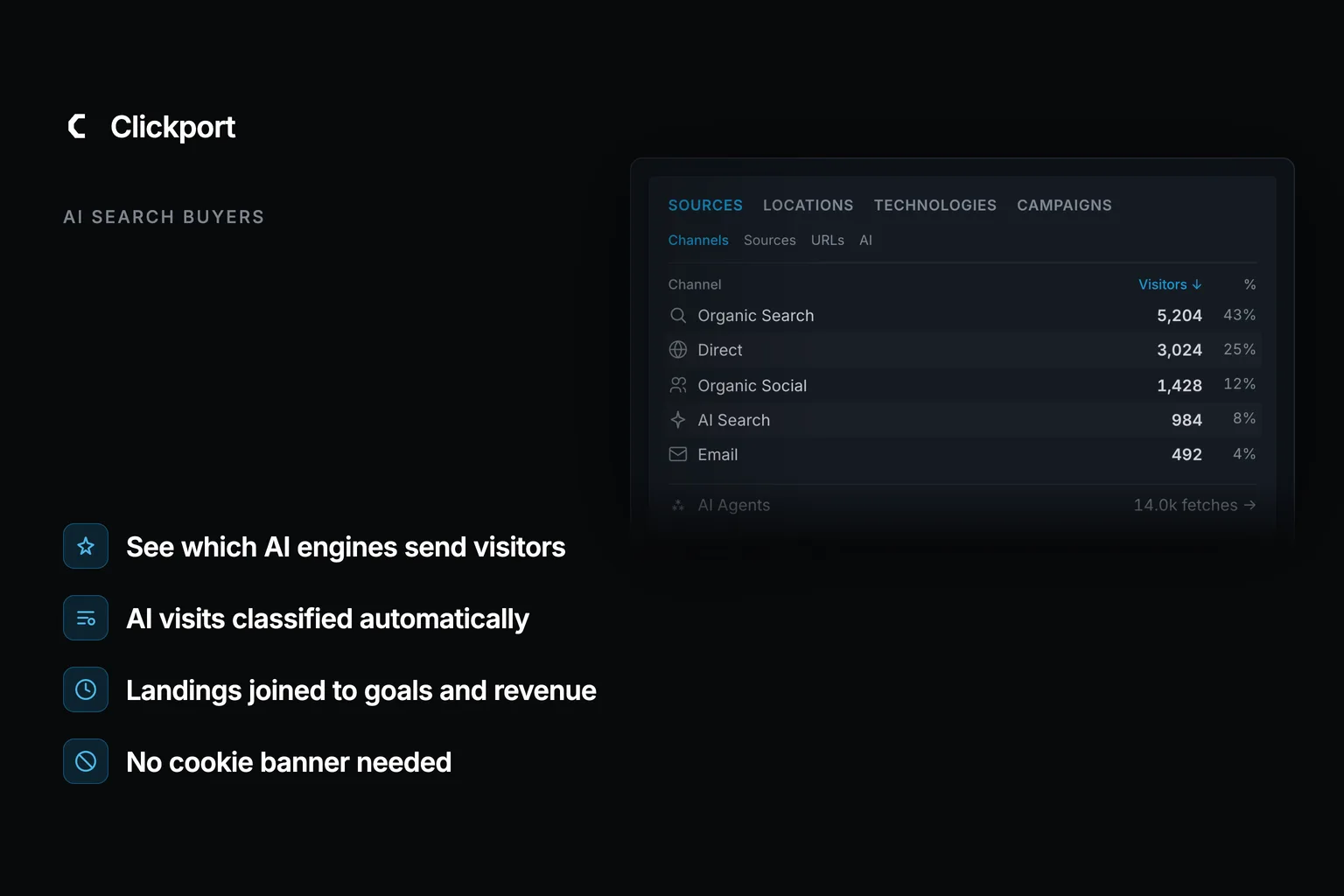
A side-by-side comparison. On the left, a Clickport Sources panel on the Channels tab lists Organic Search, Direct, Organic Social, and AI Search as its own row, with an AI sub-tab and an AI Agents fetch count, under four labels: AI Search gets its own channel, ChatGPT and Perplexity named and not buried, every visit sorted and none left as Direct, and one light script with no consent banner. On the right, a dimmed Google Analytics default-channels menu with 70% of AI traffic in Direct flagged in red and no AI Search channel flagged in amber, under four labels: no AI Search channel at all, 70% of AI visits land in Direct, 14-month cap on your history, and ad-blocked visitors never counted.
GA Problems Last updated: 27 May 2026

Best Google Analytics Alternatives in 2026: 15 Compared

Every 'best GA alternatives' article is written by an analytics company that ranks itself #1. This one is too. But I'll tell you when GA4 is actually the right choice, and when another tool is a better fit than mine.
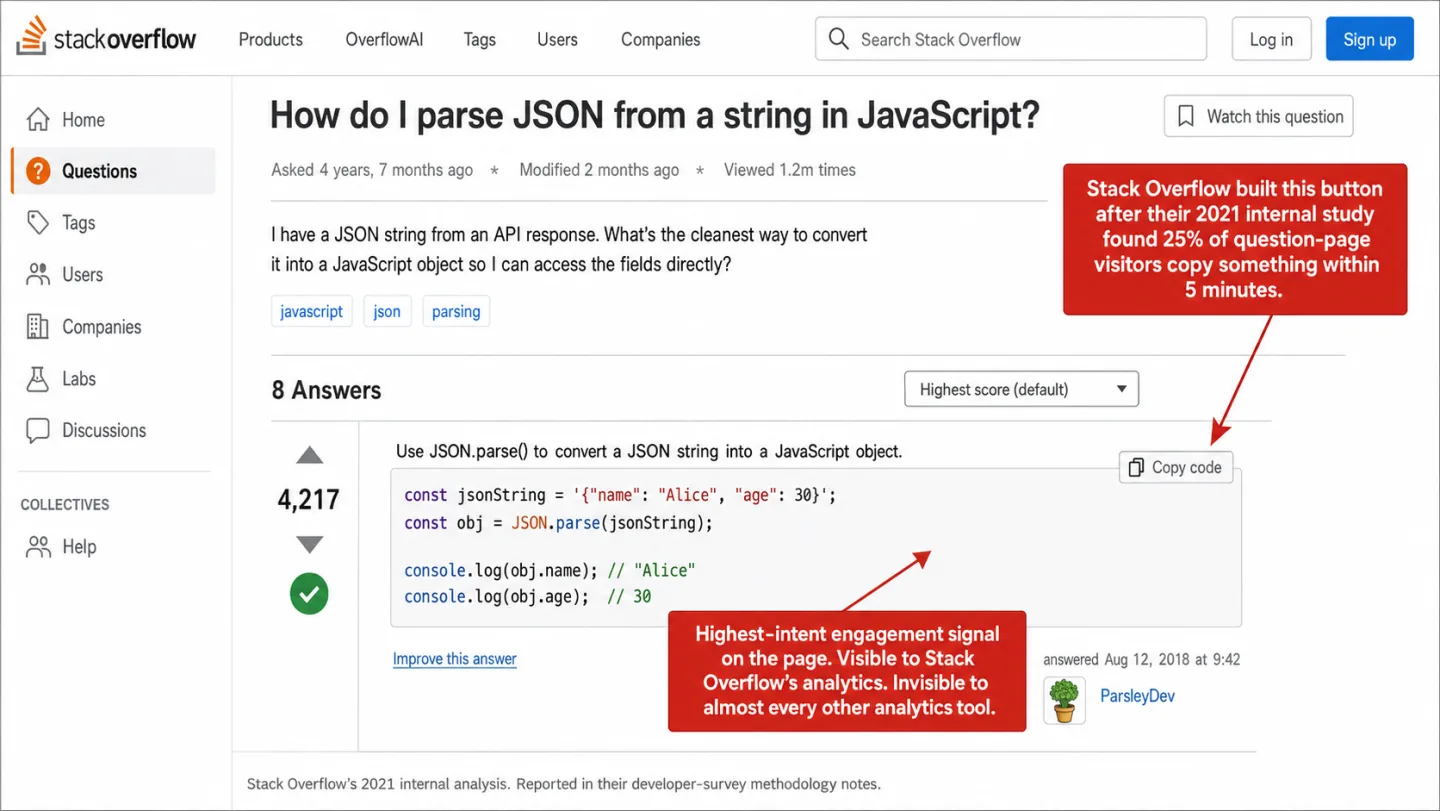
Product hero for Clickport. A dimmed Sessions panel on the Signals tab lists engagement signals with visitor and event counts: Copied 412, Rage clicks 89 expanded by element, Dead clicks, Script errors, Form abandons, Prints. Kicker Engagement Signals. Four labels: every copy event captured, scroll depth on every page, real reading time not tab time, one engagement score per page.
GA Problems Last updated: 27 May 2026

Content Engagement Metrics: The Signals That Prove Visitors Actually Read Your Content

On Stack Overflow, 25% of visitors copy something within five minutes. On most sites, nobody tracks this. The result: a massive blind spot between 'someone visited' and 'someone found something worth keeping.'
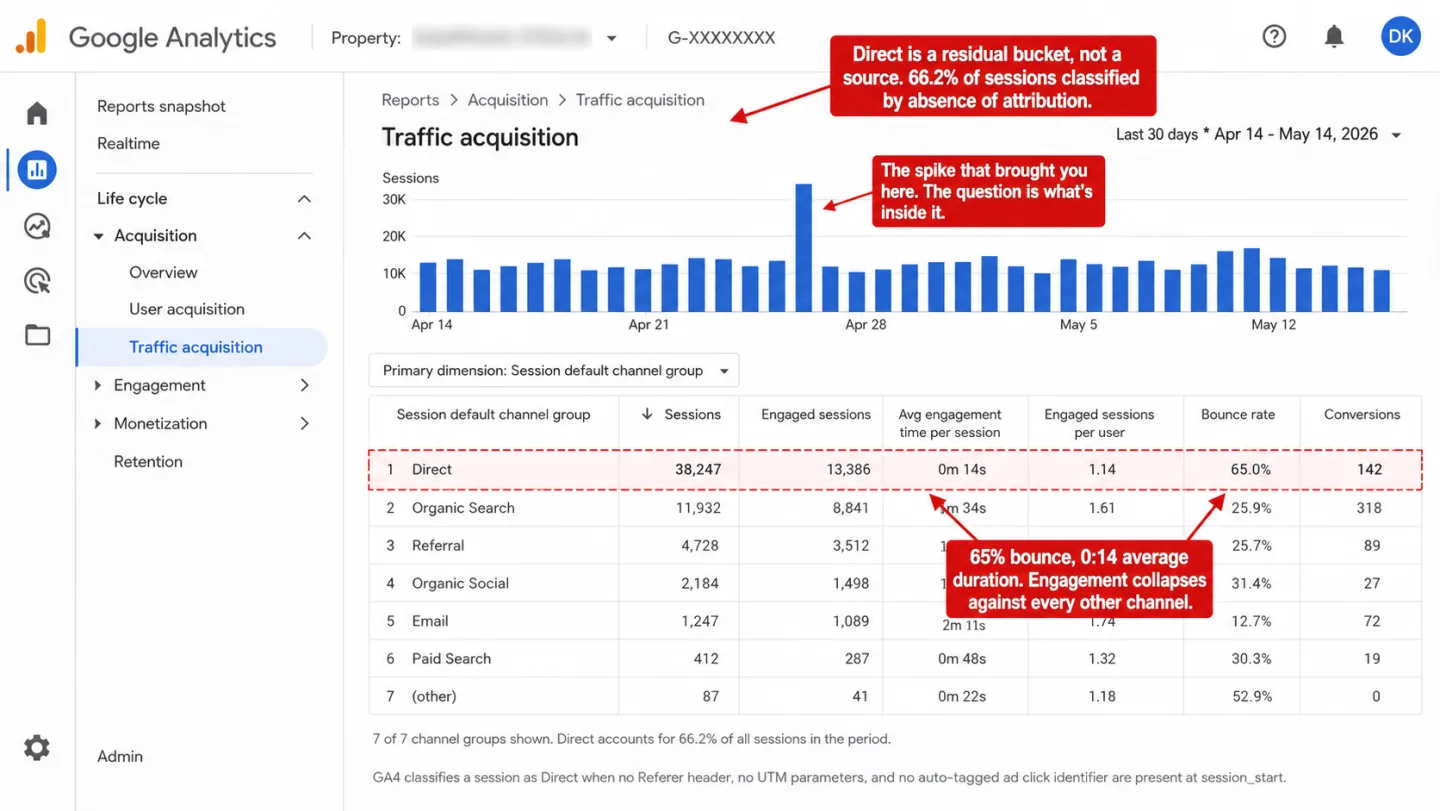
A side-by-side comparison. On the left, a Clickport Sources panel on the Channels tab lists every channel with visitors and an engagement percentage: Organic Search, Direct at 3.1k and 42% engagement, AI Search split out as its own channel, Organic Social, Referral, Email, Paid Search and more, under four labels: Direct read as a channel and not a black hole, AI Search split out from Direct, engagement shown for every channel, and bots stripped before they inflate it. On the right, a dimmed Google Analytics Traffic acquisition menu with a (direct) / (none) 66% row flagged in red and no engagement detail flagged in amber, under four labels: everything unlabeled dumped into Direct, no way to see what is bots, AI crawlers counted as Direct humans, and a spike you can not take apart.
Bot Traffic Last updated: 27 May 2026

Sudden Spike in Direct Traffic: Is It Bots? (2026 Study)

On one of the biggest sites we monitor, 76% of sessions show as Direct, even after ingestion-layer bot filtering. Most of what ends up there is bots, dark social, or referrer loss. Here is how to tell which one is hitting you.
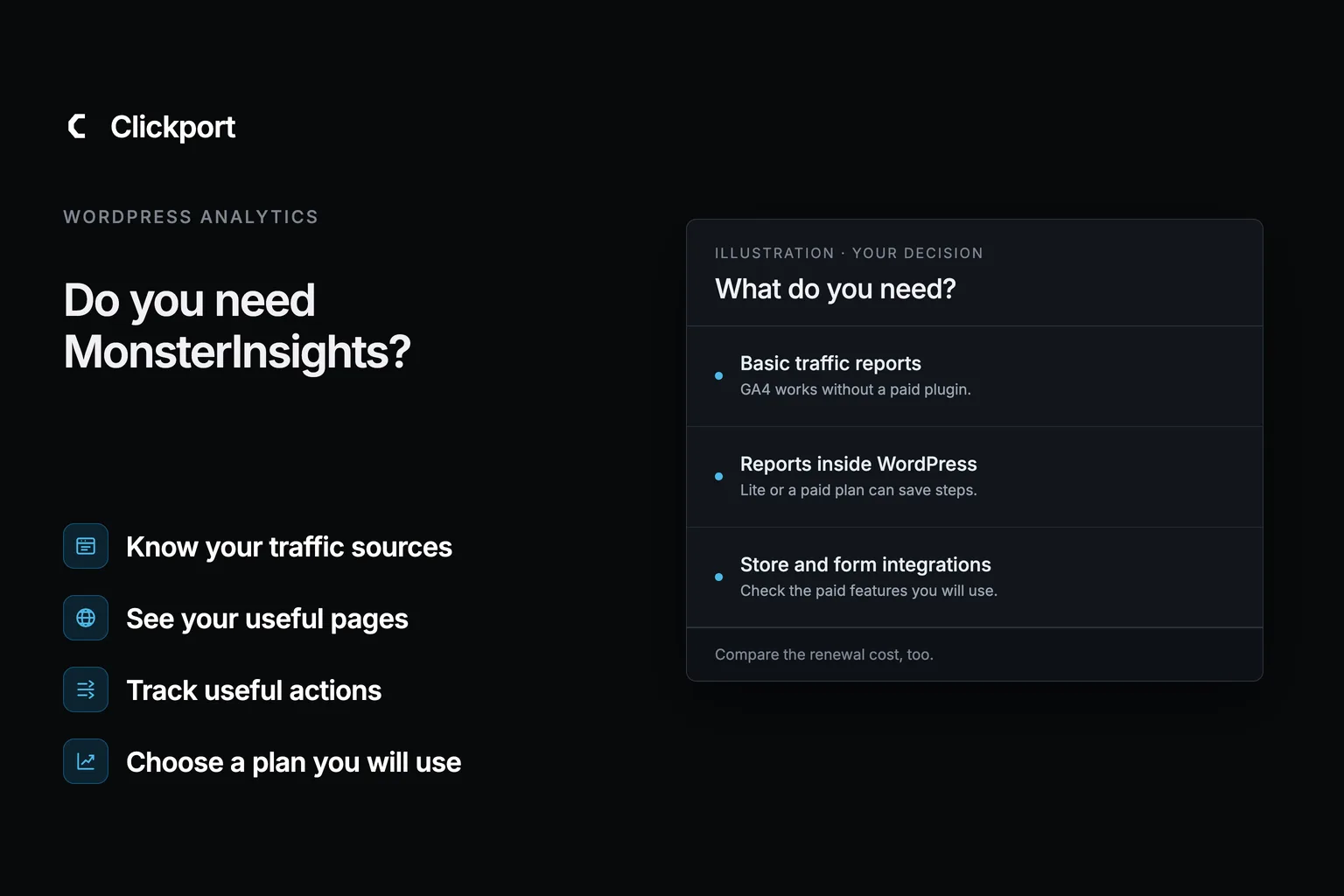
Split comparison. Left, Clickport: a dimmed live Sessions panel with rows of real visitor sessions (source, country, device, browser, page, duration), with four labels: every feature on every plan, no plugin just a 2 KB script, scroll clicks forms all automatic, your data kept forever. Right, a ghosted MonsterInsights Reports screen where Overview is free and Traffic, Publishers, Real-Time, eCommerce and Forms all carry a PRO badge, with a red upgrade-to-Pro renews-at-$399 note, with four labels: seven of eight reports paywalled, $199 to $399 a year at renewal, four bundled plugins you did not want, only works inside WordPress.
WordPress Analytics Last updated: 27 May 2026

Do You Need MonsterInsights? Probably Not

MonsterInsights has 3 million installs. Most of them don't need it. Here's what it actually does, what it costs after year one, and what GA4 already handles for free.

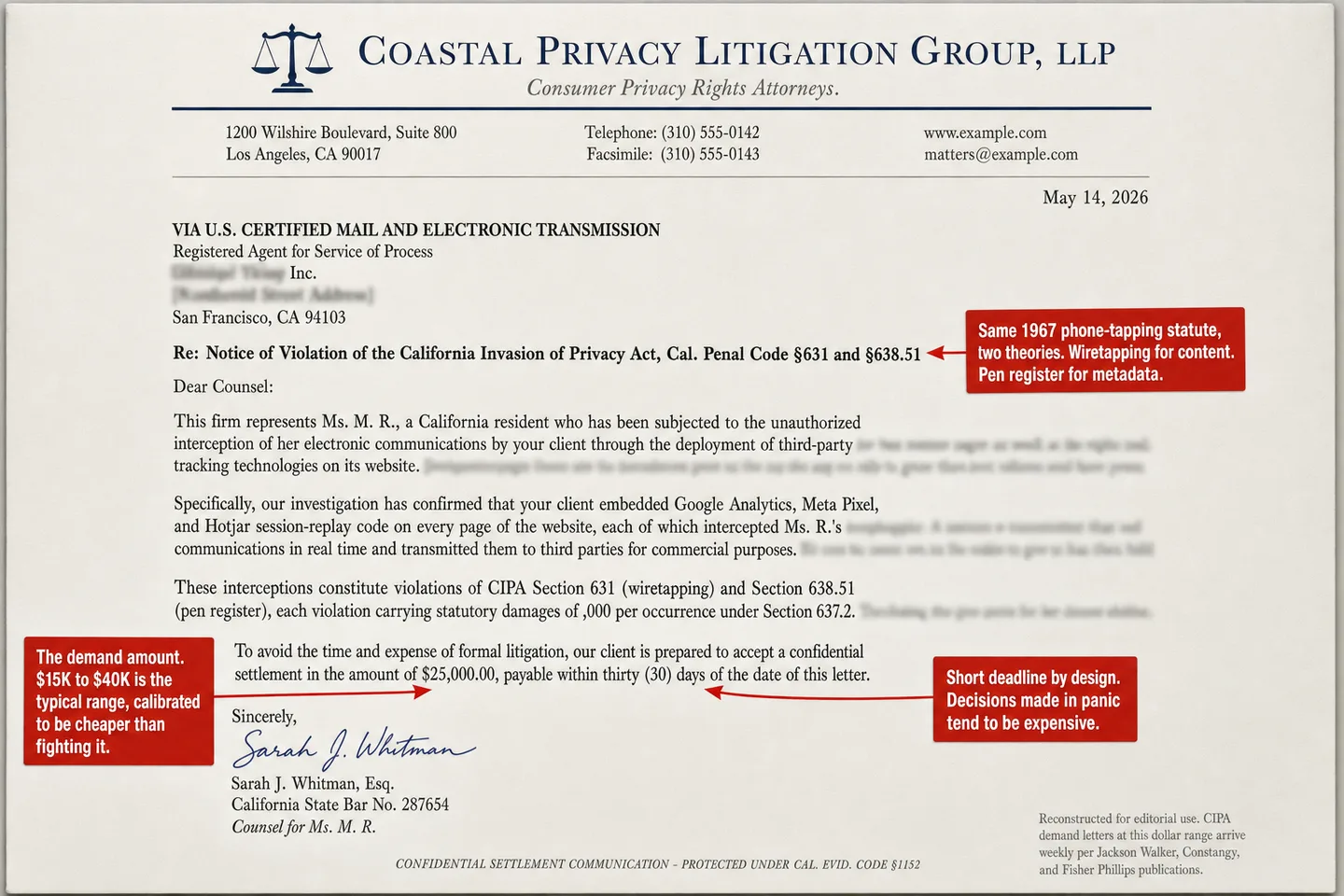
A side-by-side comparison. On the left, a Clickport panel titled One pageview, on the wire shows the full request going to POST clickport.io/api/event: a compact JSON payload with the page URL, referrer, viewport, and bot-check fields (languages listed, interaction yet, script timing, daily-rotating id, GPU name), then four red chips reading no Cookie header, no IP field, no name and no email, and no fingerprint ID, under four labels: data goes to your endpoint only, no third party in the request, no cookie no name no fingerprint, and nothing to intercept in transit. On the right, a dimmed Google Analytics data-sharing menu with sent to a third-party server flagged in red and reused for ad targeting flagged in amber, under four labels: visitor data shipped to a third party, the interception CIPA is built to punish, data reused for ad targeting, and $5,000 per visitor in damages.
GA Legal Status Last updated: 27 May 2026

Is Your Analytics Script a Wiretap Under California Law?

2,341 lawsuits filed. $5,000 per violation. No proof of actual harm required. A 1967 phone-tapping law is now the biggest legal threat to anyone running Google Analytics, Meta Pixel, or a chatbot on their website. Here's what you need to know.
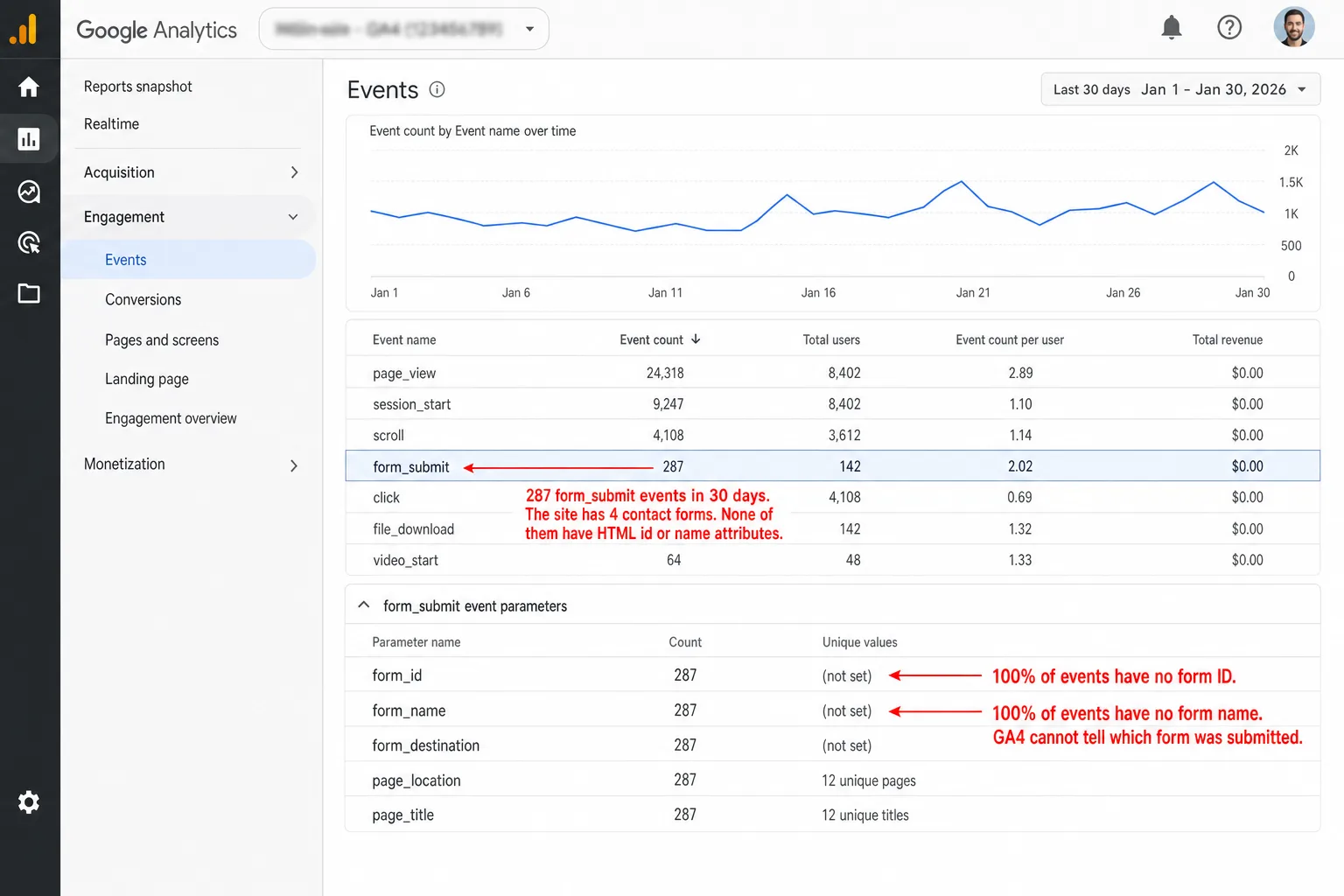
Split comparison. Left, Clickport: a dimmed Goals list showing form and click goals with visitors, conversion rate, and revenue per goal (Clicked book a demo 138,000 euros, Newsletter signup, Viewed pricing), with four labels: every form tracked from day one, AJAX and plugin forms included, you see which form was submitted, no consent banner eating the count. Right, a ghosted Google Analytics skeleton: the Events report with a form_submit row, a red form_id and form_name (not set) line, and an amber AJAX-submissions-never-fire note, with four labels: AJAX forms never fire form_submit, phantom submissions from ad pixels, no form names no form IDs, consent hides most EU submissions.
GA Problems Last updated: 27 May 2026

How to Track Form Submissions Without Google Analytics

GA4's form tracking is its weakest feature. It misses AJAX forms, can't tell your forms apart, and loses 50-70% of EU data to consent banners. Here's how to track every form submission with zero configuration, no cookies, and no Tag Manager.
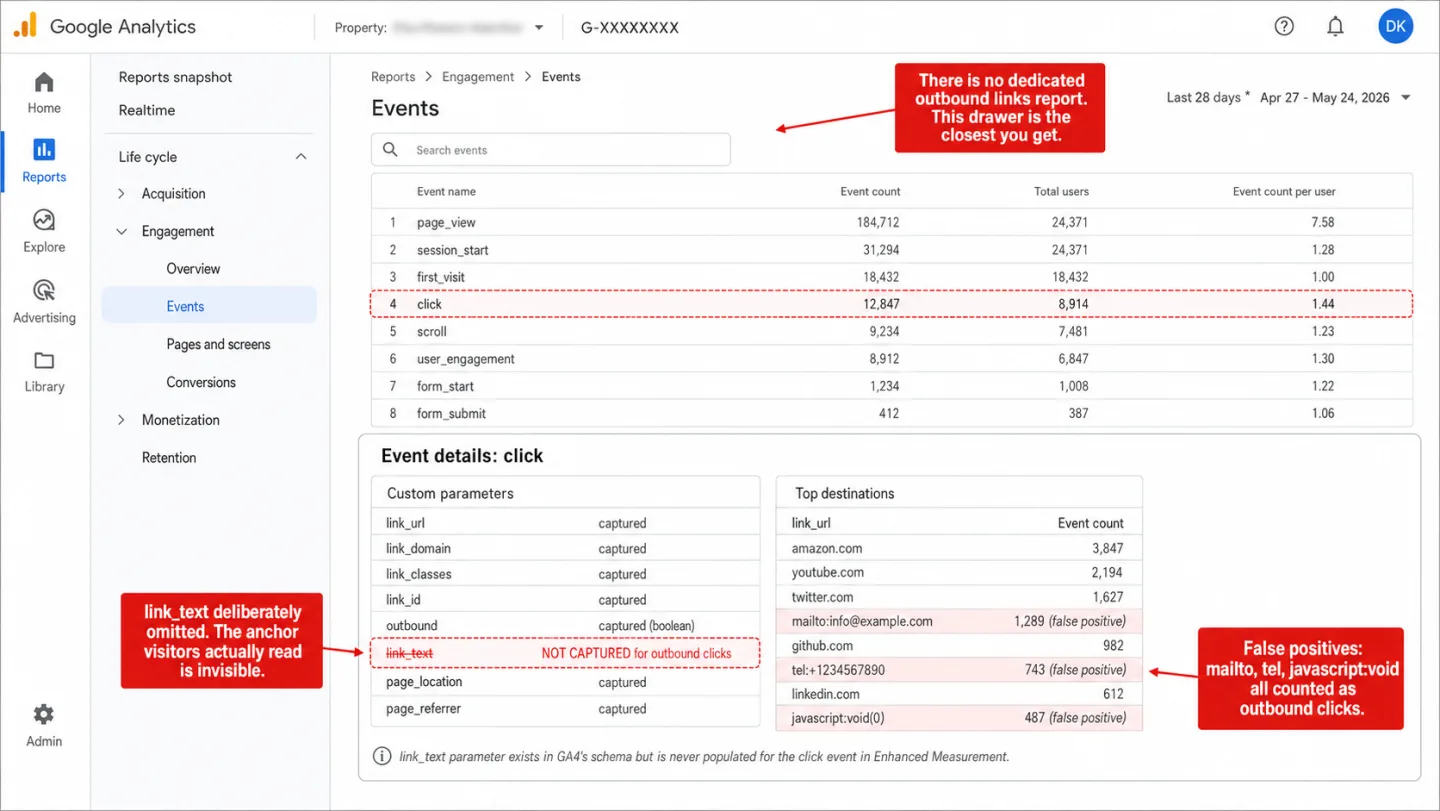
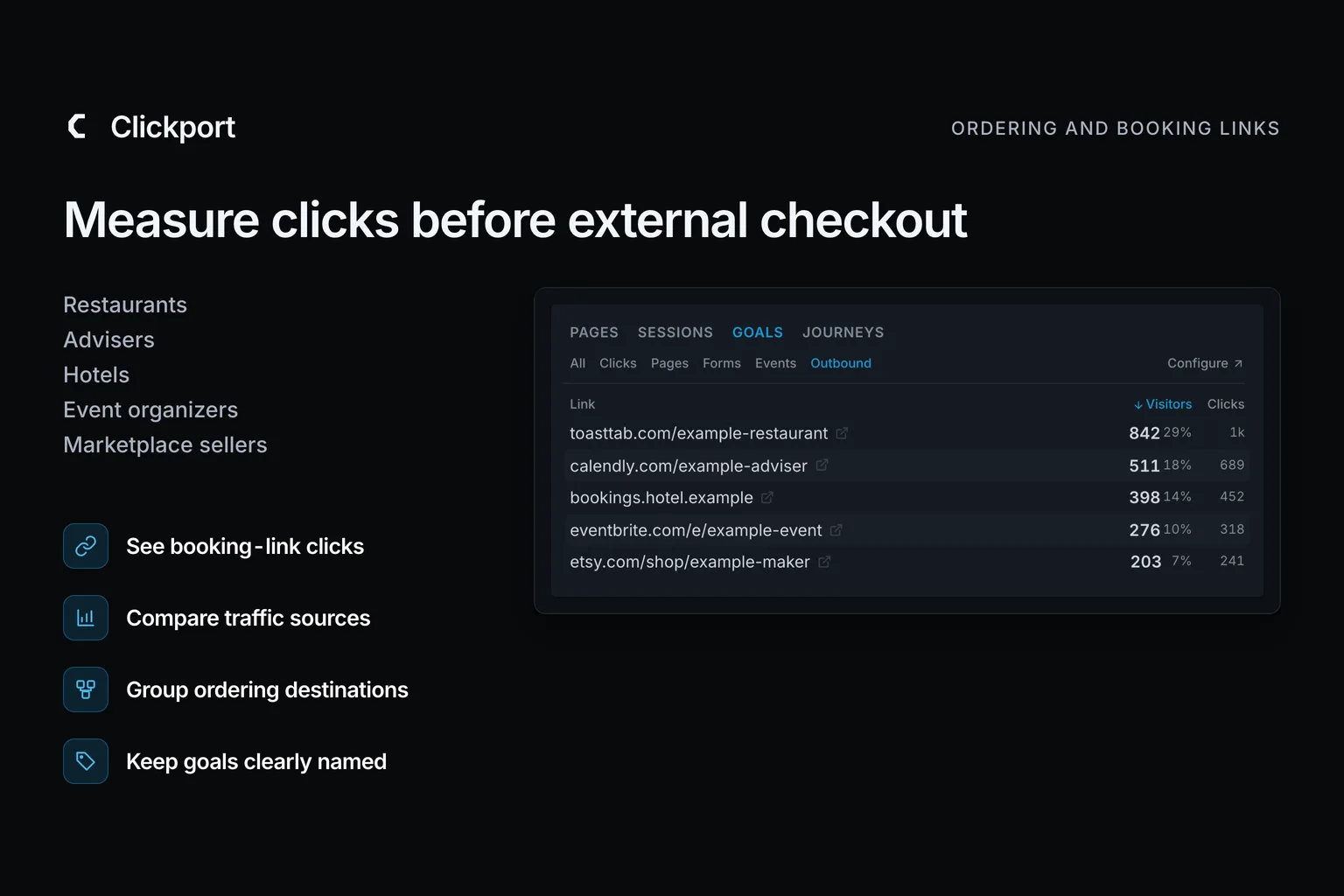
Split comparison. Left, Clickport: a dimmed Goals panel on the Outbound tab listing outbound links ranked by visitors (github.com, youtube.com, linkedin.com, twitter.com and more), with four labels: every outbound link ranked, anchor text captured with every click, mailto and phone noise stays out, one script tag nothing to build. Right, a ghosted Google Analytics skeleton: the Events report with a click event row, a red link_text (not set) line, and an amber no-dedicated-outbound-links-report note, with four labels: link text stripped from outbound clicks, mailto and tel counted as outbound, no dedicated outbound report, affiliate redirects go uncounted.
GA Problems Last updated: 27 May 2026

How to Track Outbound Links in GA4 (And the Easier Way)

GA4 tracks outbound clicks automatically, but strips the link text, inflates counts with mailto: links, and hides the report. Here's how to fix it.
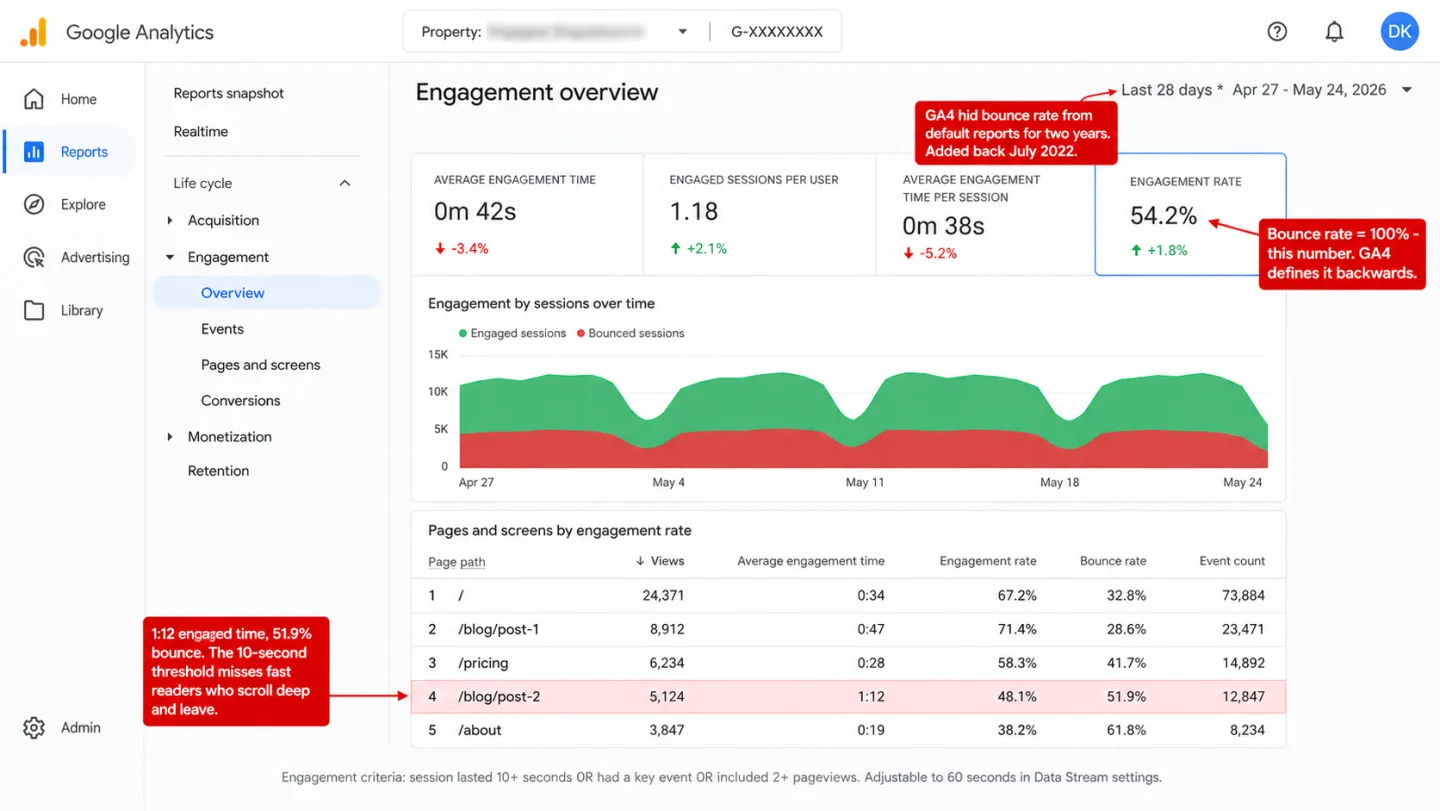
Split comparison. Left, Clickport: a dimmed verdict card for the same visitor who reads a blog post for 4 minutes, scrolls 82%, and leaves; traditional analytics says Bounced, Clickport says Engaged with the four bounce criteria listed, with four labels: four signals decide a bounce, fast readers are not bounces, scroll and clicks count not just clocks, counted without a consent banner. Right, a ghosted Google Analytics skeleton: the Adjust-session-timeout screen with the timer for engaged sessions, a red 10-seconds-default line, and an amber changing-it-never-fixes-old-data note, with four labels: one timer decides everything, ten seconds picked out of the air, same name different formula than UA, changing it never rewrites history.
GA Problems Last updated: 27 May 2026

What Is Bounce Rate? Your Analytics Tool Is Probably Measuring It Wrong

Bounce rate is the most misunderstood metric in web analytics. Three different tools will give you three different numbers for the same traffic. Here's everything you need to know: how it's calculated, what the benchmarks actually are, whether it affects SEO, and why your bounce rate is probably wrong.
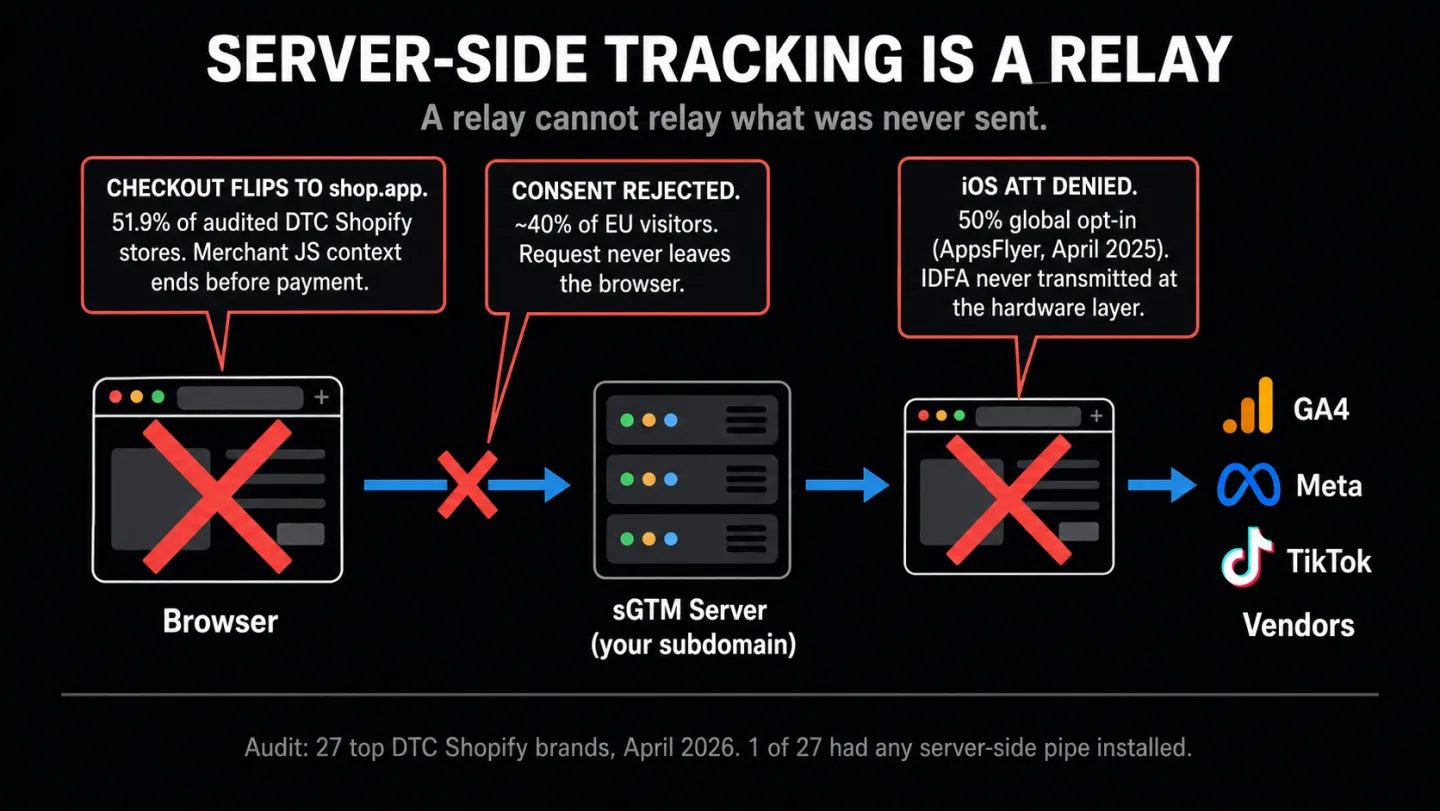
A dark hero graphic. Top left: the Clickport logo with the kicker Server-Side Tracking, Audited. Right: a ghosted pipeline diagram captioned 'A relay cannot relay what was never sent': a Browser box, a red X marked 'never fired', an sGTM relay box, a second red X marked 'nothing to forward', and a Vendors box listing Analytics, Ad platforms, Pixels. Bottom left, four labels with blue icons: A relay can't send what never fired, 1 of 27 top stores runs one, $475-970/mo for the rescue stack, Origin-first: events born on the server.
Ecommerce Analytics Last updated: 26 May 2026

Server-Side Tracking: What It Fixes and What It Doesn't

Server-side tracking is pitched as the fix for every modern ecommerce data problem. In our April 2026 re-audit of 27 top DTC Shopify brands, one of them uses any server-side pipe. In more than half the sample, it wouldn't have closed the main gap anyway. Here is what server-side tracking actually fixes, what it cannot touch, and the real 2026 pricing math for the rescue ecosystem.
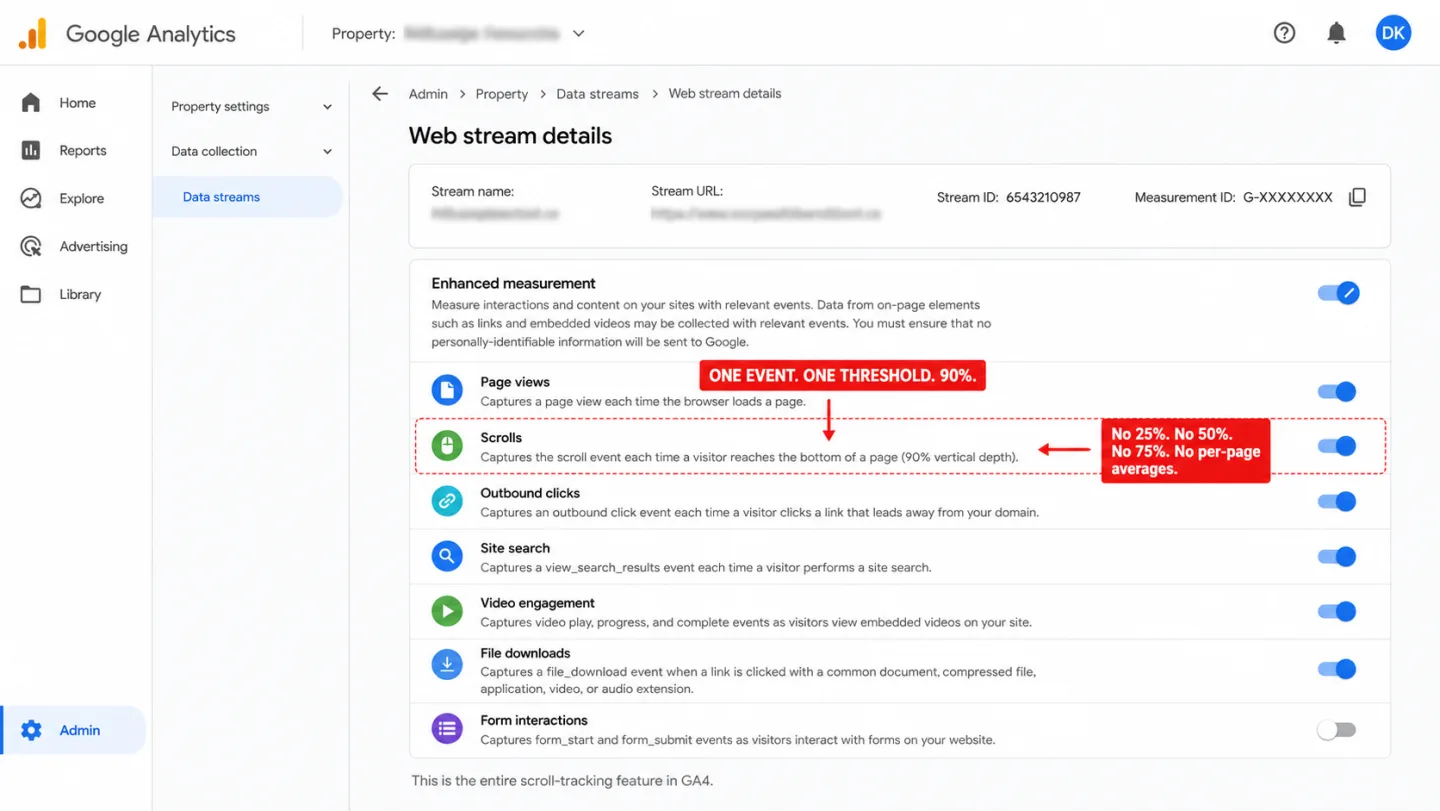
Split comparison. Left, Clickport: a dimmed one-visit anatomy card showing scroll depth 82 percent with a how-far-they-got bar and active time 2:48 with the tab-hidden timer paused, with four labels: scroll depth on every page automatic, every percentage not one checkpoint, per-page averages built in, data in seconds not two days. Right, a ghosted Google Analytics skeleton: the Enhanced measurement screen with a Scrolls row and an amber captures-scroll-at-90-percent-once-per-page note, with four labels: one scroll event at the very bottom, short pages fire without scrolling, route changes stop it silently, more thresholds mean GTM.
GA Problems Last updated: 26 May 2026

GA4 Scroll Depth Tracking: The 90% Problem (And How to Fix It)

GA4 fires one scroll event at one threshold: 90%. No 25%. No 50%. No 75%. No per-page averages. The tool that tracks your visitors' screen resolution has no idea whether anyone read past your headline.
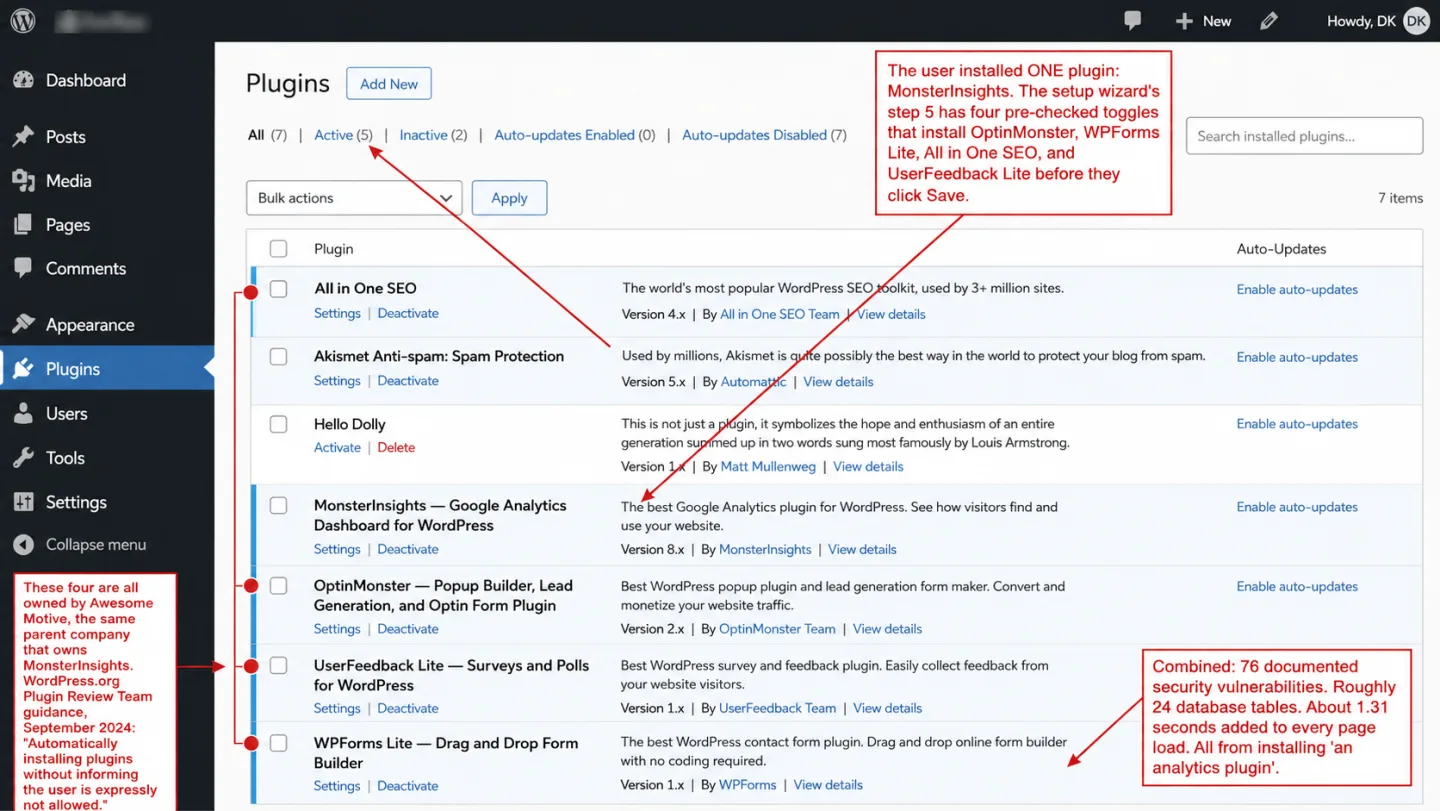
Split comparison. Left, Clickport: a dimmed KPI band showing eight scorecards (visitors, pageviews, views per visit, bounce, conversions, conversion rate, duration, scroll), with four labels: one script tag zero plugins, no PHP running on your server, no database tables to clean up, nothing to uninstall later. Right, a ghosted MonsterInsights setup wizard on step 5 with four pre-checked plugin toggles (OptinMonster, WPForms Lite, All in One SEO, UserFeedback Lite) and a red note that Save installs 4 more plugins, with four labels: one plugin installs five, 76 vulnerabilities across the bundle, about 1.3 seconds on every page, up to $2,067 a year at renewal.
WordPress Analytics Last updated: 22 May 2026

The Best WordPress Analytics in 2026 Isn't a Plugin

Every WordPress analytics plugin adds PHP overhead, database tables, and security vulnerabilities. The best WordPress analytics in 2026 installs nothing in WordPress at all.
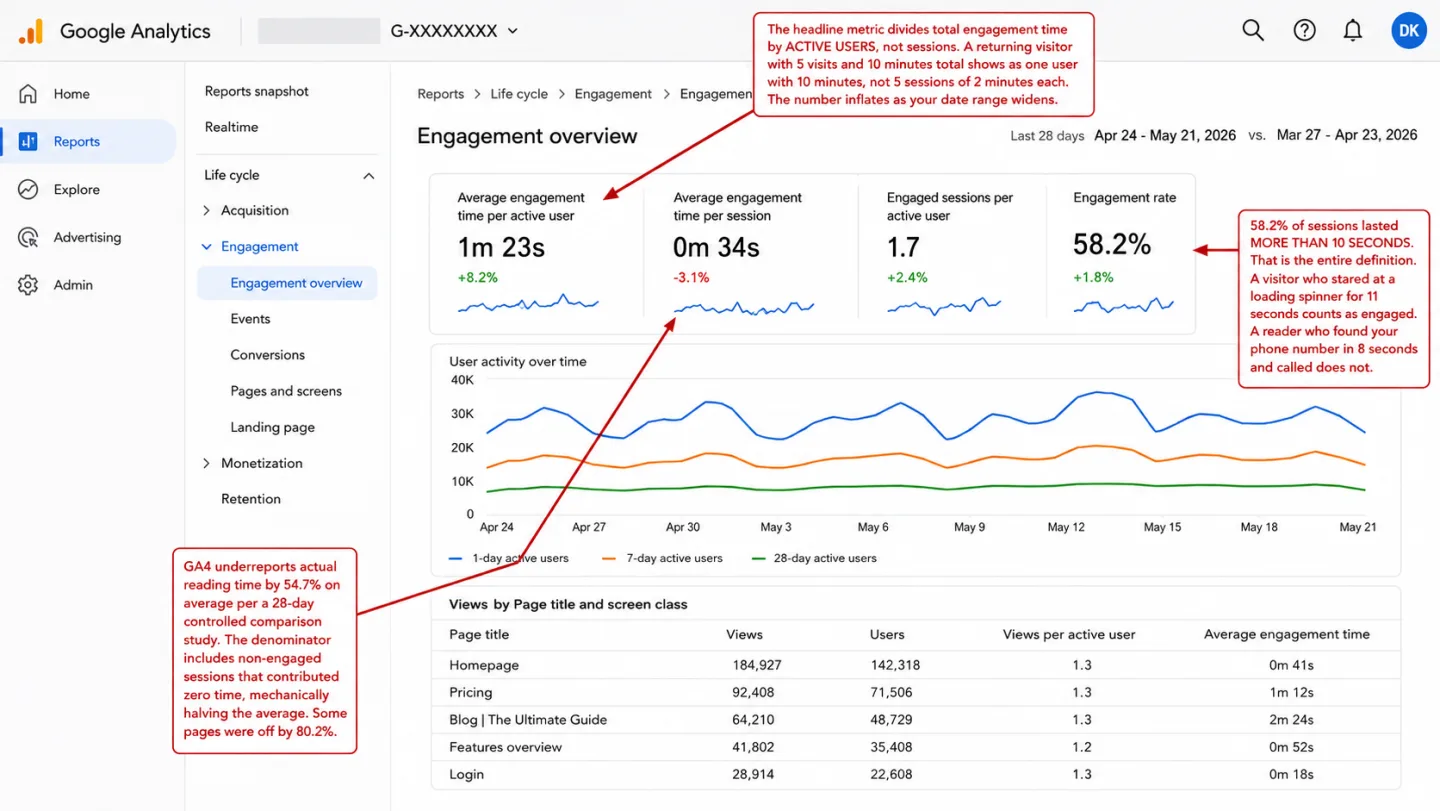
Split comparison. Left, Clickport: a dimmed engagement-by-segment panel ranking a channel, pages, countries, a source, and a campaign by engagement score (AI Search 88%, a blog post 86%, /pricing 72%), with four labels: engagement scored 0 to 100, every panel shows engagement, time counts only while they read, bots filtered before the math. Right, a ghosted Google Analytics skeleton: the Engagement overview with average engagement time 1m 23s, a red engaged-means-longer-than-10-seconds line, and an amber averaged-per-active-user note, with four labels: engaged means ten seconds on a clock, time diluted by empty sessions, half the reading time goes missing, bots counted as engaged visitors.
GA Problems Last updated: 22 May 2026

Everything Wrong with GA4's Engagement Overview (With Data)

GA4's engagement rate takes a binary 10-second threshold, inverts it, and calls the result 'engagement.' A visitor who stares at your loading spinner for 11 seconds is 'engaged.' Here is everything wrong with GA4's engagement metrics, backed by data.
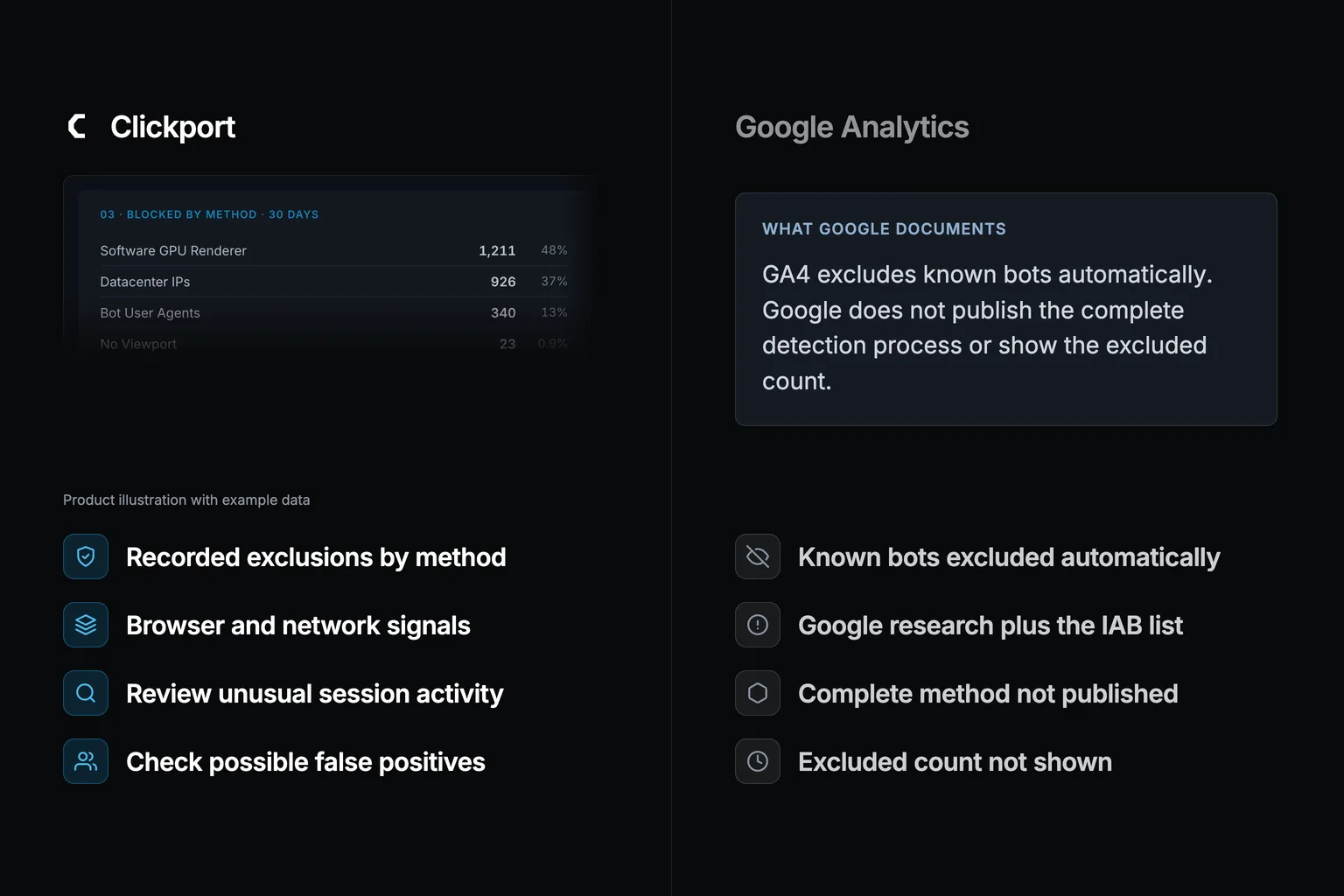
A side-by-side comparison. On the left, a Clickport Bot Center panel headed Protection active, 11 detection layers, showing 4,281 blocked today and 128,410 over 30 days at 18.4% of traffic, a blocked-by-method breakdown (bot user agents, software GPU renderer, datacenter IPs, no human interaction), an AI crawler intent split, and a top-crawlers list, under four labels: four detection layers and not one list, GPU datacenter and behavior checked, bot share shown and not hidden, and blocked before they reach your reports. On the right, a dimmed Google Analytics bot-filtering menu with a known-UA list only flagged in red and 57% of bots missed flagged in amber, under four labels: one user-agent list and nothing more, 57% of real bots slip through, no GPU or datacenter checks, and no view of what it excluded.
Bot Traffic Last updated: 22 May 2026

Is My Website Traffic Real or Bots? (2026 Data)

In April 2026, we audited bot activity across the sites we measure for 30 days. The median site saw 20% of incoming traffic flagged as bots, range 2% to 82%. And 57% of those bots would have passed GA4's default filter because the detection required signals GA4 doesn't check.

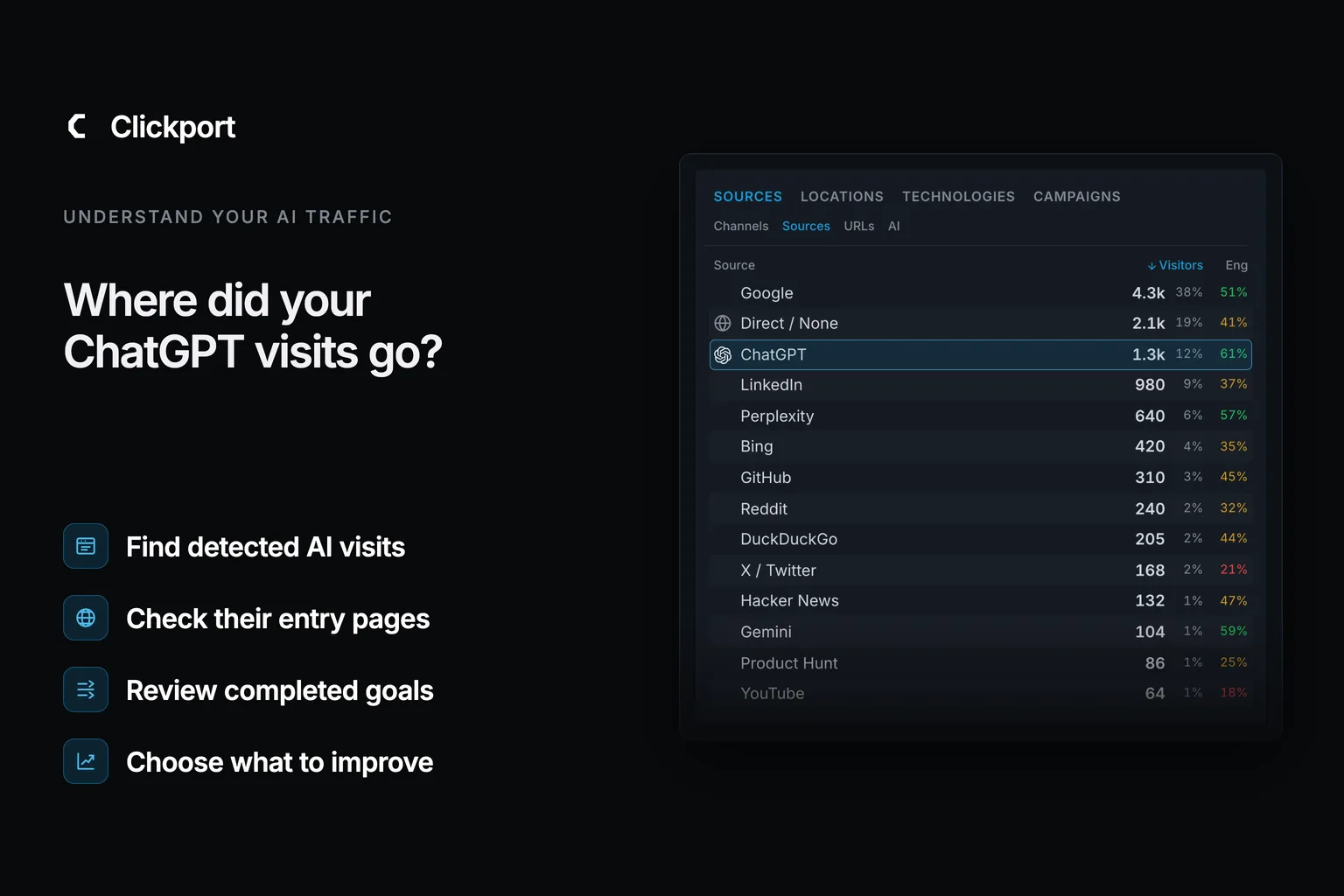
A split comparison on a near-black background. Left side: the Clickport logo above its dimmed Channels panel, where AI Search sits as its own channel with 984 visitors next to Organic Search, Direct, Organic Social, and Email, with four labels: AI Search is its own channel, ChatGPT visits labeled ChatGPT, 13 AI platforms recognized, No regex to maintain. Right side: a faded ghosted analytics interface labelled Google Analytics with the GA4 report menu and four labels: No AI channel at all, Two-thirds filed under Referral, One-third lost in Direct, The official fix: a DIY regex.
AI Traffic Last updated: 21 May 2026

Why ChatGPT Traffic Shows as Direct in GA4 (2026)

Most of your ChatGPT traffic isn't invisible in GA4. It's sitting in Referral, alongside every blog link and directory mention, because GA4 has no native AI channel. A smaller third lands in Direct: the visits with no referrer and no UTM. Both buckets hide AI. Each one hides it differently.

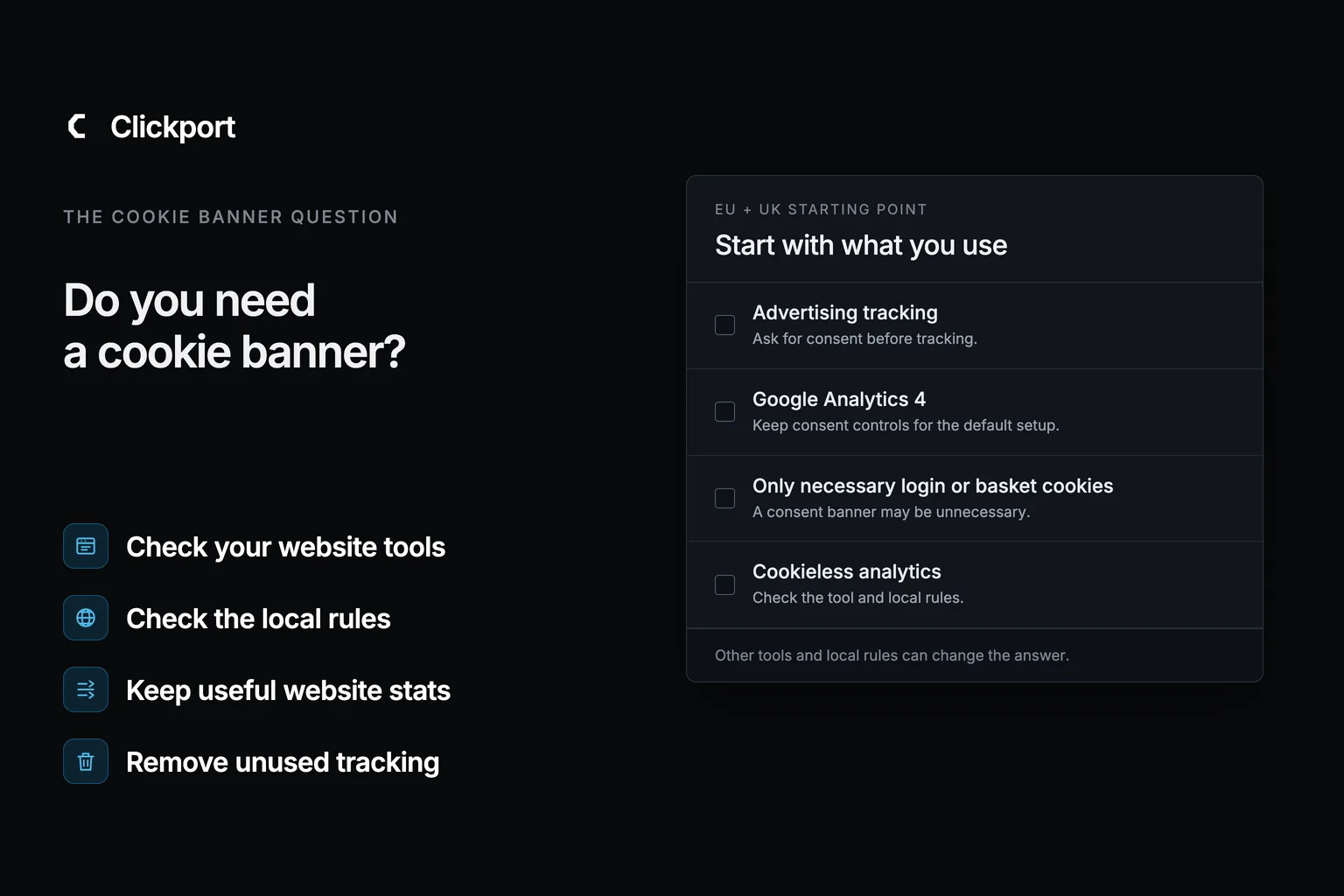
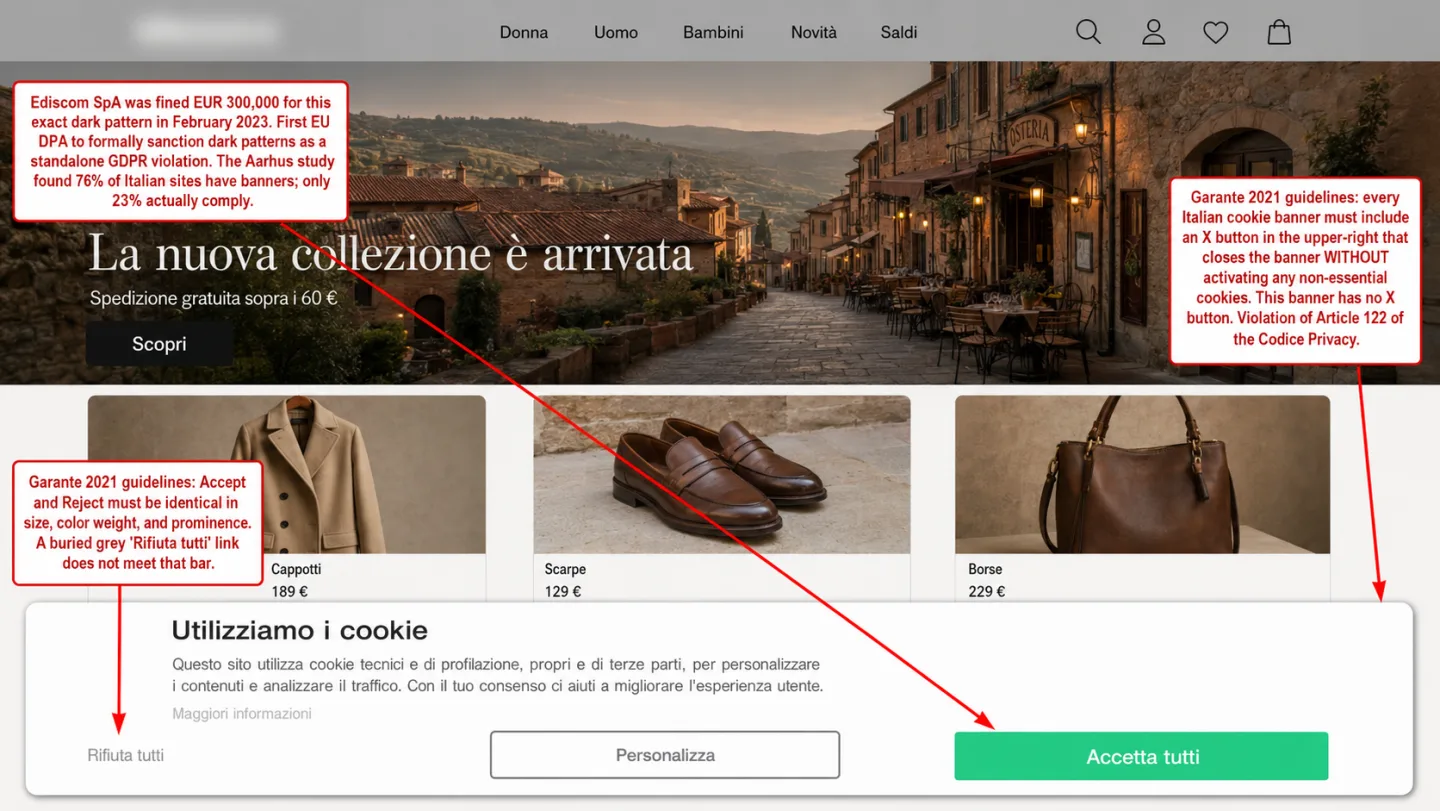
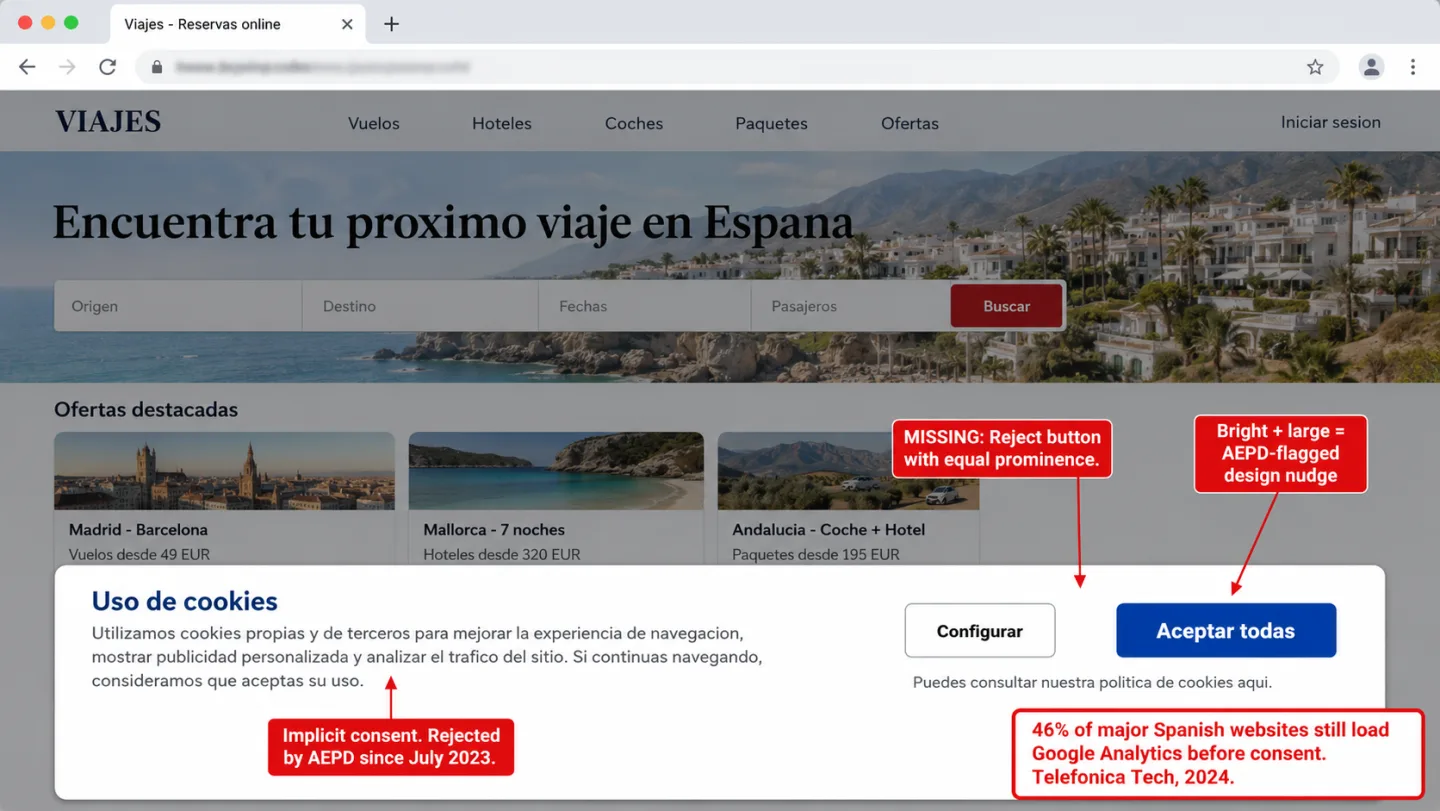
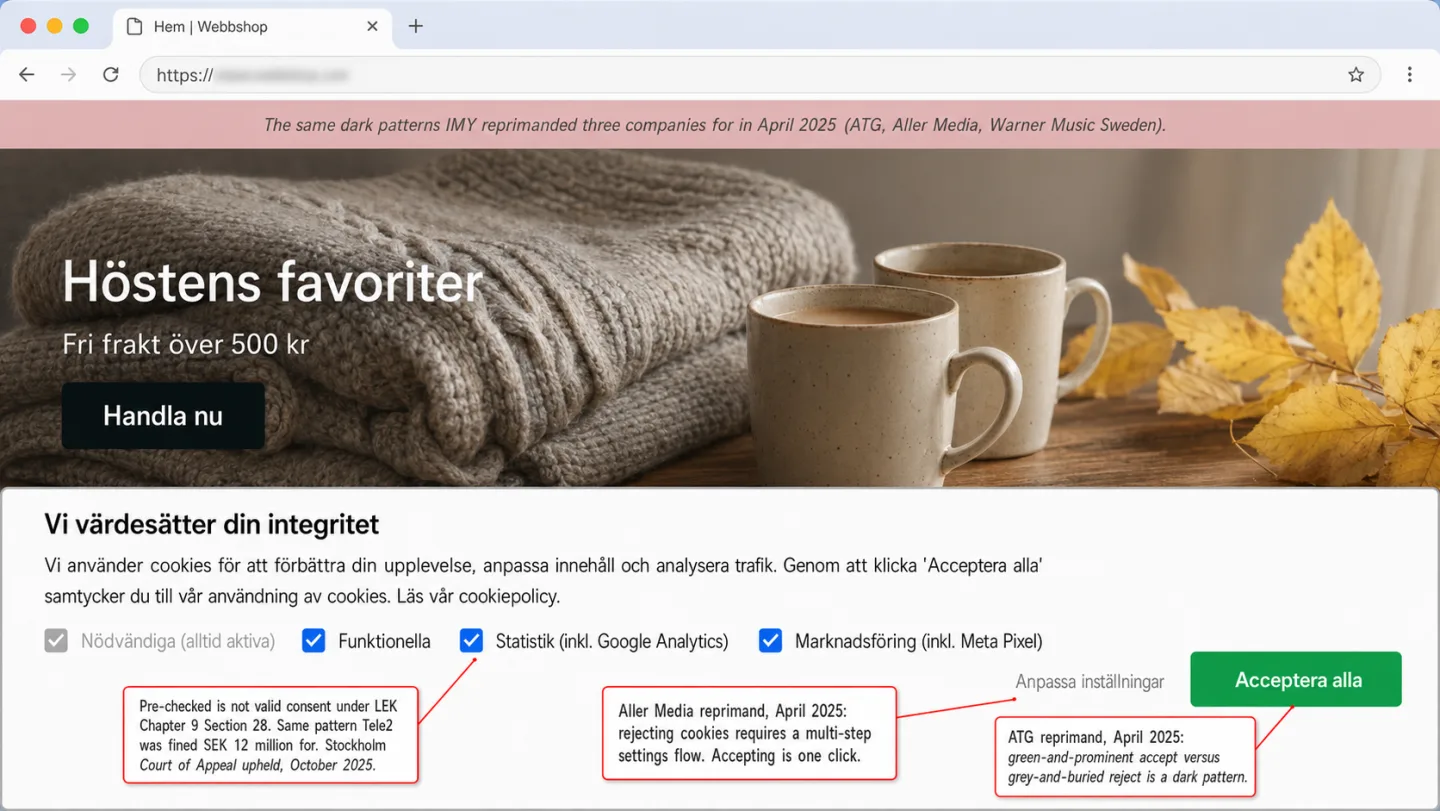
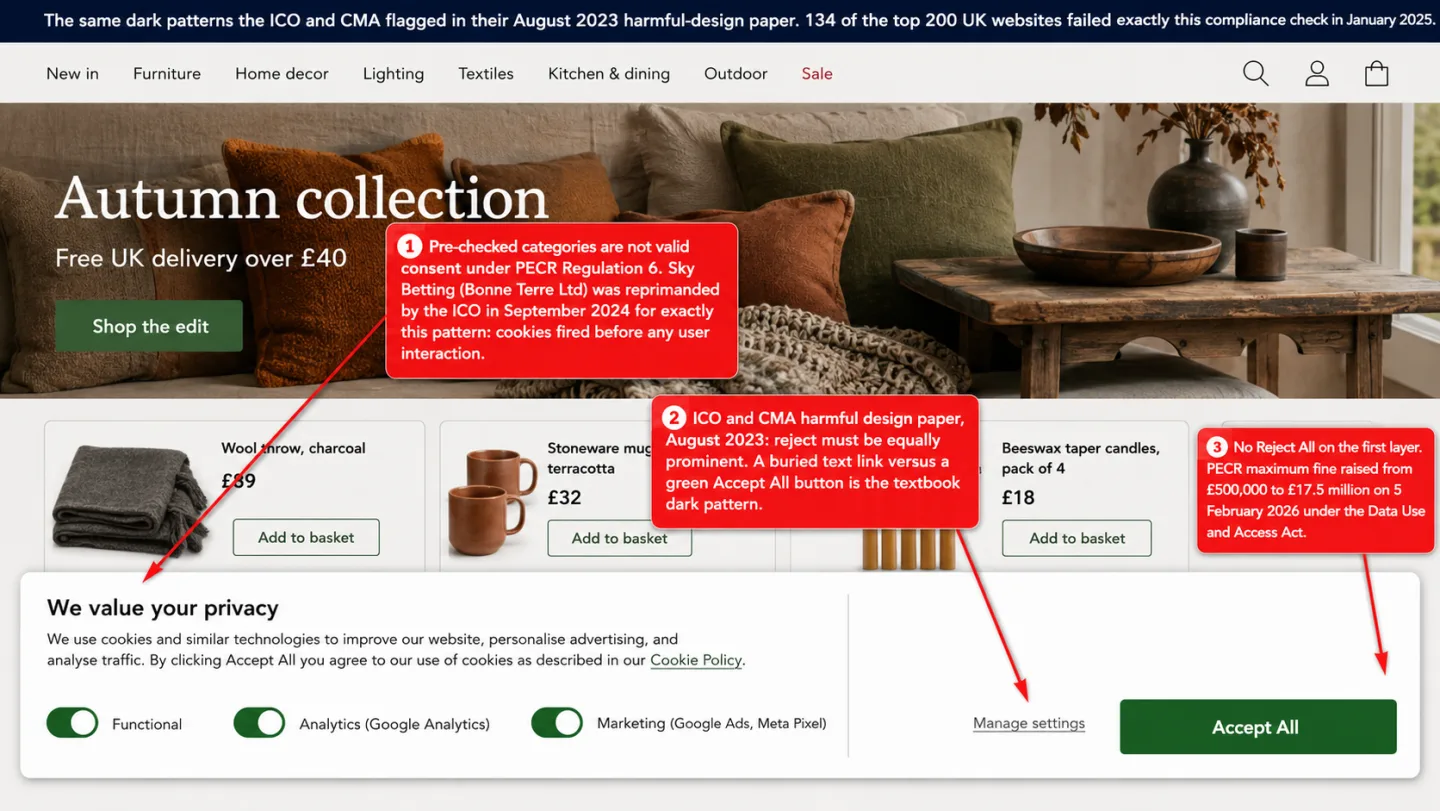
A blended hero image. A dimmed screenshot of the Marlow Roasters storefront in a browser, showing a cookie consent banner with red annotations pointing out pre-checked boxes, a one-click Accept All, and a reject path buried three clicks deep, sits behind a dark left-to-right gradient. Top-left, the Clickport wordmark and a kicker reading THE COOKIE BANNER QUESTION. Down the left edge, four labels: pre-checked consent is no consent at all, most sites hide cookies they never audit, cookieless analytics skip the banner, and the fix is to stop needing one.
GA Legal Status Last updated: 21 May 2026

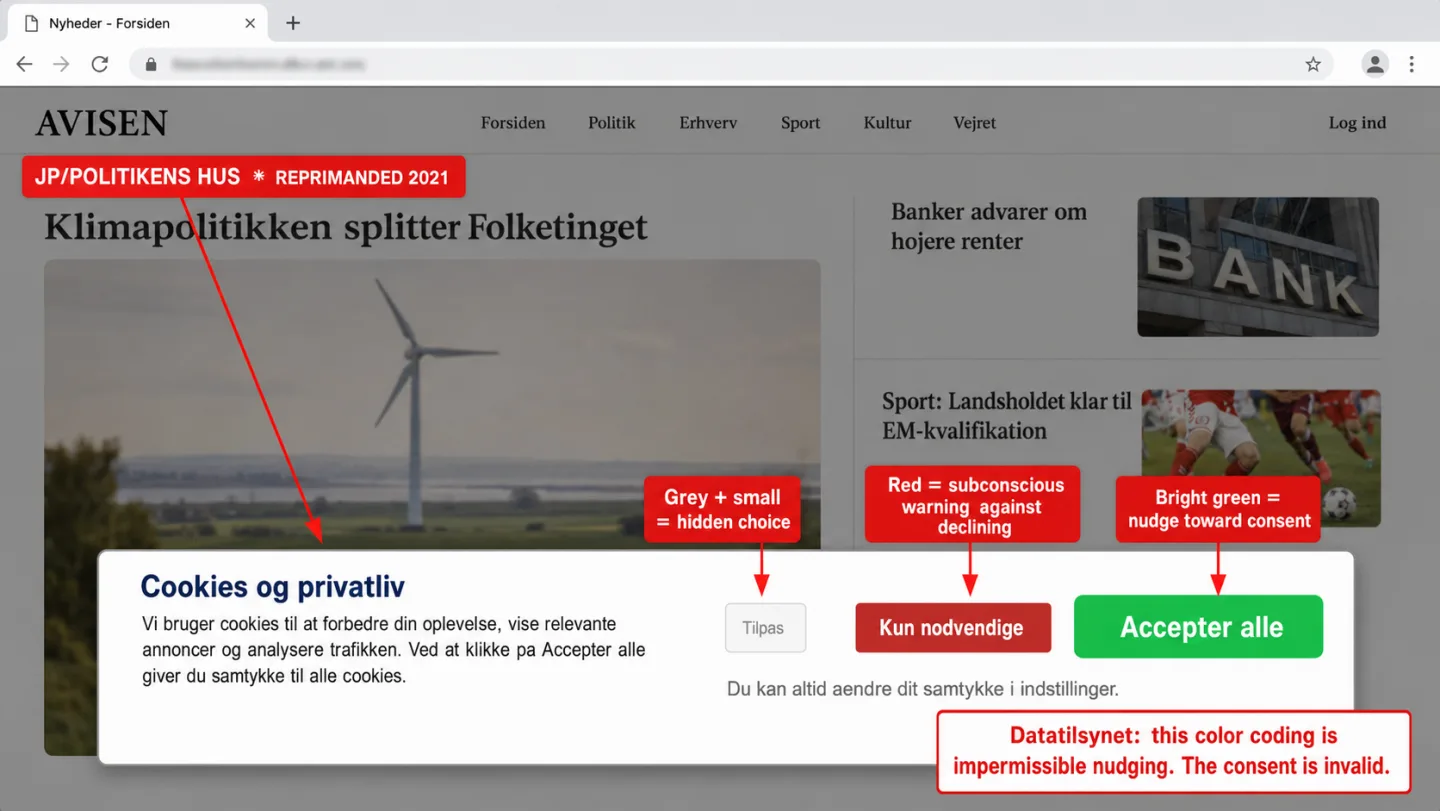
Do I Need a Cookie Banner on My Website? (2026)

43% of websites set tracking cookies without valid consent. Only 15% of cookie banners actually meet minimum GDPR requirements. Most site owners either have a banner they don't need, or don't have one they do need. This flowchart settles it.

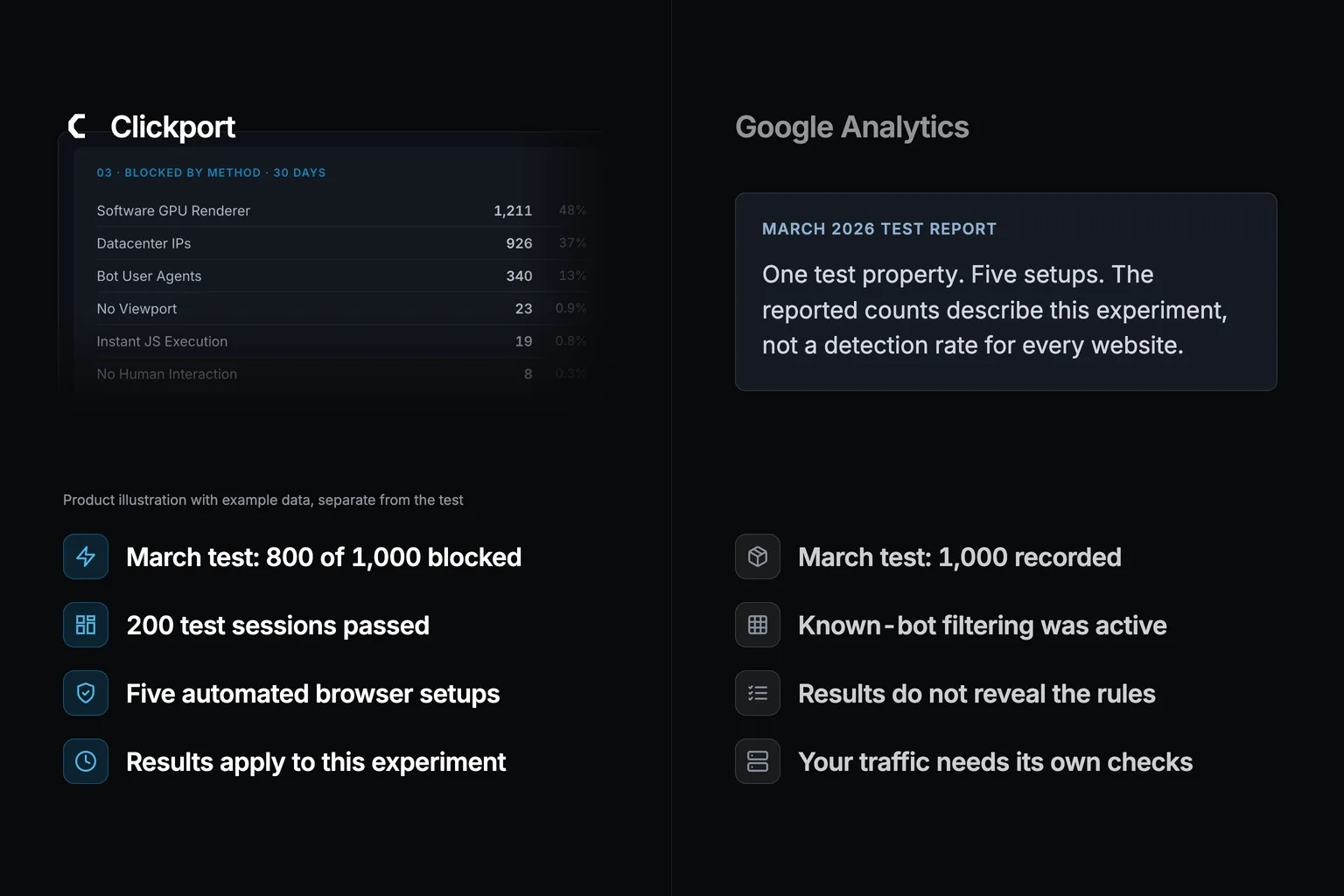
A split comparison on a near-black background. Left side: the Clickport logo above its dimmed Bot Center (01 Protection with Protection active and 11 detection layers, 02 Detections with a red 30-day sparkline), with four labels: 800 of 1,000 blocked, Bots caught before the database, Only real visitors counted, Your reports stay clean. Right side: a faded ghosted analytics interface labelled Google Analytics with the GA4 report menu (Reports snapshot, Realtime, Acquisition, Engagement, Monetization, Retention, Demographics, Tech, Explore) and four labels: 0 of 1,000 filtered, Every bot counted as real, No bot filter to change, Contaminated for good.
GA Problems Last updated: 21 May 2026

I Sent 1,000 Fake Visitors to a Site Running GA4 and Clickport. Here's What Each Tool Counted.

I used Puppeteer to send 1,000 bot sessions to a test site running both GA4 and Clickport. Five scenarios, from obvious bot signatures to stealth headless browsers on residential proxies. GA4 counted every single bot as a real visitor. Clickport blocked 800 of 1,000. Here are the full results.

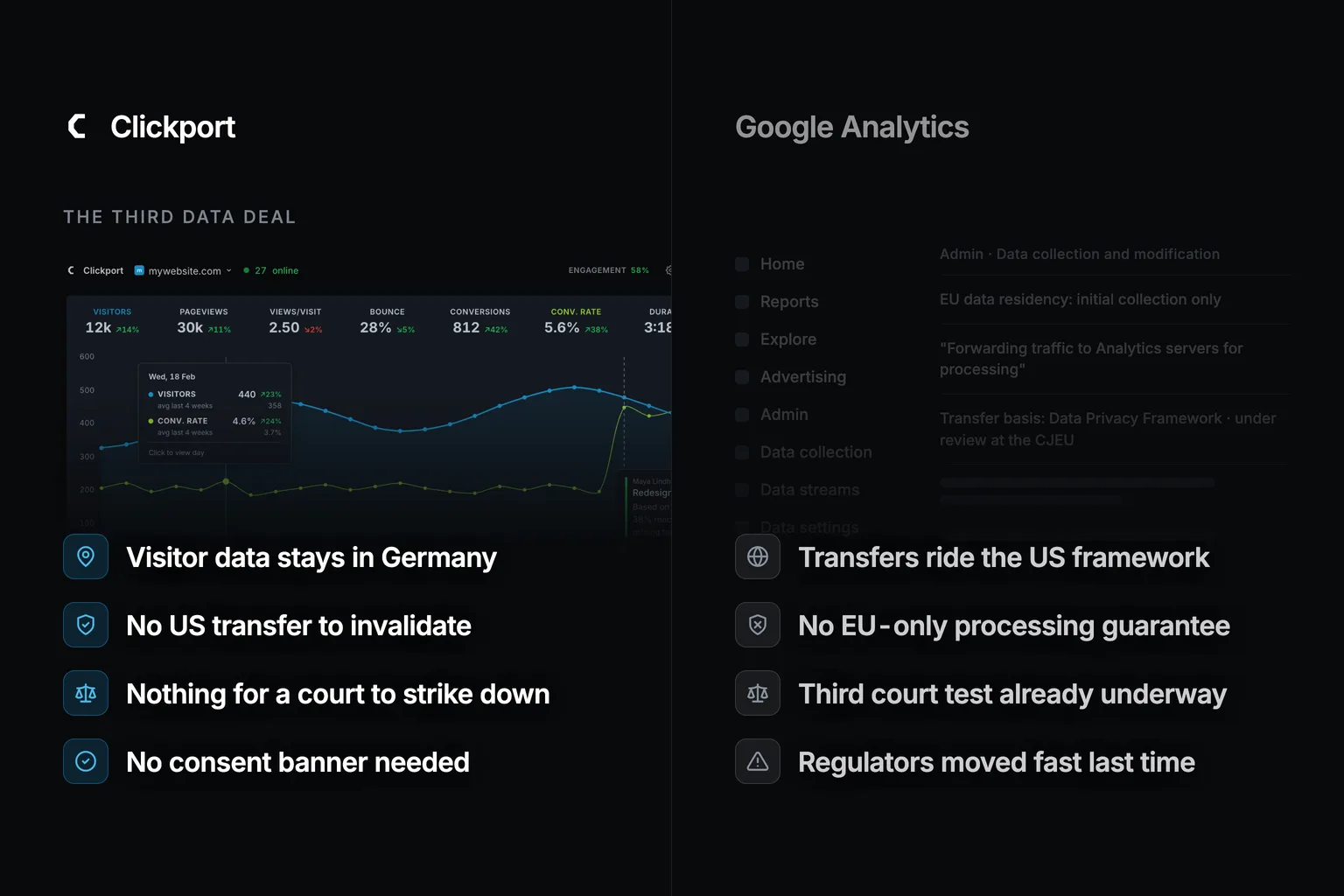
A side-by-side comparison. On the left, a Clickport panel titled How IP addresses are handled shows the flow: the IP arrives with the request, a local MaxMind geo lookup runs on our own server, a one-way keyed hash produces a daily-rotating user_id, and then the IP is discarded, with a ClickHouse schema below where the ip_address column is struck through and marked does not exist. Four labels read: IP used once then thrown away, no personal data in the schema, every request processed in the EU, and nothing to transfer to the US. On the right, a dimmed Google Analytics data-sharing menu with visitor data sent to US servers flagged in red and Google signals on by default flagged in amber, under four labels: visitor data crosses to US servers, EU regulators ruled this setup unlawful, IP counts as personal data under GDPR, and fines reach 4% of global revenue.
GA Legal Status Last updated: 21 May 2026

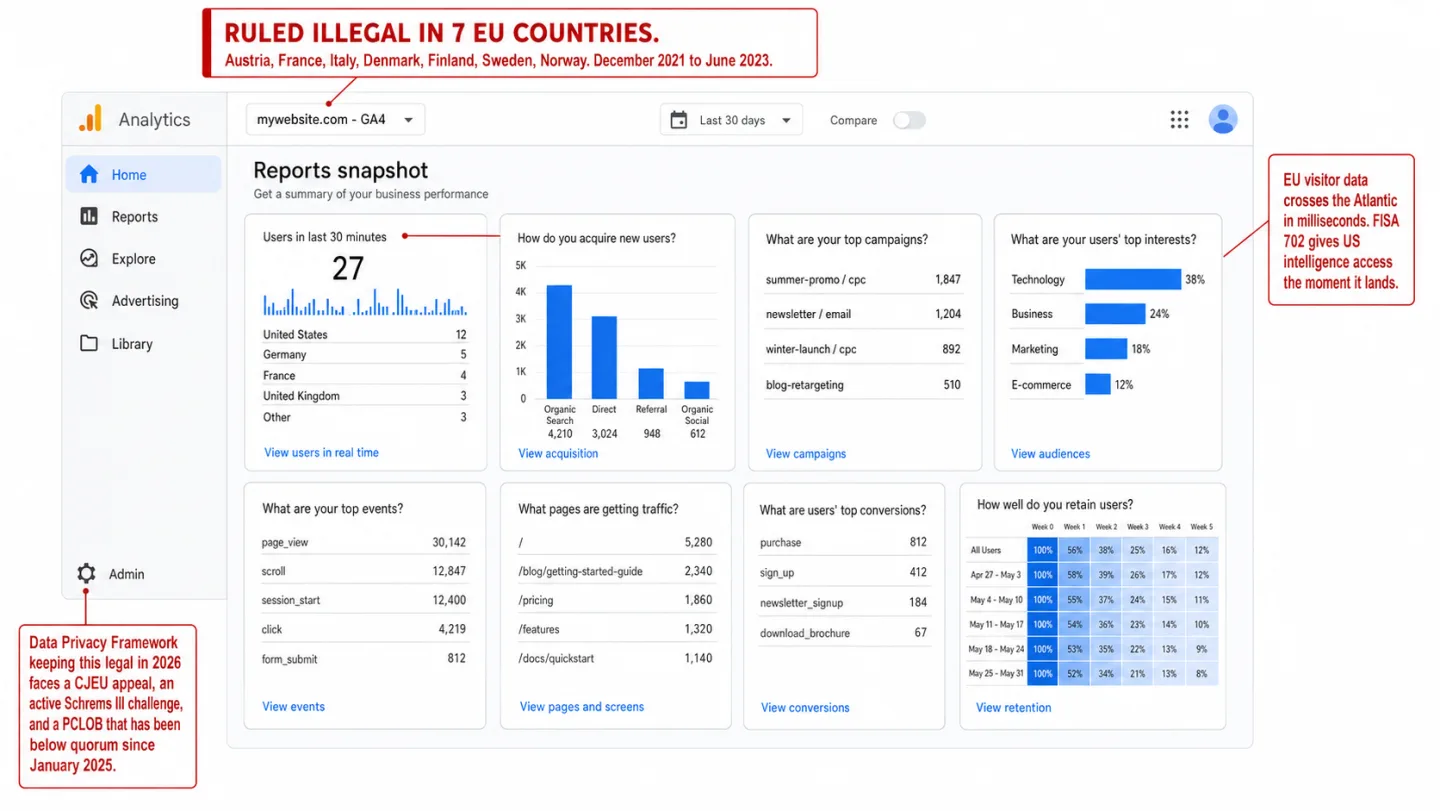
Is Google Analytics Legal in 2026? EU Rulings, US Lawsuits

Seven EU countries have ruled Google Analytics illegal. 2,341 US wiretapping lawsuits have been filed. The legal bridge keeping GA4 alive in Europe is cracking. And Google just turned your analytics into an AI advertising tool. Here's the full picture for 2026.
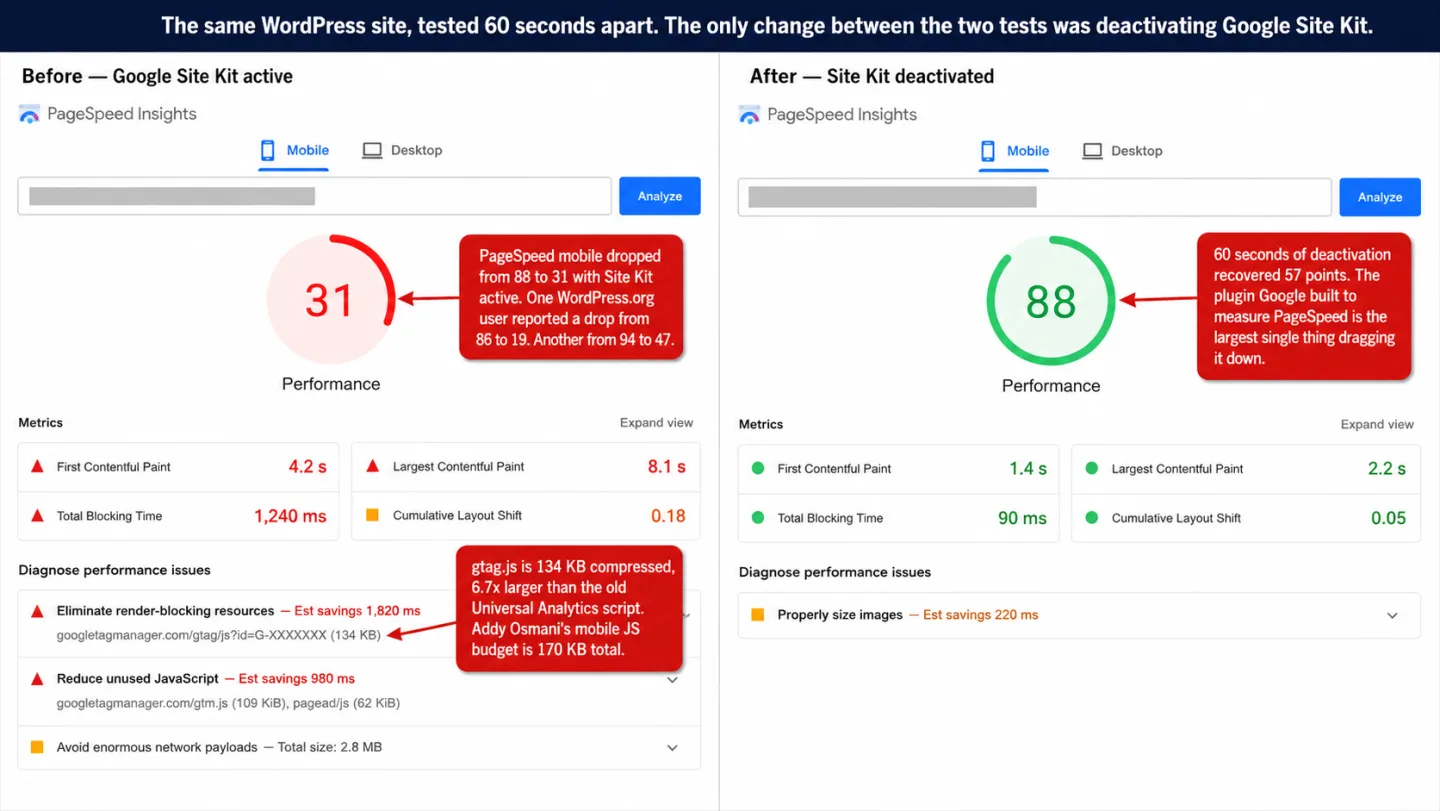
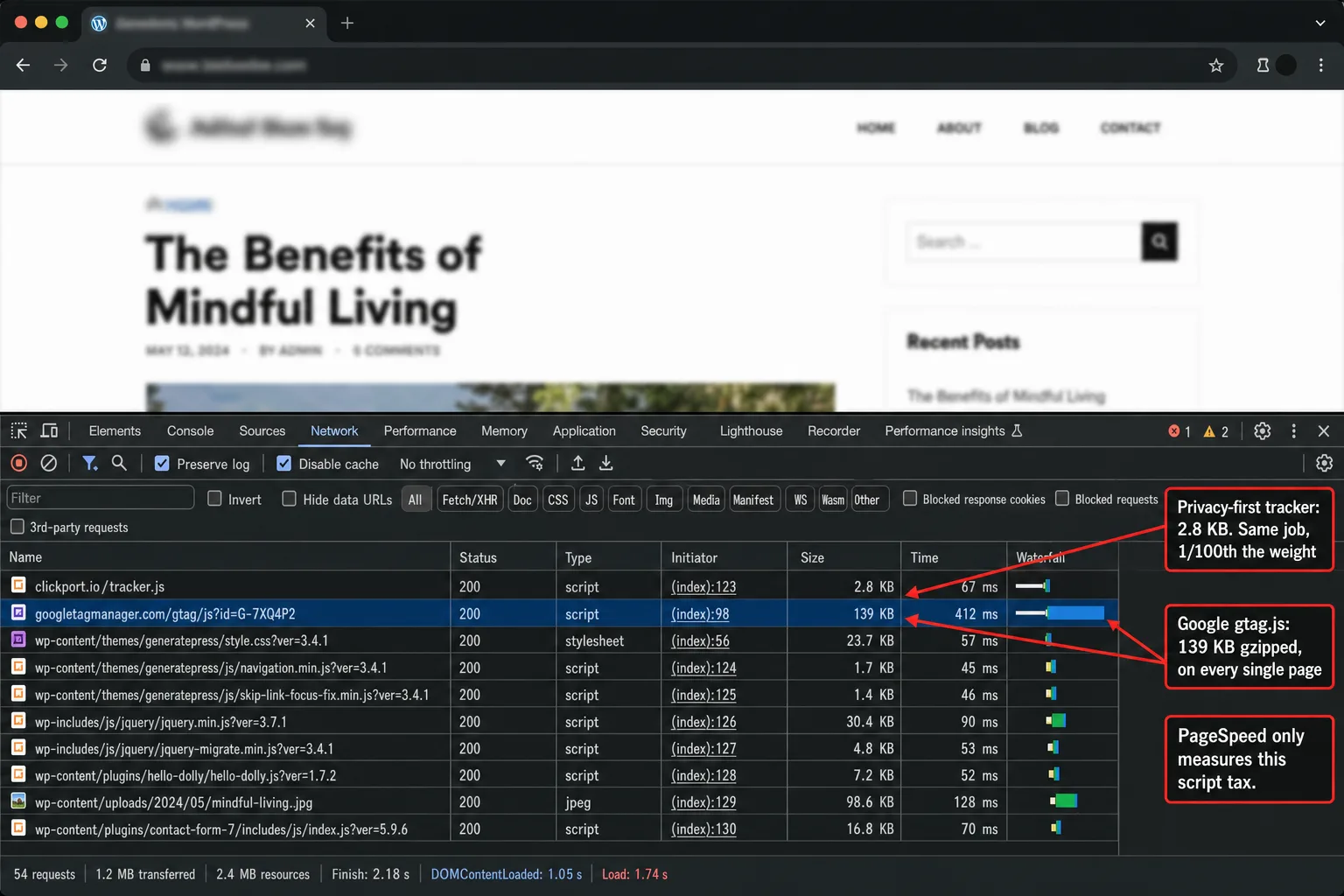
Split comparison. Left, Clickport: a dimmed Pages panel with Pages, Sessions, Goals, Journeys tabs over a ranked page list, with four labels: a featherweight tracker no plugin, no plugin no PHP overhead, no cookies no consent banner, real-time data in seconds. Right, a ghosted Google Site Kit PageSpeed Insights mobile gauge showing a red score of 31 with an eliminate-render-blocking-resources note flagging gtag.js and gtm.js, with four labels: PageSpeed drops 20 to 67 points, 134 KB of Google JavaScript, three plugins to stay GDPR-legal, it measures the speed it hurts.
WordPress Analytics Last updated: 21 May 2026

Google Site Kit Dropped My PageSpeed by 40 Points. Here's What I Did.

Site Kit users report PageSpeed drops of 20 to 67 points. Google's own plugin loads 134 KB of tracking JavaScript, adds 1 MiB of PHP overhead, and hurts the very scores it measures.
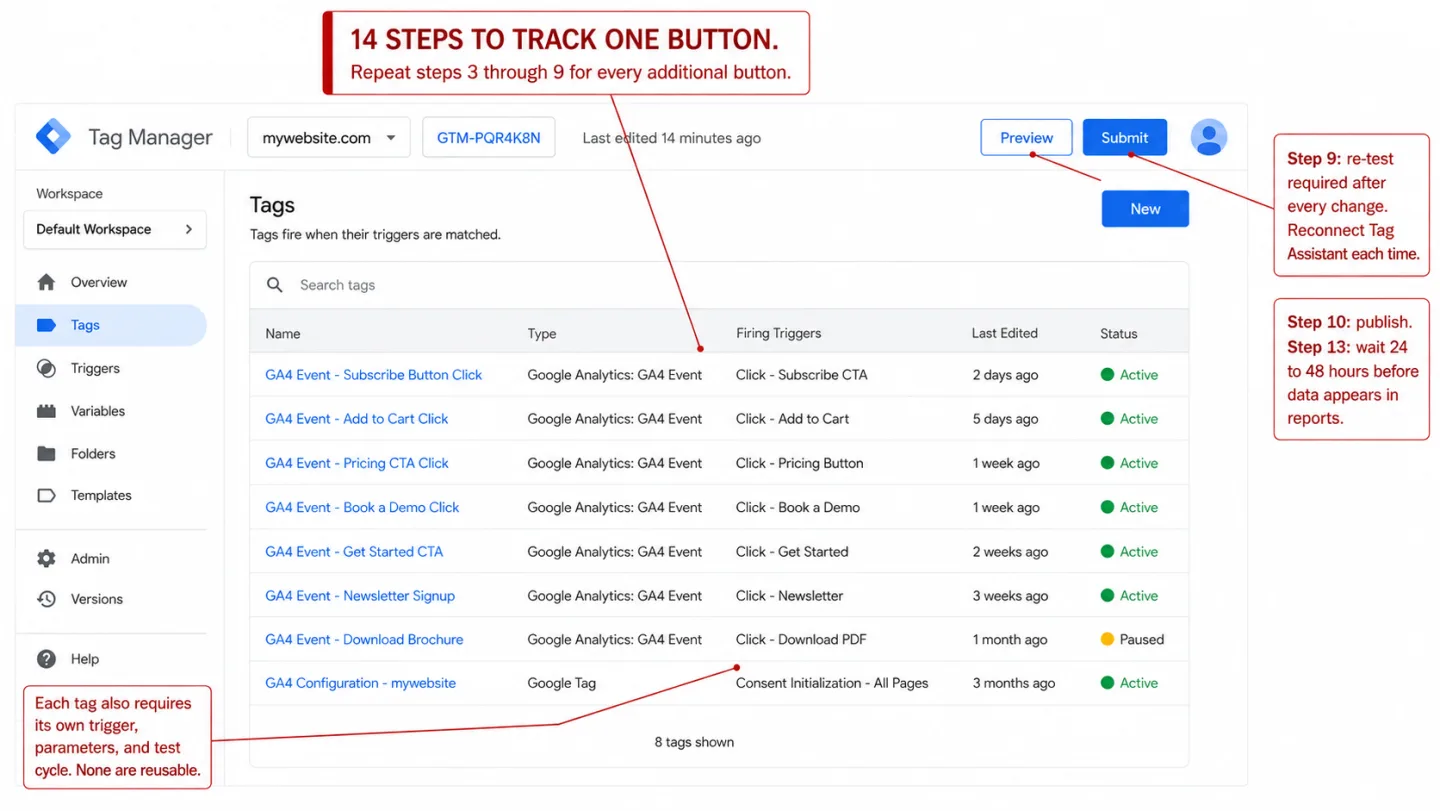
Split comparison. Left, Clickport: a dimmed Goals panel on the Clicks tab with three click goals (Clicked book a demo, Upgraded plan, Downloaded guide) and a definition card showing CLICK, button/link text equals Book a demo, with four labels: one line tracks any button, click goals defined in the dashboard, the event lands in seconds, nothing breaks when a class is renamed. Right, a ghosted Google Tag Manager skeleton: Tags list with a Subscribe Button Click GA4 Event row and an amber reconnect-Tag-Assistant note, with four labels: fourteen steps across three platforms, a new trigger for every button, reports wait one to two days, a renamed class breaks it silently.
GA Problems Last updated: 21 May 2026

Track Button Clicks in GA4: The 14-Step Problem (And the 1-Line Fix)

GA4 does not track button clicks. Not your signup CTA. Not your Add to Cart. To track a single button, you need 14 steps across 3 platforms and a 48-hour wait. Here's the full process, every pitfall, and a 1-line alternative.
Product hero on a dark canvas. Clickport brand mark with the kicker AI SEARCH ENGAGEMENT, next to a dimmed Engagement-by-segment panel where the top row is the AI Search channel with 1.6k visitors and 88% engagement, above pages, countries, sources and campaigns with lower scores. Four labels: Engagement scored per channel, AI Search gets its own channel row, Same yardstick for every visitor, See who reads, not just who clicks.
AI Traffic Last updated: 20 May 2026

Whatever You Call It, AI Search Traffic Engages More Than Any Other Channel

There's a loud debate on LinkedIn right now about whether GEO is a real discipline or just SEO renamed. I'm not picking a side. But on the Clickport platform, AI search visitors score the highest engagement of any traffic channel, by a wide margin, and the most consistent. Here are the numbers.

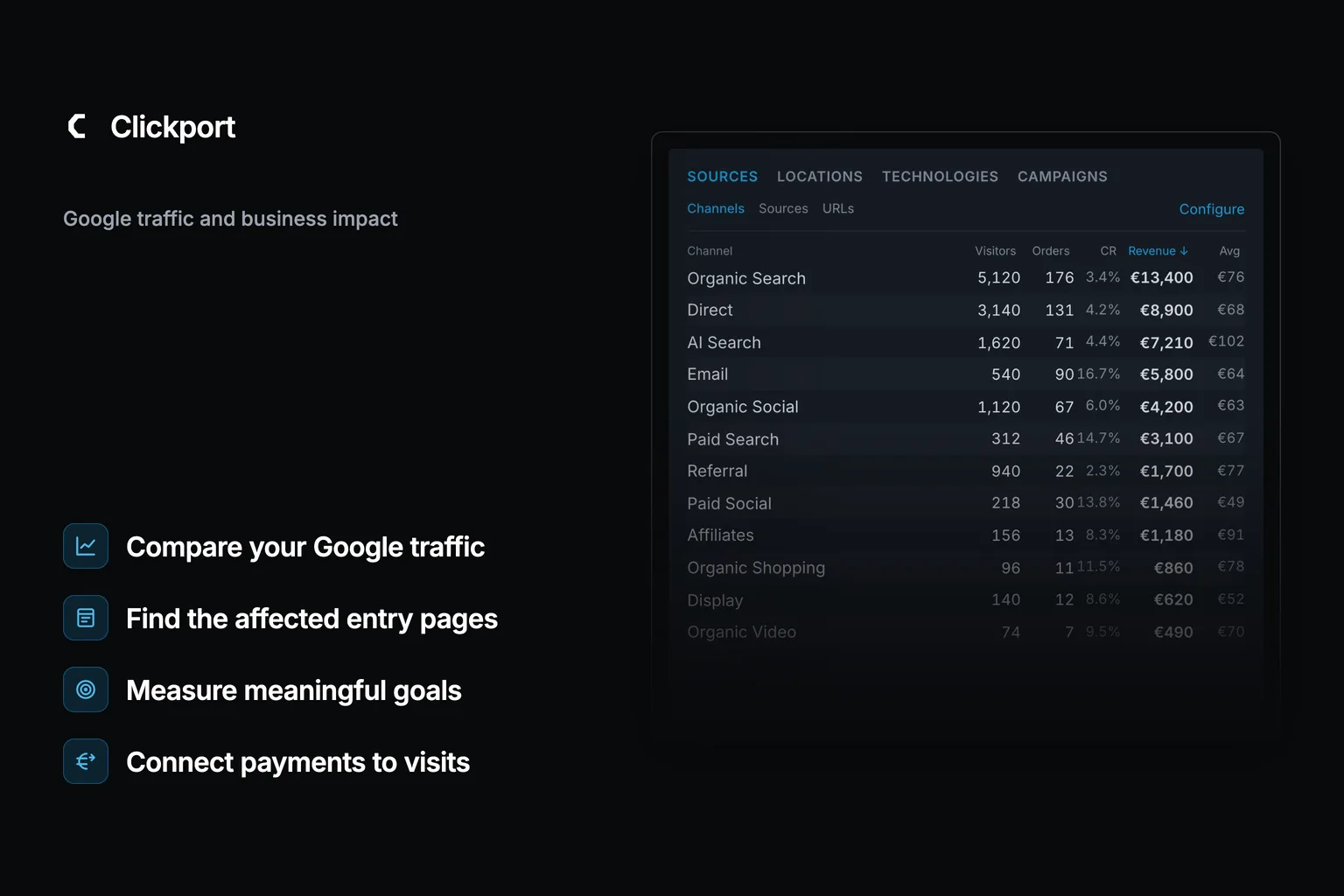
Split-panel hero. Left: Clickport's Sources panel on the Channels tab with a Revenue column, showing Organic Search, Direct, and an AI Search row with 71 orders, 7,210 euro revenue and the highest 102 euro average order value, with the labels AI Search classified automatically, Revenue lands on the channel, One line of JavaScript no GTM, and Live the moment the sale happens. Right: a ghosted recreation of the GA4 Admin Channel groups screen with a red note that AI Search is not in the default channel list and an amber note that custom channel groups are limited to 2 per property, with the labels No AI Search channel at all, Seven in ten AI visits filed as Direct, Revenue needs a dev and three systems, and Reports lag one to two days.
AI Traffic Last updated: 20 May 2026

AI Traffic Revenue Attribution: The Setup Gap Nobody Fixed Yet

AI visitors convert at 14.2% vs 2.8% for organic search. But 70.6% of AI traffic lands as 'Direct' in GA4 with no referrer, no channel, and no revenue data. The attribution gap isn't a tooling problem. It's a setup problem.

A side-by-side comparison. On the left, a Clickport Detection Pipeline panel lists numbered layers: WebDriver detection, software GPU check, browser language count, execution timing, user-agent patterns, datacenter IP ranges, and spam referrer filter, under four labels: layered detection and not one checkbox, client and server signals combined, datacenter and VPN ranges checked, and behavior scored on every session. On the right, a dimmed Google Analytics bot-filtering menu with a known-bot list only flagged in red and no datacenter checks flagged in amber, under four labels: one built-in list and nothing to tune, known bots only and the rest slip through, no datacenter or VPN filtering, and excluded traffic never shown to you.
Bot Traffic Last updated: 20 May 2026

How Bot Detection Actually Works in Web Analytics (2026)

51% of web traffic is bots. GA4 filters them with a single list. No behavioral analysis, no IP checks, no transparency. Here is how bot detection actually works, from tracker-side hard stops to fingerprint velocity analysis, and why most analytics tools get it wrong.

A blended hero image. A dimmed photo of the Marlow Apparel storefront, with a We value your privacy cookie banner covering the lower half of the screen, sits behind a dark left-to-right gradient. Top-left, the Clickport wordmark and a kicker reading THE COOKIE BANNER TAX. Down the left edge, four labels: a banner hides most of your real traffic, cookie-free analytics count every visitor, no popup so your page loads clean, and nothing stored and nothing to consent to.
GA Legal Status Last updated: 20 May 2026

What Using Cookie-Banner-Free Analytics Actually Means for Your Site

The UK's privacy regulator lost 90.8% of its tracked traffic after implementing a proper consent banner. That's the system working as intended. Here's what actually changes when your analytics don't need a cookie banner: from data accuracy and page speed to mobile UX, legal risk, and visitor trust.
Split comparison. Left, Clickport: a dimmed Sources panel on the Channels tab with Direct broken into real channels (Organic Search, Direct, AI Search, Organic Social, Referral, Email, Paid Search, Paid Social and more) each with visitors and engagement, with four labels: Direct broken into real channels, every visitor counted, revenue attached to each goal, one 2 KB script no apps. Right, a ghosted Shopify Analytics traffic-sources view where a huge red Direct bar dwarfs Search, Email and Social, with a note that Direct swallows most of your channels, and four labels: Direct swallows your channels, one sale in five never shows, custom reports cost $399 a month, 902 apps none agree.
Ecommerce Analytics Last updated: 20 May 2026

Shopify Analytics: The Store Owner's Guide to Better Data

Shopify's built-in analytics miss 30-50% of EU visitors, misattribute much of your traffic as 'Direct,' and lock custom reports behind a $399/month plan. Here's what store owners need to know, and what better data actually looks like.
A side-by-side comparison. On the left, a Clickport cookie-free analytics panel counting 24,318 real visits with cookies set at 0, consent banners shown at 0, visitors modeled at 0, and personal data stored set to None, under four labels: no consent banner to click past, no cookies so nothing to disclose, every visit counted and none modeled, and your history kept and not expired. On the right, a dimmed Google Analytics data-settings menu with a 14-month retention cap flagged in red and consent-mode modeling flagged in amber, under four labels: consent mode models the visitors it lost, data deleted after 14 months, rows hidden by data thresholds, and big reports quietly sampled.
GA Problems Last updated: 20 May 2026

Why You Should Stop Using Google Analytics in 2026

Google Analytics is illegal in 8 European countries, classified as a wiretap in California, blocked by a quarter of all browsers, and costs $5,000 to $18,000 in hidden expenses. Here's every data point I could find.