Clicks But No Conversions: Is It Bots or Your Funnel?
Clicks but no conversions. Hundreds of clicks in the report, the budget draining on schedule, and a conversion count sitting at zero. So you do the natural thing and start tearing apart your landing page.
That's usually the right move. But the cheapest question to answer comes first, and most guides skip it: were those clicks even human?
Here's the short version, and I'll back all of it up. Most paid clicks are real people. One analysis of 2.7 billion ad clicks found 8.51 percent were invalid. Invalid means clicks from bots or fraud, not from people. So roughly 11 in 12 are human. So the most likely reason your clicks aren't converting is a fixable funnel problem, not a bot army.
The trouble is you can't prove that inside Google Analytics. GA4 won't show you how many of those clicks were people. You're judging your conversion rate, the share of clicks that turn into sales, against a click count that secretly includes bots. And you can't see how many.
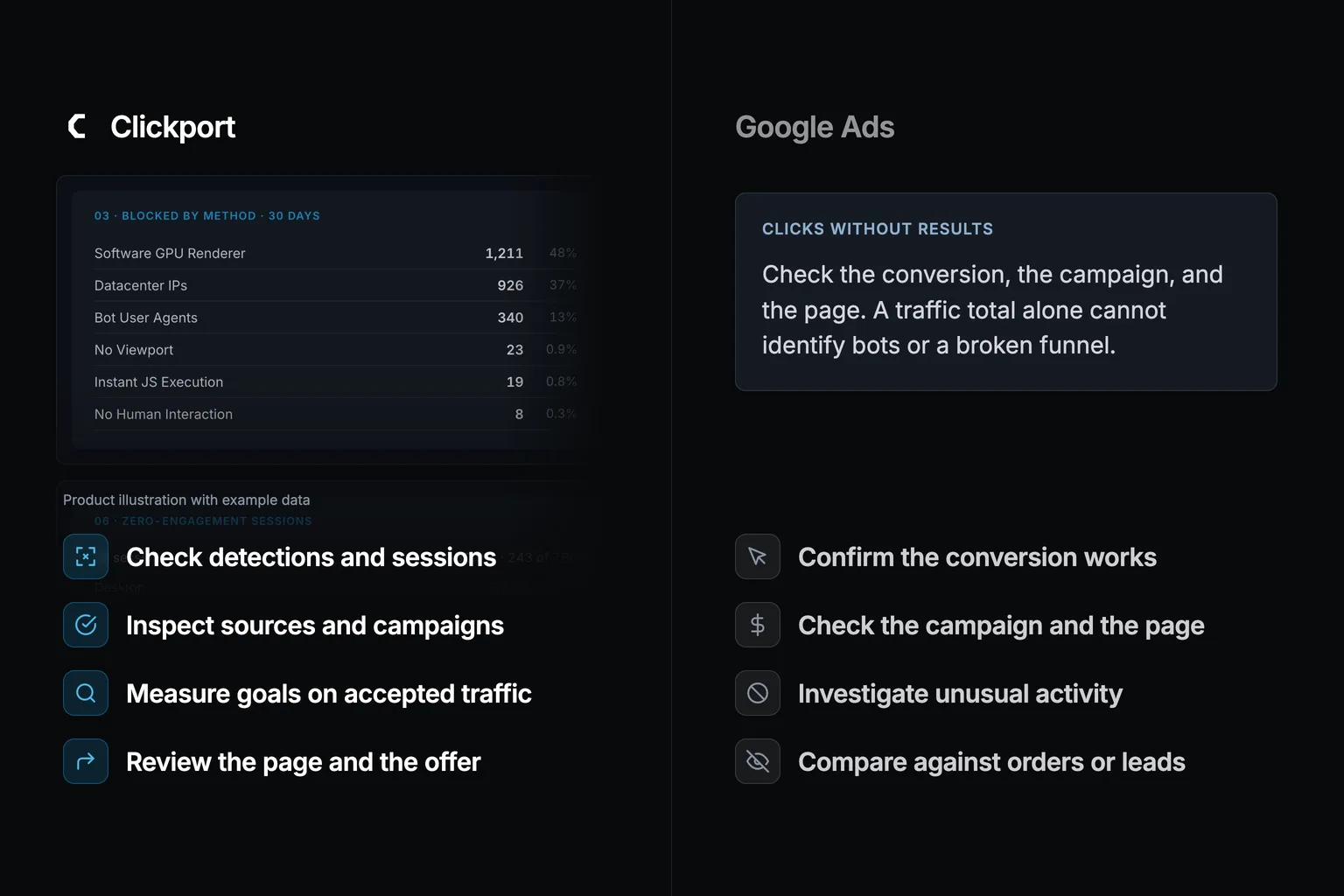
I build Clickport, a privacy-first analytics tool. It shows recorded exclusions by detection method, alongside accepted traffic and goals. That helps you investigate suspicious visits. It does not measure an exact human share for each campaign, block paid clicks, or recover ad spend.
- Most paid clicks are real. One analysis of 2.7 billion clicks found 8.51 percent were invalid, so roughly 11 in 12 are human. That means the usual cause of clicks-but-no-conversions is a fixable funnel problem (message match, page speed, targeting, broken tracking), not bots.
- GA4 automatically excludes known bots but does not show its excluded count. A recorded session does not prove that a real buyer visited your page.
- The bot number lives in the wrong product. Google works out invalid clicks for billing inside Google Ads and credits you, but that number never crosses into GA4, so the same bots still fire your tags and dilute your analytics after you have been credited.
- Check the purchase or signup first. Then inspect source, campaign, session, and Bot Center evidence together. Site-wide exclusions do not measure a campaign's human share.
- Clickport shows recorded exclusions and accepted sessions and goals. It does not block ad clicks, recover ad spend, or calculate a verified human-only conversion rate.
Clicks but no conversions: is it bots or your funnel?
The quickest way to waste a week is to assume you already know which problem you have. There are two of them. They have opposite fixes.
A funnel problem means real people are clicking and then not converting. The ad promised one thing, the page delivered another. The page loads slowly. The offer is weak. The targeting drags in people who were never going to buy. This is the common case, and you can fix it without switching analytics tools.
A measurement problem means a chunk of those clicks were never human in the first place. Your conversion rate is being divided by a number that includes bots. The funnel can be perfectly good and the rate still looks broken, purely because the denominator is junk. You can't fix that by editing your page. You can't even see it in GA4.
So which do you have? That's the whole question. And every piece of advice on this topic is split into two camps that never answer it.
The two camps that never talk to each other
I read the top-ranking articles for "clicks but no conversions" and the pattern was almost funny. Two separate conversations are going on, and they never meet.
The first camp is PPC optimization advice. The big guides walk you through landing pages, message match, targeting, bidding, conversion tracking. Good advice, mostly. But across four of the top guides I checked, the words "bot," "click fraud," and "invalid traffic" show up a combined total of zero times. One popular guide lists ten reasons your Google Ads aren't converting. Not one of them is "some of these clicks were not real." Every click is treated as a human who showed up with the wrong intent.
The second camp is click-fraud blocker tools (you will run into names like ClickCease and TrafficGuard) plus Google's own invalid-traffic documentation. This camp is all about stopping fraudulent clicks before they cost you money and clawing the spend back. Useful, but it's only the other half of the picture. None of it tells you how to look inside your own analytics and read what share of the clicks were bots. None of it gives you the conversion rate for the humans alone.
Mentions of bots across 4 top guides: 0
Shows you the split in your own analytics: no
Nobody owns the bridge between the two. So I'll build it here. And I'll start where the real money is. Most of the time, it really is your funnel.
First, the funnel reasons that are actually fixable
I'm not going to pretend bots are your problem when the odds say they usually aren't. Before you suspect anything sneaky, walk this list. One of these is the most likely culprit, and you can fix every one of them without leaving GA4.
- Message mismatch. Your ad promised "50% off running shoes" and the landing page is your generic homepage. The click was real. The let-down was instant. Matching the page to the ad's exact promise is the one change that moves the needle most.
- Slow page load. People don't wait. Google's research found the chance of a bounce climbs 113 percent as load time goes from 1 second to 7 seconds. So a slower page roughly doubles the odds that someone leaves. A real, interested human can still cost you a conversion if the page makes them wait.
- Targeting that's too loose. Broad match keywords pull in searches you never meant to pay for. In a study of 2,637 accounts, exact match beat broad match on conversion rate 56.73 percent of the time. A tighter match won more often than not. Those are real humans with the wrong intent. You fix them with negative keywords and tighter match types.
- Broken conversion tracking. Sometimes the funnel converts fine and the tracking simply isn't firing, so it only looks like zero conversions. Always rule this out before anything else.
- Your expectations. Conversion rates swing hard by industry. WordStream's 2026 benchmarks give the average Google Ads conversion rate. It is 8.18 percent, ranging from 2.64 percent in Finance to 16.22 percent in Animals and Pets. That means about one in twelve on average, and as good as one in six at the top end. Sometimes "no conversions" after a few dozen clicks is just small numbers, not a problem.
If one of these fits, fix it and move on. You don't need a new analytics tool to repair a slow page or a sloppy keyword list. GA4 is fine for diagnosing a funnel problem, once you know that's what you have.
The catch is in those last few words. Once you know that's what you have. To know it, you have to rule out the other thing first. And that's where GA4 fails you.
Why paid traffic is a bot magnet (and organic is not)
Before the measurement part, it helps to see why paid clicks attract bots in a way your organic traffic never does. It comes down to money.
On a paid ad, every single click moves money. That creates two motives that don't exist for an organic visit. Google names both in its own invalid-traffic policy: someone clicking to drive up a competitor's costs, and site owners clicking to inflate their own ad revenue. Nobody runs a bot farm to click your blog post. There's no payout. Point a bot at a paid ad and every click either drains a rival's budget or pads a publisher's check. The money is the whole reason.
The fraud also clusters in specific places. Clicks on Google's core search results are the safest. Clicks coming through search partners, display placements, and video partners carry far more junk, because that's where the low-quality and automated inventory lives. The long-run trend isn't encouraging either. One analysis traced the invalid-click rate rising from 5.9 percent in 2010 to 12.3 percent in 2024. That means it roughly doubled in fourteen years.
So paid traffic really does carry more bots than the rest of your site. The only question that matters is whether you can see how much. In Google Analytics, you can't.
Why GA4 cannot tell you how many of those clicks were human
GA4 has automatic bot filtering. It does not expose the excluded count or a verified human-versus-bot split for each campaign.
Google documents automatic known-bot exclusion using Google research and the IAB/ABC list. You cannot disable it or see the excluded count. Its documentation does not show a complete rule list, so I cannot claim that a normal browser name always passes.
My separate March experiment reported that GA4 counted 1,000 automated sessions across five setups. Clickport blocked 800. This is a result from that experiment, not the bot percentage in your campaign.
There's one more twist that catches people out. Google does work out a bot-vs-human number for your clicks. It just does it for billing, inside Google Ads, and that number never crosses over into Analytics. So Google can credit you for the invalid clicks it caught, while those very same bots still trigger your GA4 tracking and pollute your reports. The credit and the contamination live in two different products that don't talk to each other.
No GA4 setting closes this gap. It isn't a checkbox you forgot to tick. It's the architecture.
This piece is about the denominator: clicks that should have converted and didn't. There's a mirror image of this problem. Bots can also pad your conversion count with fake form submissions. Those then train your bidding to chase more of them. I wrote that one up separately, when bot form fills count as conversions in GA4.
How big is the bot share, really?
I don't want to scare you, because the alarmist version of this article would lose you. So here are the real numbers, in context.
At the whole-internet level, the share is genuinely huge. One major security report found 51 percent of all web traffic in 2024 was automated, with bad bots alone at 37 percent. On the advertising side, 22 percent of global digital ad spend was lost to fraud in 2023, about 84 billion dollars. That figure is forecast to keep climbing. Meaning: more than one ad dollar in five, gone.
But your paid clicks aren't the whole internet. On actual ad clicks, the invalid share is much smaller. That's the 8.51 percent figure from 2.7 billion clicks, the roughly one click in twelve I keep coming back to. And it swings a lot by platform, from around 7.6 percent on Google up past 24 percent on TikTok in click-fraud vendor Lunio's analysis. So the takeaway isn't "bots are eating your budget." It's quieter than that. Most of your paid clicks are human. The minority that isn't human is real enough to throw off a small campaign's numbers. And you can't see that minority at all in GA4. The sky isn't falling. You're just flying blind on the one number that decides whether you should be rebuilding your page or not.
How you would actually spot a bot click
So what does a bot click even look like, when it's dressed up as a normal visitor? Detection splits bots into the easy ones and the hard ones. It's worth knowing which is which.
Check browser signals, network origin, timing, and recorded actions together. A datacenter IP can suggest automation, but people can also use hosted browsers or relay services. A zero-second session can reflect missing measurement. Neither signal proves that a paid click was a bot.
Use those clues to select sessions for review. Then check the landing page, the tracking setup, and any corresponding orders or leads. Activity in a report is evidence to investigate, not a verified identity.
One limit matters here. In my March experiment, 200 of the 1,000 automated sessions passed both tools. That result does not mean one in five bots always gets through. No detector can promise that every accepted visit is human.
The order to diagnose in: check the evidence, then the funnel
The order matters more than the steps themselves. Do it in this sequence and you stop guessing.
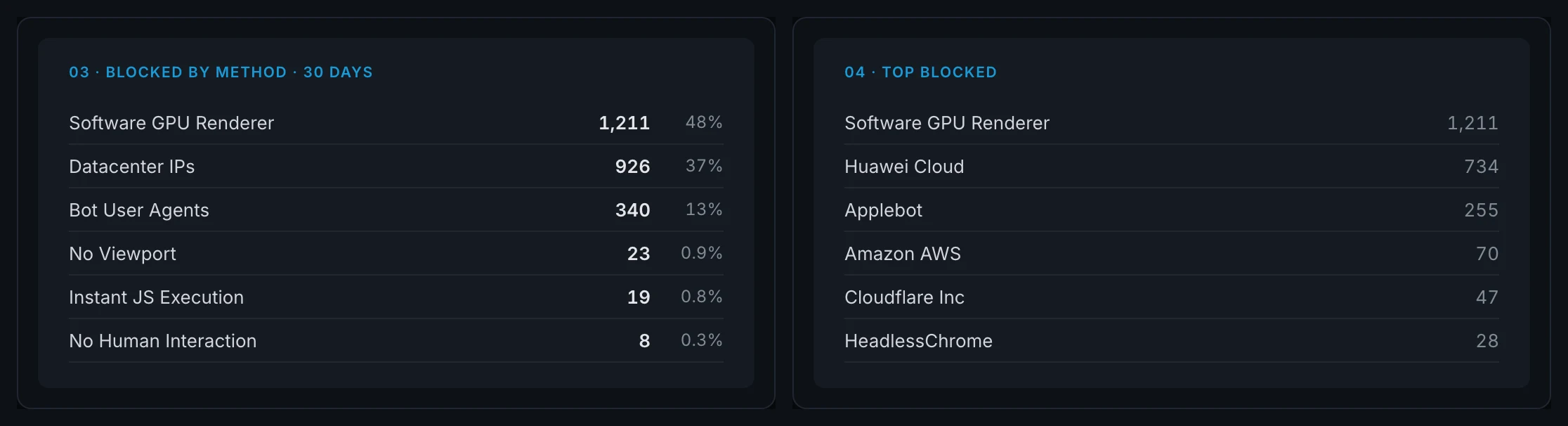
Step 1: inspect traffic and detection evidence. Complete a test purchase or signup to confirm that it works. Compare accepted sessions by source and campaign. Check Bot Center for site-wide recorded exclusions. Those counters do not give a human share for an individual campaign.
Step 2: route the fix based on what you find.
- If you find evidence of automated paid traffic, investigate the source and your ad platform's controls. Site-wide detector totals alone cannot identify which campaign caused the exclusions.
- If the clicks are mostly human and still not converting, you have a funnel problem. Go back to the fixable list: message match, speed, targeting, tracking, offer. GA4 is fine for this. Roll up your sleeves and fix the page.
That's the whole framework. It works because it refuses to let you skip Step 1, which is exactly the step everyone skips. One advertiser I came across had burned through 138 clicks and 233 dollars with zero conversions and was sure it was fraud. Then a session tool showed real people who spent about a minute on the page. It was a funnel problem all along. Measurement ended the argument in five minutes. It can go the other way too. The clicks come back full of zero-second data-center sessions, and you realize you were about to rebuild a page that converted just fine.
What Clickport shows you (and what it does not)
So where does my tool fit. Plainly, and with the limits up front.
Clickport shows recorded exclusions in Bot Center and accepted activity in your dashboard. Review the detection methods, then check the affected source, page, and session activity. This helps you investigate suspicious traffic. It does not give an exact human-only conversion rate or prove which paid clicks GA4 missed.
Clickport does not stop fraudulent clicks before they cost money or recover ad spend. Its detection can miss bots and exclude legitimate events. Use its evidence with your ad platform and order or lead records. It also does not provide returning-visitor or lifetime-value reports.
✓ Goals measured on accepted traffic
✓ Source and campaign filters for accepted sessions
✓ Session activity to investigate unusual visits
✗ Recover or refund ad spend
✗ Returning-visitor or lifetime-value analysis (cookieless)
✗ Guarantee detection of every bot
If you have clicks but no conversions, check a complete purchase or signup first. Then inspect the campaign, the landing page, and unusual sessions. Try Clickport free to review recorded exclusions alongside your accepted traffic and goals. The trial lasts 30 days and needs no credit card.

Comments
Loading comments...
Leave a comment