Is GA4 Accurate? What You Can Fix and What You Can't
"GA4 is steaming hot garbage" is a real thread on the Google Analytics subreddit, full of upvotes. If you've thought the same staring at your own reports, you're not wrong.
GA4 can miss human visits and include automated activity that passes its checks. The size and direction of the difference depend on your tracking setup and audience. I build Clickport to make traffic easier to inspect, but no client-side tool can prove that it measures every person and excludes every bot.
So I'll split GA4's problems into two piles. The fixable ones you can clean up this afternoon. The structural ones no setting will ever touch. The structural pile is the reason to leave.
- GA4 can undercount visits or include unwanted events. Check the measure, date range, tracking setup, and comparison source before treating a difference as missing people or bots.
- The biggest gap is the cookie banner, and no setting fixes it. A study cited below reported that GA4 lost 15.8 percent of visitors who never saw a banner, and 55.6 percent of visitors who did. People who decline are invisible to GA4 by design.
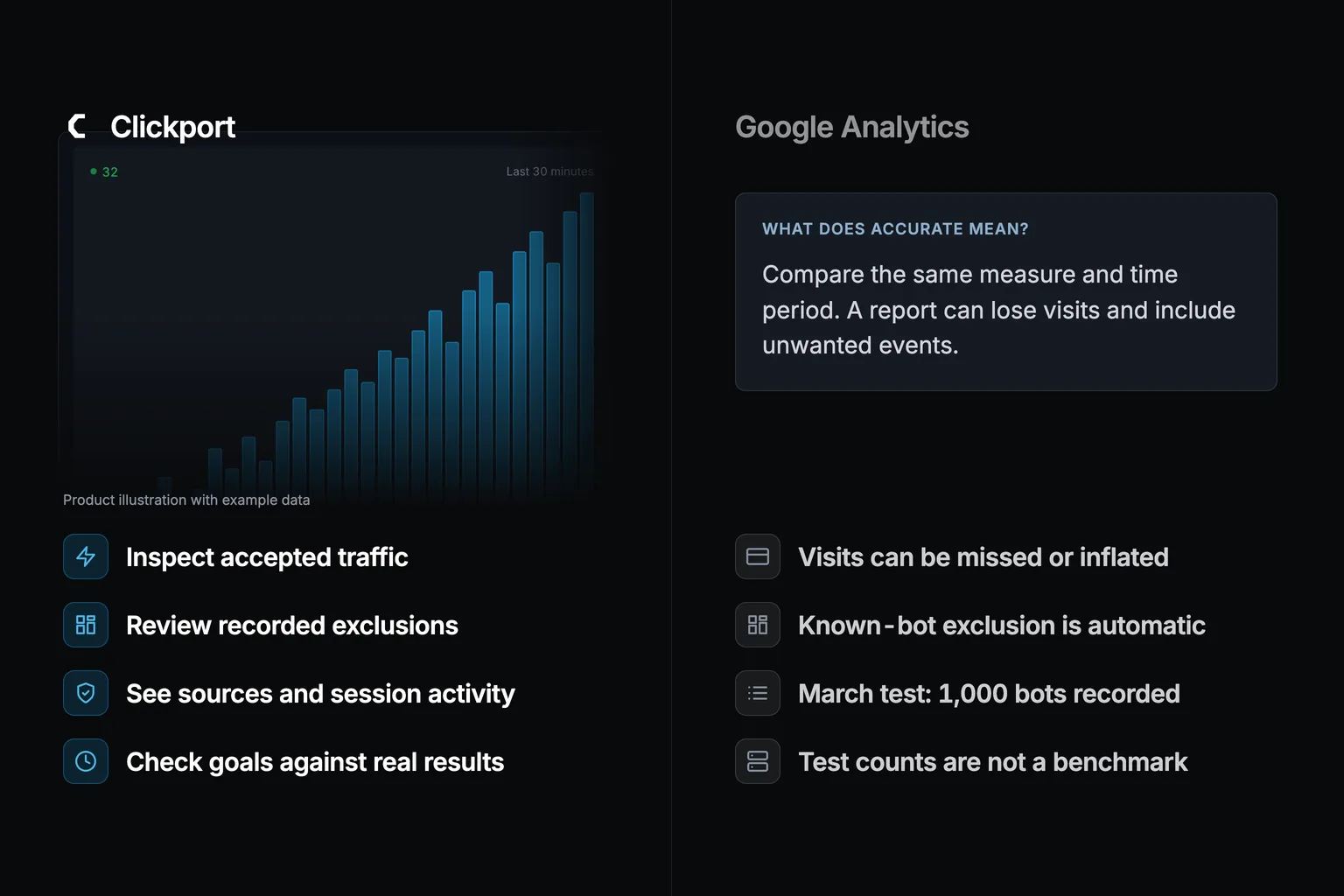
- GA4 excludes known bots automatically but does not show the excluded count. A separate March test reported 1,000 bot sessions counted by GA4. That result is not a universal miss rate.
- GA4 also guesses and hides. Explorations sample above 10 million events, thresholds hide small rows, and rarer pages get dumped into one '(other)' line. The escapes are a BigQuery pipeline or paying for Analytics 360.
- Duplicate tags, messy UTMs and missing filters are genuinely fixable. Fix every one and GA4 still loses roughly 10 to 30 percent, driven by consent and cookies. That floor is the real reason to switch. And no client-side tool, mine included, beats an ad blocker.
So is GA4 accurate? The short answer
No. The cleanest proof is to hold GA4 up against reality and see if it matches. Andy Crestodina of Orbit Media compared 33 Google Analytics accounts against the businesses' real records. Those records were real newsletter signups in their email tool, real demo requests in their CRM, and real orders in their store. About 60 comparisons in all. GA4 came in lower than reality every single time. It missed 11.2 percent of the traffic on sites with no cookie banner, and 20.3 percent on sites that had one.
So a banner roughly doubles the loss. That banner is where the damage starts, and it's the first structural problem I get to below.
One disclosure first. I build a competing tool, Clickport, so I have a stake in this. That cuts both ways. It means I'll point you to the places where a different kind of tool genuinely wins. It also means I'll tell you where GA4's problem is plain physics, the kind that hits any client-side tool, mine included. (Client-side just means the tracking runs as a small script inside the visitor's browser. That's how GA4 works, how Clickport works, how nearly every analytics tool works.) Some of what follows you can fix this afternoon. Most of it you can't fix at all.
Why your real visitors go missing: consent and cookies (structural)
This is the big one, so it goes first. GA4 works by setting cookies in the visitor's browser. Under GDPR and laws like it, you usually need permission before you set those cookies. That's why half the web now greets you with an "Accept cookies?" banner. And here's the catch. When someone clicks "Reject," GA4 isn't allowed to set its cookies, so that visitor goes more or less invisible. They read your page. They maybe buy something. GA4 either never counts them or counts them as a vague scrap.
No setting fixes this, because it isn't a bug. It's the entire legal arrangement GA4 runs under. A cookie banner that does its job is a cookie banner that loses you data.
That same study put a number on it I keep coming back to. On their own site, with the banner hidden, GA4 missed 15.8 percent of visitors. With the banner shown, it missed 55.6 percent. Same site. Same visitors.
Which means the banner on its own wiped out more than half the traffic.
This is exactly where a different kind of tool changes the math, and I want to be precise about why. A privacy-first, cookieless tool sets no cookies and needs no consent banner, so there's no "Reject" button for people to vanish behind. That isn't a clever trick for recovering lost data. It's just not losing the data to begin with. Clickport counts those declined visitors because it never had to ask. A cookieless tool doesn't end the consent question, because the rules differ by country. I wrote up the legal background in is Google Analytics legal and on the GDPR compliance page.
That's the cleanest win in the whole article. Not "more accurate modeling." Zero loss instead of up to 55 percent loss, because the question that throws the data away is never asked.
How GA4 fills the gap with guesses, and labels them as facts (structural)
Here's the part that surprises people. When a visitor declines consent, GA4 doesn't leave a blank. It guesses that visitor with machine learning, then folds the guess into the same reports as your real, measured data. No label tells you which is which.
Google calls this "behavioral modeling" and "modeled conversions." Its own documentation is open about the blend. GA4 reports observed and estimated activity together, in one figure. So when a report says 8 conversions, that might be 5 it saw and 3 it made up. In the normal interface you have no way to tell them apart.
Two real problems sit inside this. First, you're making decisions on a number that's part guess, dressed up as pure measurement.
Second, and this one is sneaky, the modeling only switches on for big sites. Google's docs spell out the thresholds and they're high: roughly 1,000 consent-denied events a day for a full week, plus 1,000 consenting users a day. Most small and mid-size sites never get near that.
That means for the average business, GA4 doesn't even guess at the missing visitors. It simply drops them on the floor.
A cookieless tool steps around all of this, and again not by guessing more cleverly. It has no consent-denied visitors to model because it didn't lose any. There's nothing left to estimate.
Does GA4 count bots as real visitors? (structural)
It can count automated sessions that pass its checks. That can increase recorded traffic, even when missing visits reduce it elsewhere.
Google says GA4 identifies known bots through Google research and the IAB/ABC list. The exclusion runs automatically, and its excluded count is unavailable.
That documentation does not describe the complete filter. It does not support the claim that changing a browser name makes every bot pass. For scale, the Imperva 2025 Bad Bot Report says automated traffic was 51 percent of all web traffic in 2024, with malicious bots at 37 percent. That is a network-level figure. Network reports about crawler requests cannot establish the bot share inside your GA4 property.
In my separate March bot experiment, I reported results for 1,000 automated sessions across five setups. Keep the scope in mind when reading the numbers:
The last column matters: 200 test sessions passed my tool too. That shows a limit in those setups. It does not establish a fixed detection limit for every analytics tool.
Clickport adds a view of recorded exclusions and their detection methods. I use that view with the Sessions panel to investigate unusual activity. It does not certify that every accepted session is human.
Correction, 9 September 2026: I removed the claim that one in five visits was a bot and that GA4 would miss most of them. The April study mixed blocked detector requests with accepted event rows. It did not measure a visitor bot share or compare those requests in GA4. Read the method and correction.
For an unusual increase, start with the five traffic checks. A Direct traffic spike is a reason to investigate, not a bot verdict.
Does GA4 sample your data? (structural, on the free version)
Yes, on the free version almost everyone uses, and there's no off switch for it inside GA4. "Sampling" means GA4 stops counting all your data and starts estimating from a slice, then scales the answer back up. Google's own word for a sampled report is "directionally accurate," which is a polite way of saying roughly right, don't trust the decimals.
When does it start? An Exploration is GA4's flexible report builder. On a free property, it starts sampling the moment your query has to look at more than 10 million events inside the date range. An "event" is any single action GA4 records: a page load, a click, a scroll, a form submit. One visitor fires ten or twenty without trying, which is why 10 million events is far fewer people than it sounds. In practice, a three-month report on a normal-busy site sails straight over that line. The paid version, Analytics 360, lifts the bar to 100 million and up. That one has historically started in the tens of thousands of dollars a year.
There's a common myth that standard reports are never sampled, so just use those. It's half true. The basic reports run on small pre-summed tables and stay unsampled, right up until you add a second dimension, a comparison, or a filter. Do any of that and GA4 drops back to the samplable data underneath, without a warning. The moment you ask a report an interesting question, you're back in sampling territory.
A cookieless tool like Clickport queries every event it recorded, so there's no sampling setting to switch off, because the thing was never built in. It's also why I keep the whole product deliberately simple: full data, and no estimation layer sitting on top to second-guess.
Why GA4 hides rows of your own data (structural, inside the reports)
This one upsets people the first time they hit it, because it looks like data loss when it's really data hiding. GA4 collected the data. It just refuses to show you some of the rows.
There are two separate mechanisms here, both documented by Google. The first is data thresholding. To stop you from picking out individual people, GA4 holds back any row where the numbers are small. It does this most when you have certain Google features switched on. I measured how much this hides: on the median site, about 90% of your report rows fall under the line. That means the typical breakdown shows you one row in ten. Google says it plainly: "data thresholds are system defined. You can't adjust them." Your totals look right, then a breakdown loads almost empty, with no clear warning why.
The second is the "(other)" row. GA4 caps how many rows a report will hold and puts everything past the cap into one line labelled "(other)." Google's own example is harsh. A site with 150,000 pages and a 100,000-row limit gets its least-common 50,000 pages merged into a single "(other)" row.
Run a content site with a long tail, and a third of your pages disappear into one line.
How do we know the data is really there and merely hidden? Because GA4's raw BigQuery export, the underground pipe to the events it really collected, has none of this. No thresholding, no "(other)," no sampling. Every row is sitting there. The hiding happens only in the interface you look at day to day. That's the tell. It's a reporting limit, not a collection limit. If you have ever wrestled with the cousin of this problem, the "(not set)" label, I broke that one down in (not set) in GA4.
Clickport doesn't threshold rows, because it holds no individual identities to protect, so there's nothing to hide on privacy grounds. This is the kind of problem you only get once you have built your analytics on top of personal identifiers.
Why GA4 never matches Google Ads, Search Console, or your own database
If you have ever put GA4 next to Google Ads and watched the conversion counts disagree, you aren't doing anything wrong. They aren't supposed to match, and Google says so. Google just doesn't tell you that up front. The short version: your own order or signup database is the closest thing you have to the truth. Every browser-based tool, GA4 included, sits below it. Here's why each one disagrees.
Start with the strangest disagreement of all. GA4 disagrees with itself. The number on your GA4 screen doesn't match GA4's own raw data export for the very same dates. The on-screen version carries extra layers: the sampling, thresholding, and modeling from earlier, plus a quick-estimate shortcut Google uses to count very large tables fast. Google documents the precision as plus or minus 1.63 percent on session counts. Small, but that means the "exact" figure on your screen is itself a guess.
Then the cross-tool gaps, which all have dull, real reasons:
- Google Ads pins a conversion to the day of the click. GA4 pins it to the day of the conversion. Those can be up to 90 days apart, so the same sale falls into different weeks in the two tools. Ads also strips out invalid clicks that GA4 still counts.
- Search Console counts a click on the results page, before the visitor has even arrived. GA4 counts a session after your tracking script fires. Google says outright that the two aren't meant to match.
- Your database counts every real order. GA4 counts only the ones whose browser tracking survived the trip, which loops us straight back to consent, ad blockers, and payment redirects.
Some of this is fixable. You can line up the attribution settings and date ranges and pull the tools closer together. They will never fully agree, though. And the reason GA4 sits below your own database is structural, not a setting you missed.
Ad blockers and browsers: one limit is shared, one is GA4's alone
Here's where my own tool stops winning on one axis and keeps winning on another. Two different things go on here and people mash them into one. Neither fits the fixable-versus-structural split cleanly: one is a limit every tool shares, so it's no reason to switch, and the other is GA4's alone.
The shared limit: ad blockers. Many people run an ad blocker or a privacy browser. It stops the analytics script before it loads. Around 29.5 percent of internet users worldwide use one, and it runs higher on desktop. uBlock Origin blocks Google Analytics out of the box, and Brave blocks trackers for all 100-million-plus users by default.
Here's the part most marketing pages leave out. An ad blocker blocks any client-side analytics script. It blocks GA4. It blocks Clickport. On this axis no client-side tool is the hero. If a visitor blocks the script, nobody on the client side sees them. I'd rather just say so.
The GA4-only limit: cookie expiry. This one Clickport does dodge, because it's a cookie problem and Clickport has no cookies. Safari's tracking prevention caps cookies set by script to 7 days, sometimes down to 24 hours. Firefox jails cookies per-site by default. GA4 knows a returning visitor by a cookie, so when that cookie expires, the same person gets counted as brand new again and again. That inflates your "new users" and breaks any returning-visitor analysis. A cookieless tool has no client-side cookie to expire, so this whole class of decay never applies.
Clickport blocked
Clickport not affected (no cookies)
So here's the line. I can't beat an ad blocker, and neither can GA4. But Clickport has no cookie for Safari to expire.
The fixable stuff is real, but fixing it isn't the answer
Time to be fair to GA4. A good chunk of the inaccuracy people complain about is self-inflicted, and it really is fixable. If your GA4 looks wrong, check these before you blame the tool:
- Duplicate tags. The tag installed twice (theme plus a plugin plus Tag Manager) double-counts everything. That "GA4 shows 500 percent more sessions" horror story is usually this, or bots.
- Messy UTMs. A UTM is the little tag you bolt onto a link (the
utm_source=newsletterbit) so GA4 knows where a click came from. TypeNewsletteron one link andnewsletteron another and GA4 reads them as two different sources. Inconsistent tags scatter your traffic across rows that should be one. - Missing filters. No internal-traffic filter and your own team's visits count as customers. No referral exclusions and your payment provider turns up as a "source."
- The 14-month wall. GA4 deletes your data after a set window by default. I covered that trap in GA4 data retention.
Fix all of those and GA4 reports more cleanly. I mean that. But here's the verdict nobody else seems willing to write down plainly. When you have fixed every fixable thing, the structural floor is still there. Real-world studies put that leftover loss at roughly 10 to 30 percent in normal conditions. Once a consent banner is on the page, it's over 50 percent. Google's own documentation lays out the machinery behind it: sampling, thresholding, and modeled data. You can't configure your way out of consent rejection, cookie expiry, bot blindness, sampling, thresholding, or modeled data. They aren't bugs. They're the product.
✓ Inconsistent UTMs
✓ Missing internal/referral filters
✓ Short data retention
✓ Cross-domain setup (across two of your own domains)
✗ Cookie expiry on Safari/Firefox
✗ Bot blindness
✗ Sampling
✗ Thresholding and "(other)"
✗ Modeled data shown as fact
Want a rough sense of what that structural floor is costing you in particular? We built a free GA4 data loss estimator. Feed it your traffic mix and it ballparks how much GA4 is likely missing to ad blockers, consent, internal limits, and bots. No signup, and it takes a minute.
Where every analytics tool, including Clickport, is still limited
I'm not going to close on a sales pitch that pretends my tool is perfect. It isn't, and you'd be right to stop trusting the rest of this article if I did. Three honest limits that hit any tool built like mine:
- Ad blockers can block Clickport too. Same as GA4. Our own docs put the potential loss anywhere from 6 to 60 percent depending on audience. A first-party setup, where you serve the tracker from your own domain, cuts it down. Nothing wipes it out.
- Cookieless means no cross-session identity. Clickport sets no cookies, so it can't follow the same person from one visit to the next. No returning-visitor reports, no lifetime-value, no multi-week customer journeys. That's a deliberate trade for privacy, not an oversight, but if those reports are your whole world, go in knowing it.
- Soft 404s fool everyone. A broken page that hands the browser a normal "OK" status is invisible to any client-side tool, mine included. We do auto-catch the real 404s that GA4's setup misses on 39 percent of sites we tested. The soft kind is a gap that every tool shares.
That's the full picture. Not "Clickport sees everything." Clickport sees the structural things GA4 is built to miss. It shares the few limits that no browser-based tool can escape.
Frequently asked questions
Why would a bot accept cookies and load your analytics in the first place?
This is the question I get most, and it's a fair one. Plenty of bots are crude HTTP scripts that hit your server and leave without running a line of JavaScript. Those never reach your analytics at all. Any bot that shows up in a client-side tool like GA4 is, by definition, one that ran a real browser.
And that's most of the serious ones now. The modern scraping and automation stack is built on real headless browsers: Puppeteer, Playwright, headless Chrome. They run the full JavaScript stack by default, and your GA4 tag with it. So the moment a bot uses one to read a page, your analytics fires. Loading the tracker isn't a choice the operator makes. It's the default behavior of the tool they reached for.
The sophisticated ones go further, and on purpose. Think of scraping a JavaScript site, ad fraud, scalping inventory, watching competitor prices, or checking search rankings. All of these need a browser that behaves like a real one. Accepting cookies and firing trackers is the camouflage. It's how the bot looks human and slides past detection. The tracker firing isn't a slip-up. It's the disguise.
Isn't GA4 accurate then, and just bad at classifying?
In a narrow sense, yes, and it's worth being precise about it. In my 1,000-bot test, GA4 didn't drop a single one of those bot sessions. It counted all 1,000. What it got wrong was the label. It filed every one of them under "real users" instead of "bots."
But keep two things apart. That test measured GA4 overcounting, the bots it should have stripped out and didn't. It says nothing about the other direction: the real people GA4 never recorded because they declined the cookie banner. Those are still missing underneath. So "counted the bots it saw correctly" is stacked right on top of "blind to the humans it never saw."
And the raw count isn't the part anyone uses anyway. Nobody opens GA4 and makes a call on hit counts. They look at "users" and "sessions." Those figures go to the boss and into the campaign plan. They decide whether a page counts as working. And those are exactly the numbers the bots inflate. "Accurate at counting, wrong at classifying" is no defense of GA4. The classifying is the product.
Can't you just fix it with filters, events, or a custom dashboard?
You can improve it, and you should if you're stuck on GA4. But every fix runs into the same wall.
Switch from pageviews to events if you like, the bots that beat GA4's filter run JavaScript, so they fire events and clicks too. Build a custom dashboard and filter out crawler-like behavior if you like. But the moment the advice becomes "ignore the user count and rebuild it from events," you've already admitted the user count is broken. And a behavioral filter only catches the crude bots, after the fact.
The signals that separate a sophisticated bot from a person fire before any scroll or click. They are the webdriver flag, headless GPU strings, execution timing no human produces, and datacenter IP ranges. GA4 collects none of those by default. You can force a few in as custom parameters. But that means building your own bot detection and attaching it to GA4. Almost nobody does that, and that makes the point. Out of the box, GA4 can't see the things that tell a bot from a person.
Can't you just export to BigQuery and filter the raw data there?
This is the sharpest version of the question, because BigQuery is GA4's escape hatch for almost everything else. It gets you around sampling, around the thresholding that hides rows, around the "(other)" bucket. So why not bots too?
A BigQuery export lets you investigate the recorded events. It does not certify which events came from people. Google does not disclose the complete GA4 bot-detection process, so missing export fields cannot prove that its filter ignores a signal.
Would a firewall like Wordfence or a WAF fix it?
It helps at the edge, but it doesn't fix your analytics, and the reason is the one running through this whole article.
A firewall blocks known-bad IPs and attack patterns before the page loads, so it stops some junk from ever reaching GA4. But the bots that fool GA4 are real headless browsers on clean, residential IPs that load pages like a person. They aren't attacking anything, so the firewall lets them in. They run the JavaScript, and GA4 counts them. The bots that get past a firewall and the bots that get past GA4's known-bot exclusion are the same group: the ones built to look human.
Dedicated bot-management services, the kind that run JavaScript challenges and device fingerprinting, do catch more than a plain firewall. But that's a separate paid layer, and it still lives at the edge. It can block traffic. It can't put a human-versus-bot number inside your analytics. Edge security and analytics bot-filtering are two different jobs, and a tool built for one won't do the other.
So should you trust GA4, or switch?
Here's the decision, stripped right down.
If the inaccuracy bothering you sits in the fixable column, duplicate tags, messy UTMs, missing filters, then fix it and stay on GA4. It's free, and once it's cleaned up it's fine for a directional view. Switching tools to solve a duplicate-tag problem is hiring a moving truck to carry a grocery bag.
But maybe what breaks your decisions is the structural floor: the consent loss, the bots you can't see, the sampling, the hidden rows, the guessed conversions. Then no amount of GA4 configuration brings it back, because that's how GA4 is built. That's the real switch trigger. Not annoyance. Architecture.
Clickport shows recorded exclusions and the detection methods behind them. It also lets you inspect accepted sessions and goals. These views help you investigate the traffic; they cannot establish every missing visit or certify every remaining visitor as human.
If you've read this far, you already half-suspect your numbers are off. They probably are, in both directions at once. You can try Clickport free, no cookie banner, no sampling, no hidden rows, and see the gap for yourself. Or if you just want the lay of the land first, here's my GA4 versus Clickport comparison and a roundup of the main GA4 alternatives.

Comments
Loading comments...
Leave a comment