Why ChatGPT Traffic Shows as Direct in GA4 (2026)
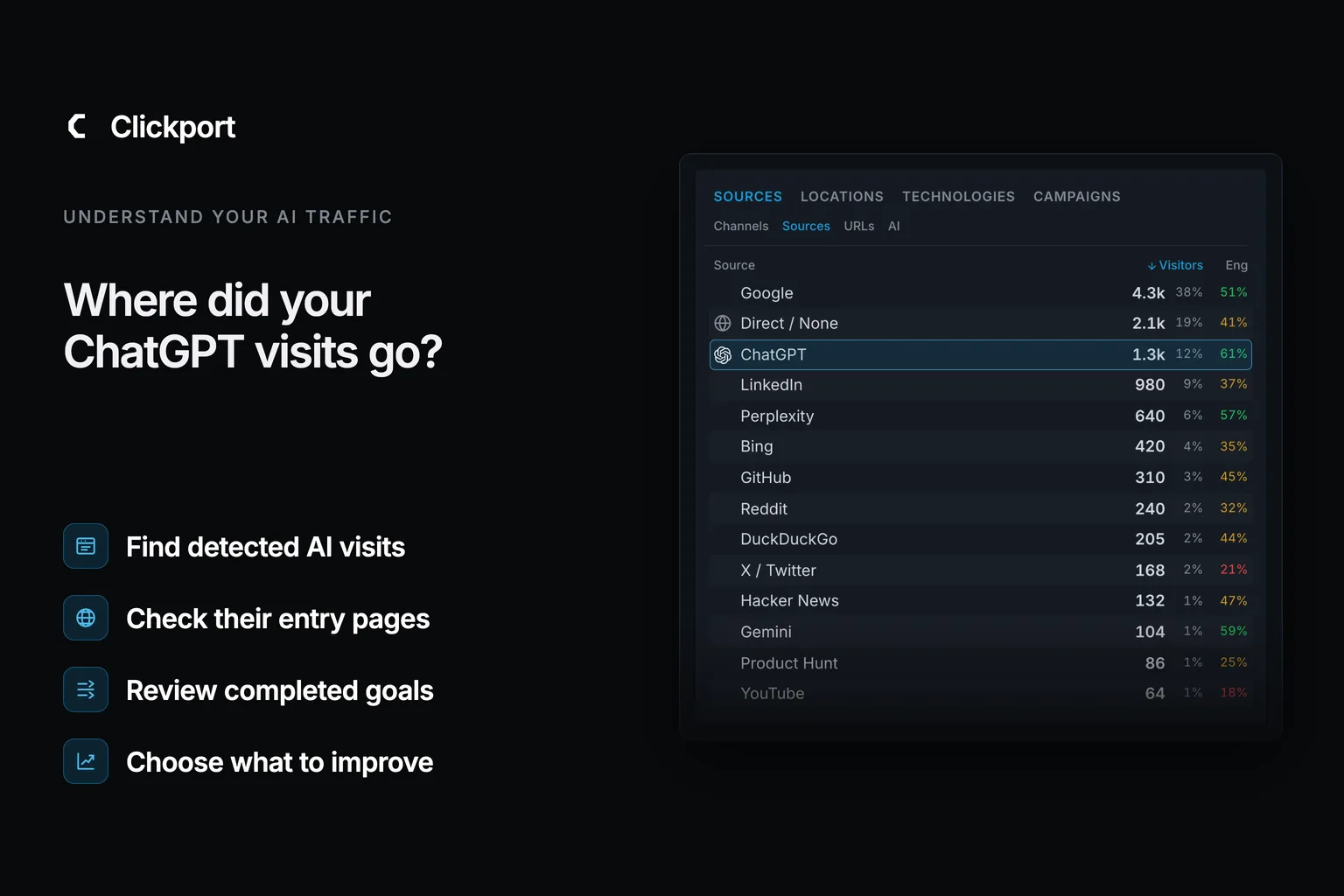
You open GA4 and Direct is up. You didn't launch anything. You have a suspicion, though: people are finding you in ChatGPT.
You could be right. ChatGPT traffic shows as Direct in GA4 when your website gets no information about where the visit came from. But that's only one of three cases. In the other two, the source is still there, and you can find it.
GA4 also has an AI Assistant channel now. Google introduced it on May 13, 2026. Older advice that says GA4 has no AI channel is out of date. That includes the previous version of this article.
Below, I show you why the source goes missing, how to find ChatGPT visits in GA4, and what our AI traffic study measured. I built Clickport for the question that comes next: do those visits bring enquiries and sales?
- ChatGPT traffic shows as Direct in GA4 when no referrer and no source tag arrive.
- GA4 has had an AI Assistant channel since May 13, 2026. AI Overviews and AI Mode stay in Organic Search.
- In our April 2026 snapshot, 935 of 2,619 recognized AI sessions (35.7%) had a source tag but no referrer.
- On sites with goals, 20.7% of AI Search sessions completed one, compared with 11.1% of Direct sessions.
- Clickport connects recognized AI visits to landing pages, engagement, goals, and payments.
Why can a ChatGPT visit lose its source?
Your website can receive two source signals. A referrer is the address of the website that sends a visitor. A UTM tag is a short label added to the link itself, such as utm_source=chatgpt.com.
The two travel separately. A link can hide the referrer and still keep its tag. OpenAI documents this source tag for ChatGPT Search referrals.
The tag is recent. ChatGPT Search launched on October 31, 2024. On June 13, 2025, the tag reached the "More" sources list too. Glenn Gabe noted it on X the same day:
Heads-up, this should jump the traffic levels in GA4 and other analytics tools for ChatGPT. That's because ChatGPT finally added utm parameters for "More" sources versus just the citations. Those links used to be standard links without utm parameters.
The tag travels in the address itself. So it survives when a link hides the referrer. That helps to explain a result in our study: more than a third of recognized AI sessions had a tag and no referrer.
When both are missing, the latest source is unknown. GA4 can report Direct, or keep an earlier source under its session attribution rules. Attribution means assigning a visit or a result to a source.
Google's rule for the Direct channel is one line:
Source exactly matches "(direct)" AND Medium is one of ("(not set)", "(none)")
In plain words, GA4 calls a visit Direct when it has no source for it. So Direct doesn't mean "typed the address". Bookmarks, typed addresses, and unlabelled links all get the same label. Google's Direct traffic guide explains these cases.
That's why I don't treat a rise in Direct as proof of more ChatGPT visitors.
What can your analytics identify?
A ChatGPT visit reaches your website in one of three ways. Choose one below to see what your analytics can do with it. These are examples. The tool doesn't scan your website or estimate hidden traffic.
Three example visits
The source website is known
The referrer can identify ChatGPT. GA4 recognizes known AI referrers through its AI Assistant channel.
Next: check whether these visits read useful pages or complete your goals.
A source and a channel answer different questions. The source names where a visit comes from. The channel groups sources into categories, such as AI Assistant or Organic Search.
So a visit can have a clear source and still land in a channel you don't expect. Unassigned means that the recorded information matches no channel rule. It doesn't mean that the source is missing. Check Google's current channel definitions before you change your setup.
How do you find ChatGPT traffic in GA4?
Start with the visits GA4 already records. Use the same date range for each comparison.
- Open Reports, then Traffic acquisition.
- Select Session source / medium above the table.
- Enter
chatgptin the table search and press Enter. - Check the sessions and their recorded medium.
- Click + beside the dimension, then select Session default channel group.
Google documents these controls in its Traffic acquisition guide. The report can sit under Acquisition or Generate leads, depending on your navigation.
Search for the source before you rely on a channel total. Google's AI Assistant rule uses the medium ai-assistant. Google AI Overviews and AI Mode remain in Organic Search, as its channel definitions explain.
Use Session dimensions for this check. First user dimensions describe how someone originally arrived. Google explains the difference in its traffic-source scope guide.
Then check one real journey. Open a link to your website from a ChatGPT answer. Look at the final address for a source tag. If your website redirects the visitor, check the address after the redirect too.
An empty search result doesn't prove that nobody came from ChatGPT. It only tells you that this report has no matching row for the period.
Can you estimate the ChatGPT share of Direct?
Not as a number. But you can check whether the two move together. I watch three numbers over the same period:
- Direct sessions as a share of all sessions.
- Sessions from identified AI sources, in the AI Assistant channel or in your own channel group.
- Impressions for your brand name in Google Search Console. Some people see a brand in an AI answer and search for the name later.
If all three rise together, AI discovery is probably part of the rise in Direct. If only Direct rises, look for another cause. It can be bot traffic, a campaign that lost its tags, or an app that dropped its tracking.
Treat the result as a hint. It isn't a measurement.
Do you still need a custom channel group?
Before May 2026, a custom channel group was the only way to see AI traffic as its own channel in GA4. It's still useful when you want your own grouping. The GA4 AI Assistant channel guide explains what the native channel covers and what it misses.
Build it under Admin → Data settings → Channel groups. A standard property can create two custom groups. Google's custom channel guide says the groups apply to your reports retroactively.
The same guide gives this example rule for AI assistants:
^.*ai|.*\.openai.*|.*chatgpt.*|.*gemini.*|.*gpt.*|.*copilot.*|.*perplexity.*|.*google.*bard.*|.*bard.*google.*|.*bard.*|.*.*gemini.*google.*$
It's a starting point. Test it against your own source list before you rely on it. Here is a stricter rule that names 13 AI domains:
(chatgpt\.com|chat\.openai\.com|perplexity\.ai|claude\.ai|gemini\.google\.com|copilot\.microsoft\.com|phind\.com|kagi\.com|you\.com|deepseek\.com|grok\.com|meta\.ai|andi\.ai)
Set the condition to Source matches regex, and place the rule above Referral. Don't require a medium. ChatGPT's tag sets utm_source only.
A custom channel regroups visits whose recorded source matches your rule. It can't recover a source that never arrived. No rule can match a visit with no signal. The note on custom channels below has the details.
What did our original AI traffic study find?
I saved a 30-day Clickport snapshot on April 23, 2026. It covers the preceding 30 days across the sites we measure.
First, the size. Recognized AI Search made up 0.7% of all recorded sessions. That means fewer than one in 100 recorded visits had an AI Search label.
That's small. So I checked two more things: how those visits arrived, and whether they completed a goal. A session is a recorded visit.
Which source signals arrived with the AI visits?
35.7% of recognized AI Search sessions had no recorded referrer. Their source tags still supplied an AI label. That's 935 of 2,619 sessions. In practice, the tag did the work. Without it, more than one in three of these visits would have no AI label.
30-day Clickport snapshot saved April 23, 2026
Source signals in recognized AI Search sessions
Within that same sample, 33.1% carried only the exact utm_source=chatgpt.com tag, with no recorded referrer. That's 867 of the 2,619 sessions. The share is of all recognized AI sessions, including other AI platforms.
One limit matters here. This study measured what Clickport recorded. It did not measure a GA4 loss rate or the AI share of Direct traffic. A visit that arrives with neither signal is outside the sample, and no tool can label it.
Another vendor measured a higher share. Loamly reported in February 2026 that 14,413 of 20,428 AI visits, or 70.6%, arrived without a referrer. The two figures come from different samples and different detection methods, so I don't expect them to agree. Each one describes the websites that use that product. Neither describes the whole web.
Clickport checks both signals automatically.
Which AI sources appeared most often?
ChatGPT accounted for 76.1% of recognized AI Search sessions in the snapshot, or 1,994 of 2,619. Here are the recorded source labels, grouped by platform:
30-day Clickport snapshot saved April 23, 2026
Recorded AI source mix
| Source group | Share of recognized AI sessions |
|---|---|
| ChatGPT | 76.1% |
| Perplexity | 13.8% |
| Gemini | 6.5% |
| Copilot | 1.8% |
| Claude | 0.5% |
| Kagi | 0.5% |
| DeepSeek | 0.1% |
| Other recorded labels | 0.7% |
A larger study points the same way. Conductor's 2026 benchmark analyzed 13,770 domains. It found that 87.4% of AI referral traffic comes from ChatGPT.
Your source mix can differ. The Sources report in Clickport shows which recognized AI sources send visits to your website.
Did the AI visits complete configured goals?
On sites with configured goals, 20.7% of AI Search sessions completed a goal, compared with 11.1% of Direct sessions. That means AI Search visits completed a goal almost twice as often.
Same 30-day snapshot: subset with configured goals
Sessions completing a configured goal
- AI Search
- 20.7%
- Direct
- 11.1%
The subset is small: 87 AI Search sessions and 1,184 Direct sessions. It's also self-selected, and goals differ by site. So I treat this as a reason to check your own numbers. I don't treat it as a benchmark.
Other reports point the same way. Seer Interactive measured a 15.9% conversion rate for ChatGPT visits on one client, compared with 1.76% for Google organic search. A Search Engine Land analysis of 13 months of client data reported about 18% for visits from AI assistants.
Choose a goal that matters to your business. Then compare the AI sources and landing pages that complete it.
Read the historical study method and corrections
Period and sample. The saved study covers the preceding 30 days as of April 23, 2026. It is an uneven, self-selected subset of the sites we measure. The 0.7% figure uses all recorded sessions in that snapshot.
Source-signal percentages. The 35.7%, 33.1%, and three signal-chart percentages use all 2,619 sessions already classified as AI Search. The counts are 935 sessions with a source tag only and 867 with the exact chatgpt.com tag only. Visits with no recognized AI source signal are outside that denominator. The 33.1% figure uses the exact chatgpt.com source tag; it is not a missing-referrer rate within ChatGPT traffic.
Source grouping. The platform table's referrer flags do not fully reconcile with the signal summary. I use the signal summary for the signal chart. The platform table groups the separately saved source labels. Source labels can survive when someone copies or shares a link; they do not independently prove where it was clicked.
Goal results. The 20.7% and 11.1% rates use only the subset with configured goals: 87 AI Search sessions and 1,184 Direct sessions. Each rate divides sessions that completed a configured goal by sessions in that channel. Goals and traffic composition differ across sites. These figures describe the pooled historical results.
What the archive preserves. It contains an aggregate study note, not the original query, individual session records, exact timestamps, or timezone. It does not establish why a referrer was missing or measure GA4 reports. I do not use these figures to estimate unidentified ChatGPT visits.
What did the browser test show?
On September 9, 2026, I checked six controlled navigation cases in Brave. Both tagged examples kept utm_source=chatgpt.com even though their referrers were empty. In practice, the tag can identify a source when the referrer can't.
The ordinary cross-origin link kept the source website. Its privacy setting removed the page path, which is the part after the domain. It didn't remove the source itself.
Links configured to suppress the referrer sent none. Direct navigation without a tag supplied neither signal.
This was a local browser test. The source label was synthetic. I didn't test live ChatGPT links or a GA4 property. The six cases explain how source information can survive. They don't show how much traffic your website loses.
The result is simple: a missing referrer doesn't automatically mean an unknown source.
Test details and the older 35.7% figure
The historical study above contains the traffic findings. The details below explain the browser test and the source-report checks.
How the six-case browser test works
The test uses two pages running locally on one computer. They use different ports, so the browser treats them as different origins. The source sends Referrer-Policy: strict-origin-when-cross-origin. The receiving page records both the request referrer and document.referrer.
| Navigation | Referrer received | Source tag received |
|---|---|---|
| Ordinary link | Source origin | None added |
Link with noreferrer | Empty | None added |
Link with no-referrer policy | Empty | None added |
Tagged noreferrer link | Empty | chatgpt.com |
| Direct navigation to tagged URL | Empty | chatgpt.com |
| Direct navigation without tag | Empty | None added |
The request and document referrers agreed in all six cases. The normal link preserved the address of the source test page. Both tagged cases retained the synthetic utm_source=chatgpt.com value.
To repeat the check, serve a source page and a receiving page on two different local ports. Set the source policy shown above. Compare an ordinary link with the same link carrying rel="noreferrer". Add ?utm_source=chatgpt.com to the second destination and inspect the received URL.
The recorded results preserve the exact local address, browser details, and each test outcome. No analytics tracker runs in this test. It doesn't measure ChatGPT app behavior, paid or free plans, redirects, consent effects, or GA4 reports. Local HTTP doesn't test an HTTPS-to-public-HTTP downgrade. The six cases are examples, not a representative traffic sample.
Which link settings remove the referrer?
The common strict-origin-when-cross-origin policy preserves the source origin on ordinary HTTPS links between websites. It removes the path. Chrome's explanation shows that distinction.
The noreferrer link setting suppresses the referrer. The noopener setting alone doesn't. The HTML standard defines this behavior.
Neither setting inherently removes a tag from the destination URL. A redirect can lose the tag if its destination omits it. That depends on the redirect, as the Fetch standard explains. I don't apply a single rule to every current ChatGPT app or plan.
Can tags or custom channels repair old GA4 reports?
Google maps utm_source and utm_medium to manual source and medium. Its tagging documentation warns that missing values can produce (not set). A source-only tag doesn't guarantee one channel.
A custom channel can regroup historical traffic when its recorded source matches your rule. Google's custom channel guide explains the retrospective reporting behavior. The rule can't create source information that was never recorded.
If you inspect tags in GA4, use source dimensions or Page location. UTM parameters don't appear in Landing page + query string. Google's campaign URL guide documents that reporting detail.
How does Clickport help you act on AI traffic?
Finding the visits is the first step. The second step is to learn what they're worth.
Clickport recognizes supported AI sources from referrers and source tags. Clicks on ChatGPT ads count separately, as paid visits (ChatGPT ads tracking explains the setup). Then it follows each visit. You see the page where it starts, the active time, the scroll depth, and whether the person completes a goal or pays.
Here is one example of what you can connect:
Illustrative example
From ChatGPT to a €49 purchase
- AI source
- ChatGPT
- Landing page
/pricing- Engagement
- 45 seconds active, 75% scroll depth
- Configured goal
- Purchase
- Connected payment
- €49
Example values for one visit that leads to a purchase. The payment integration links the checkout to this recorded visit.
The €49 payment is linked to ChatGPT and to the page where the visit starts. That means you can compare sales by source and by landing page. It gives you a reason to improve a page, or to publish more on its topic.
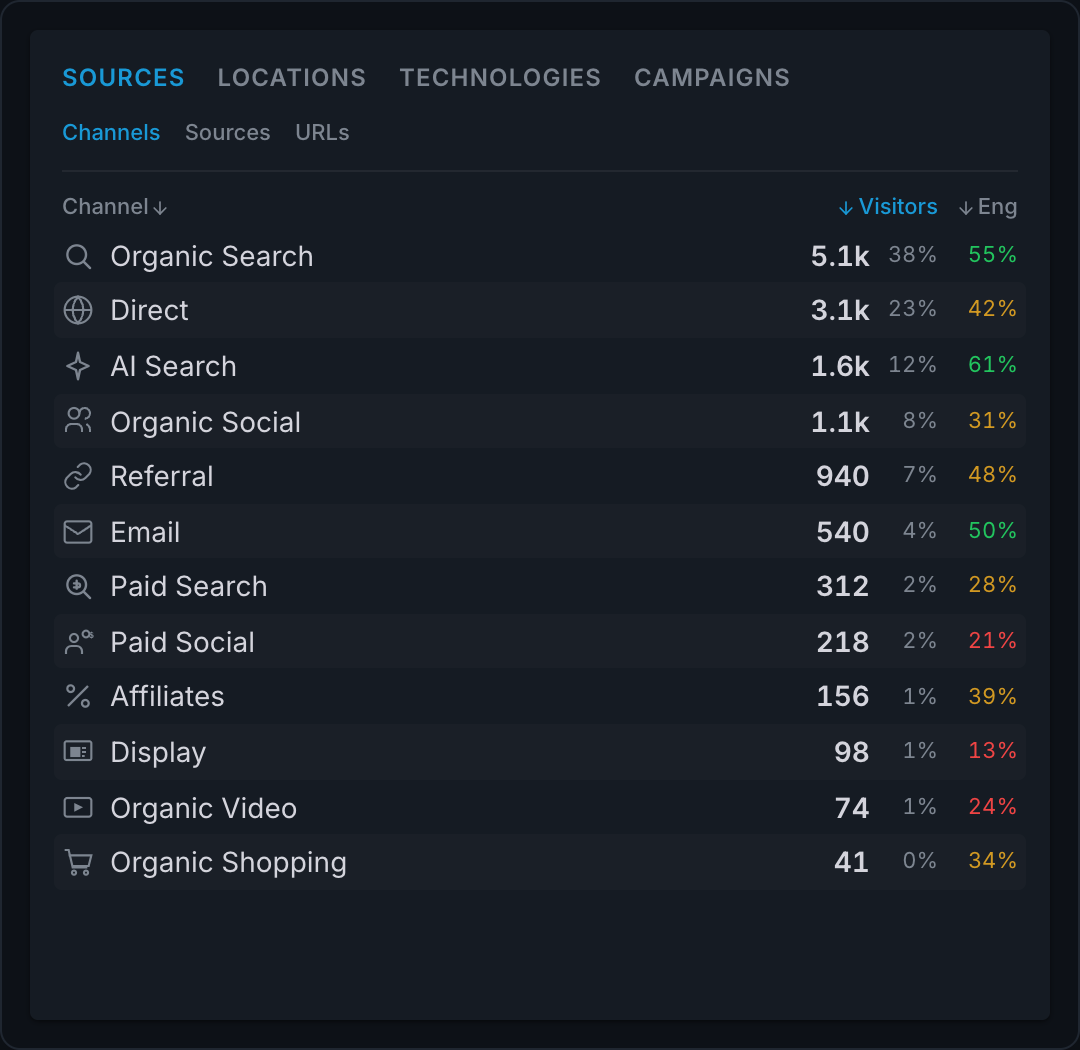
Use the same path on your website:
- Select AI Search under Sources → Channels, then ChatGPT under Sources → Sources when that row appears.
- Open Pages → Entry to find the landing pages. Switch to Pages → Top, then select Duration or Scroll above the chart.
- Select a configured goal under Goals → All. The source reports show conversions and conversion rate for that goal.
- Clear the goal filter before reviewing payment revenue. Keep the AI source filter active.
- Activate Revenue in the header to compare payments by source. Add an Entry page filter to see revenue for visits that start on a specific page.
Open Sessions to inspect one visit's page timeline and recorded actions. You can move from a source total to the activity behind it.
A goal is an action you choose to measure, such as a completed enquiry or a purchase. Add one under Settings → Goals & funnels → Goals.
For payment reports, connect Stripe or Paddle, or use the Revenue API. Follow the integration guide to link payments to their visits. The revenue view then shows attributed payments. A fixed goal value remains an estimate.
Clickport has limits too. It needs a recognizable source signal, the same as any tool. Paid and email campaign rules can take priority over AI Search. And payment attribution links a payment to one recorded visit. It doesn't join every later purchase across devices or return visits.
Start your 30-day free Clickport trial and find which AI sources and pages bring results. All features are included, with no credit card required. The setup guide helps you verify your first visit.
FAQ
Does GA4 have an AI traffic channel?
Yes. GA4 has an AI Assistant channel since May 13, 2026. It recognizes known AI referrers. Google AI Overviews and AI Mode remain in Organic Search.
Does no referrer always mean Direct traffic?
No. A URL tag can preserve the source without a referrer. GA4 can also keep an earlier source under its session attribution rules. Check Session source / medium.
How much of my Direct traffic comes from ChatGPT?
A Direct total can't answer that. You need source information or separate evidence to identify a ChatGPT visit. The older 35.7% figure describes detected AI sessions, not the AI share of Direct. The three-number check above gives you a hint.
Can Clickport identify every ChatGPT visit?
No. Clickport recognizes supported AI sources from referrers and source tags. When neither signal identifies the source, Clickport can't establish that the visit came from ChatGPT.
Should I check AI visits or AI crawler activity?
Check human visits and configured goals to assess website outcomes. Crawler activity tells you that a system requests your content. It doesn't by itself prove a citation or a sale.
Find the visits first. Then find what they're worth.
A rise in Direct proves nothing on its own. A referrer, a source tag, or a GA4 search for chatgpt can. Start with the visits you can identify, and keep the unknown ones separate.
For the visits you can't identify, ask people how they found you and compare their answers with the recorded source.
Then ask what that traffic brings. In our snapshot, AI Search was 0.7% of sessions, and it completed goals almost twice as often as Direct. Traffic that small and that useful is worth measuring.
I built Clickport to measure it: the source, the landing page, the engagement, the goal, and the payment for each recognized AI visit.
Start your 30-day free Clickport trial. All features are included, and no credit card is required. The guide to switching from Google Analytics takes you through the setup.

Comments
Loading comments...
Leave a comment