Do You Need MonsterInsights? Free vs Paid (2026)
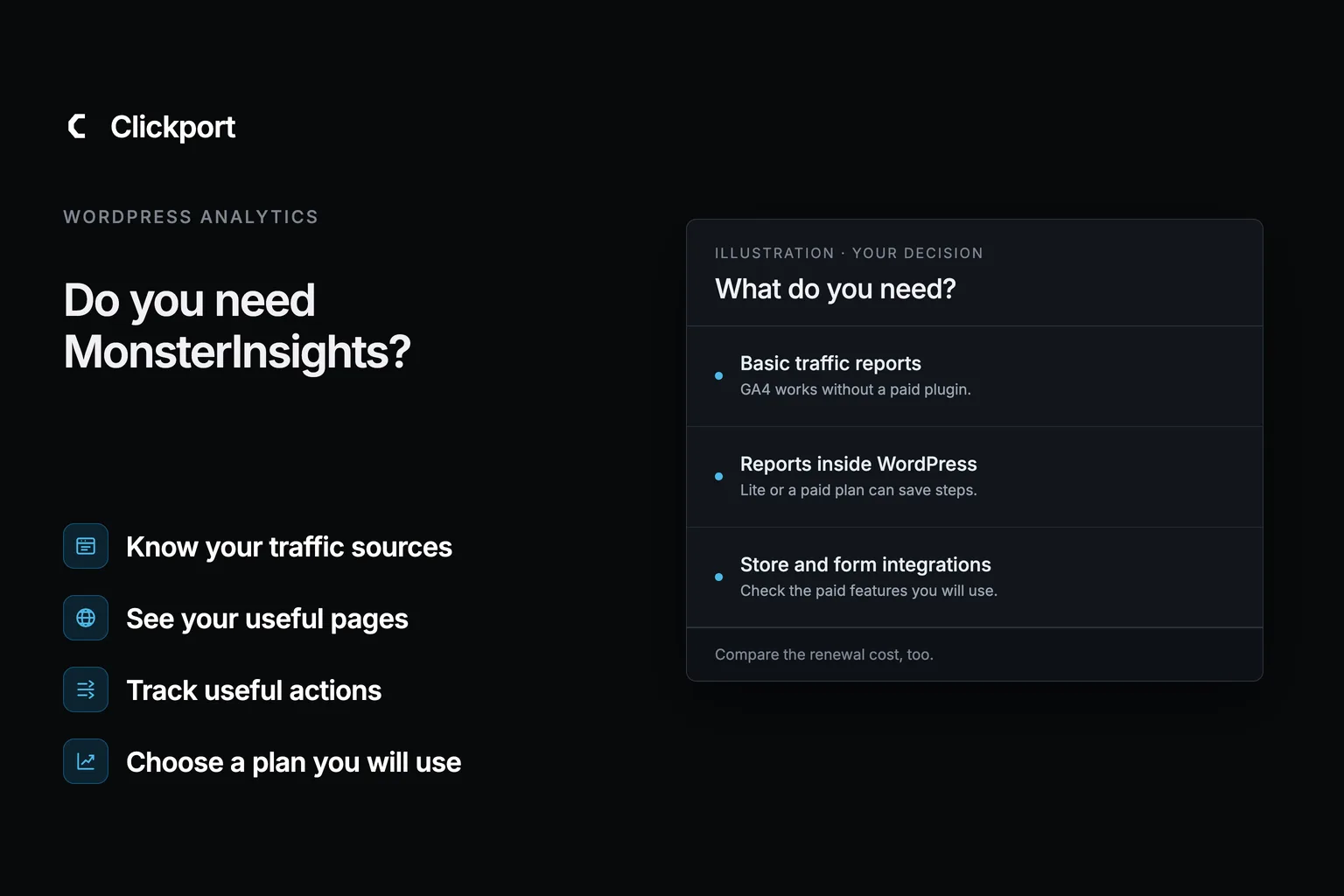
No, you don't need MonsterInsights for WordPress analytics. You can use Google Analytics without it, or choose an analytics tool with its own reports.
So the real question is what you'd pay for. This guide covers what the plugin does, what the free version gives you, what it costs after the first year, and the cases where a paid plan has a real job.
One disclosure first. I run Clickport, a competing analytics tool, so I'm not a neutral reviewer. I checked every price and feature below against the vendor's own pages, and I say where MonsterInsights is the better choice.
- No. You can use Google Analytics on WordPress without MonsterInsights. The plugin adds easier setup, reports inside WordPress, and integrations.
- MonsterInsights Lite is free and includes basic reports. Plus expands reporting. Pro adds form and store integrations.
- Prices checked September 9, 2026: Plus costs $99.50 for the first year, then $199 at renewal. Pro costs $199.50, then $399.
- Three years cost $497.50 for Plus or $997.50 for Pro at those rates, before tax. The calculation includes two annual renewals.
- If GA4 itself is the problem, a WordPress view of GA4 won't fix it. Clickport starts at €9 a month with every feature on every plan.
What does MonsterInsights do?
MonsterInsights connects your WordPress website to Google Analytics and brings reports into your WordPress dashboard. It can also set up extra tracking through its paid integrations. Its WordPress.org page showed more than 2 million active installations when I checked on September 18, 2026.
You still use Google Analytics underneath. The plugin helps with setup and presentation, but it isn't compulsory. Google documents other ways to install its tag on WordPress.
The main reason to choose it is the WordPress integration. A store that depends on its WooCommerce product reports has a specific reason to pay.
Is MonsterInsights Lite enough?
Lite can be enough if you want basic traffic reports inside WordPress. It's a free version, with no trial deadline.
Its Overview report includes sessions, pageviews, top countries, referrals, and popular posts and pages. A session is a visit. A referral is a visit from a link on another website.
Lite also handles tracking such as outbound links and downloads. Collecting an event and showing its detailed report inside WordPress are separate features. Some reports require a paid plan.
| Your main need | Where to start |
|---|---|
| Basic visitor numbers and popular pages in WordPress | Lite |
| More WordPress reports, flexible date ranges, and real-time reporting | Plus |
| Supported form and store integrations, including WooCommerce reporting | Pro |
| Reports directly in Google Analytics | GA4 without a paid MonsterInsights plan |
The WordPress.org listing covers both free and paid features. Don't assume everything on that page comes with Lite.
The old version of this article also said MonsterInsights had no AI traffic report. That was wrong. Its changelog records that feature in September 2025.
What does MonsterInsights cost after the first year?
Plus renews at $199 a year. Pro renews at $399 a year. Those are the full prices advertised with the introductory offers I checked on September 9, 2026.
This comparison focuses on Plus and Pro.
| Plan | Sites | First year | Annual renewal |
|---|---|---|---|
| Plus | 1 | $99.50 | $199.00 |
| Pro | 5 | $199.50 | $399.00 |
These are annual prices in US dollars, before applicable tax. Offers can change. If you already subscribe, check your own renewal notice.
The first-year discount applies once in the calculation below. A three-year Pro license costs $997.50 at these rates. That includes the first year and two renewals.
First year plus annual renewals
$997.50 over 3 years
Pro: $199.50 for the first year, plus 2 renewals at $399.00 each.
Does the reporting you use justify the $399.00 annual renewal?
Prices checked September 9, 2026. Assumes unchanged renewal rates. Excludes tax, upgrades, and additional offers.
Price sources, higher plans, and refund terms
I checked MonsterInsights' public pricing page and terms on September 9, 2026. Plus and Pro had the same prices in the main cards and the expanded comparison. The page says renewals use the full price.
The main cards also showed Elite at $299.50 for the first year, $599 at renewal, and five sites. The expanded comparison showed Agency at $399.50, $799 at renewal, and 25 sites. These are different advertised offers. Check the exact package and site allowance before you pay.
The advertised refund window is 14 days for new purchases. The refund guide excludes renewals. Cancelling renewal does not automatically request a refund.
The calculator uses: introductory price + (years − 1) × annual renewal. It does not predict future price changes or your account's renewal quote.
What does GA4 already track for free?
GA4 can collect several common interactions without a paid MonsterInsights plan. Its Enhanced Measurement setting enables extra events, which are records of visitor actions.
That includes outbound clicks, common file downloads, a 90% scroll event, URL-based site searches, and detected form interactions. Google's Enhanced Measurement guide explains the conditions.
A form interaction isn't the same as a qualified enquiry. A download isn't a sale. Decide what counts as a useful result before you build a report around it.
Store tracking needs more information. Google doesn't collect ecommerce events automatically. Product names, order values, and purchase events need code or a suitable integration. This is one reason a paid plugin can help.
What to check before relying on automatic events
Confirm that Enhanced Measurement and the relevant event settings are enabled for your web stream. A web stream is your website's data connection in GA4.
The scroll event fires the first time someone reaches 90% of a page. It isn't average scroll depth. Site-search detection depends on the search parameter in the URL. Download detection covers Google's listed file extensions.
Test your own forms, including failed submissions. Generic form events do not guarantee that every WordPress form plugin records a successfully delivered enquiry. Configure the specific lead event you need.
When is a paid MonsterInsights plan worth it?
Pay when you use the extra reports or integrations regularly. I would start with three checks.
- Do you want reports inside WordPress? If your team uses them there, convenience has value.
- Do you need a supported integration? WooCommerce sales and form-plugin reporting are stronger reasons to consider Pro than basic visitor numbers.
- Do the reports change a decision? A product report that helps you improve a store earns its place. A report you never open doesn't.
For example, a store owner might use product and purchase reports to check a promotion. A consultant might only need traffic sources and completed enquiry forms. Those are different jobs.
If you want to keep GA4 and need basic data, try the free route first. If GA4 itself feels difficult, paying for a WordPress view of GA4 may leave you wanting a different tool.
What if Google Analytics itself is the problem?
MonsterInsights makes GA4 easier to read. It doesn't replace it. If the reports underneath are what you struggle with, a different tool is the honest answer, and that's the case I built Clickport for. You get your own analytics dashboard without a Google Analytics account.
I want you to see more than a visitor count. Find which source brings enquiries, whether people read your offer, and where they stop before completing a goal.
| What you need | What you get with Clickport |
|---|---|
| Find the sources that bring results | Goals and connected revenue alongside sources, campaigns, and landing pages. |
| See what holds attention | Automatic scroll depth and active time show how people use each page. Time in a background tab is excluded. |
| Find where visits stop | Session timelines show individual visits. Funnels show where visitors leave a sequence. Flows reveal common paths. |
| Keep detected bots out of your reports | Automatic filtering excludes detected bots. Bot Center shows the detection reasons. |
| Use the full product | Every plan includes all features. You don't need a higher tier to unlock journeys, bot filtering, or revenue reports. |
See what to improve before buying more traffic
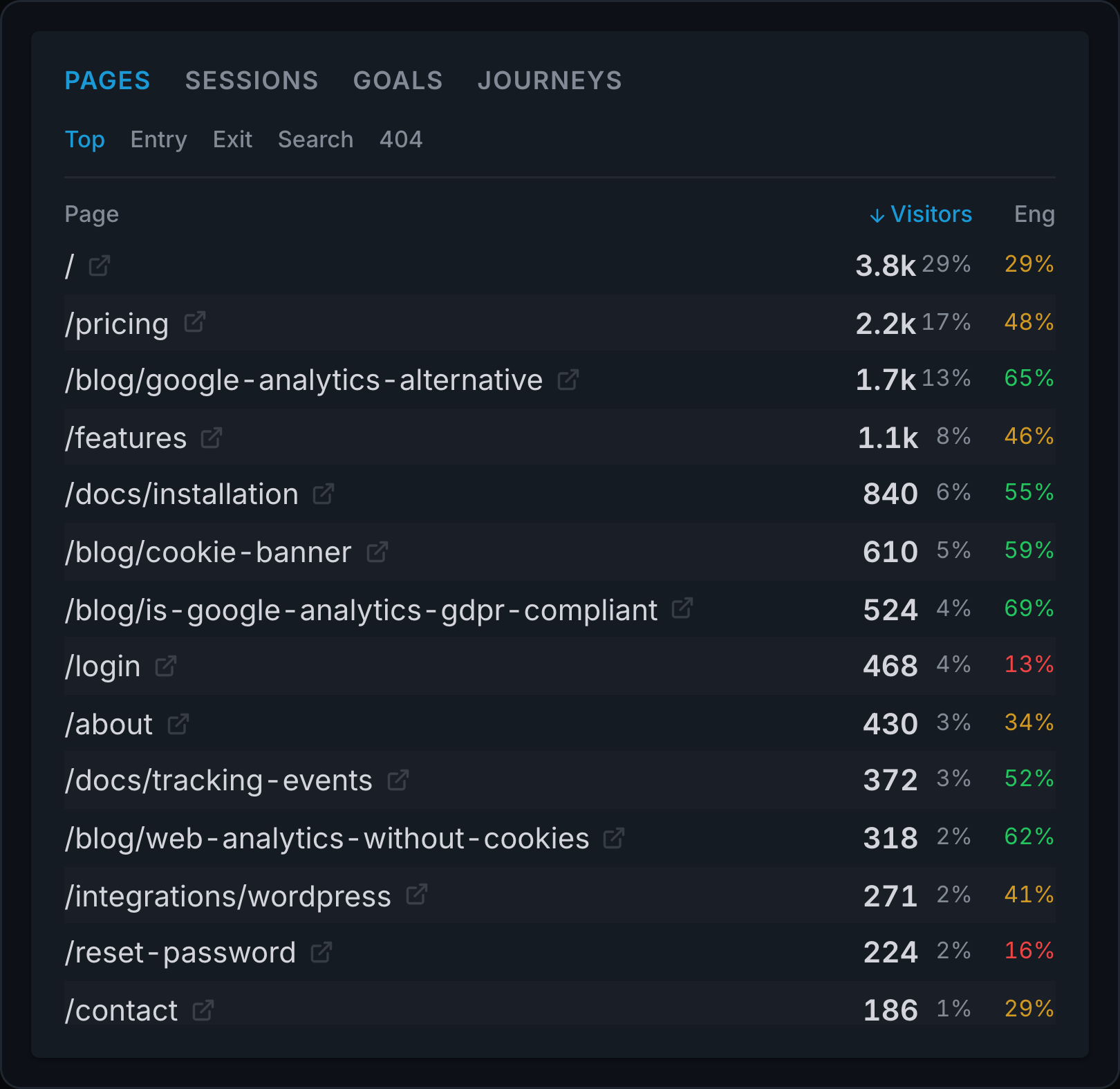
For an enquiry website, start with a goal for reaching the confirmation page after a successful submission. Select that goal to see which sources and landing pages bring enquiries.
Click a source, then clear the goal filter. Open Pages to compare engagement, or open a session timeline to inspect the pages and actions within a visit.
Create a funnel from your service page to the enquiry confirmation. See where visits from that source stop. Use flows to discover paths visitors already take. You don't have to guess the path first.
For sales, follow the revenue setup guide to connect your checkout and link payments to visits. Then compare revenue by source and landing page.
That gives you a decision: which traffic to grow, which page to improve, and which step needs attention.
Start your free Clickport trial and use this workflow on your WordPress website. You get all features for 30 days, with no credit card required.
Get the full product from €9 a month
Clickport starts at €9 a month for one site and 10,000 pageviews. That means you get the full product even on the entry plan. Choose your plan by traffic and site count, with engagement, bot filtering, journeys, and revenue reports included.
The WordPress connector adds the tracking script for you. Install it, add your domain, and verify your first visit while logged out of WordPress. Scroll depth, active time, and bot filtering work automatically. Define your goals and connect payments for the business results you want to measure.
MonsterInsights Pro includes specific WooCommerce product reports. Clickport reports connected payment revenue by source and page. Keep that distinction in your comparison if product-level WooCommerce reporting is essential to your store.
Can you remove MonsterInsights without losing your GA4 history?
Removing the plugin does not, by itself, erase the reports in your GA4 property. Google manages that history. Its retention and deletion rules still apply.
If you want to keep collecting in GA4:
- Check what currently adds the Google tag to your website.
- Replace the MonsterInsights installation with one supported setup using the same GA4 property.
- Verify a test visit and the important events before you finish.
Avoid adding a second copy of the same tag. Google warns that duplicate tag configurations can duplicate data.
Keep your existing GA4 access when trying another analytics tool. A new installation does not automatically transfer all your historical reports.
Clickport supports manual imports of selected GA4 reports. These contain daily totals, without individual visits or historical goals.
FAQ
Is MonsterInsights free?
MonsterInsights Lite is free. It provides basic reports inside WordPress. Paid plans expand the reports and integrations.
Do I need MonsterInsights for Google Analytics?
No. Google supports other WordPress installation methods. MonsterInsights helps with setup and WordPress reporting, but GA4 does not require it.
Does MonsterInsights Pro cost $199.50 every year?
The public offer checked on September 9, 2026 shows $199.50 for the first year and $399 at annual renewal. Check your own offer or renewal notice.
Will removing MonsterInsights make my website faster?
I can't promise a speed improvement for your site. Measure before and after with the same page and conditions. This refresh does not include a controlled performance test.
Does switching analytics remove the need for a cookie banner?
Not automatically. Other scripts, settings, and applicable rules can still require consent. The cookie-banner guide explains how to check your whole website.
Pay for the reports you open
You don't need MonsterInsights just because you use WordPress. If you like GA4 and want it inside WordPress, Lite is free, and that's fine. If your store depends on WooCommerce product reports, Pro has a real job.
And if GA4 itself is what you don't like, a nicer window onto GA4 won't change that. I built Clickport for that case. Use the trial to find the sources that bring enquiries and the pages that need attention.
Start your 30-day free Clickport trial. All features are included, and no credit card is required. The switching guide takes you through the move from Google Analytics.

Comments
Loading comments...
Leave a comment