One Brand, Several Country Domains: How to Measure It
You run brand.de, brand.fr, and brand.pl. On Monday your boss asks two simple questions. How many people visited us last month, in total? And which country does best?
In Google Analytics, neither answer is simple. The total depends on how your properties are set up. The country comparison depends on something you don't see in any report: the consent banner in each country.
This guide shows what real brands do, why the numbers go wrong, and how to get one honest total. Barry Adams made the search case for country domains in his newsletter on international SEO for publishers. This is the measurement side that comes after that decision. I built Clickport to count one brand across its domains without cookies, and I show how near the end.
- I checked 87 brands with country domains. Of the 51 I could classify, 41 run more than one GA4 property.
- A GA4 total across separate properties needs a roll-up property, and Google offers roll-ups only in Analytics 360.
- In a 12-country survey with one identical banner, 46% in Germany and 62% in Sweden say they normally accept all cookies.
- With equal real traffic, a cookie-based tool can show Poland about 30% larger than Germany. You compare banners, not audiences.
- Clickport counts a person who visits two of your country domains on one day one time, with no cookie and no link parameter.
What do brands with country domains do today?
I wanted to know how real brands handle this, so I checked. I took 87 brands and publishers that run country domains. I opened their public country home pages, 419 in total. First I read the page code and the public Google Tag Manager script. Then I loaded the open cases in a real browser, clicked "accept" on the consent banner, and read which Google Analytics properties received data. A property is one separate container for the numbers.
I could classify 51 brands. 41 of them carry more than one GA4 property across their country domains. Only 10 use exactly one.
The 28 with fully separate properties include most magazine titles with a local publisher in each country. Most of the ten with a single property are platforms that one central team runs for all countries, such as travel search and comparison sites.
So the common setup is a property for each country. That setup is tidy for the local teams. It is also the setup where the first question, the brand total, has no free answer.
How I ran the audit, and what it can't show
I picked the brands by hand from retail, travel, publishing, cars, finance, and software. In the first pass, I sent one request for each country home page and read the GA4 measurement IDs from the page and from its public tag container script. In the second pass, I opened the 50 brands that were still open in a real browser. It clicked "accept" on the consent banner, and I read the measurement IDs from the network requests.
Of the 87 brands, 17 blocked every attempt, 17 showed no GA4 ID even after the click, and 2 redirect all country domains to one .com. A brand without a visible ID can use server-side tagging or another tool. One detail explains why the first pass saw so little: on 69 of the 78 pages where the browser found an ID, Google Analytics started only after the click on "accept".
The two passes measure slightly different things. The first reads which IDs a container lists, and the second reads which IDs receive data. A measurement ID in a container does not prove that it records on that page. A container can choose a property by country, and an ID can belong to a test or to advertising. I also can't see who pays for Google Analytics 360. Among 55 brands with two or more reachable country domains, 11 showed a different consent tool on different country domains.
Why is one brand total so hard in GA4?
You have three ways to set up GA4 for several country domains. Each one answers one of the two questions and makes the other harder.
One property for each country. The local teams get clean reports. But GA4 has no free way to add the properties up. One owner in the Google Analytics community asked for exactly that: "report on the total UNIQUE number of users across all 4 websites". The feature for it is the roll-up property, and Google's help page is clear about who gets it: "Roll-up properties are available only to Google Analytics 360 accounts". Without it, you add up exports in a spreadsheet, and a person who visits two country sites counts two times.
One property for all countries. A standard property can hold up to 50 data streams, so this works. To count a person who moves from brand.de to brand.fr as one user, you configure cross-domain measurement. Google explains the mechanism: "the cookies retain the same IDs as they are passed from one domain to another via a URL parameter (_gl)". So the link between your domains depends on cookies. Keep that in mind for the next section.
Analytics 360. It has roll-up properties that deduplicate users. It is the enterprise product, with enterprise pricing.
Google's own account structure guide recommends "one property per brand or business unit". Its example for a company that needs data by country uses roll-up subproperties. Those are a 360 feature too.
What does the consent banner do to your country comparison?
Now the second question: which country does best? Here the consent banner gets in the way.
GA4 only recognises a returning or cross-domain visitor through its cookies. When a visitor refuses consent, Google says GA4 "will not read or write first-party analytics cookies". So how many visitors you can measure fully in each country depends on how many people click "accept" there. And that share differs from country to country.
The best comparison I found is a survey by IAB Europe and Kantar from April 2025. It asked 10,500 people in 12 countries the same question about one identical example banner. The share who say they normally click "Accept All" was 46% in Germany and the Netherlands, 53% in France, 60% in Poland and Spain, and 62% in Sweden.
Why the gap? The report gives a reason itself. It points to "differing national practices", with markets such as Poland, Ireland, and Sweden "not requiring a 'Reject All' option in the first consent layer". That matters a lot. A review of ten academic studies, published by the French regulator CNIL, found 53% to 72% acceptance for neutral banners. Without a reject button on the first layer, it found 77% to 96%.
So a brand with country domains can't even use the same banner everywhere. The national rules differ. In my audit, 11 of 55 brands showed a different consent tool on different country domains.
Here is what that does to a comparison. Take three country sites with the same real audience.
| Country site | Real visitors | Say they accept all | Recorded with consent | Share of the brand |
|---|---|---|---|---|
| brand.de | 10,000 | 46% | 4,600 | 28.9% |
| brand.fr | 10,000 | 53% | 5,300 | 33.3% |
| brand.pl | 10,000 | 60% | 6,000 | 37.7% |
Poland looks 30% larger than Germany. The audiences are equal. You would move budget to Poland because of a button.
GA4 can fill part of the gap with modeled data. But the requirements apply to each property: "at least 1,000 events per day with analytics_storage='denied' for at least 7 days", and at least 1,000 daily consenting users for 7 of the last 28 days. Your large country can qualify. Your small country with its own property may never qualify. Then one country has modeled numbers and the other has none, and you compare the two.
Try it with your own countries:
Real shares: 33.3% each. Recorded shares: 28.9%, 33.3%, 37.7%.
Enter the real visitors for each country. The calculator applies the survey rate for that country.
What happens to the link between your domains without consent?
The link between your domains uses the same cookies. My reading of the documentation is this: a visitor who refuses consent on brand.de and then opens brand.fr can't be recognised as the same person. Google doesn't state that in one sentence, so I present it as reasoning. Its consent guide describes a cookieless "URL passthrough", with the condition that "the outgoing link must refer to the same domain as the current page's domain".
Do other privacy-friendly tools solve this?
Partly. They drop the cookie, so the consent banner no longer decides what you see. But most of them count a person on two of your domains two times, and they do it on purpose.
I read the documentation of five cookieless analytics tools. Three of them build a daily visitor identifier and put the website into it. So the same person gets a different identifier on each of your sites. One tool uses the referrer instead, so a move from brand.de to brand.fr starts a new unique visit. One uses a cookie for each domain and can link domains with a URL parameter, which again needs cookies.
Several of them have a combined view for all your sites. In most cases it adds the sites up. One tool counts a person one time, but only when you put all domains under a single site entry.
That design is a fair privacy choice. It just doesn't give you one deduplicated brand total.
How does Clickport count one brand across its domains?
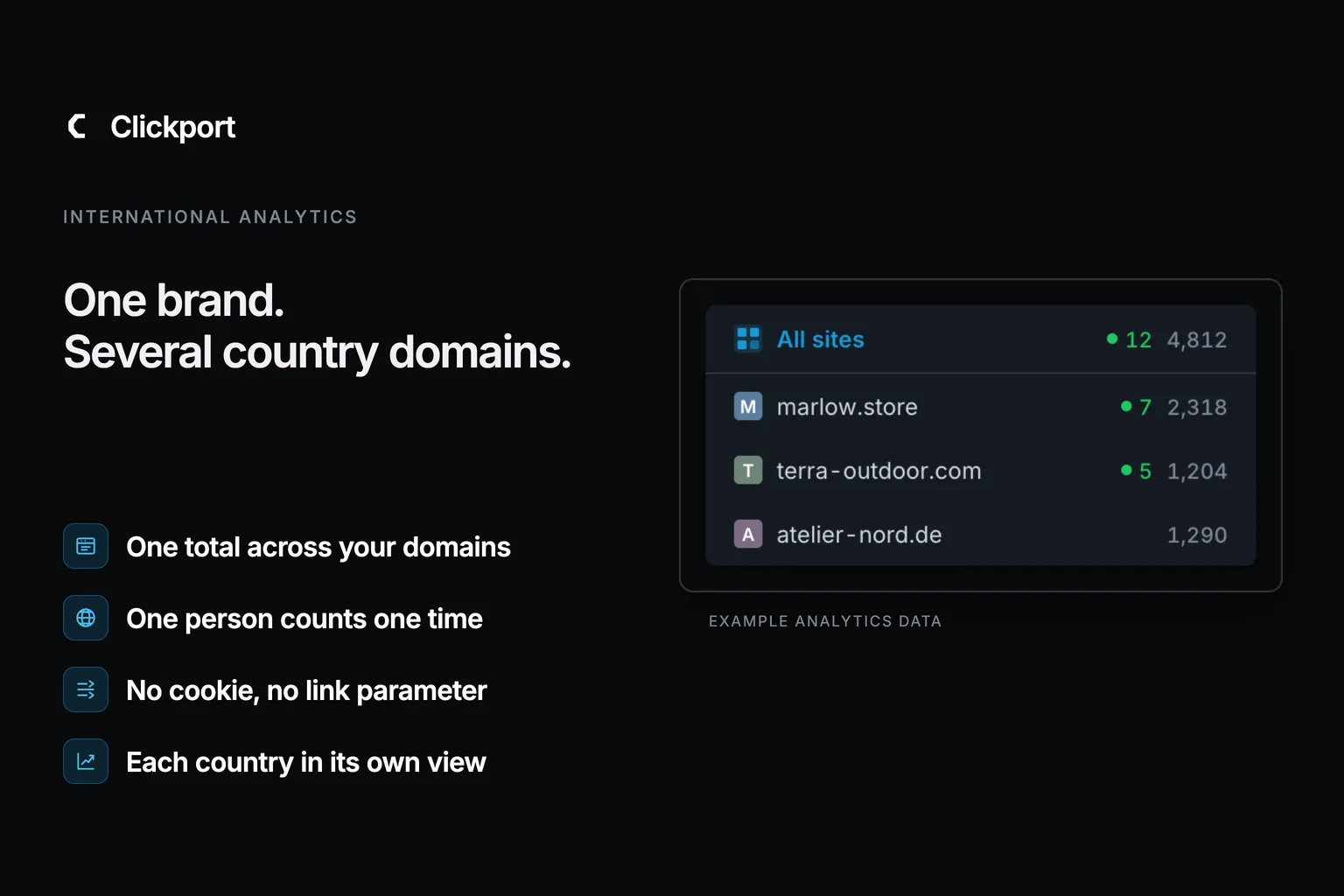
I made a different choice, for this exact case. In Clickport you add each country domain as its own site. With two or more sites, an All sites view appears next to them. Each country keeps its own dashboard, and the brand gets one.
Clickport gives each visitor a daily identifier. It comes from the IP address, the browser header, and the date. So a person who reads brand.de in the morning and brand.fr in the evening is one visitor in your All sites view. There is no cookie and no link parameter. A consent choice can't split the person in two, and it can't shrink one country against another.
The sites overview with example data. The three country cards add up to 10,010. All sites shows 9,640, because a person who visits two country sites counts one time.
That gives you both answers from the start of this article:
- The total. Open All sites. Visitors are deduplicated across the domains in your account.
- The comparison. Open each country site, or compare them in the sites overview. Every country is measured the same way, so a difference is a difference in the audience.
- The detail. Sources, pages, goals, and revenue work in each site and in the combined view. The site management guide shows how to add and order your sites.
I want to be clear about the limits. Sessions don't merge across sites. A visit that moves from brand.de to brand.fr is two sessions with one visitor. The identifier changes every day, so there are no returning-visitor statistics, across domains or within one. Funnels and flows stay inside one site. If your country sites use different time zones, their days start at different moments, and the count near midnight is less exact. And cookie-free measurement doesn't end the consent question. Clickport uses browser storage for a session marker and reads browser signals to detect bots, and the rules differ by country. The cookie-banner guide explains the checks.
The same setup works when your sites are not countries. An agency adds one site for each client, and a company with several brands adds one for each brand. The pages for agencies, publishers, and larger organisations show how that looks.
The number of sites depends on the plan: three on Growth, ten on Business, fifty on Scale. Pageviews count across all sites together. The pricing table has the details.
Start your 30-day free Clickport trial and add two of your country domains. The All sites view appears by itself. All features are included, with no credit card required.
Which setup fits your brand?
| Your situation | A setup that works |
|---|---|
| Two or three domains, one team, most traffic from outside the EU | One GA4 property with cross-domain measurement. It's free, and the consent effect is small. |
| A publisher or licensee in each country, no shared reporting needed | One GA4 property for each country. Accept that there is no brand total. |
| Many domains, a real need for one deduplicated total, an enterprise budget | Google Analytics 360 with roll-up properties. |
| EU country domains, and the country comparison drives budget | A cookieless tool. If you also need one deduplicated total, check how the tool builds its visitor identifier. |
I'd start with the last row if your countries are in the EU. A comparison that the banner can bend is worse than no comparison, because it looks exact.
Frequently asked questions
Can one GA4 property measure several domains?
Yes. A standard property holds up to 50 data streams, and cross-domain measurement links the domains through the _gl parameter and first-party cookies. The link works for visitors whose cookies GA4 may read.
Are GA4 roll-up properties free?
No. Google states that roll-up properties and subproperties are available only to Google Analytics 360 accounts.
Do consent rates really differ by country?
Yes, within limits. In the IAB Europe and Kantar survey, the share who normally accept all ranged from 46% to 62% across 12 countries for one identical banner. Banner design moves the rate even more than the country does.
Does Clickport merge a visit that crosses two of my domains?
It counts one visitor and two sessions. Visitors are deduplicated across the domains in your account for the same day. Sessions stay with the site where they happen.
Does this also work for client sites or several brands?
Yes. Each domain is its own site in Clickport, whatever the reason for the split. Agencies use one site for each client, and the All sites view gives the total across the account.
Do I still need a cookie banner with Clickport?
That depends on your other tools and on the country. Clickport sets no tracking cookies, but browser storage and device signals fall under the rules too. Check each country before you remove a banner.
Compare audiences, not banners
A brand with country domains needs two numbers it can trust: one total, and a fair comparison. In GA4, the first one costs an enterprise contract or a spreadsheet. The second one depends on a button that differs by country.
My audit shows that most brands live with this. 41 of 51 split their measurement across several properties. You don't have to.
I built Clickport so that each country site is measured the same way, and the brand total counts a person one time. The limits are real, and I listed them above.
Start your 30-day free Clickport trial. All features are included, and no credit card is required. The guide to switching from Google Analytics takes you through the move.

Comments
Loading comments...
Leave a comment